Short answer: Choose Anything when a non-technical founder wants a web and mobile app with a hosted database, auth, payments and App Store submission from a prompt. Choose Devfab when you deliver software for a client: research first, a plan the client approves, agents that build and test, code in your GitHub, and a deploy to their server.
You can now type an idea and get a working mobile app with payments. Anything does exactly that, and does it well. The trouble starts when the app belongs to a paying client. They ask where the code lives, who approved the scope, and what was tested. Those are delivery questions, not building questions. This page compares both tools on sourced facts.
In this comparison:
- What each tool is built for
- Switching triggers
- Moving from Anything to Devfab
- Where Anything is the better choice
- Where Devfab is the better choice
Each section stands on its own.
What each tool is built for
Anything
Anything is an AI app builder. It is the former Create.xyz, which relaunched as Anything in August 2025. TechCrunch describes it as "designed to help nontechnical people generate complete web and mobile applications".
What it does:
- One prompt, web and mobile. It generates apps for iOS, Android and the web with a shared backend. Mobile apps are Expo (React Native) code, and the database is PostgreSQL through Neon.
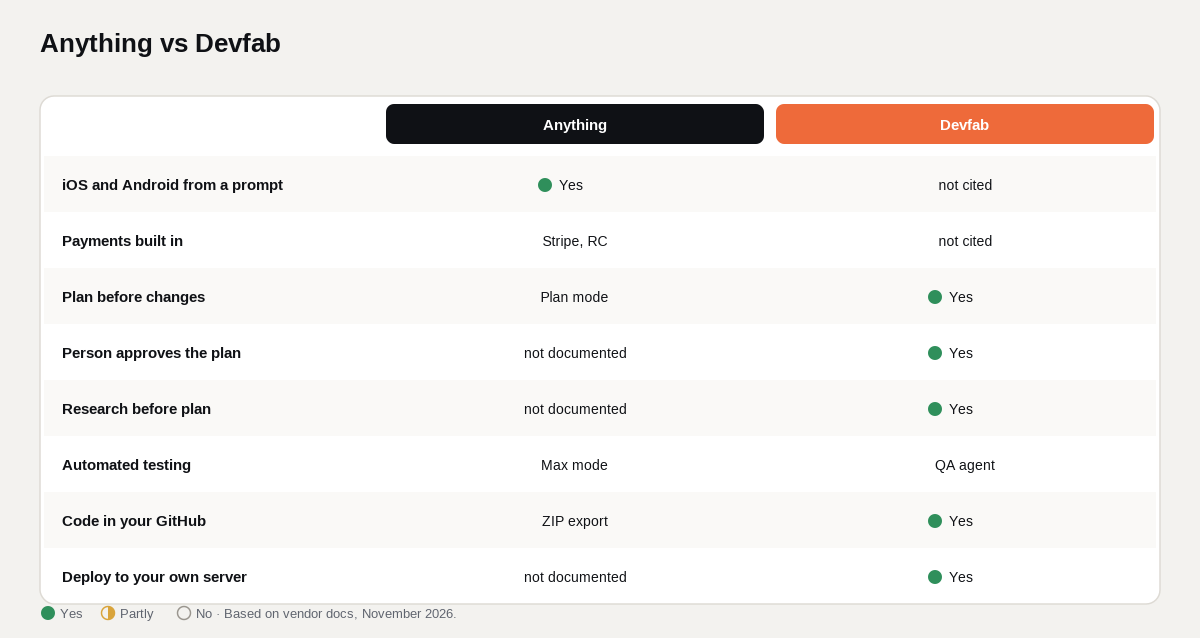
- Agent modes: Discussion (no code changes), Plan ("a step-by-step plan before the agent makes any changes"), Thinking, Fast, and Max, which "builds and tests and fixes on its own".
- Testing: the Max plan adds a browser agent that tests your app and fixes issues automatically.
- Shipping: custom domains, App Store submission through TestFlight, and Google Play publishing (beta, to the internal testing track). Payments run through Stripe and RevenueCat.
- Built in: auth, file storage, AI models and integrations.
A 2026 risk to know: Apple removed the Anything iOS app on March 26, 2026, citing guideline 2.5.2 (executing code), restored it on April 3, then removed it again. Anything responded with an iMessage builder and a planned desktop companion, TechCrunch reported in April 2026.
Anything's main user is a non-technical founder who wants a consumer app with revenue features.
Devfab
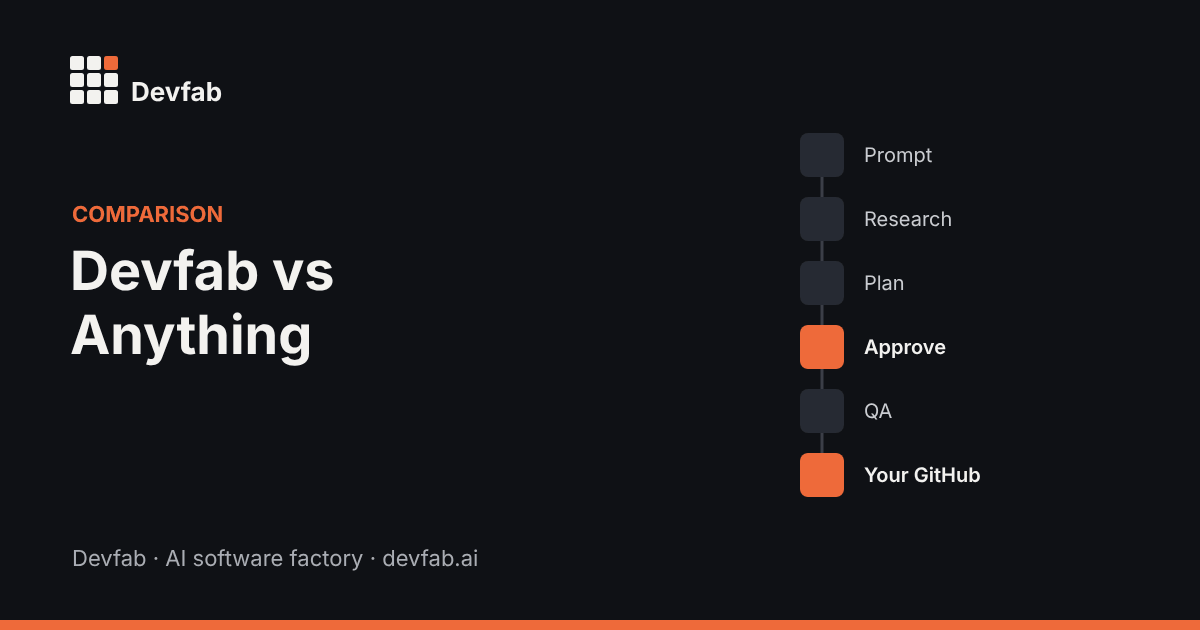
Devfab is an AI software factory. Its unit of work is a client project, run by seven agents. The Researcher maps the domain first: key terms, best practices and competitors, then suggests a prototype. The Planner writes the plan, and a person approves it before the Coordinator creates tickets for the Developers. They work with ChainFlow, which maps which functions and APIs call each other. Blueprint draws screens, the QA agent runs UI and flow tests plus logic tests, and Deploy ships to your own server.
By default Devfab picks the stack that fits, such as Next.js and TypeScript for web apps or Node or Python for an API. Code lives in your own GitHub account (or your organization's).
App builders automate the first version. Devfab automates the development lifecycle.
Switching triggers
| Trigger | Anything | Devfab | Source |
|---|---|---|---|
| The client wants code in their GitHub | ZIP download from the Code tab; "GitHub sync is coming soon" | Code in your own GitHub account from the first ticket | Anything export docs |
| You can't build without a subscription | "Building an app requires a paid plan"; downgrading to Free pauses building | Devfab is in Beta; try it or book a demo | Anything subscriptions docs |
| Credits expire | Monthly credits expire each cycle; only top-off credits carry over | Predictable cost: logged after each run, per task and per project | Anything subscriptions docs |
| Platform risk on mobile | Apple removed the Anything iOS app twice in 2026 | Delivery runs in a web workspace; the app deploys to your server | TechCrunch (Apr 2026) |
| Hardware features need device testing | Web preview doesn't support camera or GPS; test on a device through Expo Go | QA agent runs UI and flow tests on the web app | Anything docs |
| Scope needs sign-off | Plan mode writes a step-by-step plan before changes | A person approves the plan by default, then a Coordinator creates tickets | Anything docs |
Cost model by team size
| Team size | Anything | Devfab |
|---|---|---|
| 1 person | Paid Pro plan to build; monthly credits plus optional top-off credits | Cost logged per task and per project (Beta) |
| 5 people | Pro or Max plans in several credit tiers; Max adds the browser testing agent | Cost logged per task and per project (Beta) |
| 25 people | Max credit tiers and top-offs; team pricing is not covered in the docs we checked | Cost logged per task and per project (Beta) |
Check Anything's subscriptions page for current plans and credit amounts.
Moving from Anything to Devfab
- Download the code. In Anything, open the Code tab and click Download Project to get a ZIP of your source.
- Put it in GitHub. Until GitHub sync ships, push the ZIP's contents to a new repo in your own GitHub account or your client's organization.
- Plan the data move. The database runs on Neon PostgreSQL; the export page covers code, not data, so plan the database move separately.
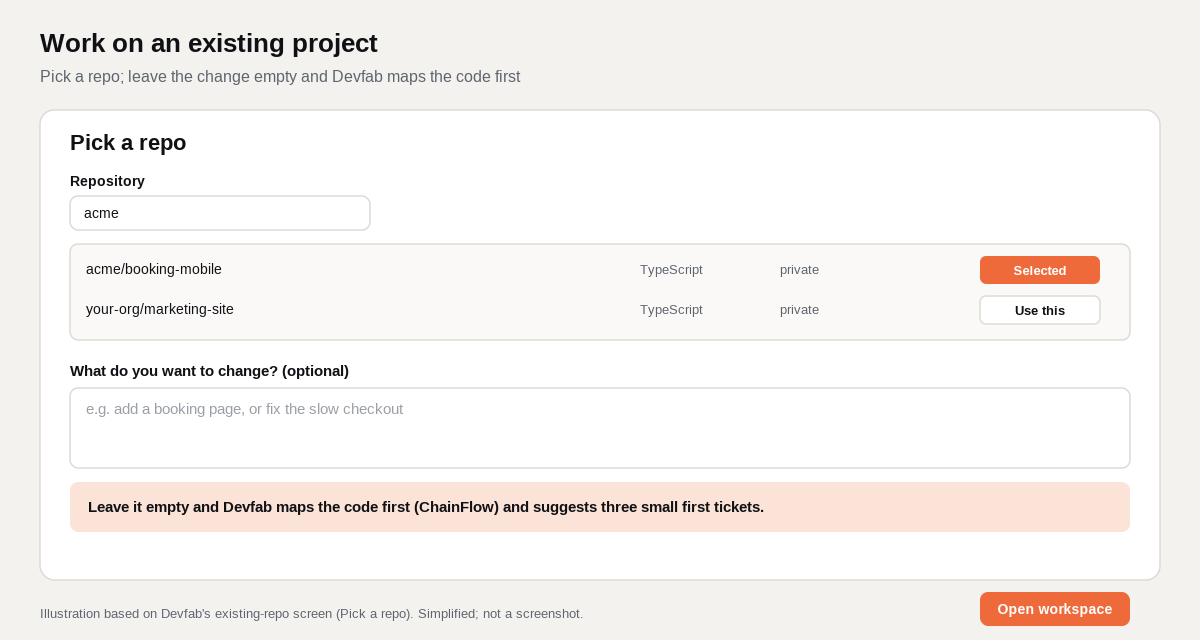
- Connect the repo. In Devfab choose "Work on an existing project", pick the repo and leave the change box empty. ChainFlow maps the code first and suggests three small first tickets.
- Approve the plan. Human in the loop is the default, so you approve before the Coordinator creates tickets.
- Let the QA agent test UI, user flows and logic, then deploy to your own server.
Where Anything is the better choice
- You want iOS, Android and web from one prompt, with App Store submission through TestFlight and Google Play publishing.
- Revenue features matter on day one: Stripe and RevenueCat payments, auth and storage come pre-wired.
- You are a non-technical founder testing an idea and don't need a GitHub review flow yet.
- You want the builder to test itself. Max mode builds, tests and fixes on its own.
- A hosted backend is fine, with PostgreSQL on Neon managed for you.
Where Devfab is the better choice
- The app belongs to a client who wants the code in their GitHub and the app on their server.
- The domain needs research. The Researcher maps terms, best practices and competitors before the Planner writes anything.
- Scope needs a signature. A person approves the plan before any ticket exists.
- You need a QA report from a separate agent that tests screens, user journeys and logic.
- The app keeps changing. ChainFlow shows what a change touches, such as checkout affecting payments, inventory and notifications.
- You need docs and a record: blueprints, user manuals, a Team Delivery Report and cost per task.
Devfab's honest limits: it is new and in Beta, with a smaller community and fewer integrations than Anything. Its default stacks target web apps and APIs, and this page cites no built-in App Store submission for Devfab. It is not an editor for hands-on coding, and it needs a GitHub account. For a quick consumer prototype, Anything is less process.
FAQ
Is Anything the same as Create.xyz?
Yes. Create.xyz relaunched as Anything in August 2025, according to a Neon blog post about the launch. The product now lives at createanything.com and anything.com.
Can I get my Anything code into GitHub?
Yes, by hand. Anything's export page says to open the Code tab and click Download Project for a ZIP of your source code, and that GitHub sync is coming soon. You can push the ZIP's contents to a repo in your own GitHub account, then connect that repo to Devfab.
Does Anything test the apps it builds?
Its Max mode builds, tests and fixes on its own, and the Max plan adds a browser agent that tests your app and fixes issues automatically. Devfab adds a separate QA agent that runs UI and flow tests plus logic tests, with optional review before a ticket is marked Done.
Which is better for a mobile app with in-app payments?
Anything, if you want App Store submission through TestFlight, Google Play publishing and Stripe or RevenueCat payments built in. Devfab's default stacks target web apps and APIs, so for store submission from one tool, Anything is the stronger pick.
Read next
- What is an AI software factory?
- AI app builder vs AI coding agent: which one do you need?
- Prototype vs MVP vs production app: what's the difference?
- Base44 alternatives for teams that ship to production (2026)
See a prototype become a tested client project. Book a Devfab demo
Sources (checked November 13, 2026): Anything homepage; Anything docs: subscriptions; Anything docs: export; Anything full docs; Neon: Anything, the new AI agent for building mobile and web apps (Aug 2025); TechCrunch: Anything raises at a new valuation (Sep 2025); TechCrunch: How Anything is rebuilding after getting booted from the App Store twice (Apr 2026).
Frequently asked questions
Is Anything the same as Create.xyz?
Yes. Create.xyz relaunched as Anything in August 2025, according to a Neon blog post about the launch. The product now lives at createanything.com and anything.com.
Can I get my Anything code into GitHub?
Yes, by hand. Anything's export page says to open the Code tab and click Download Project for a ZIP of your source code, and that GitHub sync is coming soon. You can push the ZIP's contents to a repo in your own GitHub account, then connect that repo to Devfab.
Does Anything test the apps it builds?
Its Max mode builds, tests and fixes on its own, and the Max plan adds a browser agent that tests your app and fixes issues automatically. Devfab adds a separate QA agent that runs UI and flow tests plus logic tests, with optional review before a ticket is marked Done.
Which is better for a mobile app with in-app payments?
Anything, if you want App Store submission through TestFlight, Google Play publishing and Stripe or RevenueCat payments built in. Devfab's default stacks target web apps and APIs, so for store submission from one tool, Anything is the stronger pick.