Short answer: JetBrains Junie wins when your developers live in JetBrains IDEs and want an agent that plans, debugs and reviews code using the IDE's own index, with any model. Devfab wins when you deliver client projects and need domain research, a plan a client can approve, separate QA, deployment to your server and cost per project.
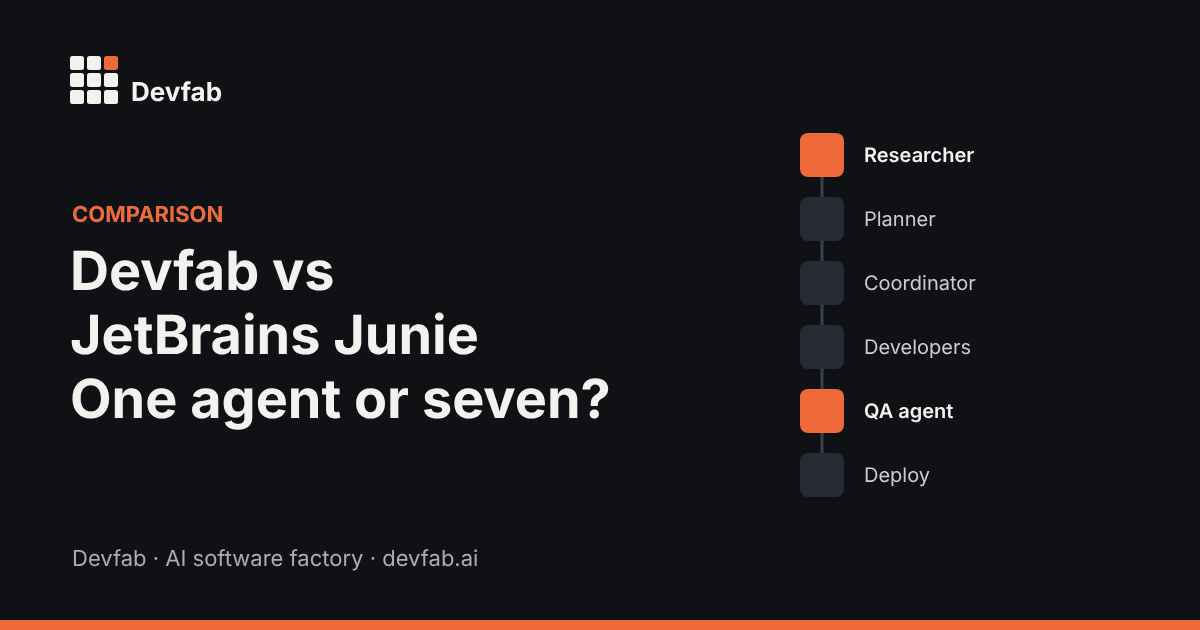
Your team runs on IntelliJ, PyCharm or WebStorm, and Junie now writes real plans. So why look further? Because plans per task are not the same as a delivery process per client. Someone still runs research, QA, deployment and handover.
One side says the best agent is the one inside your IDE. The other says a team of agents should run the project around it. Here is a fair look at both.
In this comparison:
- What each tool is built for
- Switching triggers
- Cost model by team size
- Where JetBrains Junie is the better choice
- Where Devfab is the better choice
Each section stands on its own.
What each tool is built for
JetBrains Junie
Junie is JetBrains' AI coding agent. Status, November 2026: generally available since June 2026, when it left beta and added Plan mode, agentic debugging and code review (JetBrains blog, Jun 2026). Junie CLI, a standalone agent that runs without an IDE, entered beta in March 2026 (JetBrains blog, Mar 2026).
What stands out:
- Where it runs: all JetBrains IDEs, the Junie CLI on Mac, Linux and Windows, a GitHub Action that runs from issues and PRs, and GitLab CI/CD tasks from issues or merge requests (Junie).
- Plan mode: writes a structured plan with requirements, technical design, delivery stages and an optional testing strategy. You edit and approve it, and it is saved in
.junie/plansso it can be committed (JetBrains blog). - Modes: Default, Plan, Goal (works toward a configured goal) and Debug, which uses the IDE debugger (JetBrains help).
- Debugging and review: Junie starts debug sessions, sets breakpoints and inspects runtime state. It reviews unstaged changes, staged changes or a diff against main (JetBrains blog).
- IDE intelligence: it uses the IDE's semantic index, build configurations, test runners and debugger (JetBrains blog).
- Model choice: LLM-agnostic, with bring-your-own-key for Anthropic, OpenAI and Google, and local runtimes such as Ollama and LM Studio (JetBrains blog).
- Safety controls: by default Junie asks before running commands or making changes. Safe, Auto and Brave modes control confirmations, changes roll back per file, and it respects
.aiignore(JetBrains help).
Junie's main user is a developer in a JetBrains IDE who wants an agent that understands the project the way the IDE does.
Devfab
Devfab is an AI software factory. Seven agents run a client project from idea to deployment. The Researcher learns the client's industry first: key terms, best practices for that kind of app and competitors. The Planner writes the project plan, and a person approves it. The Coordinator splits it into tickets for Developers, who work with ChainFlow to see what each change affects. Blueprint draws the screens, the QA agent runs UI, flow and logic tests, and Deploy ships to your own server.
Coding agents automate the developer. Devfab automates the development lifecycle.
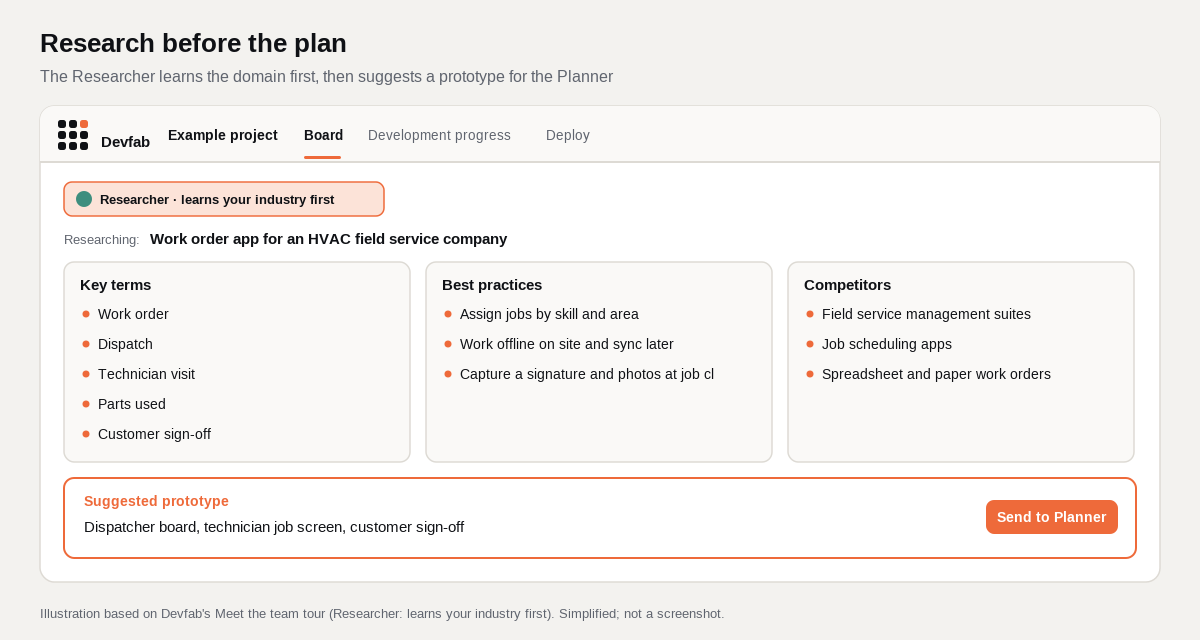
Junie's plan starts from your codebase. Devfab's plan starts from the client's domain, then reaches the codebase.
Switching triggers
| Trigger | JetBrains Junie | Devfab | Source |
|---|---|---|---|
| Long sessions drift | Docs warn that once the context window fills, "the agent may lose track of earlier parts of the session" | Coordinator splits the approved plan into separate tickets | JetBrains help |
| Debug mode needs a specific IDE | Debug mode requires IntelliJ IDEA Ultimate 2026.1.1 or later | QA agent runs UI, flow and logic tests in the workspace | JetBrains help |
| Apps must be deployed and hosted | No deploy or hosting features described | Ship to production on your own server; custom domain optional | Junie |
| Clients and PMs don't use IDEs | Runs in JetBrains IDEs, the CLI and GitHub or GitLab CI | Non-developers approve plans and read QA reports in a workspace | Junie |
| Usage is metered in credits | Paid plans include monthly AI Credits with top-ups | Cost logged after each run, per task and per project | Junie |
Cost model by team size
| Team size | JetBrains Junie | Devfab |
|---|---|---|
| 1 person | Free Junie Lite model in every JetBrains account; bring your own key at provider rates with no markup; or AI Pro or AI Ultimate with monthly AI Credits | Cost logged per task and per project (Beta) |
| 5 people | AI Pro or AI Ultimate per user (plans for organizations), with top-ups; JetBrains recommends AI Ultimate for regular Junie use | Cost logged per task and per project (Beta) |
| 25 people | Same per-user organization plans, monthly or annual billing; or bring your own key | Cost logged per task and per project (Beta) |
Junie's pricing model as of November 2026, from junie.jetbrains.com. Check that page for current amounts. Devfab: predictable cost; cost is logged after each run, per task and per project; Devfab is in Beta.
Moving from JetBrains Junie to Devfab
Junie already works in your repository, so there is no export step.
- Make sure the repo is on GitHub. Junie also runs on GitLab, but Devfab needs a repository in your own GitHub account or your organization's.
- In Devfab, choose "Work on an existing project" and pick the repository.
- Leave the change box empty. ChainFlow maps which functions and APIs call each other and what is deployed, then suggests three small first tickets.
- Approve the plan. The Planner publishes it; the Coordinator creates tickets only after a person approves.
- Let the QA agent test the work. UI and flow tests click through screens and user journeys; logic tests check the rules.
- Keep Junie in the IDE. Developers can keep using it for debugging and review on the same repo.
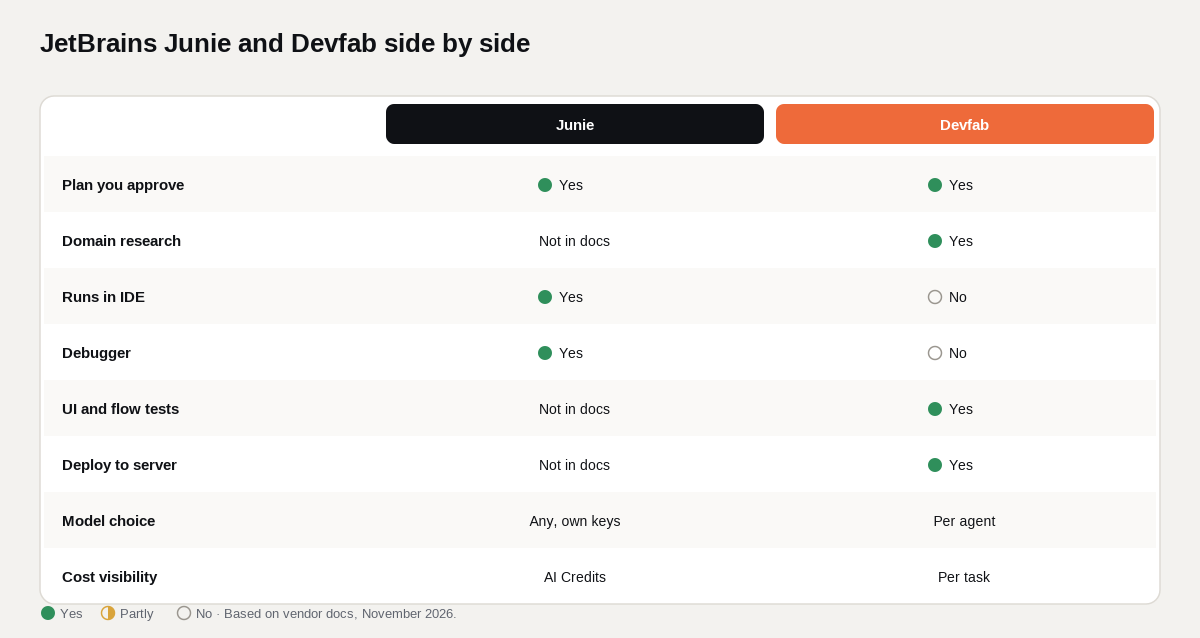
Where JetBrains Junie is the better choice
- Your team is standardized on JetBrains IDEs and wants an agent that uses the IDE's semantic index, test runners and debugger.
- Debugging is the hard part. Junie sets breakpoints and inspects runtime state, which Devfab does not offer.
- You want model choice down to local runtimes, with bring-your-own-key at provider rates.
- A developer stays in the loop at each step, with Safe, Auto and Brave modes and per-file rollback.
- You want plans committed next to the code in
.junie/plansand agents in GitHub or GitLab CI.
Where Devfab is the better choice
- Research comes before the plan. The Researcher maps the client's domain, best practices and competitors, then suggests a prototype.
- The plan is a client-facing checkpoint, approved by a person in a shared workspace and turned into tickets, Kanban and Gantt views.
- Changes to live client apps need impact checks. ChainFlow shows which connected features a change can affect.
- QA is its own step. A separate QA agent runs UI, flow and logic tests, with an option to review before Done.
- Delivery doesn't stop at code: deployment to your own server, blueprints, prototypes and user manuals.
- You price projects and need cost logged per task and per project.
Devfab's honest limits: it is new and in Beta, with a smaller community and fewer integrations than JetBrains. It is not an IDE and has no debugger for hands-on work. It needs a GitHub account, so GitLab-only teams should wait or mirror.
FAQ
Junie has a Plan mode. Isn't that the same as Devfab's Planner?
They overlap. Junie's Plan mode writes requirements, a technical design, delivery stages and an optional testing strategy that you edit, approve and can commit to the repo. Devfab adds a research step before the plan, a person approves the plan in a shared workspace, and a Coordinator turns it into tickets for several dev agents, followed by a QA agent and deployment.
Does Devfab work inside IntelliJ IDEA or other JetBrains IDEs?
No. Devfab is not an editor or an IDE plugin. It works on a repository in your own GitHub account or your organization's, so developers can keep Junie in their JetBrains IDE on the same repo.
Can I bring my own model keys to both?
Junie is LLM-agnostic, with bring-your-own-key for Anthropic, OpenAI and Google plus local runtimes such as Ollama and LM Studio. In Devfab you can choose the model for each agent or keep Devfab's default.
Which one should a software agency pick?
If your developers live in JetBrains IDEs and the bottleneck is coding, debugging and review, Junie is the better fit. If the bottleneck is running client projects end to end, with approved plans, QA reports, deployment to client servers and cost per project, Devfab fits better.
Read next
- What is an AI software factory?
- JetBrains Junie vs Cursor: which should your team use in 2026?
- How to review a plan written by an AI agent
- Build a field service work order app with AI agents
Walk through a client project with us, plan to deploy. Book a Devfab demo
Sources (checked November 13, 2026): Junie by JetBrains; Junie coding agent out of beta (JetBrains blog, Jun 2026); Junie CLI is now in beta (JetBrains blog, Mar 2026); Junie agent, AI Assistant Help.
Frequently asked questions
Junie has a Plan mode. Isn't that the same as Devfab's Planner?
They overlap. Junie's Plan mode writes requirements, a technical design, delivery stages and an optional testing strategy that you edit, approve and can commit to the repo. Devfab adds a research step before the plan, a person approves the plan in a shared workspace, and a Coordinator turns it into tickets for several dev agents, followed by a QA agent and deployment.
Does Devfab work inside IntelliJ IDEA or other JetBrains IDEs?
No. Devfab is not an editor or an IDE plugin. It works on a repository in your own GitHub account or your organization's, so developers can keep Junie in their JetBrains IDE on the same repo.
Can I bring my own model keys to both?
Junie is LLM-agnostic, with bring-your-own-key for Anthropic, OpenAI and Google plus local runtimes such as Ollama and LM Studio. In Devfab you can choose the model for each agent or keep Devfab's default.
Which one should a software agency pick?
If your developers live in JetBrains IDEs and the bottleneck is coding, debugging and review, Junie is the better fit. If the bottleneck is running client projects end to end, with approved plans, QA reports, deployment to client servers and cost per project, Devfab fits better.