Short answer: A field service work order app takes a job from the office to the technician's phone and back to an invoice, with photos and a customer signature. With Devfab, you describe the app, a person approves the plan, and developer and QA agents build and test it in your own GitHub repository. Here are the spec, plan, screens and test report.
What the app does and who uses it
Many service companies still run on paper job sheets. The technician fills one in, the office types it up later, and photos or parts go missing between the two. Invoices wait until someone catches up. This build uses the same example as our field service work order app requirements template: an HVAC company with 12 technicians.
| User | What they do |
|---|---|
| Dispatcher | Create jobs, schedule and assign them on a day view, follow progress |
| Technician | Open assigned jobs on a phone, follow the checklist, log parts and time, add photos, work offline |
| Customer | Sign on the technician's phone at the end of the visit and receive an email summary |
| Owner | See completed jobs, the "Ready to invoice" list and simple reports |
The one-page spec
This is the spec given to Devfab in the "What should we build?" step. It follows the filled example in the template.
- Problem: 12 technicians use paper job sheets; the office re-types them; invoices go out late and photos are often missing.
- Users and roles: dispatcher, technician (phone, offline), customer (signs on site, gets an email receipt), owner (reports).
- Must-have flows:
- Dispatcher creates a job with customer, site, equipment, issue and priority
- Dispatcher schedules and assigns it on a drag-and-drop day view; the technician is notified
- Technician opens the job, follows the checklist, logs parts and time, adds photos, and can do all of this offline
- Customer signs on the technician's phone and gets an email summary
- Completed jobs appear in a "Ready to invoice" list with parts and time totals, exportable to accounting
- Data: customers, sites, equipment, jobs, schedules, technicians, checklists, parts, time logs, photos, signatures.
- Rules: the technician app is offline-first; jobs are assigned by area and skill; a job can't close without a completed checklist, at least 1 photo and a signature; a return visit links to the original job.
- Done means: every flow works on phone and desktop; jobs completed offline sync correctly; no job can close without its required items.
The offline rule shapes the whole build. It decides how the technician app stores data, how conflicts are handled when two people edit a job, and what the QA agent has to test. That is why it sits in the spec, not in a later change request.
The approved plan
Devfab's research step runs before the Planner. For this app it maps field service terms (work order, dispatch board, first-time fix, return visit), common practices such as offline sync and required close-out items, and the kinds of tools HVAC firms already use. The Planner then writes the plan, and a person reviews and approves it before any ticket is created.
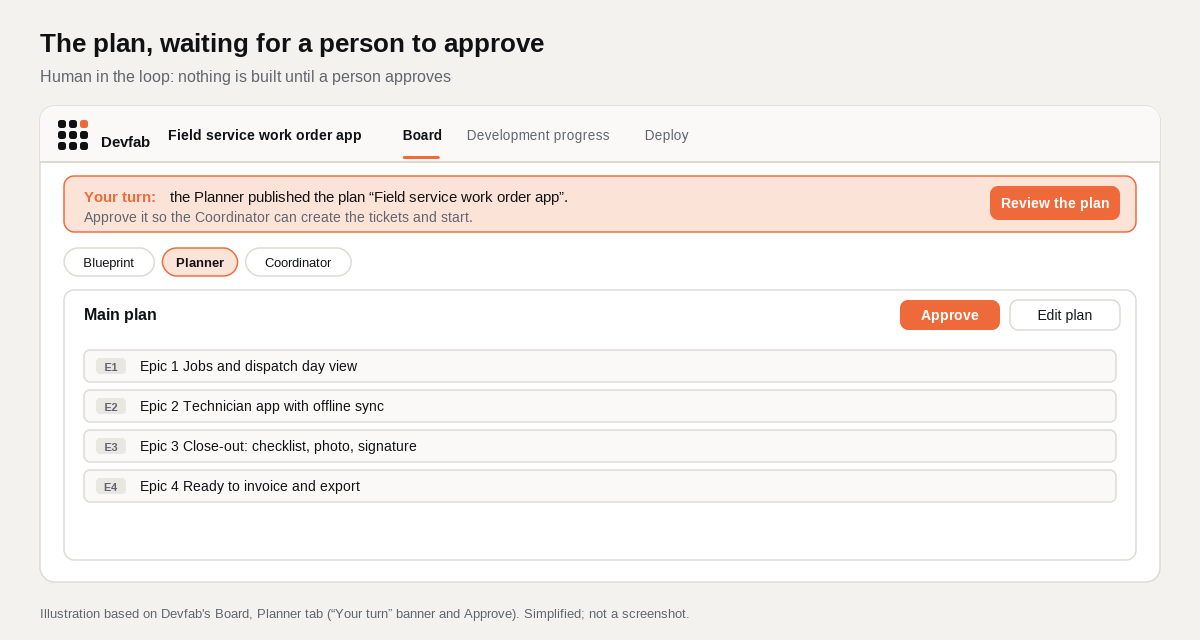
When reviewing, check that offline sync has its own epic with clear rules for conflicts, and that the close-out rule (checklist, photo, signature) is enforced on the server, not only on the phone.
Screens and prototype
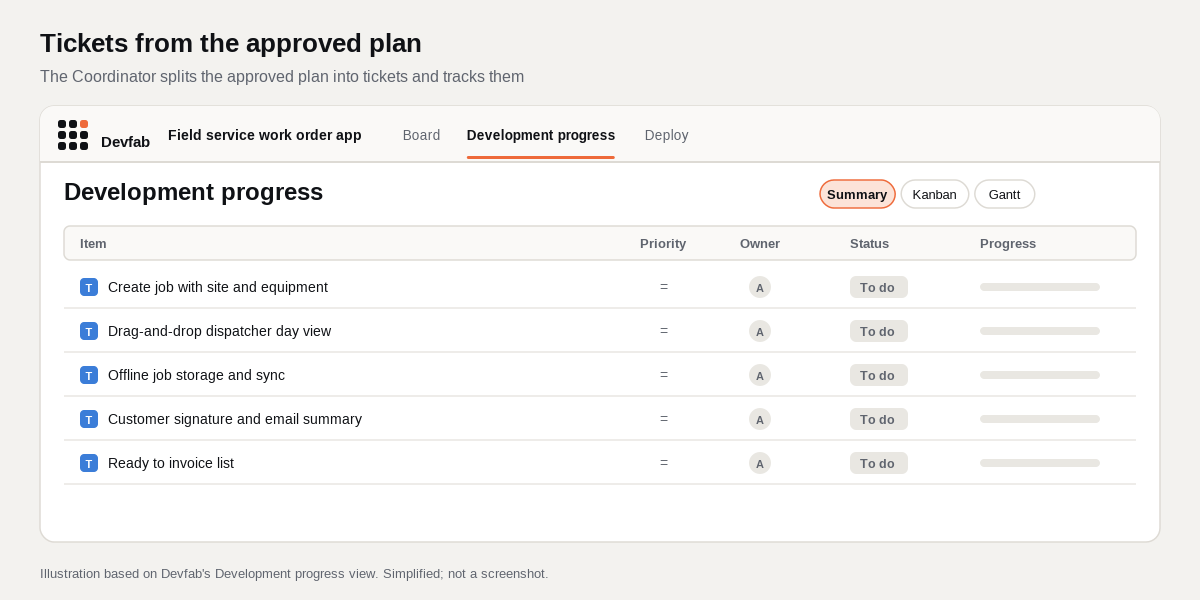
After approval, the Coordinator splits the plan into tickets and assigns developer agents. Blueprint designs the screens: the dispatcher day view with technicians as rows and jobs as blocks, the unassigned jobs list, the technician job screen with checklist, parts, time and photos, the signature screen, and the "Ready to invoice" list.
QA report
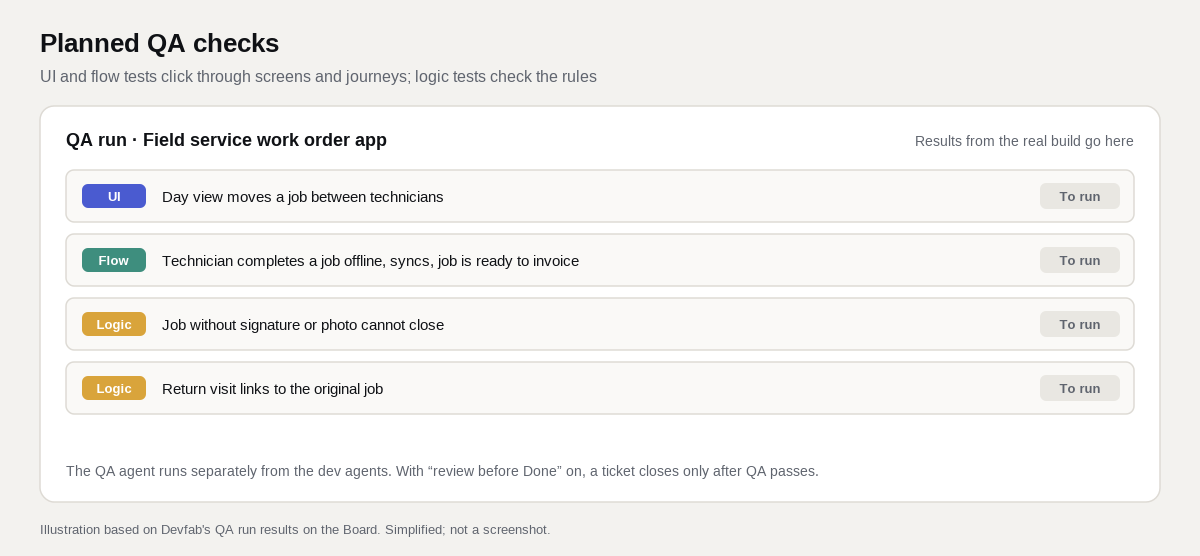
With "QA agent · review before Done" switched on, each ticket is checked before it closes. The planned tests for this build:
- UI tests: a job card shows site, equipment and priority; the drag-and-drop day view moves a job between technicians; the signature pad saves on a phone screen.
- Flow tests: the dispatcher creates and assigns a job, the technician completes it with no signal, reconnects, and the job appears in "Ready to invoice"; the customer receives the email summary.
- Logic tests: a job without a signature or photo can't close; a return visit links to the original job; parts and time totals on the invoice list match what the technician logged.
Cost logged per task
Devfab is built for predictable cost. Cost is logged after each run, per task and per project, so you can see what each piece of work took, such as offline sync compared with the day view. You can choose the model for each agent or keep Devfab's default.
Try it or book a demo
- Try the prototype:
- Your code, your server: the repository is in your own GitHub account (or your organization's), and the app deploys to your own server, with a custom domain if you want one.
- Start from the template: fill in the requirements template for your own trade, then describe it to Devfab.
FAQ
Does the technician app work without signal?
Offline-first is a rule in the spec. Technicians can open jobs, complete checklists, log parts and time, and take photos without signal, and the job syncs when the phone reconnects. The QA agent's flow tests include a job completed offline.
Can it connect to our accounting software?
The spec asks for completed jobs to be exportable to accounting. A direct integration with your accounting tool can be added as its own ticket in the plan, and the QA agent tests it like any other flow.
Can we change the job checklist later?
Yes. Send the change to the Planner as a new plan, or to the Coordinator as a ticket. It goes through the same build and QA steps before it reaches technicians.
Who owns the app?
You do. The code is in your own GitHub account (or your organization's), and the app deploys to your own server.
Read next
- Field service work order app requirements template
- What is an AI software factory?
- Build a public works asset tracker with AI agents
See your work order process as a working app first. Try the Devfab Beta
Frequently asked questions
Does the technician app work without signal?
Offline-first is a rule in the spec. Technicians can open jobs, complete checklists, log parts and time, and take photos without signal, and the job syncs when the phone reconnects. The QA agent's flow tests include a job completed offline.
Can it connect to our accounting software?
The spec asks for completed jobs to be exportable to accounting. A direct integration with your accounting tool can be added as its own ticket in the plan, and the QA agent tests it like any other flow.
Can we change the job checklist later?
Yes. Send the change to the Planner as a new plan, or to the Coordinator as a ticket. It goes through the same build and QA steps before it reaches technicians.
Who owns the app?
You do. The code is in your own GitHub account (or your organization's), and the app deploys to your own server.