Short answer: A restaurant ordering app lets customers order and pay for pickup from your own site while the kitchen sees each order on a screen. With Devfab, you describe the app, a person approves the plan, and developer and QA agents build and test it in your own GitHub repository. Here are the spec, plan, screens and test report.
What the app does and who uses it
Independent restaurants often take pickup orders by phone during the busiest hour of the day. Orders get misheard, the kitchen gets tickets in bursts, and customers order dishes that ran out an hour ago. The example here is a single-location restaurant that wants online pickup ordering on its own website.
| User | What they do |
|---|---|
| Customer | Browse the menu, choose options, pick a pickup time, pay, and get a confirmation |
| Kitchen staff | See new orders on a kitchen screen, move them from "new" to "preparing" to "ready" |
| Manager | Mark items sold out, pause online orders when the kitchen is full, refund an order |
| Owner | Edit the menu and prices, set opening hours, export daily sales |
The one-page spec
- Problem: pickup orders come by phone at peak times; orders are misheard; customers order sold-out dishes; there is no record of online sales outside the card terminal.
- Users and roles: customer (guest checkout, optional account), kitchen staff, manager, owner.
- Must-have flows:
- Customer browses the menu, picks items and modifiers, and adds notes
- Customer chooses a pickup slot, pays online and gets a confirmation by email or text
- Kitchen sees new orders on a screen and updates status; the customer is told when the order is ready
- Manager marks items sold out or pauses online orders
- Owner edits the menu and exports daily sales
- Data: menu categories, items, modifiers, prices, opening hours, pickup slots, orders, order items, payments, refunds, notifications, staff users.
- Rules: orders only during opening hours; each pickup slot has a maximum number of orders; sold-out items and modifiers are hidden at once; an order is sent to the kitchen only after payment succeeds; refunds need a manager; card data is handled by the payment provider, never stored by the app.
- Done means: every flow works on phone and desktop; a full slot can't be booked; a failed payment never creates a kitchen ticket; sold-out items can't be ordered.
The approved plan
Devfab's research step maps the domain before planning: ordering terms (modifiers, pickup slots, kitchen display, 86'd items), common practices such as slot limits and pausing orders at peak, and the kinds of ordering services restaurants already use. The Planner then writes the plan, and a person reviews and approves it before any tickets are created.
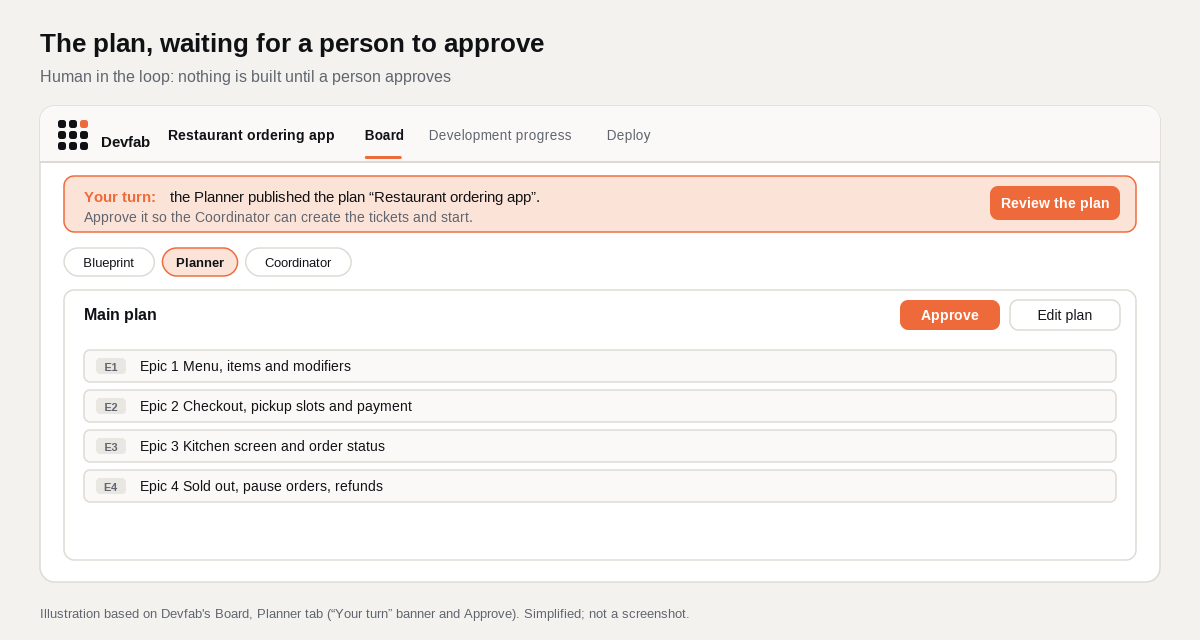
A reviewer should check that "send to kitchen only after payment succeeds" is a clear rule in the checkout epic, and that slot limits are enforced on the server.
Screens and prototype
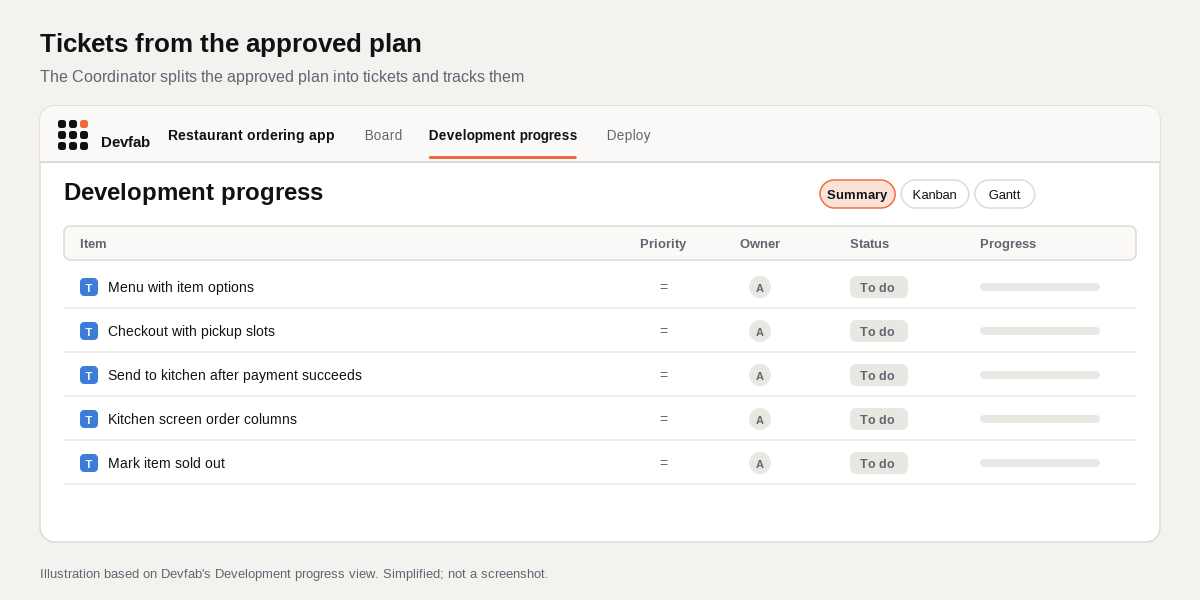
After approval, the Coordinator splits the plan into tickets and assigns developer agents. Blueprint designs the screens: the menu with item options, the cart and checkout with pickup slots, the order confirmation, the kitchen screen with order columns, and the owner's menu editor.
Why checkout changes need care
Checkout touches almost everything in an ordering app. A change to checkout can affect payments, inventory (sold-out counts), order confirmation and notifications. Devfab's ChainFlow, its code-intelligence layer, maps which functions and APIs call each other and what is deployed. So when the owner later asks for, say, tips at checkout, developer agents see the connected features before they change anything, and the QA agent re-runs the tests that cover them.
QA report
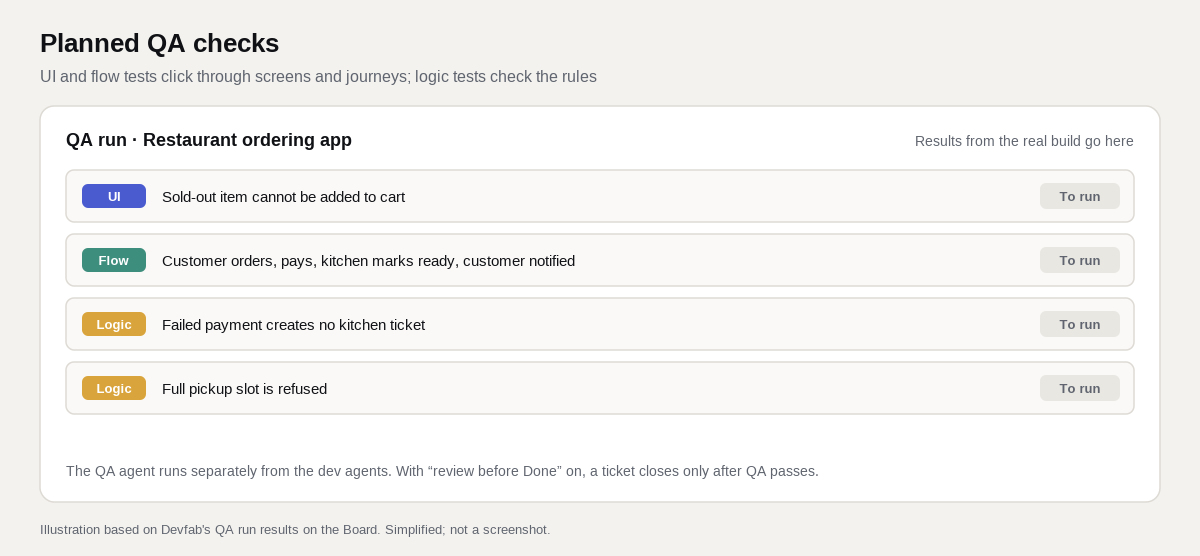
With "QA agent · review before Done" on, each ticket is checked before it closes. Planned tests:
- UI tests: item options show the right price changes; a sold-out item can't be added; the kitchen screen updates when a new order arrives.
- Flow tests: a customer orders, pays, receives a confirmation, the kitchen marks the order ready, and the customer is notified; a manager pauses orders and the checkout closes.
- Logic tests: a failed payment creates no kitchen ticket; a full pickup slot is refused; an order outside opening hours is blocked; a refund needs a manager.
Cost logged per task
Devfab is built for predictable cost. Cost is logged after each run, per task and per project, so you can compare what the checkout took with the kitchen screen. You can choose the model for each agent or keep Devfab's default.
Try it or book a demo
- Try the prototype:
- Your code, your server: the repository is in your own GitHub account (or your organization's), and the app deploys to your own server with your own domain.
FAQ
Can the app take payments?
Yes. Online payment at checkout is a must-have flow in the spec, through a payment provider you choose. The app never stores full card numbers; the provider handles them.
What happens when we change the checkout later?
Devfab's ChainFlow maps which parts of the code call each other, so developer agents see that a checkout change can affect payments, inventory, order confirmation and notifications. The QA agent then re-runs the flow tests that cover them.
Can we mark dishes as sold out during service?
Yes. A manager can mark an item or a modifier as sold out from the kitchen screen, and it disappears from the menu right away.
Do we own the ordering app?
Yes. The code is in your own GitHub account (or your organization's), and the app deploys to your own server with your own domain.
Read next
- What is an AI software factory?
- How to stop AI coding agents from breaking existing code
- Inventory management app requirements template
- Build an appointment booking system with AI agents
See your ordering flow as a working app before you commit. Try the Devfab Beta
Frequently asked questions
Can the app take payments?
Yes. Online payment at checkout is a must-have flow in the spec, through a payment provider you choose. The app never stores full card numbers; the provider handles them.
What happens when we change the checkout later?
Devfab's ChainFlow maps which parts of the code call each other, so developer agents see that a checkout change can affect payments, inventory, order confirmation and notifications. The QA agent then re-runs the flow tests that cover them.
Can we mark dishes as sold out during service?
Yes. A manager can mark an item or a modifier as sold out from the kitchen screen, and it disappears from the menu right away.
Do we own the ordering app?
Yes. The code is in your own GitHub account (or your organization's), and the app deploys to your own server with your own domain.