Short answer: A patient intake form app lets patients fill in their details, insurance, history and consents on their phone before a visit, so staff stop retyping clipboards. With Devfab, you describe the app, a person approves the plan, and agents build and test it in your own GitHub repository. HIPAA is the clinic's responsibility to assess.
What the app does and who uses it
In many small clinics, new patients still fill in paper forms in the waiting room. Front desk staff then type them into the practice system, chase missing insurance details and scan signed consents. The example here is a physical therapy clinic with two locations that wants patients to complete intake from a link sent before the first visit.
| User | What they do |
|---|---|
| Patient | Open a secure link, fill in details, insurance, history and consents, sign, and submit |
| Front desk | Send intake links, see which are complete, flag missing items, mark intake reviewed |
| Clinician | Read the intake summary before the first session |
| Clinic admin | Edit form sections and questions, manage staff accounts and roles, see the access log |
A note on HIPAA
Health data brings legal duties, and they are not Devfab's to decide for you. According to HHS, the HIPAA Rules apply to covered entities (health plans, clearinghouses, and health care providers that send health information electronically in connection with standard transactions) and to their business associates. The HIPAA Security Rule asks regulated entities to protect electronic protected health information with administrative, physical and technical safeguards, including access control, audit controls, integrity and transmission security.
Devfab does not claim that it, or the apps it builds, is HIPAA compliant. Whether HIPAA applies to your clinic, which safeguards you need, and whether you need agreements with your hosting provider or other vendors is for you to assess with your own compliance advisors. What Devfab gives you is control: the code sits in your own GitHub account (or your organization's), the app deploys to your own server, and you can write the safeguards you need into the spec so they are planned and tested.
The one-page spec
- Problem: patients fill in paper forms on arrival; staff retype them; insurance details and signed consents are often missing at the first session.
- Users and roles: patient (link only, no account), front desk, clinician, clinic admin. Staff see only patients at their own location; admin sees both.
- Must-have flows:
- Front desk sends an intake link by email or text before the first visit
- Patient fills in personal details, insurance (with a photo of the card), medical history and current symptoms, and signs consent forms
- Front desk sees a list of intakes by status, flags missing items and marks intake reviewed
- Clinician opens a one-page summary before the session
- Admin edits form sections and questions
- Data: patients, locations, intake links, form versions, answers, insurance details, card images, signatures, staff users, access log.
- Rules: links expire after use or after a set period; staff access is by role and location; every view and change of an intake is logged; data is encrypted in transit; form changes apply only to new links; test with made-up patients only.
- Done means: every flow works on phone and desktop; a staff user can't open intakes from another location; every view appears in the access log; an expired link can't be reopened.
The approved plan
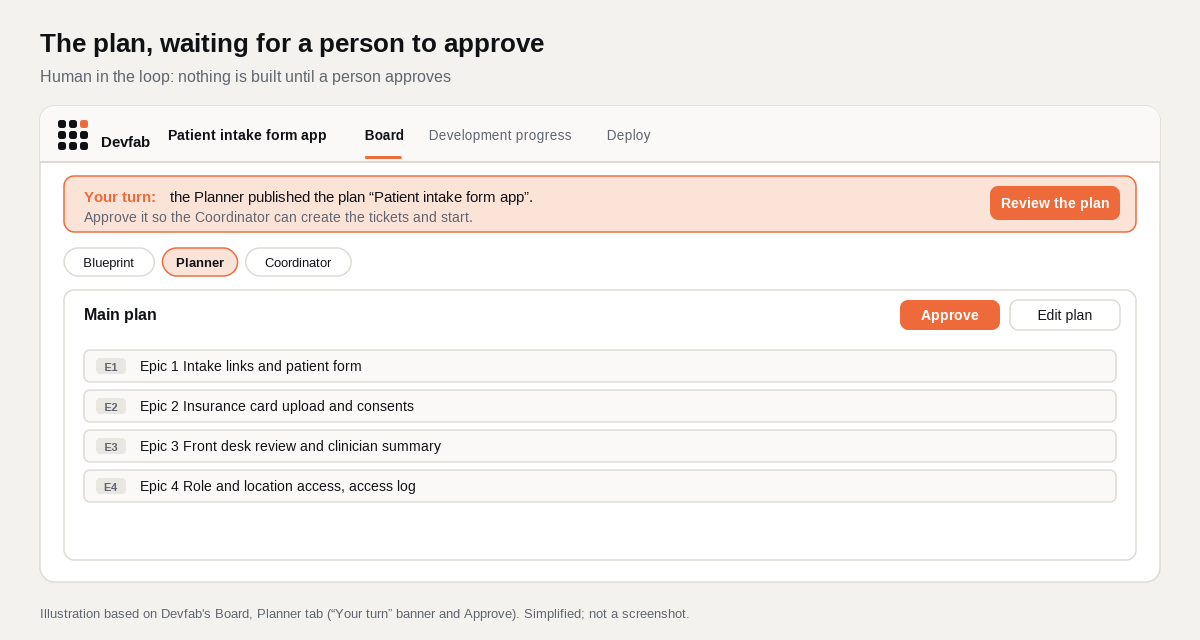
Devfab's research step maps the domain before planning: intake terms, common sections on intake forms, and the kinds of practice tools clinics already use. The Planner then writes the plan, and a person reviews and approves it. For a health app, the reviewer should confirm that access control and the access log are their own epics, not afterthoughts.
Screens and prototype
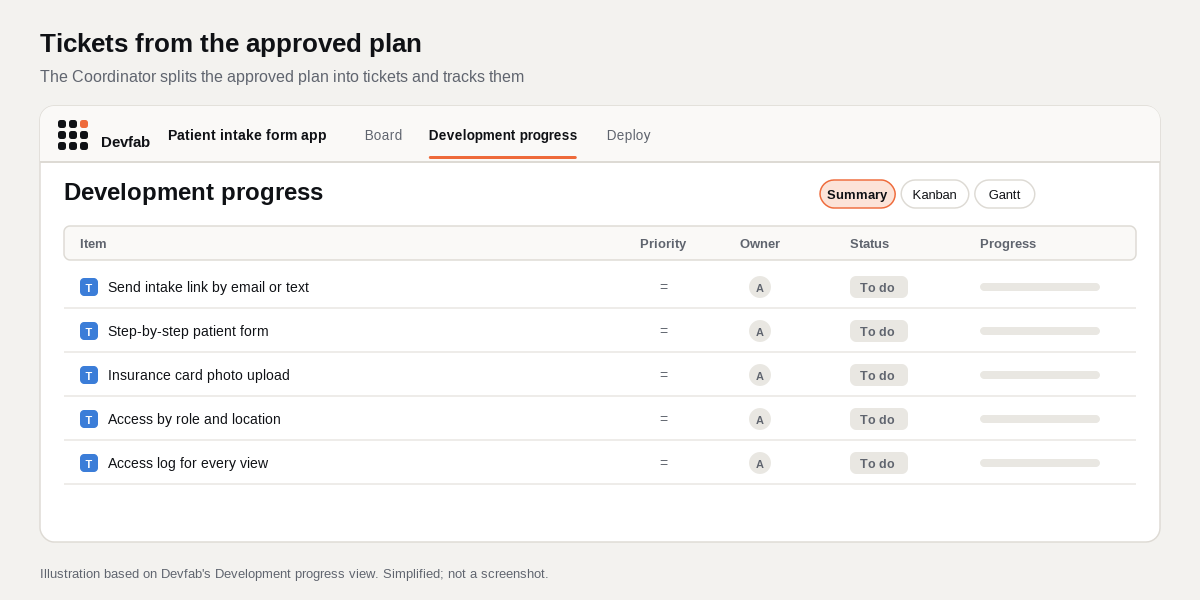
After approval, the Coordinator turns the plan into tickets for developer agents, and Blueprint designs the screens: the patient form in steps, the insurance card upload, the signature screen, the front desk status list, the clinician summary and the admin form editor.
QA report
With "QA agent · review before Done" on, each ticket is checked before it closes. Planned tests:
- UI tests: each form step validates required fields; the card photo uploads from a phone; the signature saves.
- Flow tests: front desk sends a link, the patient completes and signs, front desk marks it reviewed, and the clinician sees the summary.
- Logic tests: a used or expired link is refused; a staff user at one location can't open another location's intake; each view writes an access log entry.
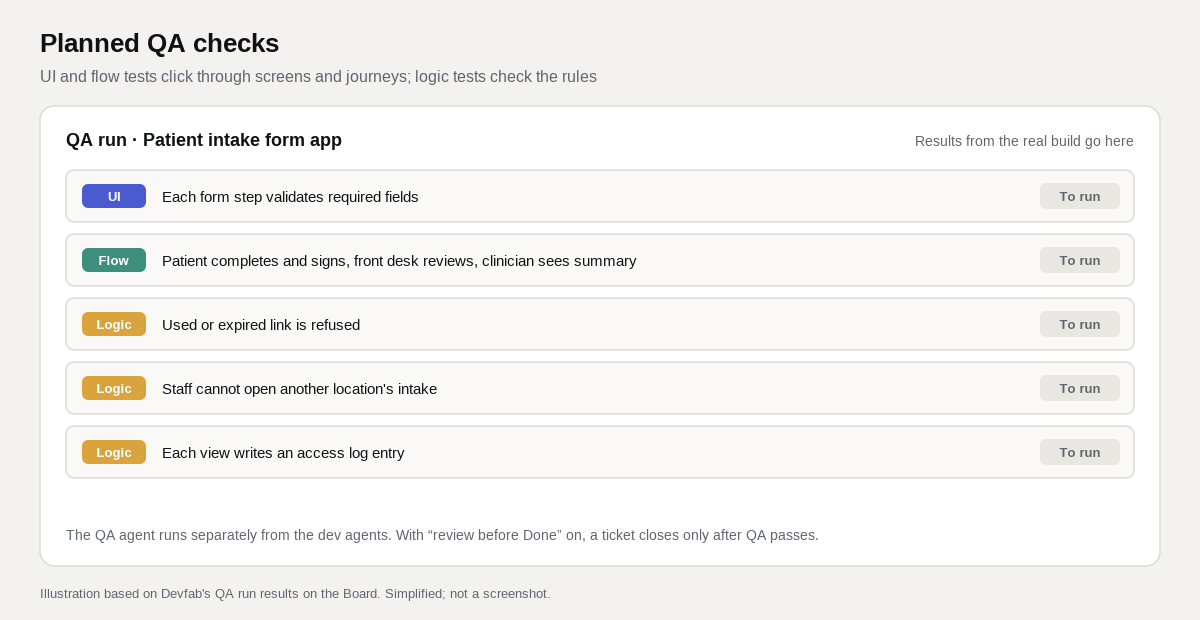
Passing tests show the app does what the spec says. They are not a compliance review.
Cost logged per task
Devfab is built for predictable cost. Cost is logged after each run, per task and per project. You can choose the model for each agent or keep Devfab's default.
Try it or book a demo
- Try the prototype:
- Your code, your server: the repository is in your own GitHub account, and the app deploys to your own server.
FAQ
Is an app built with Devfab HIPAA compliant?
Devfab does not claim HIPAA compliance for the apps it builds. Whether HIPAA applies to your clinic, and what it requires, is yours to assess with your compliance advisors. You can write the safeguards you need into the spec, and the app deploys to your own server under your own controls.
Should we test with real patient data?
No. Use made-up test patients during the build and QA. Move real data only after your own review of the deployed app and your hosting setup.
Can the intake data go into our EHR?
The example spec starts with a PDF and a structured export for each completed intake. A direct EHR integration can be planned as its own epic once you know what your EHR supports.
Can staff change the questions on the form?
Yes. The spec includes a clinic admin who edits form sections and questions. Changes apply to new intake links, not to forms patients have already submitted.
Read next
- What is an AI software factory?
- Security questions to ask about AI-built software
- How to deploy an AI-built app to your own server
- Build an appointment booking system with AI agents
See your intake form as a working app with test data first. Try the Devfab Beta
Sources (checked November 2026): Covered Entities and Business Associates, HHS; Summary of the HIPAA Security Rule, HHS.
Frequently asked questions
Is an app built with Devfab HIPAA compliant?
Devfab does not claim HIPAA compliance for the apps it builds. Whether HIPAA applies to your clinic, and what it requires, is yours to assess with your compliance advisors. You can write the safeguards you need into the spec, and the app deploys to your own server under your own controls.
Should we test with real patient data?
No. Use made-up test patients during the build and QA. Move real data only after your own review of the deployed app and your hosting setup.
Can the intake data go into our EHR?
The example spec starts with a PDF and a structured export for each completed intake. A direct EHR integration can be planned as its own epic once you know what your EHR supports.
Can staff change the questions on the form?
Yes. The spec includes a clinic admin who edits form sections and questions. Changes apply to new intake links, not to forms patients have already submitted.