Short answer: To deploy an AI-built app to your own server, make sure the code is in your own GitHub repository and has passed its tests. Then set every required setting as an environment variable on the server, ship the build, add a domain and HTTPS if you want one, and check the live app.
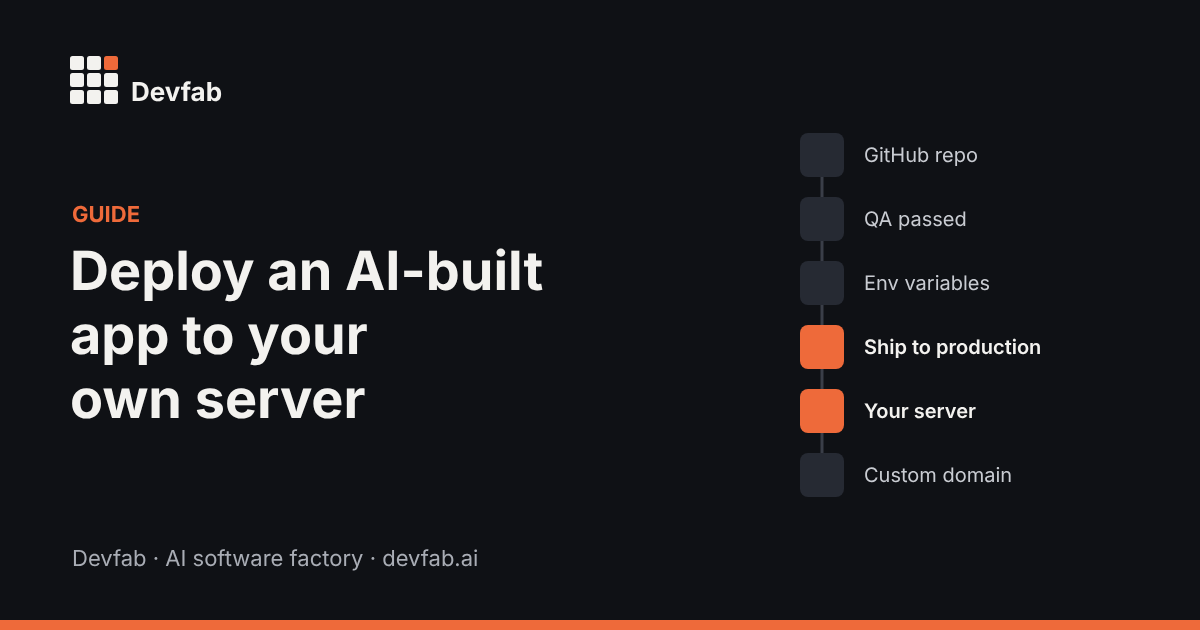
Why deploying to your own server matters
Many AI app builders host your app for you. That is handy for a demo. It is less handy when a client asks where their data lives, when a public body needs the app inside its own network, or when you want to move hosts without rebuilding.
An app built by AI agents is still normal software. It has code, settings, a database and a place it runs. If you control all four, you can move it, audit it and hand it over. If the builder controls the hosting, you depend on that builder for every one of those jobs.
Deploying to your own server is how you keep that control. The steps below work for most web apps and APIs, whether a person or an agent wrote the code.
Step by step
Step 1: Confirm the code is in your own repository
Before you deploy anything, check where the code lives. It should be in your own GitHub account or your organization's, not in a workspace you can't export from. You should be able to clone it, read it and run it without the tool that wrote it.
If you build for clients, decide now whose account the repository belongs to. Moving a repository later is possible, but it is easier to start in the right place.
Step 2: Check that the app passed its tests
Don't ship code that has only been checked by the agent that wrote it. Look for three kinds of tests:
- UI tests: screens load, buttons work, forms submit.
- Flow tests: a user can complete the main journeys end to end, such as sign up, place an order or submit a request.
- Logic tests: the rules hold, such as no double bookings or no negative stock.
If any of these failed or never ran, fix that first. A failed test in staging is cheap. The same bug in production is not.
Step 3: List the settings the app needs
Every app needs settings that change between environments: database address, API keys, email provider credentials, the app's public URL. The Twelve-Factor App method defines config as "everything that is likely to vary between deploys" and recommends storing it in environment variables, not in the code.
Make a list of each variable, what it is for and where its value comes from. AI-written code often reads settings you didn't know about, so search the code for every place it reads an environment variable. A missing variable is the most common reason a first deploy fails.
Keep secrets out of the repository. The same Twelve-Factor page offers a simple test: could the codebase be made open source at any moment without leaking a credential? If not, something is in the wrong place.
Step 4: Prepare the server
Your server needs to run the stack the app uses. For a typical web app that means the runtime (for example Node or Python), a database, a process that keeps the app running, and a web server or reverse proxy in front of it.
Check these before you deploy:
- The runtime version matches what the app expects.
- The database exists and the app's user has only the rights it needs.
- Ports are closed except the ones the app should serve.
- Backups of the database are set up and you know how to restore one.
Step 5: Ship to production
Now deploy the build. Use the same steps every time, ideally from a script or a tool, so that the second deploy is the same as the first. Record what you deployed: the commit, the time and who approved it.
If the app has database changes, run them as part of the deploy and know how you would roll them back.
Step 6: Add a custom domain and HTTPS
A custom domain is optional. You can test on the server's own address first. When you are ready, point a domain such as app.example.com at the server with a DNS record and add a certificate.
Let's Encrypt issues free certificates through an automated protocol called ACME. Its getting-started page recommends the Certbot client for most people and notes that you need to be able to run commands on your server with enough privileges. Some hosting providers handle this for you.
Step 7: Check the live app and keep a history
After the deploy, run the main user journeys on the live app yourself: log in, complete one real flow, check that emails arrive. Then look at the logs for errors.
Keep a deploy history. When something breaks next week, the first question is "what changed?" A history of each deploy, with its commit, answers that quickly and tells you what to roll back to.
How Devfab handles deployment
Devfab is a software factory: AI agents plan, build, test and deploy the app, and a person approves the plan. Deployment is the last stage of that lifecycle, and it is built around your own infrastructure.
- Code in your own GitHub. The repository lives in your GitHub account or your organization's. You can clone it and run it without Devfab.
- QA before deploy. The QA agent runs UI and flow tests (screens, buttons and user journeys clicked end to end) plus logic tests, and you can set it to review each ticket before it counts as Done.
- Deploy view. The Deploy view has three tabs: Overview, History and Settings. In Settings you fill in the required settings, such as environment variables, before you can use Ship to production. History keeps a record of each deploy.
- Your own server, optional domain. Devfab deploys to your own server. Adding a custom domain is optional.
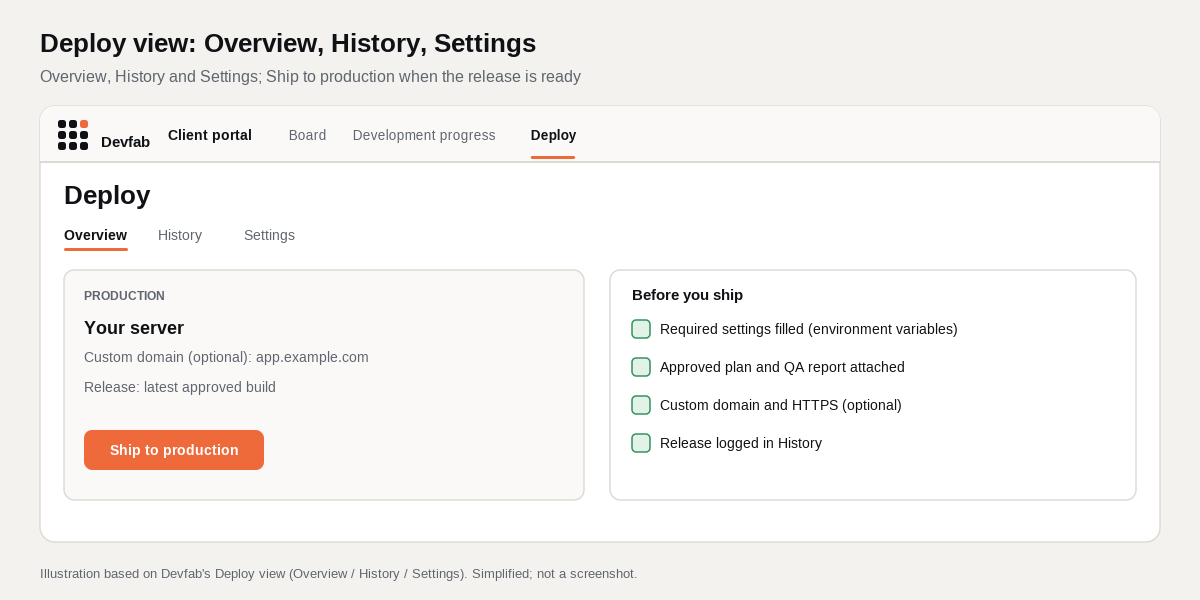
The point is not that deployment becomes magic. It is that the same checks a careful team would do (tests passed, settings complete, history kept) happen every time, and the result runs on a machine you control.
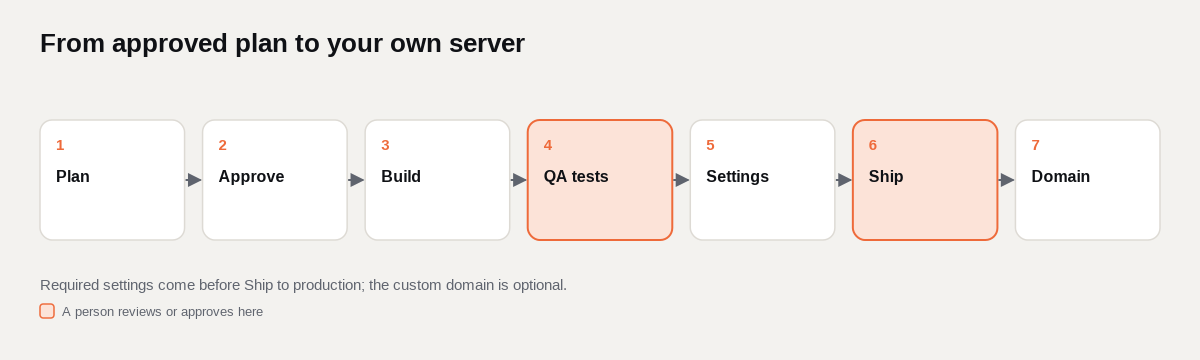
Common mistakes
- Deploying from a tool you can't export from. If the code is not in your repository, you don't fully own the deploy.
- Secrets in the code. API keys committed to the repository leak sooner or later. Use environment variables.
- Missing environment variables. The app builds, then crashes on the first request because one setting is empty.
- Skipping flow tests. Each screen works on its own, but the sign-up email never sends.
- No backups before the first real user. Set up backups and test a restore before launch, not after.
- No deploy history. Without it, finding what changed takes far longer than it should.
Checklist
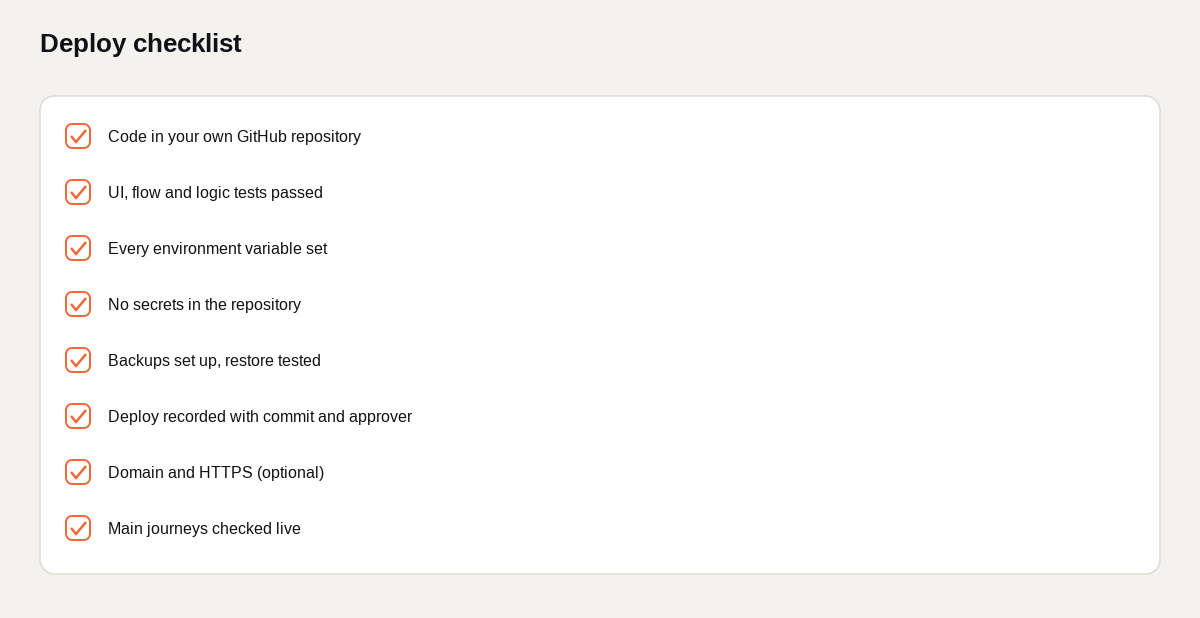
- [ ] Code is in your own (or your client's) GitHub repository
- [ ] UI, flow and logic tests passed
- [ ] Every environment variable listed and set on the server
- [ ] No secrets in the repository
- [ ] Server runtime, database and ports checked
- [ ] Database backups set up and a restore tested
- [ ] Deploy recorded with commit and approver
- [ ] Domain and HTTPS added (optional)
- [ ] Main journeys checked on the live app
FAQ
Can I deploy an app built with AI agents to any server?
Usually, yes. An AI-built app is still ordinary code: a web app, an API and a database. If the server can run that stack and you can set its environment variables, you can deploy it there. Check the stack the agents chose before you pick the server.
Do I need a custom domain to deploy?
No. A custom domain is optional. You can ship to your server first, test it on the server's address, and add a domain like app.example.com later, once the app works the way you expect.
Where should API keys and passwords go?
In environment variables or a secrets store on the server, not in the code. The test from the Twelve-Factor App method is a good one: could you make the repository public right now without leaking a credential?
How does Devfab handle deployment?
Devfab's Deploy view has three tabs: Overview, History and Settings. You fill in the required settings, such as environment variables, then use Ship to production to deploy to your own server. Adding a custom domain is optional.
Read next
- What is an AI software factory?
- Security questions to ask about AI-built software
- Prototype vs MVP vs production app: what's the difference?
- Build: client portal
Devfab is in Beta. Plan, build, test and deploy to your own server. Try the Devfab Beta
Sources (checked November 2026): The Twelve-Factor App: III. Config; Let's Encrypt: Getting Started.
Frequently asked questions
Can I deploy an app built with AI agents to any server?
Usually, yes. An AI-built app is still ordinary code: a web app, an API and a database. If the server can run that stack and you can set its environment variables, you can deploy it there. Check the stack the agents chose before you pick the server.
Do I need a custom domain to deploy?
No. A custom domain is optional. You can ship to your server first, test it on the server's address, and add a domain like app.example.com later, once the app works the way you expect.
Where should API keys and passwords go?
In environment variables or a secrets store on the server, not in the code. The test from the Twelve-Factor App method is a good one: could you make the repository public right now without leaking a credential?
How does Devfab handle deployment?
Devfab's Deploy view has three tabs: Overview, History and Settings. You fill in the required settings, such as environment variables, then use Ship to production to deploy to your own server. Adding a custom domain is optional.