Short answer: Google AI Studio wins when you want a Gemini-powered web or Android app from a prompt, with Firebase and Cloud Run included and a free starting point. Devfab wins when a client app needs domain research, a plan someone approves, a QA agent for UI and flow tests, deployment to your own server and cost per project.
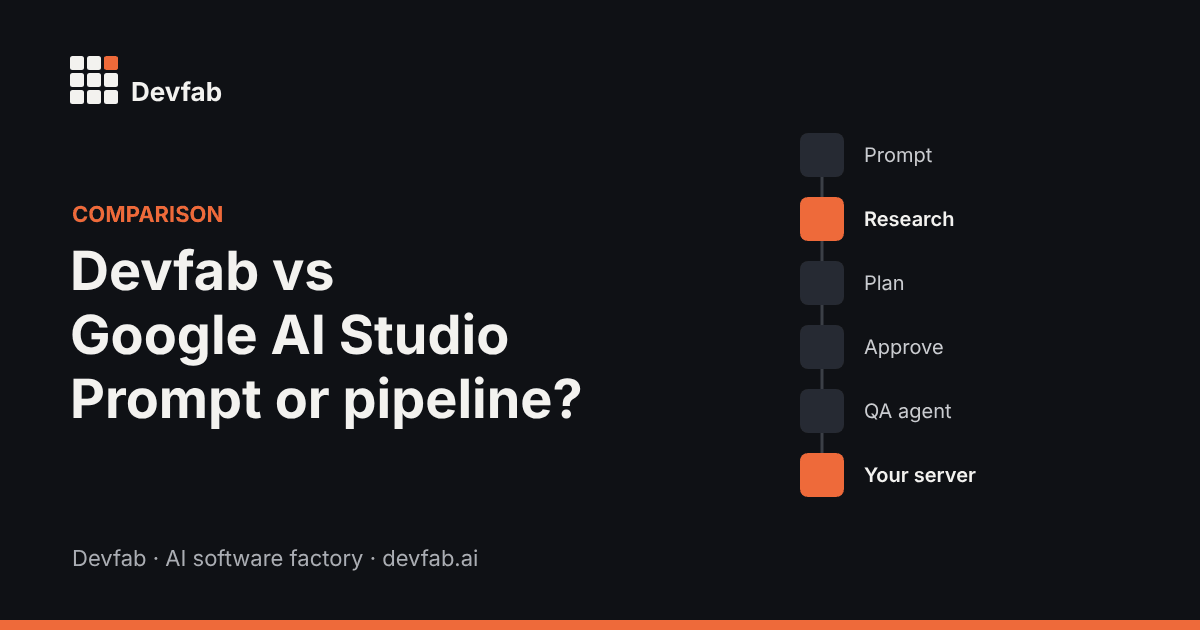
You typed a prompt into AI Studio and a working app appeared. The client loved the demo. Then came the real questions: who approved this scope, what was tested, and can it run on our servers instead of yours?
Prototype fans say AI Studio is all the start you need. Delivery teams say the hard part begins after the demo. This page compares both on documented facts.
In this comparison:
- What each tool is built for
- Switching triggers
- Moving from Google AI Studio to Devfab
- Where Google AI Studio is the better choice
- Where Devfab is the better choice
Use the sections that match where your project is now.
What each tool is built for
Google AI Studio (Build mode)
Build mode is the "vibe coding" side of Google AI Studio, Google's Gemini developer console. Status, November 2026: Google relaunched it on March 18, 2026 as full-stack vibe coding with the Antigravity agent, a Firebase backend, multiplayer apps, secrets and Next.js support (Google blog). On March 19, Firebase was built into AI Studio and the Firebase Studio sunset was announced (Firebase blog).
What it does:
- Two targets: web apps with full-stack runtimes, and native Android apps with Kotlin and Jetpack Compose (AI Studio docs).
- Agent: the Antigravity Agent manages multiple files and keeps project context across prompts (AI Studio docs).
- Stack: React by default, with Next.js and Angular available, and a Node.js server runtime for API calls, databases and npm packages (AI Studio docs).
- Backend: after your approval, the agent can set up Firestore and Firebase Authentication with Sign in with Google (AI Studio docs).
- Secrets: API keys are injected server-side and "never included in client-side code" (AI Studio docs).
- Deploy and code: deploy to Cloud Run, publish Android apps to Play Store internal testing, sync two ways with GitHub, or export a ZIP (AI Studio docs).
- Integrations: Gmail, Sheets, Docs, Drive and Calendar, with OAuth handled for you (AI Studio docs).
AI Studio's main user is a builder exploring Gemini, from a solo founder to a developer on Google Cloud.
Devfab
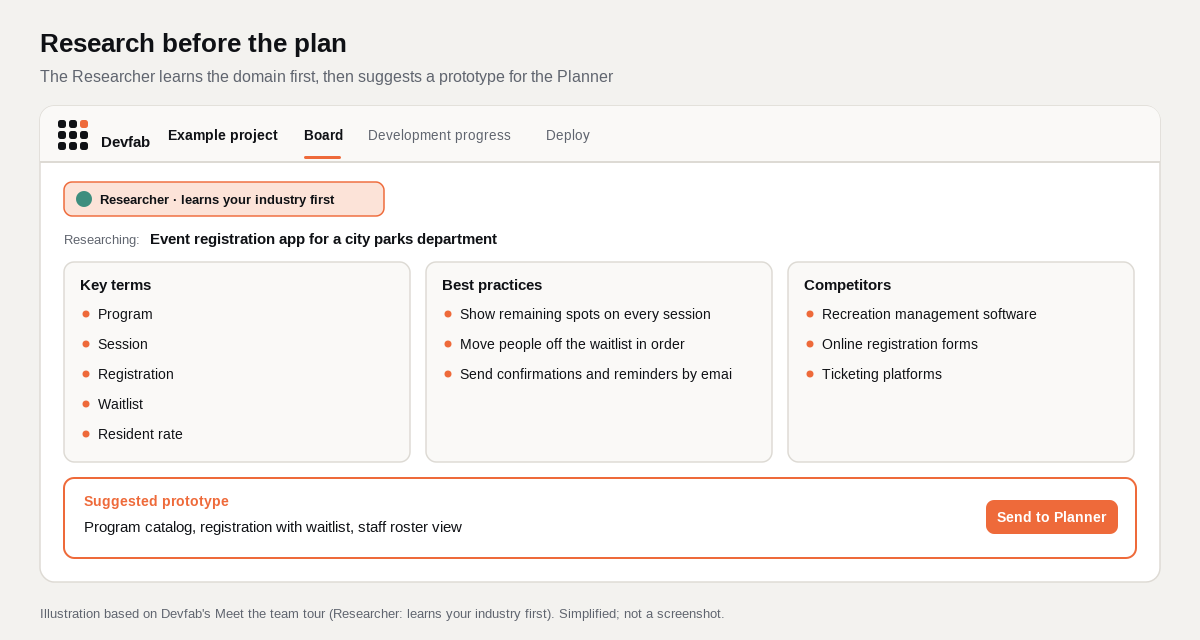
Devfab is an AI software factory for apps that go to clients. Before any plan, the Researcher maps the domain: key terms, best practices for that kind of app and competitors, then suggests a prototype. The Planner writes the plan and a person approves it. The Coordinator creates tickets, Developers build with ChainFlow so changes don't break connected features, Blueprint draws the screens, the QA agent runs UI, flow and logic tests, and Deploy ships to your own server.
App builders automate the first version. Devfab automates the development lifecycle.
Switching triggers
| Trigger | Google AI Studio | Devfab | Source |
|---|---|---|---|
| Several people must work on one app | "AI Studio doesn't support direct real-time collaborative editing"; use GitHub instead | Roles, workspace permissions, Kanban and Gantt | AI Studio docs |
| Team and admin controls | No team, SSO or role features described in the Build mode docs | Roles, workspace permissions, Team Delivery Report | AI Studio docs |
| Client wants the app on its own servers | Deploys to Cloud Run; ZIP export for other hosting | Ship to production on your own server; custom domain optional | AI Studio docs |
| Hosted apps can be taken down | Apps are reviewed automatically and removed if found in violation | Runs on your own server | AI Studio docs |
| Usage from shared apps lands on you | API calls from shared apps count toward the owner's usage | Cost logged after each run, per task and per project | AI Studio docs |
| App needs its own storage | Storage must be connected externally; direct support is planned | Devfab picks the stack, or you choose languages | AI Studio docs |
Cost model by team size
| Team size | Google AI Studio | Devfab |
|---|---|---|
| 1 person | Part of the Gemini API Free plan, with usage limits; paid models may incur costs; Cloud Run pricing may apply when you deploy | Cost logged per task and per project (Beta) |
| 5 people | No team plan described in the Build mode docs; each builder uses their own account, and API calls from shared apps count toward the owner's usage | Cost logged per task and per project (Beta) |
| 25 people | Same model, with Google Cloud billing for Cloud Run and paid Gemini API usage | Cost logged per task and per project (Beta) |
Pricing model as of November 2026, from Gemini API pricing and the Build mode docs. Devfab: predictable cost; cost is logged after each run, per task and per project; Devfab is in Beta.
Moving from Google AI Studio to Devfab
- Get the code into GitHub. In Build mode, connect the app to a new GitHub repository with two-way sync, or export a ZIP and push it to a repo in your own GitHub account or your organization's.
- Note the Google services the app uses. Apps may call Firestore, Firebase Authentication and the Gemini API. For a ZIP deployment, Google's docs say you set
GEMINI_API_KEYin your own hosting environment. - In Devfab, choose "Work on an existing project" and pick the repository.
- Leave the change box empty. ChainFlow maps the code and suggests three small first tickets.
- Approve the plan, then let the QA agent run UI, flow and logic tests on each ticket.
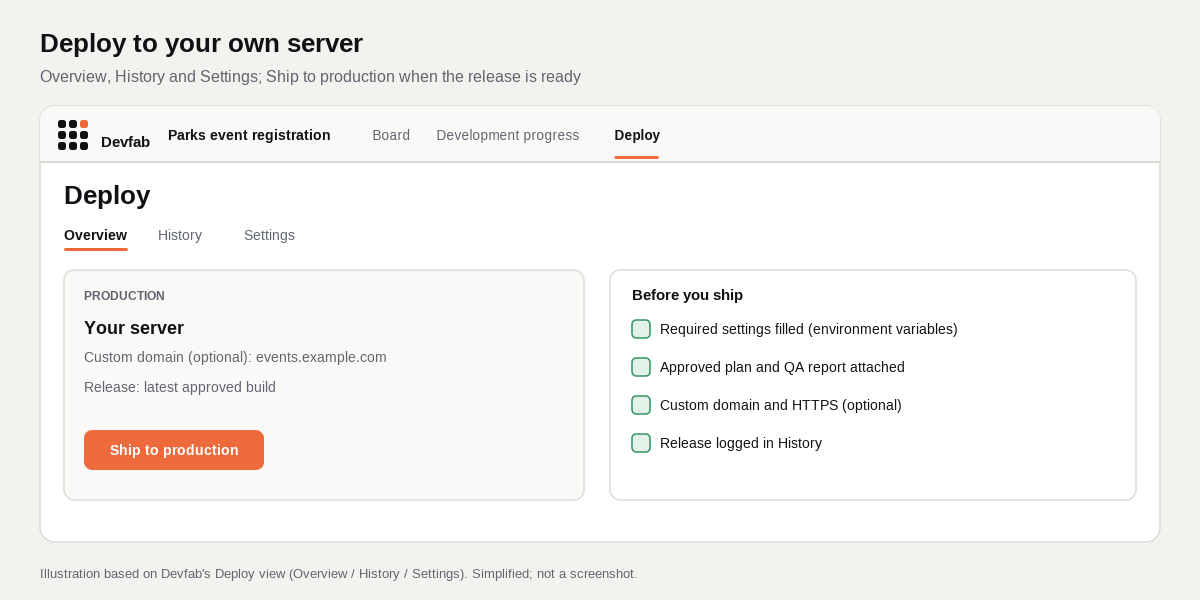
- Deploy to your own server from Devfab's Deploy view, with a custom domain if you want one.
Where Google AI Studio is the better choice
- You want to try a Gemini feature such as image generation or the Live API with almost no setup and a free start.
- Your team is on Google Cloud and Firebase and wants Cloud Run, Firestore and Sign in with Google out of the box.
- You need a quick Android prototype in Kotlin and Jetpack Compose from a prompt.
- The app connects to Google Workspace, such as Gmail, Sheets or Calendar, with OAuth handled for you.
- You are moving off Firebase Studio and want Google's named path.
Where Devfab is the better choice
- The app is for a client and needs research before the plan, so it fits the client's industry.
- A person approves the plan before tickets are created, with Human in the loop as the default.
- QA is part of delivery. The QA agent clicks through screens and user journeys and runs logic tests.
- The client wants it on their own server, with code in your GitHub account or theirs.
- Changes later must not break things. ChainFlow shows which functions, APIs and deployed parts a change affects.
- You need docs and cost records: blueprints, user manuals, and cost logged per task and per project.
Devfab's honest limits: it is new and in Beta, with a smaller community and fewer integrations than Google's ecosystem. It does not offer Gemini feature chips, Android builds or Play Store publishing in the material here. It is not an editor for hands-on coding, and it needs a GitHub account.
FAQ
Is Google AI Studio free for building apps?
Google AI Studio access is part of the Gemini API Free plan, with usage limits. Paid models may incur costs, API calls from apps you share count toward your usage, and Cloud Run pricing may apply when you deploy. Check Google's Gemini API pricing page for current terms.
Can I take an AI Studio app to my own server?
Yes. Build mode can connect your app to a GitHub repository with two-way sync, or export the code as a ZIP file. For a ZIP deployment, Google's docs say you set GEMINI_API_KEY in your own hosting environment. Once the code is in your GitHub account, Devfab can work on it and deploy to your own server.
What happened to Firebase Studio?
On March 19, 2026, Firebase announced that Firebase is built into AI Studio and that Firebase Studio would be sunset. Google AI Studio's Build mode is the named place to move. Teams moving now can compare it with other options, including Devfab.
Which is better for an agency building apps for clients?
AI Studio is better for quick Gemini-powered prototypes and apps that should live on Google Cloud and Firebase. Devfab is better when a client needs research, an approved plan, a QA report, deployment to their own server and cost per project.
Read next
- What is an AI software factory?
- Google AI Studio vs Lovable: which should your team use in 2026?
- Firebase Studio alternatives for teams that ship to production (2026)
- How to deploy an AI-built app to your own server
Bring your AI Studio prototype and see the path to production. Book a Devfab demo
Sources (checked November 13, 2026): Build apps in Google AI Studio; Gemini API pricing; Full-stack vibe coding in Google AI Studio (Google blog, Mar 18, 2026); Announcing the AI Studio and Firebase integration (Firebase blog, Mar 19, 2026).
Frequently asked questions
Is Google AI Studio free for building apps?
Google AI Studio access is part of the Gemini API Free plan, with usage limits. Paid models may incur costs, API calls from apps you share count toward your usage, and Cloud Run pricing may apply when you deploy. Check Google's Gemini API pricing page for current terms.
Can I take an AI Studio app to my own server?
Yes. Build mode can connect your app to a GitHub repository with two-way sync, or export the code as a ZIP file. For a ZIP deployment, Google's docs say you set GEMINI_API_KEY in your own hosting environment. Once the code is in your GitHub account, Devfab can work on it and deploy to your own server.
What happened to Firebase Studio?
On March 19, 2026, Firebase announced that Firebase is built into AI Studio and that Firebase Studio would be sunset. Google AI Studio's Build mode is the named place to move. Teams moving now can compare it with other options, including Devfab.
Which is better for an agency building apps for clients?
AI Studio is better for quick Gemini-powered prototypes and apps that should live on Google Cloud and Firebase. Devfab is better when a client needs research, an approved plan, a QA report, deployment to their own server and cost per project.