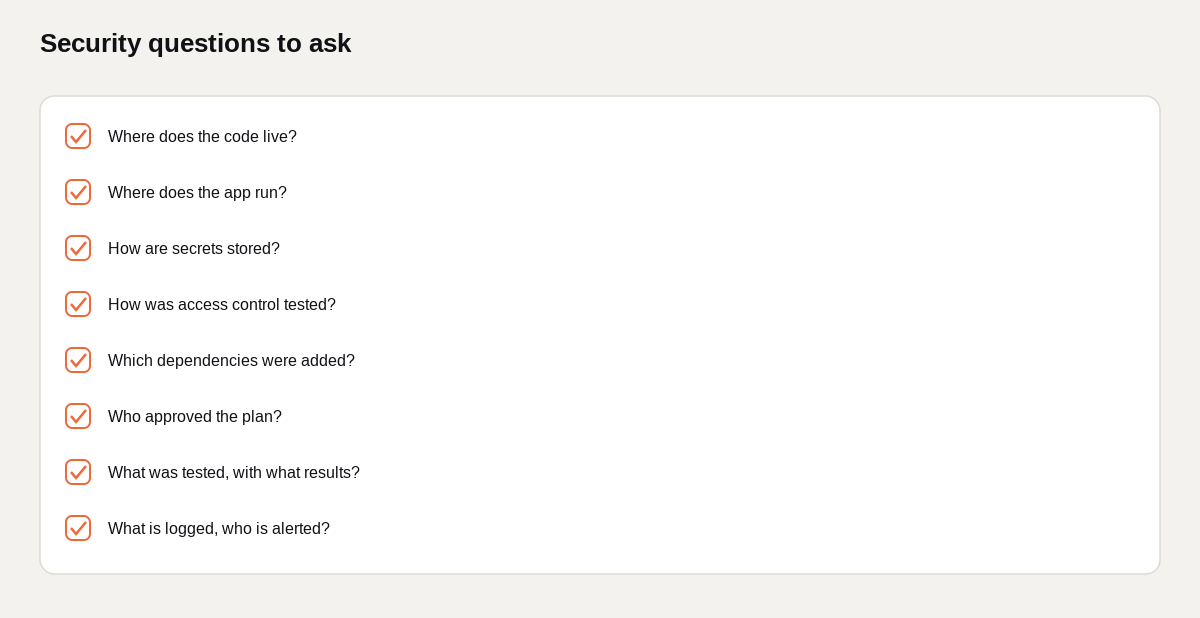
Short answer: Before you accept AI-built software, ask where the code lives, where the app runs, how secrets are stored, how access control was tested, how input and AI output are handled, which dependencies were added, who approved the plan, what was tested, what is logged and how errors are handled. These map to the OWASP Top 10.
Someone hands you an app built by AI agents, and you must sign off. You can't read every line, and you shouldn't have to.
The right questions show whether the process behind the code was safe. Vague answers point you to where the real risk sits.
In this guide, you'll learn:
- Why AI-built software needs its own questions
- The ten questions, step by step
- How Devfab answers these questions
- A checklist to bring to the handover
Take the list below into your next vendor review.
Why AI-built software needs its own questions
An app built by AI agents is still a web app or an API. It faces the same attacks as any other. What changes is the process: code is written faster, by agents that may not know your unwritten rules, and often reviewed by fewer people.
That makes the questions about process as important as the questions about code. Who approved what? What was tested? Where does it run? Whoever built the app, an agency, a vendor or your own team using AI tools, should be able to answer each question below in plain words.
Two public references help. The OWASP Top 10:2025 lists the most important web app risk categories, starting with Broken Access Control, Security Misconfiguration and Software Supply Chain Failures. NIST's Secure Software Development Framework (SSDF), SP 800-218, describes a core set of secure development practices that can be added to any development life cycle, and notes that it gives buyers and suppliers a shared vocabulary.
Step by step: the ten questions
Step 1: Ask where the code lives and who can read it
The code should be in a repository you own: your GitHub account or your organization's. You should be able to read every line, run your own scanners on it and hand it to an outside reviewer. If the code only exists inside a builder's platform, you can't audit it properly.
Step 2: Ask where the app runs
Is it on your own server, your own cloud account or the vendor's hosting? For health, government and client data, this often decides whether the app is allowed at all. Ask too who has admin access to that server.
Step 3: Ask how secrets are handled
API keys, database passwords and tokens must not be in the code. Ask where they are stored and who can see them. GitHub's push protection, part of its secret scanning, "blocks pushes that contain secrets" before they reach the repository. Ask whether something like it is turned on.
Step 4: Ask how access control was designed and tested
Broken Access Control is A01 in the OWASP Top 10:2025. Ask: which roles exist, what can each role see and do, and which tests prove that a user can't see another user's data? AI agents often build each screen correctly on its own. The gap appears between screens, when a URL or API call skips a check.
Step 5: Ask how input and AI output are handled
Injection is still in the OWASP Top 10:2025 (A05). Ask whether database queries are parameterized and whether user input is validated on the server.
If the app itself calls an AI model, ask how its output is handled. The OWASP Top 10 for LLM Applications lists Improper Output Handling as LLM05:2025 and advises treating the model "as any other user, adopting a zero-trust approach": validate and encode model output, and use parameterized queries when it touches a database.
Step 6: Ask which dependencies were added and why
Software Supply Chain Failures is A03 in the OWASP Top 10:2025. AI agents add packages quickly. Ask for the list of dependencies, why each one is there, and how they are checked for known vulnerabilities and kept up to date. A package nobody asked for deserves a closer look.
Step 7: Ask who approved the plan and reviewed the code
Insecure Design is A06 in the OWASP Top 10:2025. Many security problems start before any code: a missing role, a flow that skips a check. Ask whether a person approved the plan before the build started, and whether a person reviewed the changes. GitHub's protected branches can require approving reviews before a pull request is merged into a protected branch.
Step 8: Ask what was tested and what the results were
Ask for the test report, not a promise. Look for three kinds of tests:
- UI tests: screens, forms and buttons behave as expected.
- Flow tests: full journeys, including the ones that should fail, such as a logged-out user trying to open an admin page.
- Logic tests: business rules and permissions hold.
Then ask whether any security testing was done on top: scans, a penetration test, a review by someone outside the build team.
Step 9: Ask what is logged and who gets alerted
Security Logging & Alerting Failures is A09 in the OWASP Top 10:2025. Ask which events are logged (logins, failed logins, permission changes, data exports), where the logs go, how long they are kept and who is alerted when something odd happens.
Step 10: Ask how errors and failures are handled
The OWASP Top 10:2025 lists Mishandling of Exceptional Conditions as A10. Ask what users see when something fails, whether error messages leak internal details, and whether the app fails safely, for example by denying access when a check can't complete.
How Devfab answers these questions
Devfab is a software factory: AI agents research, plan, build, test and deploy, and a person approves the plan. It does not replace your own security review, and this page makes no certification claims. It does make several of the questions above easier to answer:
- Code in your own GitHub. The repository lives in your GitHub account or your organization's. You can scan it, review it and audit it with your own tools.
- Your own server. Devfab deploys to your own server. Required settings, such as environment variables, are filled in the Deploy settings, not written into the code.
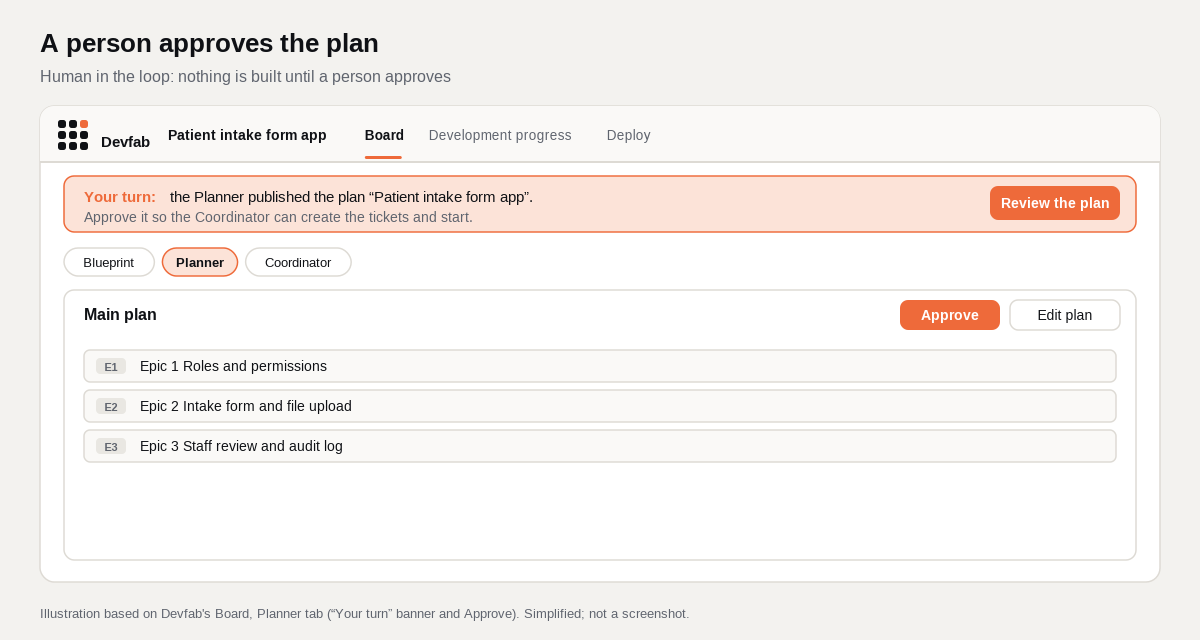
- A person approves the plan. The Planner publishes the plan and a person approves it before the Coordinator creates tickets. That is the place to check roles, permissions and data rules.
- QA tests. The QA agent runs UI and flow tests (screens, buttons and user journeys clicked end to end) plus logic tests, and can review each ticket before it counts as Done.
- Impact of changes. On existing code, ChainFlow maps which functions and APIs call each other, so a change to one part shows what else it touches.
Common mistakes
- Accepting an app you can't read. No repository access means no real audit.
- Testing screens, not permissions. Every page works, but one API returns another user's data.
- Ignoring new dependencies. Packages added by an agent get the same scrutiny as any other.
- Treating AI output as trusted. If the app calls a model, its output is untrusted input.
- No logs until something goes wrong. By then it is too late to find out what happened.
Checklist
- [ ] Code in a repository you own
- [ ] App runs on a server you control
- [ ] No secrets in the code; secret scanning on
- [ ] Roles and permissions tested, including cross-user access
- [ ] Input validated; queries parameterized; AI output treated as untrusted
- [ ] Dependency list reviewed and scanned
- [ ] Plan approved and changes reviewed by a person
- [ ] Test report covers UI, flow and logic tests
- [ ] Security events logged with a named person alerted
- [ ] Errors fail safely without leaking details
FAQ
Is AI-built software less secure than human-written software?
Not by default, but it carries the same risks as any software, and it can introduce them faster. The answer depends on the process around the agents: review, testing, dependency checks and where the code and data live.
What is the most important security question to ask?
Ask who can access what, and how that was tested. Broken access control is the first category in the OWASP Top 10:2025, and it is easy to miss when each screen is built and checked on its own.
Does the OWASP Top 10 apply to apps built by AI agents?
Yes. The app is still a web app or API, so the OWASP Top 10 applies. If the app itself calls an AI model, the separate OWASP Top 10 for LLM Applications applies too.
Is Devfab security certified?
This page makes no certification claims. What Devfab does give you: code in your own GitHub account, deployment to your own server, a person who approves the plan, and a QA agent that runs UI, flow and logic tests. You can run your own security review on the code.
Read next
- What is an AI software factory?
- Code ownership with AI tools: who owns AI-written code?
- How to review a plan written by an AI agent
- Build: patient intake form app
- Cloud coding agents vs local coding agents: pros and cons
- Open-source vs commercial AI coding agents: how to choose
Devfab is in Beta. Your code in your GitHub, your app on your server. Try the Devfab Beta
Sources (checked November 2026): OWASP Top 10:2025; OWASP Gen AI Security Project: LLM05:2025 Improper Output Handling; NIST SP 800-218: Secure Software Development Framework v1.1; GitHub Docs: About push protection; GitHub Docs: About protected branches.
Frequently asked questions
Is AI-built software less secure than human-written software?
Not by default, but it carries the same risks as any software, and it can introduce them faster. The answer depends on the process around the agents: review, testing, dependency checks and where the code and data live.
What is the most important security question to ask?
Ask who can access what, and how that was tested. Broken access control is the first category in the OWASP Top 10:2025, and it is easy to miss when each screen is built and checked on its own.
Does the OWASP Top 10 apply to apps built by AI agents?
Yes. The app is still a web app or API, so the OWASP Top 10 applies. If the app itself calls an AI model, the separate OWASP Top 10 for LLM Applications applies too.
Is Devfab security certified?
This page makes no certification claims. What Devfab does give you: code in your own GitHub account, deployment to your own server, a person who approves the plan, and a QA agent that runs UI, flow and logic tests. You can run your own security review on the code.