Short answer: Softr wins when a team needs a client portal or internal tool on data it already keeps in Airtable, Google Sheets or Notion, built and maintained without engineers. Devfab wins when the app needs custom logic, code in your own GitHub account, deployment to your own server, a QA agent and cost logged per project.
Your Softr portal went live without a single developer. Clients log in, see their records and upload files. Then the requests grow: a custom approval rule, more client users, a hosting requirement from IT. At some point, the question shifts from what Softr can do to what you own.
No-code fans say keep it simple and maintainable. Custom-code fans say own it before it grows. This page lays out where each side is right.
In this comparison:
- What each tool is built for
- Switching triggers
- Cost model by team size
- Where Softr is the better choice
- Where Devfab is the better choice
Start where your portal is today.
What each tool is built for
Softr
Softr is a no-code builder for client portals and internal business apps. It is active and growing, and says client portals are "the most common starting point," with 1M+ builders and 7,000 organizations (vendor claim) (Softr).
What it offers:
- AI generation: from a prompt, "Softr generates the pages, database, permissions and workflows." You refine visually or with AI, and a vibe-coding block handles custom logic or design (Softr AI app builder).
- Data where it already lives: Softr Databases plus 21+ external sources. Airtable, Google Sheets, Notion, Xano and REST API work on every plan; HubSpot, Salesforce, Snowflake, BigQuery and SQL on higher tiers (Softr).
- Permissions: user groups control which pages, blocks and buttons people see, with record-level data restrictions and preview as any user (Softr).
- Workflows and agents: triggered by buttons, forms, schedules or record changes, and AI agents can wait for human approval before acting (Softr).
- MCP: Claude, ChatGPT, Cursor and Codex can create databases, build workflows and manage pages through Softr MCP, on every plan, without using Softr AI credits (Softr MCP).
- Compliance: SOC 2 Type II and GDPR, with EU or US hosting; Enterprise adds SAML or OpenID SSO and SCIM (Softr).
Softr's main users are operations teams and department leads who build apps without engineers.
Devfab
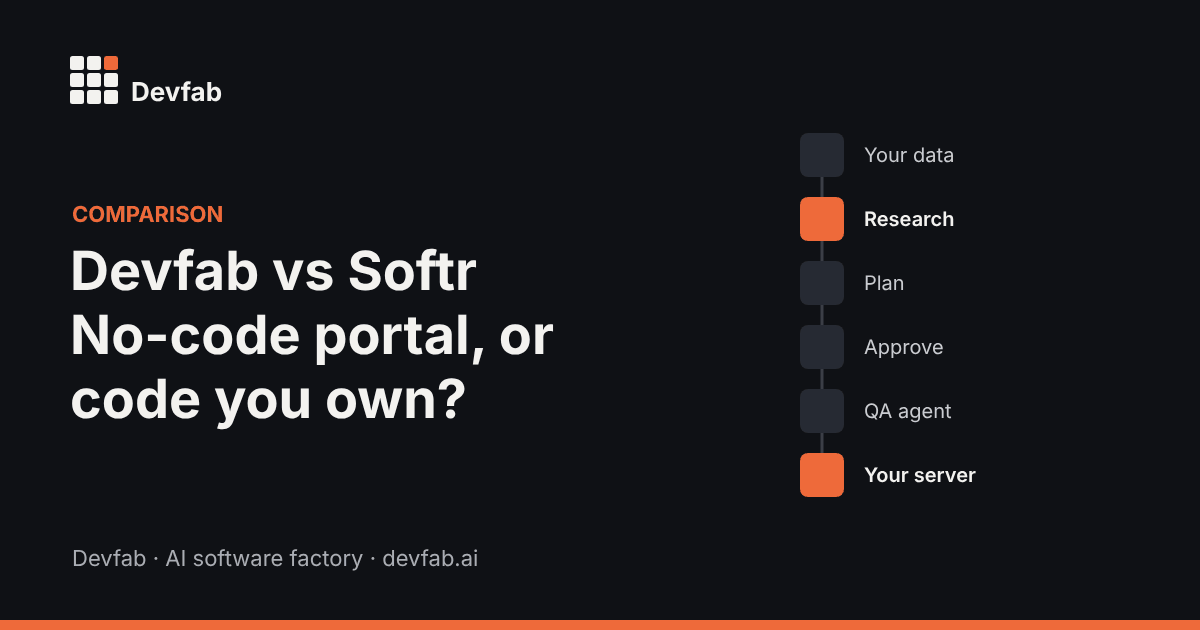
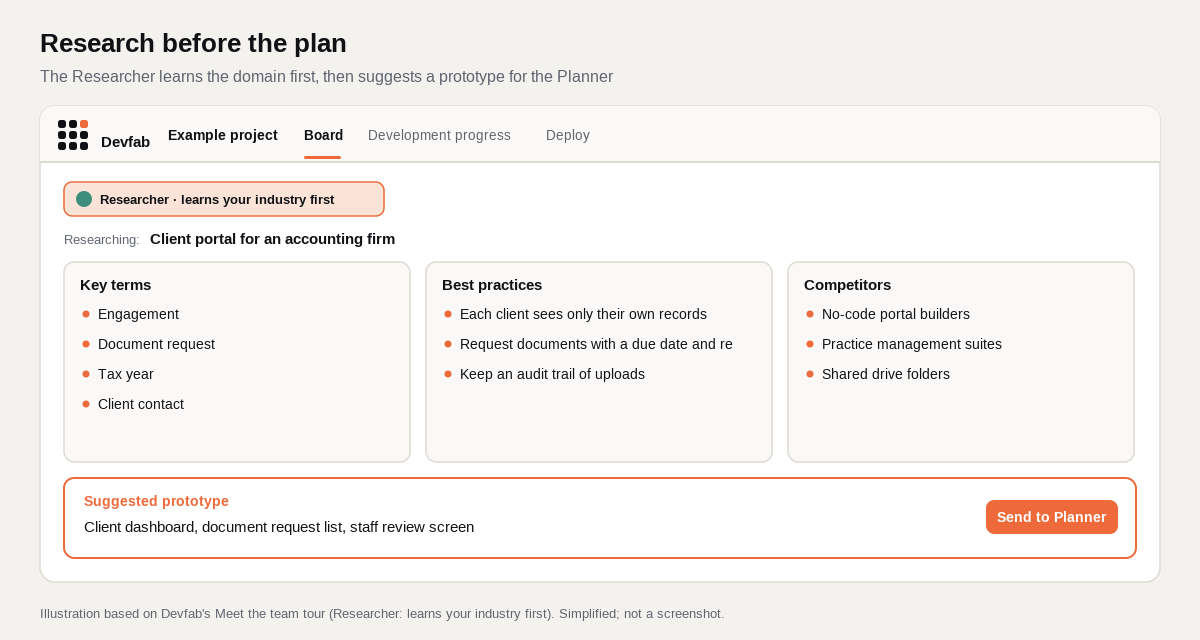
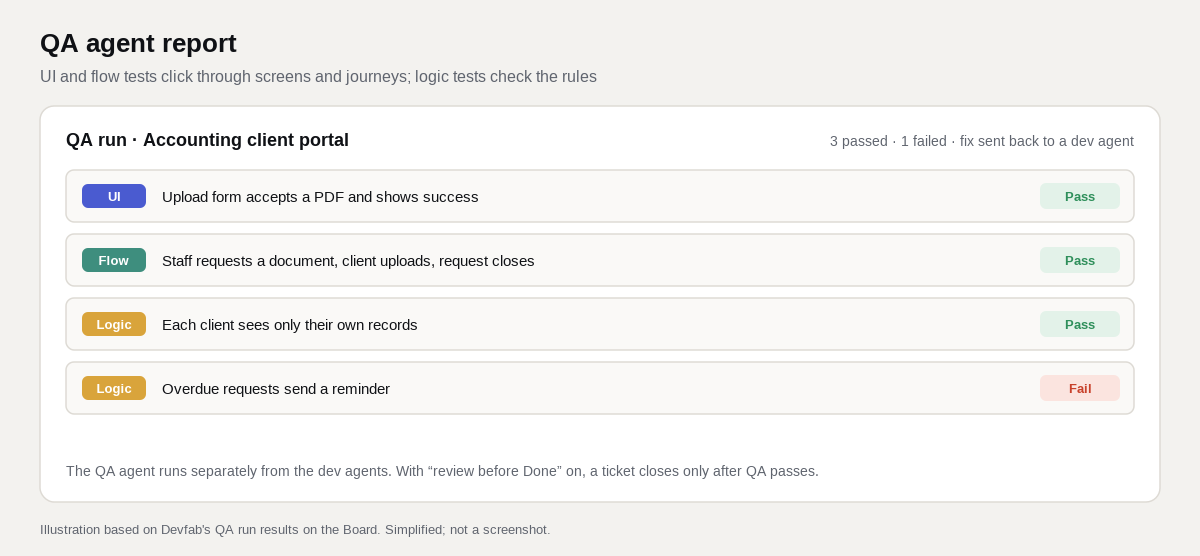
Devfab is an AI software factory. Instead of configuring a hosted app, it writes the code, in a repository in your own GitHub account or your organization's. The Researcher maps the domain first: key terms, best practices and competitors, then suggests a prototype. The Planner writes the plan, and a person approves it. The Coordinator creates tickets for Developers, who use ChainFlow to see what each change affects. Blueprint draws the screens, the QA agent runs UI, flow and logic tests, and Deploy ships to your own server.
App builders automate the first version. Devfab automates the development lifecycle.
Switching triggers
| Trigger | Softr | Devfab | Source |
|---|---|---|---|
| Client user count keeps growing | Each plan includes a set number of Team and Client users; extra users are paid add-ons on Pro and Business | The app runs on your own server | Softr docs |
| Automations stop mid-month | Workflows pause when the monthly execution limit is reached | Business logic is code in your repo, tested by the QA agent | Softr docs |
| Design needs outgrow the blocks | Review (by competitor Jet Admin) notes limited design flexibility | Blueprint screens and hi-fi designs, built as code | Jet Admin, Sep 30, 2026 |
| Big Airtable bases slow the app | Same review: very large Airtable bases can slow apps | Devfab picks the stack, or you choose languages | Jet Admin, Sep 30, 2026 |
| IT wants the source code | Docs we checked describe hosted apps and data export, not code export | Code in your own GitHub account from the first commit | Softr export docs |
| Client requires SSO | SAML or OpenID SSO and SCIM on Enterprise | Roles and workspace permissions | Softr |
Cost model by team size
Softr counts builders and app users, not just your team.
| Team size | Softr | Devfab |
|---|---|---|
| 1 person | Free: up to 3 builders and 5 app users; Basic: 1 builder, 5 Team and 5 Client users, one custom domain | Cost logged per task and per project (Beta) |
| 5 people | Pro: 2 builders plus paid extra builders; 10 Team and 50 Client users, expandable to 50 and 250 | Cost logged per task and per project (Beta) |
| 25 people | Business: 3 builders; 30 Team and 100 Client users, expandable to 100 and 500; or Enterprise with SSO, SCIM and audit logs | Cost logged per task and per project (Beta) |
Softr's plan structure as of November 2026, from Softr's pricing and plans docs. Plans also include monthly AI credits that don't roll over; check the page for current prices. Devfab: predictable cost; cost is logged after each run, per task and per project; Devfab is in Beta.
Moving from Softr to Devfab
There is no code to export in the docs we checked, so this is a rebuild with your data and your current app as the spec.
- Get your data out. On a Table block, add a Download button to export CSV or Excel, or read records through the Softr Database API. Data in Airtable or Google Sheets is already outside Softr.
- Capture the current app. Take screenshots of each page and list user groups, permissions and workflows.
- In Devfab, choose "Start a new project". Describe the portal in "What should we build?" and attach the screenshots and the permissions list.
- Review research and approve the plan. The Researcher maps the domain and suggests a prototype; the Planner publishes the plan; a person approves it.
- Let the QA agent check the rules. For example, a logic test that each client sees only their own records, and a flow test for document upload.
- Deploy to your own server, connect a custom domain, and import your data.
Where Softr is the better choice
- Your data already lives in Airtable, Google Sheets or Notion, and the portal is a view on top of it.
- Non-engineers will build and maintain the app, including permissions and user groups.
- Hosting, users and a custom domain in one plan matter more than owning a codebase.
- You need something live without a development project, using AI generation and visual editing.
- Compliance basics are enough: SOC 2 Type II, GDPR and a choice of EU or US hosting.
Where Devfab is the better choice
- The app has outgrown blocks: custom rules, custom screens, or integrations you want in code.
- IT or the client needs the source code in your GitHub account or theirs, and the app on their server.
- Research before the plan, so a portal for an accounting firm or a city office fits that domain.
- A person approves the plan, then a QA agent tests screens, user journeys and permission logic.
- Later changes stay safe. ChainFlow shows which connected features a change affects.
- Docs and cost per project: blueprints, user manuals, and cost logged per task and per project.
Devfab's honest limits: it is new and in Beta, with a far smaller community than Softr and fewer integrations, including no ready connectors to Airtable-style data sources in the material here. It needs a GitHub account and produces code someone must own. For a simple portal on a spreadsheet, Softr is less work.
FAQ
Is Softr or Devfab better for a client portal?
Softr is better when the portal sits on data the team already keeps in Airtable, Google Sheets or Notion, and non-engineers will maintain it. Devfab is better when the portal needs custom logic, must run on the client's own server, and the code should live in your own GitHub account.
Can I export my Softr app as code?
The Softr docs we checked describe hosted apps and data export, not source-code export. You can download Table block data as CSV or Excel, and the Softr Database API lets you read records. Moving to Devfab means rebuilding the app as code, using your data and screenshots of the current app as the spec.
How does Softr count users compared with Devfab?
Softr plans include a set number of builders and app users, split into Team users and Client users, with paid add-ons on higher tiers. Devfab deploys the app to your own server and offers predictable cost: cost is logged after each run, per task and per project. Devfab is in Beta.
Softr has AI agents and approvals too. What does Devfab add?
Softr's workflows can include AI agents that wait for human approval before acting, inside the app you build. Devfab uses AI agents to build the app itself: research, a plan a person approves, tickets, a QA agent running UI, flow and logic tests, and deployment.
Read next
- What is an AI software factory?
- Softr alternatives for teams that ship to production (2026)
- Internal tool builder vs custom app: which fits your team?
- Build a client portal with AI agents
See a client portal planned, tested and deployed to your server. Book a Devfab demo
Sources (checked November 13, 2026): Softr homepage; Softr AI App Builder; Softr MCP; Softr docs: pricing and plans; Softr docs: export actions; Softr Database API docs; Softr Review 2026 (Jet Admin, Sep 30, 2026).
Frequently asked questions
Is Softr or Devfab better for a client portal?
Softr is better when the portal sits on data the team already keeps in Airtable, Google Sheets or Notion, and non-engineers will maintain it. Devfab is better when the portal needs custom logic, must run on the client's own server, and the code should live in your own GitHub account.
Can I export my Softr app as code?
The Softr docs we checked describe hosted apps and data export, not source-code export. You can download Table block data as CSV or Excel, and the Softr Database API lets you read records. Moving to Devfab means rebuilding the app as code, using your data and screenshots of the current app as the spec.
How does Softr count users compared with Devfab?
Softr plans include a set number of builders and app users, split into Team users and Client users, with paid add-ons on higher tiers. Devfab deploys the app to your own server and offers predictable cost: cost is logged after each run, per task and per project. Devfab is in Beta.
Softr has AI agents and approvals too. What does Devfab add?
Softr's workflows can include AI agents that wait for human approval before acting, inside the app you build. Devfab uses AI agents to build the app itself: research, a plan a person approves, tickets, a QA agent running UI, flow and logic tests, and deployment.