Short answer: To track AI cost per task and per project, tag every AI run with its task and project, log the cost right after each run, and roll those records up by task and by project. Then set budgets, decide how to split shared costs, and review the most expensive tasks. A monthly total can't show where the money went.
Your AI bill arrived, and nobody can explain it. Finance sees one total, and every team says it was someone else.
Without cost per task, you can't price client work with confidence. Tracking each run turns one vague number into clear decisions.
In this guide, you'll learn:
- Why a monthly total is not enough
- Seven steps from tagging runs to reviewing outliers
- How Devfab tracks cost
- A checklist for your cost log
Start with the first step and build from there.
Why a monthly total is not enough
Most teams first see AI cost as one line on an invoice. That number answers "how much did we spend?" It does not answer the questions that matter to a manager or an agency owner:
- Which client project used most of it?
- Which kind of task is expensive: new features, bug fixes, tests?
- Did an agent get stuck and retry the same step many times?
- Is this project still profitable at the price we quoted?
AI cost also behaves differently from salaries or servers. It is usage-based and it varies by task. Two tickets that look similar can cost very different amounts if one needs more context, more retries or a larger model. That is why you track it at the level where work happens: the task.
Step by step
Step 1: Decide what a task and a project are
Before you tag anything, agree on the units. In most teams:
- A project is one app or one client engagement.
- A task is one ticket in your tracker: a feature, a bug fix, a test.
- A run is one execution by an agent or a step on that task. One task may have many runs.
Use the same IDs your tracker already uses. If the cost log and the board use different names, nobody will join them.
Step 2: Tag every AI run
Every call to an AI service should carry the project and task it belongs to. How you do that depends on your setup:
- Separate keys or projects at the provider. If your AI provider lets you split usage by project or by key, use one per client project. That gives you per-project totals, but not per-task.
- Metadata on each call. Wrap your AI calls in one small function that records the task ID and project ID alongside the request.
- Run through a gateway or proxy. Route all calls through one service that adds tags and writes the log.
The FinOps Foundation's Allocation capability describes the same idea for cloud spend: assign cost and usage "using accounts, tags, labels, and other metadata." It also recommends enforcing ownership fields before a resource can be created. For AI runs, that means: no task ID, no run.
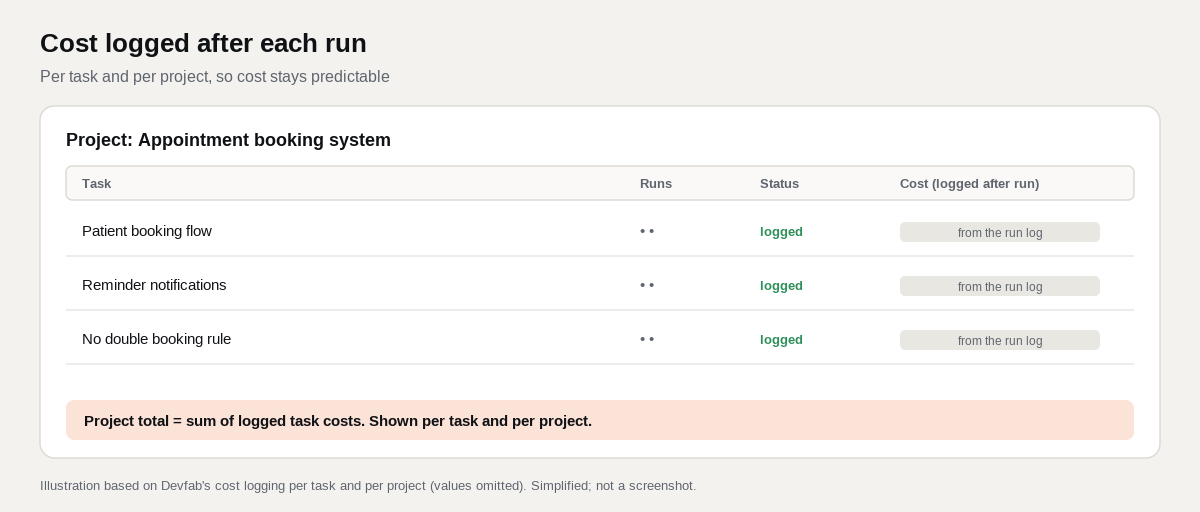
Step 3: Log cost after each run
Write one record as soon as each run finishes. Don't wait for the monthly bill. A useful record has:
| Field | Why |
|---|---|
| Time | Order and trends |
| Project ID | Roll-up per project |
| Task ID | Roll-up per task |
| Agent or step | See which step costs most |
| Model | Compare models on the same work |
| Usage reported by the provider | Check the math |
| Cost | The number you report |
| Outcome (success, failed, retried) | Spot loops and waste |
Logging after each run means the numbers are fresh while the work is still going on, not a surprise at month end.
Step 4: Roll costs up per task and per project
With tagged records, roll-ups are simple sums:
- Per task: all runs for one ticket. Shows which tickets cost most.
- Per project: all tasks for one app or client. Compare it with the price or budget.
- Per kind of work: group by ticket type to see if bug fixes cost more than features.
Different readers need different views. The FinOps Foundation notes that finance may want costs by cost center while engineering wants them by application. Build both from the same records.
Step 5: Set budgets and alerts
Give each project a budget for AI cost, and decide what happens when it is close:
- A warning to the project lead at a set share of the budget.
- A review before more runs go ahead on a task that is far above the usual.
- A hard stop only where overspending is truly unacceptable.
Per-task budgets catch the most common waste: an agent that keeps retrying the same failing step.
Step 6: Handle shared costs
Some AI cost does not belong to one task: research across a whole domain, mapping an existing codebase, shared tests. Decide a rule and apply it every time. The FinOps Foundation describes three common approaches for shared costs: let a central budget absorb them, split them in proportion to each project's direct cost, or use a simple proxy. Any of them works if you are consistent.
Step 7: Review outliers and adjust
Look at the top tasks by cost every week or at the end of each sprint. For each one, ask:
- Was the task too large? Split it next time.
- Did the agent loop on a failing test? Fix the test or the instructions.
- Was a large model used for a small job? Choose a smaller one for that agent.
Over time this turns cost from a surprise into something you can plan around.
How Devfab tracks cost
Devfab is a software factory: agents research, plan, build, test and deploy, and a person approves the plan. Cost tracking is built into that flow, so you don't have to tag runs yourself.
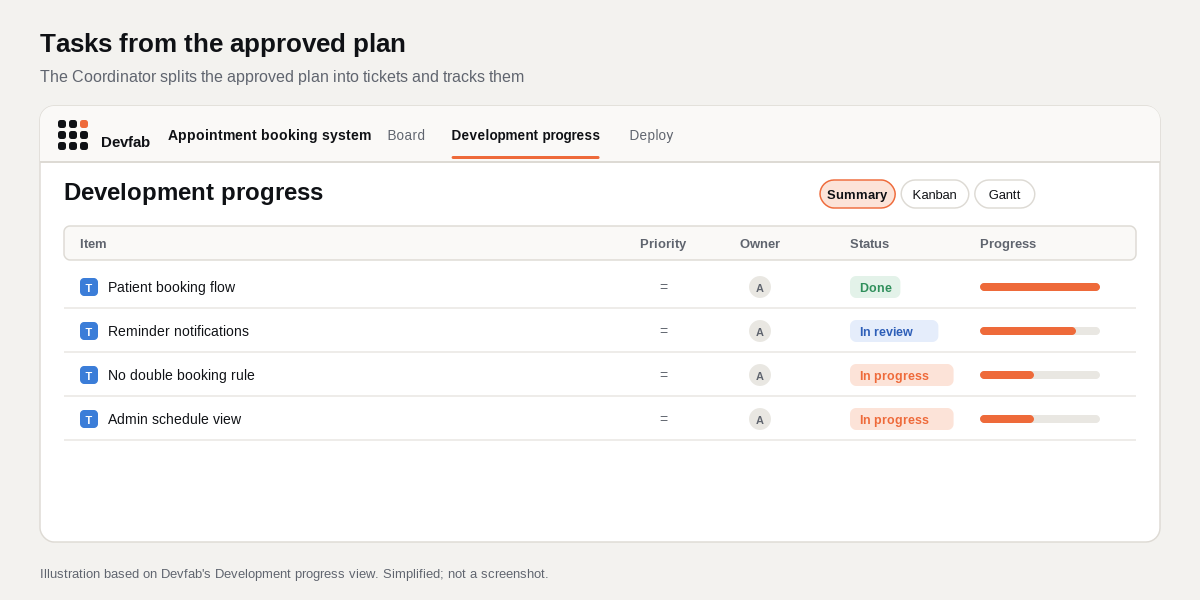
- Cost is logged after each run, per task and per project. Every ticket shows what it cost, and the project shows the total.
- Tickets come from an approved plan. The Coordinator splits the approved plan into tickets, so each cost record already belongs to a task you recognize.
- Model choice per agent. You can choose the model for each agent or keep Devfab's default, which is one way to act on what the cost log shows.
- Predictable cost. Because cost is visible as the work happens, a project lead can see where a project stands before the bill arrives.
Common mistakes
- Only watching the monthly invoice. You see the total but not the cause.
- Tags that don't match the tracker. If the cost log uses different task IDs, nobody can join the data.
- Untagged runs. One missing tag per day adds up to a large "unknown" bucket.
- No rule for shared costs. Teams argue about the same numbers every month.
- Budgets with no owner. An alert nobody reads is not a budget.
Checklist
- [ ] Project, task and run defined, using tracker IDs
- [ ] Every AI run tagged with project and task
- [ ] Cost logged after each run, with outcome
- [ ] Roll-ups per task, per project and per kind of work
- [ ] Budgets and alerts with a named owner
- [ ] Written rule for shared costs
- [ ] Regular review of the most expensive tasks
FAQ
Why track AI cost per task instead of per month?
A monthly total tells you how much you spent, not what you spent it on. Per-task cost shows which kinds of work are expensive, which agents loop or retry, and which projects make or lose money.
What should each AI cost record include?
At minimum: the task ID, the project, the agent or step that ran, the model used, the usage the provider reports, the cost, the time and whether the run succeeded. That is enough to roll costs up and spot outliers.
How do I handle AI costs that aren't tied to one task?
Decide a rule and write it down. You can absorb shared costs centrally, split them in proportion to each project's direct cost, or use a simple proxy. The FinOps Foundation describes all three approaches for shared cloud costs.
Does Devfab show AI cost per task?
Yes. In Devfab, cost is logged after each run, per task and per project, so you can see what each ticket and each project cost to deliver without building your own tracking.
Read next
- What is an AI software factory?
- How agencies should price AI-built work
- How to measure AI developer productivity
- Build: appointment booking system
- Open-source vs commercial AI coding agents: how to choose
- In-house developers vs AI agents: what each does best
Devfab is in Beta. Cost is logged after each run, per task and per project. Try the Devfab Beta
Sources (checked November 2026): FinOps Foundation: Allocation capability.
Frequently asked questions
Why track AI cost per task instead of per month?
A monthly total tells you how much you spent, not what you spent it on. Per-task cost shows which kinds of work are expensive, which agents loop or retry, and which projects make or lose money.
What should each AI cost record include?
At minimum: the task ID, the project, the agent or step that ran, the model used, the usage the provider reports, the cost, the time and whether the run succeeded. That is enough to roll costs up and spot outliers.
How do I handle AI costs that aren't tied to one task?
Decide a rule and write it down. You can absorb shared costs centrally, split them in proportion to each project's direct cost, or use a simple proxy. The FinOps Foundation describes all three approaches for shared cloud costs.
Does Devfab show AI cost per task?
Yes. In Devfab, cost is logged after each run, per task and per project, so you can see what each ticket and each project cost to deliver without building your own tracking.