Short answer: Cline wins for teams that want an actively developed agent inside VS Code or JetBrains, with Plan mode, parallel agents and an Enterprise tier. Aider wins for a solo developer who lives in the terminal, wants every AI edit committed to git, and is fine with a free tool that has shipped one release this year.
You want an open-source coding agent and you refuse to pay a seat fee for it. The shortlist ends at Cline and Aider. Fans of one say the editor is where work happens. Fans of the other say git is the only record that counts.
Both camps have a point, and both tools are free. The difference is in where they run, how you review their work, and how alive each project is. We referee using vendor docs and dated reviews from 2026.
In this comparison:
Each section stands on its own, so skip to the one you need.
Cline and Aider at a glance
Aider is active but slow-moving. Its latest PyPI release is still 0.86.2, from February 12, 2026, and the one before that shipped in August 2025 (PyPI). The release history shows newer model support landing on the main branch without a new release (Aider history). A dated review calls the project effectively "dormant" and flags a solo-maintainer bus-factor risk (CodeMySpec, updated Jul 2026).
Aider is a terminal AI pair programmer. It builds a repo map of your git repository for context, commits changes automatically, and lints and tests after each change (Aider docs; GitHub). It is Apache-2.0 with 49.8k GitHub stars, and the project says 88% of the new code in its last release was written by Aider itself (GitHub).
Cline is active and broad. It is an open-source agent that reads and writes files, runs commands and uses a browser, with each action approved by you (Cline docs). In 2026 it shipped CLI 2.0, Kanban, an SDK rebuild, ClinePass, a new harness and a desktop beta (Cline blog archive). In January 2026, OpenAI hired at least seven Cline staff, which was reported as a continuity challenge (TEXXR).
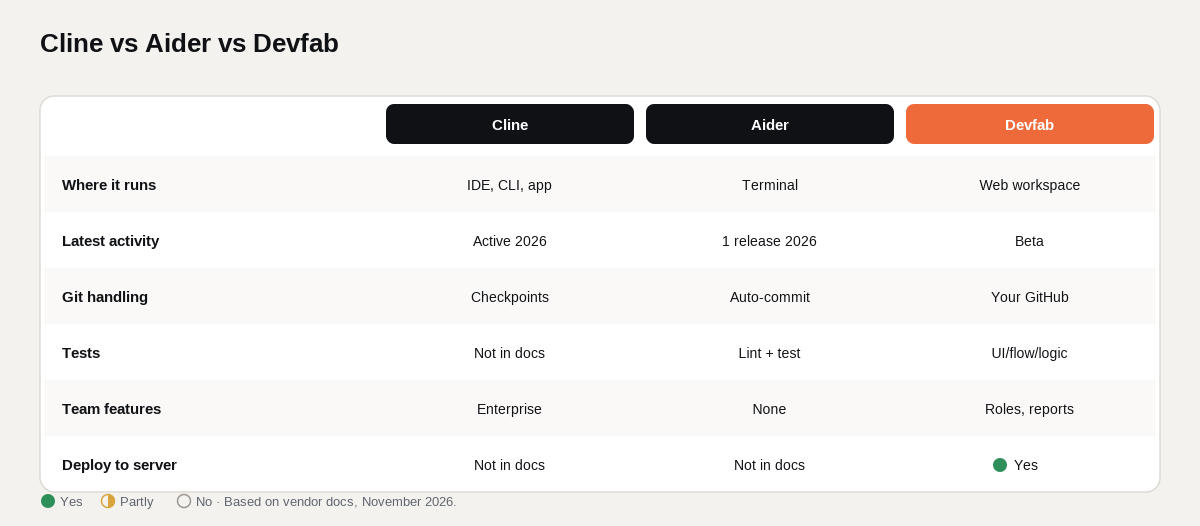
Feature comparison
| Aspect | Cline | Aider | Source |
|---|---|---|---|
| Where it runs | VS Code, JetBrains, CLI (incl. headless CI), desktop app, SDK, Kanban | Terminal or browser; Docker, Codespaces; IDE watch mode via code comments | Cline docs; Aider docs |
| Planning | Plan mode (no edits), Act mode, /deep-planning | Architect and ask chat modes | Cline Plan & Act; Aider docs |
| Agent autonomy | You approve every action; Kanban runs many agents at once | User confirms each step; not autonomous | Cline docs; CodeMySpec |
| Testing | Uses a browser while it works | Lints and tests after each change, then fixes errors | Cline docs; Aider docs |
| Git and rollback | Checkpoints roll back work | Auto-commits every change | Cline Plan & Act; GitHub |
| Deploy and hosting | Not covered in the docs we checked | Not covered in the docs we checked | — |
| Team and admin | Enterprise: SSO, SLA, RBAC, central billing, auth logs | No team features | Cline pricing; CodeMySpec |
| Model choice | Cline billing, ClinePass, or your own key incl. local runtimes | OpenAI, Anthropic, Gemini, DeepSeek, Bedrock, OpenRouter, Ollama, LM Studio and any OpenAI-compatible API | Cline docs; Aider docs |
| Pricing model | Free; pay inference; Enterprise custom | Free; pay your LLM provider | Cline pricing; PyPI |
Cost model by team size
| Team size | Cline | Aider |
|---|---|---|
| 1 person | Free extension; pay inference through Cline billing or your own key | Free; pay your model provider |
| 5 people | Same per developer; no seat fee in the docs we checked | Same per developer; no shared admin or billing |
| 25 people | Enterprise on custom pricing (SSO, RBAC, SLA, central billing) | No paid tier; any governance is yours to build |
As of November 2026, Cline's pricing page lists Free (inference billed separately) and Enterprise on custom terms, with no plan prices shown (Cline pricing). Aider has no pricing page (PyPI).
Where Cline wins
- Your developers work in VS Code or JetBrains and want the agent in the side panel, not a separate terminal.
- You want a plan step that cannot edit files. Plan mode only reads and discusses (Plan & Act).
- You need MCP tools. A review lists no native MCP support in Aider (CodeMySpec).
- You need several agents at once. Kanban runs many agents in parallel (Cline docs).
- Procurement wants a vendor. Cline's Enterprise tier lists SSO, an SLA and RBAC (Cline pricing).
Where Aider wins
- You want every AI edit as its own git commit. Aider commits automatically, which makes review and revert simple (GitHub).
- You want lint and tests run after each change without extra setup (Aider docs).
- You work air-gapped or on local models through Ollama or LM Studio with no vendor account.
- You want a light tool that installs with pip and runs over SSH or in Docker.
- You value a stable tool over new features. Few releases also means few surprise changes.
Switching from one to the other
From Aider to Cline. Both work in your existing git repo, so nothing needs exporting. Install Cline in your editor or use its CLI, then point it at the same model provider through your own key (Cline docs). Aider's commits stay in your history. Decide whether you still want one commit per AI edit; Cline relies on Checkpoints instead.
From Cline to Aider. Install Aider with pip on Python 3.10 to 3.12 (PyPI), set your model key, and run it in the repo root. Aider builds its own repo map. Expect to manage context by hand: the review lists manual context management as a weak spot (CodeMySpec).
Where Devfab fits
Cline and Aider both help one developer change code. Neither, in the docs we checked, maps the business domain before planning, routes a whole project plan to a person, or deploys the app.
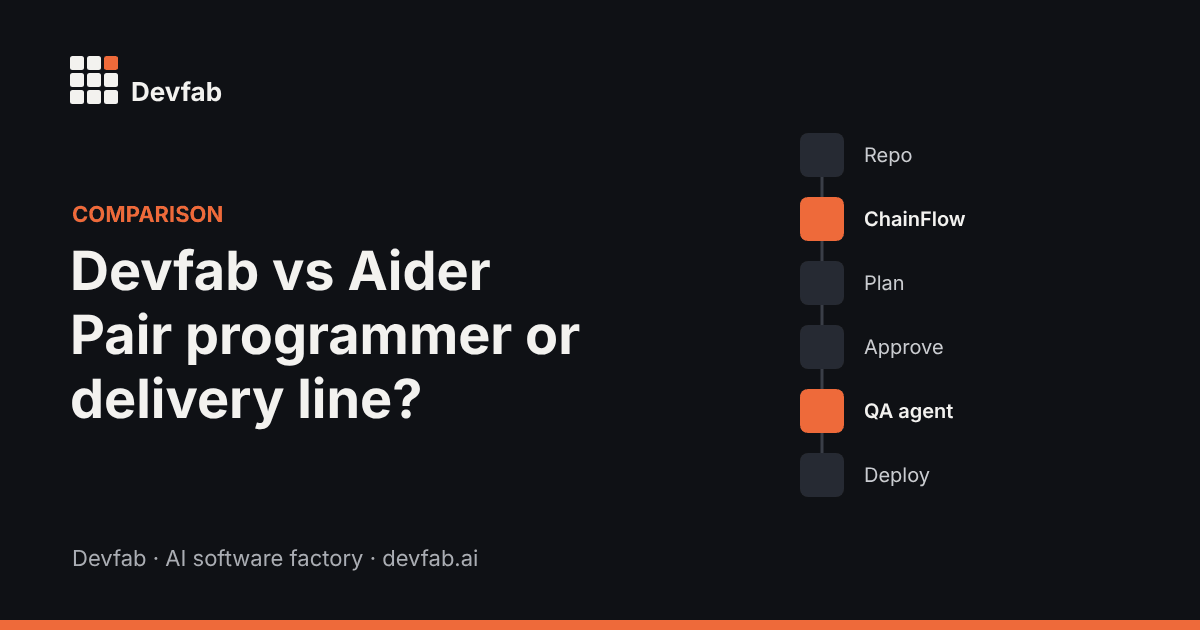
Coding agents automate the developer. Devfab automates the development lifecycle. On an existing repo, Devfab's ChainFlow maps which functions and APIs call each other and what is deployed, so dev agents see what a change touches. Change the pick-list screen in a warehouse picking app, and ChainFlow shows the stock counts, the packing step and the alerts tied to it. A person approves the plan, and the QA agent runs UI, flow and logic tests.
Devfab is in Beta, with a smaller community and fewer integrations, and it is not an editor or a terminal tool. See Devfab vs Cline and Devfab vs Aider.
FAQ
Is Aider still maintained in 2026?
Partly. The latest PyPI release is 0.86.2 from February 12, 2026, and the release before that was in August 2025. Aider's release history shows newer model support on the main branch without a new release. One dated review calls the project effectively dormant.
Which is cheaper, Cline or Aider?
Both are free, open-source tools where you pay for the model. Aider has no paid plan at all; you pay your LLM provider directly. Cline also lets you pay through its own usage billing or ClinePass, and sells a custom-priced Enterprise tier with SSO and RBAC.
Can Aider work inside VS Code like Cline?
Not as an extension. Aider runs in the terminal or a browser, and its watch mode reacts to AI comments you type in any editor. Cline is a VS Code extension and a JetBrains plugin, and also has a CLI and a desktop app.
Which one keeps a cleaner git history?
Aider commits every change to git automatically, so each AI edit is its own commit you can review or revert. Cline uses Checkpoints to roll back its work inside a session. If an audit trail in git matters most, Aider is the closer fit.
Read next
- What is an AI software factory?
- Aider alternatives for teams that ship to production (2026)
- AI IDE vs CLI coding agent: which fits how you work?
Want the plan, the tests and the deploy around your agent's code? Try Beta
Sources (checked November 2026): Cline docs overview; Cline Plan & Act; Cline pricing; Cline blog archive; OpenAI hires seven employees from Cline (TEXXR, Jan 29, 2026); Aider documentation; Aider-AI/aider on GitHub; aider-chat on PyPI; Aider release history; Aider in 2026 (CodeMySpec, updated Jul 10, 2026).
Frequently asked questions
Is Aider still maintained in 2026?
Partly. The latest PyPI release is 0.86.2 from February 12, 2026, and the release before that was in August 2025. Aider's release history shows newer model support on the main branch without a new release. One dated review calls the project effectively dormant.
Which is cheaper, Cline or Aider?
Both are free, open-source tools where you pay for the model. Aider has no paid plan at all; you pay your LLM provider directly. Cline also lets you pay through its own usage billing or ClinePass, and sells a custom-priced Enterprise tier with SSO and RBAC.
Can Aider work inside VS Code like Cline?
Not as an extension. Aider runs in the terminal or a browser, and its watch mode reacts to AI comments you type in any editor. Cline is a VS Code extension and a JetBrains plugin, and also has a CLI and a desktop app.
Which one keeps a cleaner git history?
Aider commits every change to git automatically, so each AI edit is its own commit you can review or revert. Cline uses Checkpoints to roll back its work inside a session. If an audit trail in git matters most, Aider is the closer fit.