Short answer: Choose Glide when a client's operations already live in Excel or Google Sheets and their own staff will build and run a hosted internal app over that data. Choose Devfab when you deliver custom software: a researched, approved plan, tested code in your GitHub account, and deployment to the client's own server.
Your client runs the business on one huge spreadsheet. They want an app on top of it, and they want it soon. Glide and Devfab both answer that request, but they hand over very different things. One gives the client a hosted app inside Glide. The other gives them source code, a test report and a server they control. For an agency, that difference decides who owns the result.
In this comparison:
- What each tool is built for
- Switching triggers
- Cost model by team size
- Where Glide is the better choice
- Where Devfab is the better choice
Each section uses sources we opened on November 13, 2026.
What each tool is built for
Glide
Glide rebuilt its product in 2026. It announced "an entirely new version of our product, built from the ground up for the AI age" in March 2026, and staff said the new platform was live in June 2026. The new product is GlideOS. The older builder continues as Glide Classic, and its page gives no sunset date.
GlideOS turns the spreadsheets a business runs on into internal apps, workflows and AI agents. Key parts:
- SheetSense scans uploaded spreadsheets for formulas, macros, pivot tables and charts, then asks you to confirm before it builds.
- Glide's agent builds the app and can then operate it, query data and run code. Glide says GlideOS gives agents direct access to full-stack application code, where Classic used an intermediate JSON format.
- Data sources include Excel, Google Sheets, Airtable, Notion and Snowflake, with about 150 integrations shown, including Salesforce, NetSuite, HubSpot, Shopify and Jira.
- An App Store of pre-built multi-app systems that are free to copy.
- Governance: AI spend budgets by team and model, apps private to the company by default, and SSO, audit logs and publishing approval on Enterprise.
Glide's main user is an operations or back-office team that wants to build and run its own tools. Its homepage targets supply chain, manufacturing, retail, real estate, hospitality and professional services.
Devfab
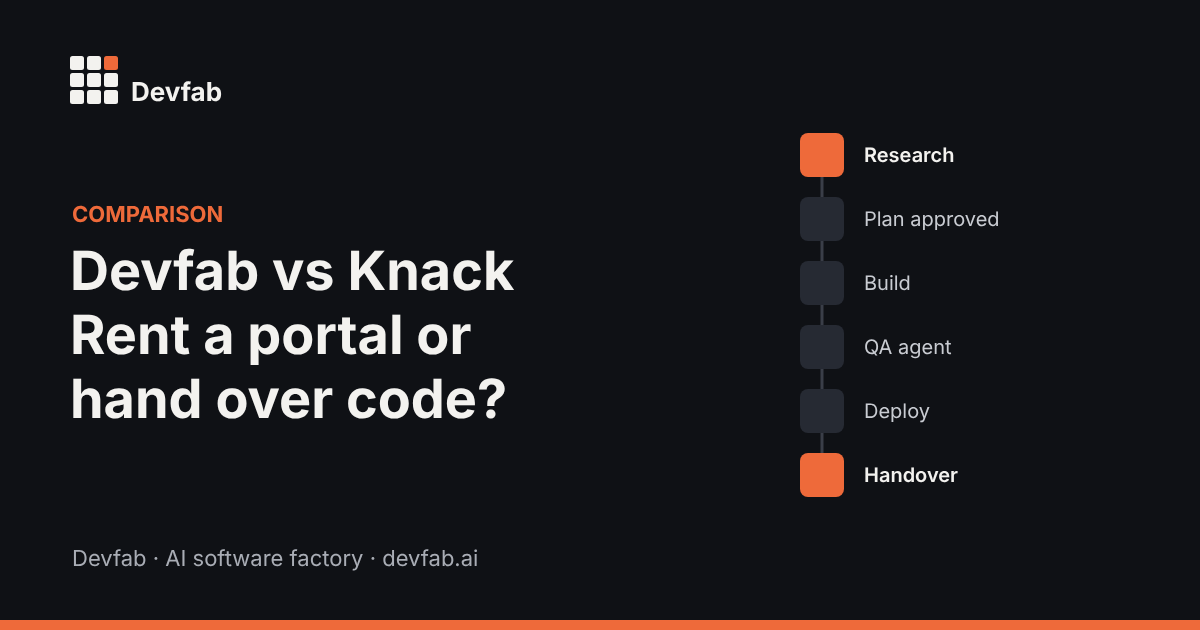
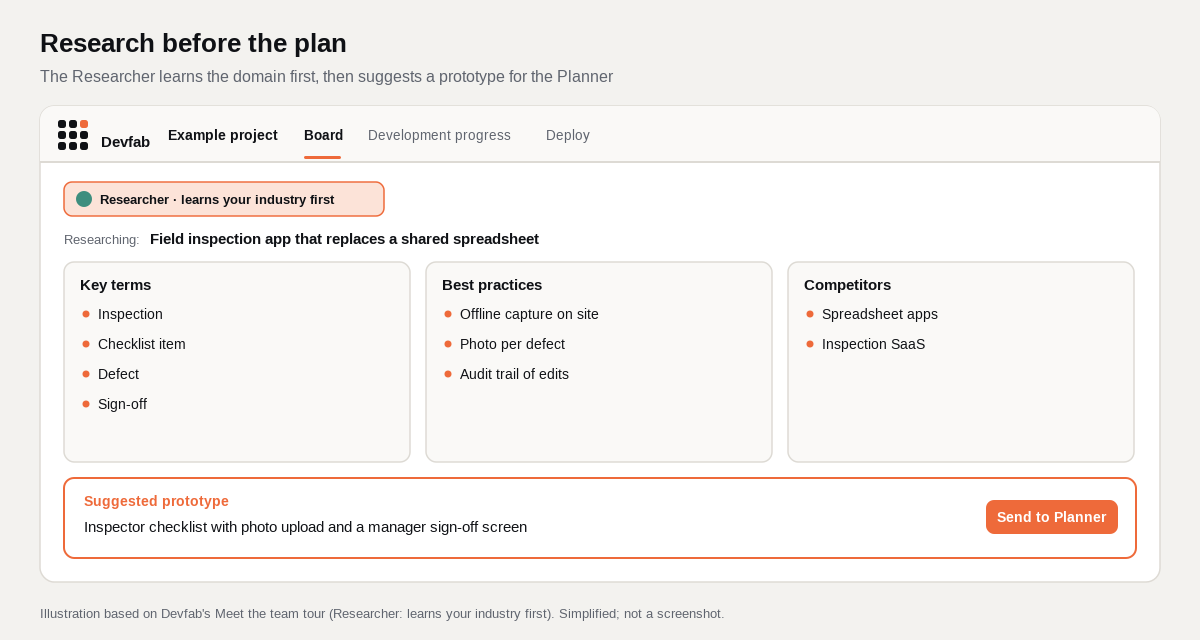
Devfab is an AI software factory. Its unit of work is a project, run by seven agents. The Researcher maps the domain first: key terms, best practices and competitors, then suggests a prototype. The Planner writes the plan, and a person approves it before the Coordinator creates tickets for the Developers. They work with ChainFlow, which maps which functions and APIs call each other so a change doesn't break connected features. Blueprint draws screens, the QA agent runs UI and flow tests plus logic tests, and Deploy ships to your own server.
The code lives in your own GitHub account (or your organization's). Devfab also produces blueprints, sequence flows, prototypes and user manuals.
App builders automate the first version. Devfab automates the development lifecycle.
Switching triggers
These are the documented reasons a team might move client work off Glide, rewritten as facts.
| Trigger | Glide | Devfab | Source |
|---|---|---|---|
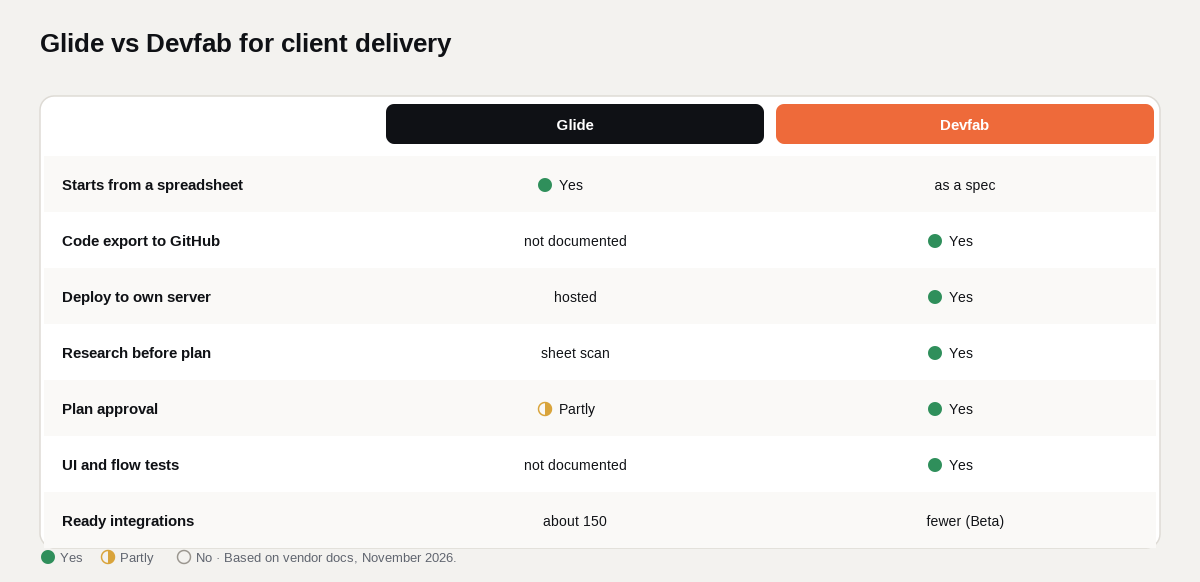
| The client wants the source code | No documented code export to GitHub; a community answer says it isn't possible | Code in your own GitHub account from the first ticket | Glide community (Apr 2025) |
| Build cost is hard to predict | Users report credit costs are hard to forecast and agent mistakes still use credits; staff called credit transparency top feedback | Cost logged after each run, per task and per project | Glide community (Jun–Jul 2026) |
| The app must run on the client's server | Hosted product; apps run on desktop and phone through Glide | Deploy to your own server; custom domain optional | Glide homepage |
| SSO or audit logs are required | SSO, audit logs and publishing approval are Enterprise features | Roles and workspace permissions (Beta) | Glide pricing |
| You need a test report before go-live | Testing is not covered in the docs we checked | QA agent runs UI, flow and logic tests; optional review before Done | Glide homepage, launch recap |
| The product changed under you | GlideOS replaced the main builder in 2026; Classic continues with no stated end date | New platform in Beta | Glide community (Mar 2026), Glide Classic page |
Cost model by team size
| Team size | Glide | Devfab |
|---|---|---|
| 1 person | Free plan can build but cannot publish apps; Basic is the first plan that publishes personal and team apps, with a small member cap | Cost logged per task and per project (Beta) |
| 5 people | Pro starts at five team members, with credits per member; Plus caps members lower | Cost logged per task and per project (Beta) |
| 25 people | Pro scales by member count; Enterprise is custom and adds SSO and a choice of LLM provider | Cost logged per task and per project (Beta) |
Glide meters AI work in credits, which stand for LLM token usage. Extra credits are sold on paid plans only, and guests are unlimited on every plan. Check Glide's pricing page for current amounts.
Moving from Glide to Devfab
Glide's docs we checked describe no code export, so moving a Glide app is a rebuild, not a code migration. Your data stays where it is.
- Keep the data source. Glide builds over your spreadsheets and databases, so the client's Sheets, Excel or Airtable data is already outside Glide.
- Start a new project in Devfab. Describe the app under "What should we build?" and attach the spreadsheet structure and screenshots of the current Glide screens as the spec.
- Review the research. The Researcher maps the domain and suggests a prototype before any plan exists.
- Approve the plan. Keep Human in the loop (the default) so you, or your client, approve the plan before the Coordinator creates tickets.
- Let the QA agent test. It runs UI and flow tests plus logic tests, and you can require QA review before a ticket is marked Done.
- Deploy to the client's server, with a custom domain if you need one.
If the client already has custom code around the Glide app, such as an API in GitHub, use "Work on an existing project", pick the repo and leave the change box empty. ChainFlow maps the code first and suggests three small first tickets.
Where Glide is the better choice
- The process already lives in a spreadsheet and the client wants an app over that data, built by people who don't code.
- The client's staff will maintain it. Ops teams can change a Glide app themselves, with no repo or deployment pipeline.
- You need many ready integrations, such as Salesforce, NetSuite, HubSpot or Shopify, more than Devfab offers in Beta.
- You want a template to start from. Glide's App Store has multi-app systems that are free to copy.
- AI spend governance matters and you want budgets by team and model inside one hosted product.
Where Devfab is the better choice
- The deliverable is software the client owns. Code sits in your GitHub account or theirs, and the app deploys to their server.
- The app needs research before a plan. The Researcher maps terms, best practices and competitors before the Planner writes anything.
- Someone must sign off. A person approves the plan by default, so the client agrees on scope before the build.
- You need proof it works. The QA agent clicks through screens and user journeys and runs logic tests.
- You change existing code. ChainFlow shows what a change touches, such as checkout affecting payments, inventory and notifications.
- You need a record per delivery: plan, QA report, user manual and cost per task.
Devfab's honest limits: it is new and in Beta, with a smaller community and fewer integrations than Glide. It is not a spreadsheet tool, and it is not an editor for hands-on coding. It needs a GitHub account. For a simple tracker that the client's ops team will maintain, Glide is less process.
FAQ
Can I export a Glide app's code to GitHub?
We found no documented way to do it in the Glide pages we checked, and a Glide community answer from April 2025 says it isn't possible. Your data stays in your own sources, such as Google Sheets or Excel. Devfab writes code into your own GitHub account from the first ticket.
Is GlideOS the same product as Glide?
GlideOS is Glide's rebuilt platform. Glide announced it in March 2026 and said it was live in June 2026. The previous builder continues as Glide Classic, and its page states no sunset date.
Which is better for an agency building internal apps for clients?
If the client's process lives in a spreadsheet and the client will run the app inside Glide, Glide is the simpler path. If the client wants the code, their own server, a test report and a user manual, Devfab is built for that delivery.
How do Glide and Devfab charge?
Glide uses credit-based plans where credits meter AI token usage, with caps on members and published apps on lower tiers. Devfab is in Beta with predictable cost: cost is logged after each run, per task and per project.
Read next
- What is an AI software factory?
- Glide alternatives for teams that ship to production (2026)
- Softr vs Glide: which should your team use in 2026?
- Internal tool builder vs custom app: which fits your team?
See a client app go from spreadsheet to tested code. Book a Devfab demo
Sources (checked November 13, 2026): Glide homepage; Glide pricing; GlideOS launch recap; Glide Classic; Introducing a new Glide, built for the AI age (Glide community, Mar 2026); Pricing issues with GlideOS (Glide community, Jun–Jul 2026); Is it possible to export a Glide app into a GitHub repository? (Glide community, Apr 2025).
Frequently asked questions
Can I export a Glide app's code to GitHub?
We found no documented way to do it in the Glide pages we checked, and a Glide community answer from April 2025 says it isn't possible. Your data stays in your own sources, such as Google Sheets or Excel. Devfab writes code into your own GitHub account from the first ticket.
Is GlideOS the same product as Glide?
GlideOS is Glide's rebuilt platform. Glide announced it in March 2026 and said it was live in June 2026. The previous builder continues as Glide Classic, and its page states no sunset date.
Which is better for an agency building internal apps for clients?
If the client's process lives in a spreadsheet and the client will run the app inside Glide, Glide is the simpler path. If the client wants the code, their own server, a test report and a user manual, Devfab is built for that delivery.
How do Glide and Devfab charge?
Glide uses credit-based plans where credits meter AI token usage, with caps on members and published apps on lower tiers. Devfab is in Beta with predictable cost: cost is logged after each run, per task and per project.