Short answer: Trae wins when one developer wants a low-cost AI IDE with an autonomous SOLO mode and drives every task personally. Devfab wins when a team delivers client projects and needs a researched plan a person approves, separate QA tests, deployment to the client's server and cost logged per task and per project.
You run client projects, and your developers like their AI IDE. Your clients still ask other questions. What did we approve? What was tested? What did this cost? An editor answers the developer's needs, not the client's. And in 2026, Trae's own product line has been changing shape, which matters if you plan to build a delivery process on it.
In this comparison:
- What each tool is built for
- Switching triggers
- Cost model by team size
- Where Trae is the better choice
- Where Devfab is the better choice
Every Trae fact below links to the page we checked.
What each tool is built for
Trae
Status, November 2026: On October 9, 2026, ByteDance merged its TraeWork and TraeCode apps into one TRAE platform, and the standalone TraeWork service shut down on October 23 (TechNode). TechNode's report cites Chinese docs, so the merge may cover the China product first; the international site still presents TraeCode and TraeWork (trae.ai). Separately, a report citing Bloomberg said ByteDance plans to fold Trae and Coze into its Doubao assistant (AI Weekly).
Trae is ByteDance's AI coding environment. The parts that matter for a team decision:
- Two ways of working. TraeCode has IDE Mode for hands-on coding and SOLO Mode, an autonomous agent mode (diyai.io review, updated Aug 24, 2026). In the merged app, Agent mode manages tasks across projects and IDE mode handles detailed coding and debugging (TechNode).
- Desktop, web and mobile. You can start a task on a computer and follow it from a phone (TechNode).
- Enterprise edition through BytePlus. TRAE Enterprise indexes codebases of up to 100K files and 150M lines, and adds enterprise rules, knowledge bases, custom agents, a productivity dashboard, org-wide spending caps, role-based permissions, SSO and audit logs. BytePlus states SOC 2 Type 2 and that code is "never used to train models" (BytePlus).
- Model choice. Enterprise customers get frontier third-party models or can connect their own custom models (BytePlus).
- Session limits. A review citing Trae's membership docs reports "up to 200 tool calls per session across modes," and SOLO tasks can stop on context limits, permissions or usage exhaustion (diyai.io).
Trae's main user is a developer who drives each task.
Devfab
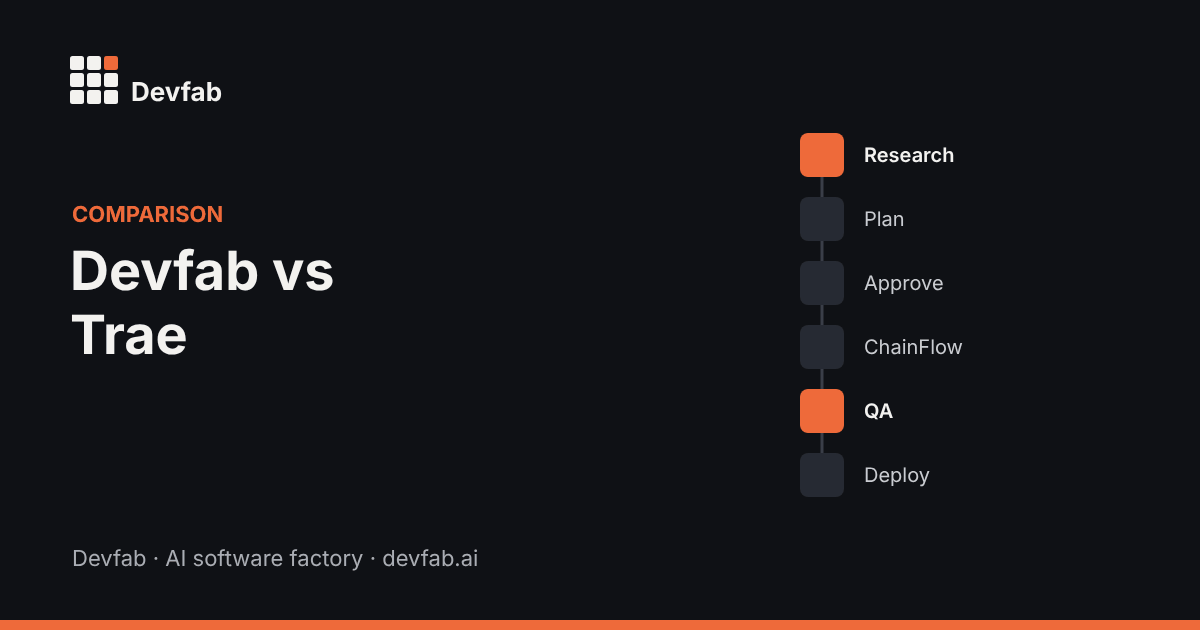
Devfab is an AI software factory. Its unit of work is a project, and seven agents run it. The Researcher maps the domain first: key terms, best practices for that kind of app and competitors, then suggests a prototype. The Planner writes the plan, and a person approves it. The Coordinator turns the plan into tickets for Developers, who work with ChainFlow, Devfab's code-intelligence layer. ChainFlow maps which functions and APIs call each other and what is deployed, so a change to checkout doesn't quietly break payments or notifications. Blueprint produces screens, the QA agent runs UI, flow and logic tests, and Deploy ships to your own server.
Coding agents automate the developer. Devfab automates the development lifecycle.
Switching triggers
| Trigger | Trae | Devfab | Source |
|---|---|---|---|
| The product line keeps changing | TraeWork and TraeCode merged into TRAE on Oct 9, 2026; TraeWork shut down Oct 23 | One workspace per project: plan, tickets, QA, deploy | TechNode |
| Unclear product future | Reported plan to fold Trae into Doubao | Code in your own GitHub account; app on your own server | AI Weekly |
| Long tasks stop partway | Up to 200 tool calls per session; SOLO can stop on context, permission or usage limits | Approved plan split into tickets with owner, status and progress | diyai.io |
| A client's privacy review asks questions | Files may be uploaded temporarily for embeddings; chats may be used for analytics when Privacy Mode is off | Repository lives in your GitHub account or your organization's | diyai.io |
| Spend is hard to tie to one client | Token-based usage drawn from a monthly allowance since 2026 | Cost logged after each run, per task and per project | diyai.io |
| The client wants a test record | A separate QA step is not covered in the docs we checked | QA agent runs UI, flow and logic tests; optional review before Done | BytePlus |
Cost model by team size
| Team size | Trae | Devfab |
|---|---|---|
| 1 person | Free plan, or a paid individual tier with a monthly usage allowance | Cost logged per task and per project (Beta) |
| 5 people | A paid individual tier per developer, or TRAE Enterprise | Cost logged per task and per project (Beta) |
| 25 people | TRAE Enterprise through BytePlus sales, with org-wide spending caps | Cost logged per task and per project (Beta) |
Trae says "Get started for Free. Upgrade to increase limits"; check Trae's pricing page for current tiers and BytePlus for enterprise terms, as of November 2026. Devfab is in Beta and offers predictable cost: cost is logged after each run, per task and per project.
Moving from Trae to Devfab
- Get the code into your GitHub. Trae's IDE mode works on a project folder, so the code is already yours. If it isn't in a repository yet, push it to GitHub under your own account or your organization's.
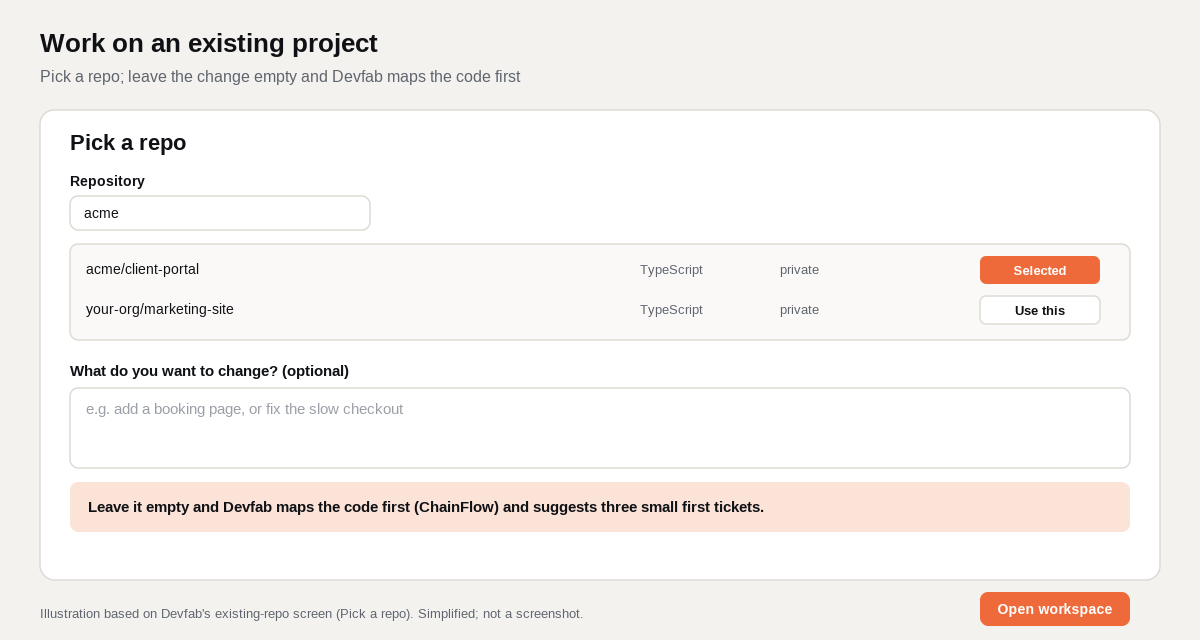
- In Devfab, choose "Work on an existing project" and pick that repository.
- Leave the change box empty. ChainFlow maps the code first, and Devfab suggests three small first tickets.
- Review and approve the plan. The Coordinator then creates tickets and assigns dev agents.
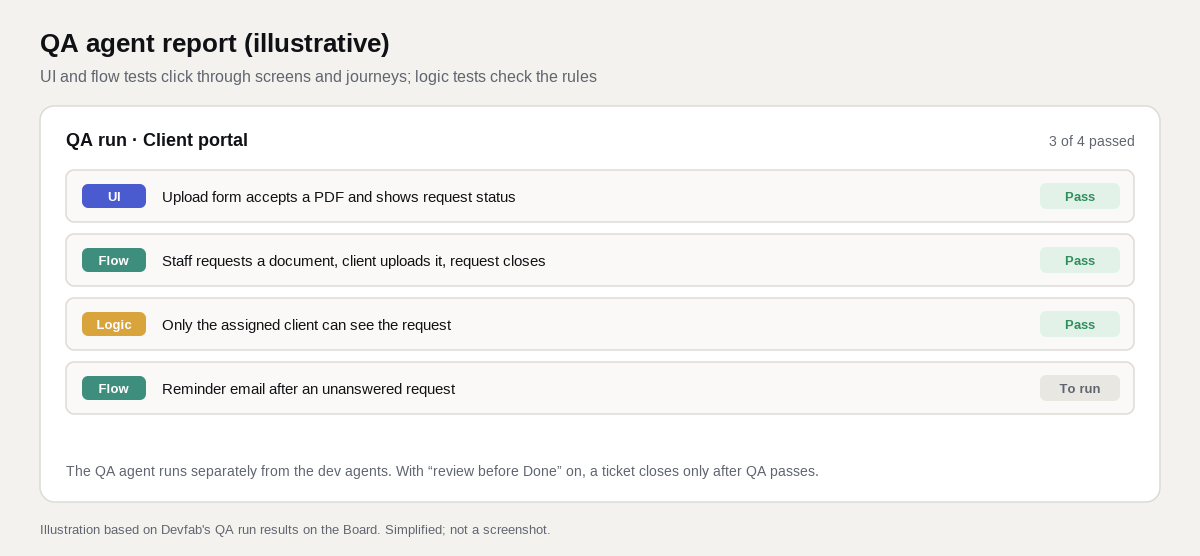
- Switch on "QA agent · review before Done". The QA agent runs UI, flow and logic tests before a ticket closes.
- Deploy to your own server from the Deploy tab, with a custom domain if you want one.
Developers can keep Trae open on the same repository for hands-on work.
Where Trae is the better choice
- One developer on a tight budget who wants a free or low-cost AI IDE with an autonomous mode, and is happy to drive the work.
- You want to follow agent tasks from a phone. The merged TRAE app runs on desktop, web and mobile.
- Very large codebases edited by hand. Enterprise indexing covers up to 100K files and 150M lines, updated incrementally.
- Teams already buying from BytePlus that want a productivity dashboard, org-wide spending caps and their own custom models.
- Small, code-level tasks where a project plan and QA report would be more process than the job needs.
Where Devfab is the better choice
- You deliver projects for clients and want the same steps every time: research, an approved plan, tickets, QA, deployment and docs.
- The domain needs research before code. Devfab's research step maps terms, best practices and competitors before the Planner writes anything.
- You change existing client apps. ChainFlow shows which connected features a change touches before dev agents edit them.
- Clients want proof of testing. The QA agent clicks through screens and user journeys and runs logic tests.
- The app must run on the client's server, with code in your GitHub account or theirs, plus blueprints, sequence flows and user manuals.
- You price fixed scopes and need to see cost per task and per project.
Where Devfab is weaker: it is new and in Beta, with a smaller community and fewer integrations than established tools. It is not an editor for hands-on coding, and it needs a GitHub account. For a one-line fix, a full project with a plan is more than you need.
FAQ
Is Trae still available after the 2026 changes?
Yes, Trae is active. ByteDance merged TraeWork and TraeCode into one TRAE app on October 9, 2026, and the standalone TraeWork service closed on October 23. A separate report citing Bloomberg said ByteDance plans to fold Trae into its Doubao assistant. Check Trae's site before you standardize a team on it.
Can a team use Trae and Devfab on the same project?
Yes. Devfab works in a GitHub repository in your own account or your organization's. A developer can open the same repository in Trae for hands-on fixes while the project's plan, tickets, QA and deployment run through Devfab.
Does Trae test the code it writes?
The Trae pages and reviews we checked describe IDE and SOLO modes but do not cover a separate QA step. Devfab has a QA agent that runs UI and flow tests plus logic tests, and you can require QA review before a ticket is marked Done.
Which is cheaper for a software agency?
Trae has a free tier and paid tiers that draw on a monthly usage allowance; enterprise pricing goes through BytePlus sales. Devfab is in Beta and does not publish a price. It offers predictable cost: cost is logged after each run, per task and per project, so you can see what each client project used.
Read next
- What is an AI software factory?
- AI software factory vs AI coding tools: what's the difference?
- Trae vs Cursor: which should your team use in 2026?
- Devfab vs Cursor
- Build a client portal with AI agents
See one of your client projects run from research to deploy. Book a Devfab demo
Sources (checked November 13, 2026): Trae homepage; Trae pricing; TRAE Enterprise on BytePlus; TRAE AI Review 2026, diyai.io (updated Aug 24, 2026); ByteDance merges TraeWork and TraeCode into unified TRAE platform, TechNode (Oct 10, 2026); ByteDance folds Trae and Coze coding tools into Doubao, AI Weekly (Aug 24, 2026).
Frequently asked questions
Is Trae still available after the 2026 changes?
Yes, Trae is active. ByteDance merged TraeWork and TraeCode into one TRAE app on October 9, 2026, and the standalone TraeWork service closed on October 23. A separate report citing Bloomberg said ByteDance plans to fold Trae into its Doubao assistant. Check Trae's site before you standardize a team on it.
Can a team use Trae and Devfab on the same project?
Yes. Devfab works in a GitHub repository in your own account or your organization's. A developer can open the same repository in Trae for hands-on fixes while the project's plan, tickets, QA and deployment run through Devfab.
Does Trae test the code it writes?
The Trae pages and reviews we checked describe IDE and SOLO modes but do not cover a separate QA step. Devfab has a QA agent that runs UI and flow tests plus logic tests, and you can require QA review before a ticket is marked Done.
Which is cheaper for a software agency?
Trae has a free tier and paid tiers that draw on a monthly usage allowance; enterprise pricing goes through BytePlus sales. Devfab is in Beta and does not publish a price. It offers predictable cost: cost is logged after each run, per task and per project, so you can see what each client project used.