Short answer: AI coding tools (Copilot, Cursor, Claude Code, Devin, Codex) help a developer write and change code. AI app builders (Lovable, Bolt.new, Replit, v0, Base44) get a working prototype on screen from a prompt. An AI software factory runs the whole lifecycle: research, an approved plan, code, tests, deploy and docs. Pick by the job, not the hype.
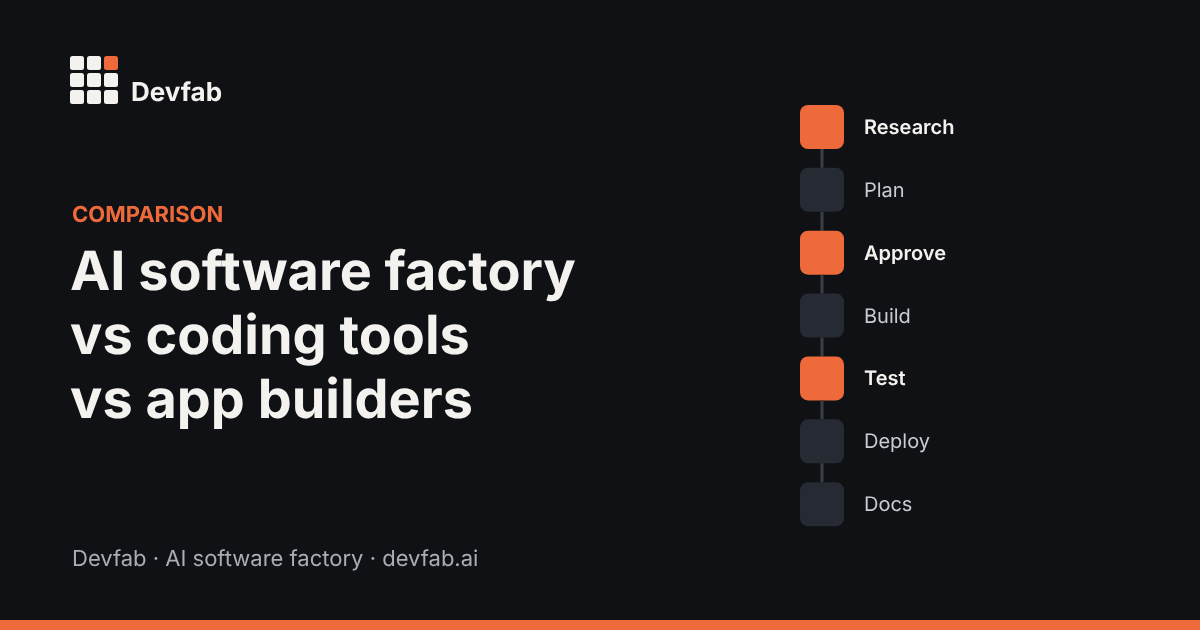
Three kinds of AI tools now claim to "build software". They overlap, but they are built for different jobs, different users and different stages of a project. Choosing the wrong one is how teams end up with a fast demo nobody can maintain, or a fast developer whose work still waits in the queue for testing and release.
This guide defines each category, compares them in one table, and explains when each one is the right choice.
What is a software factory?
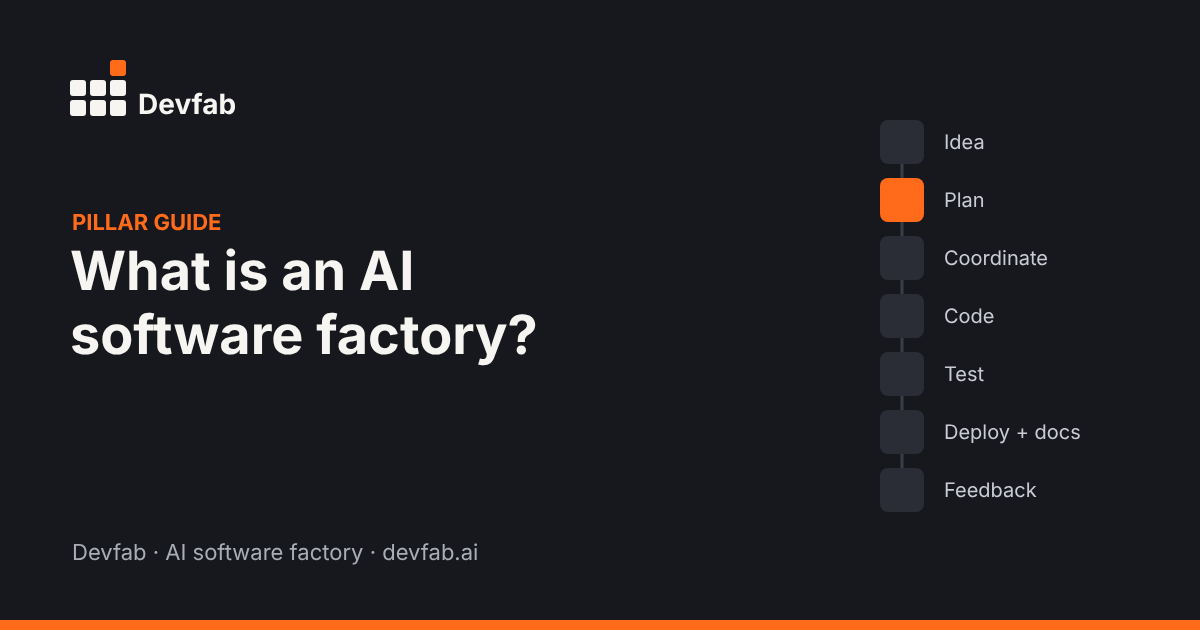
A software factory is a repeatable system for turning a software request into shipped, supported software. Every request goes through the same stages: requirements, plan, code, tests, deploy and documentation. The idea is older than AI. Companies used the term for software organizations built on standard processes and quality control, so delivery did not depend on a few heroes.
An AI software factory keeps the production line and changes who works the stations. Specialised AI agents run each stage, and people sit at the checkpoints where judgment matters: approving the plan and reviewing the release. The unit of work is a project, not a single code change.
The short version: Coding agents automate the developer. Devfab automates the development lifecycle.
The three categories
AI coding tools and agents work inside a codebase for a developer. GitHub Copilot offers inline suggestions, chat, an agent mode in the IDE that proposes file changes and terminal commands for your approval, and a cloud agent that "can research a repository, create an implementation plan, and make code changes on a branch". Cursor calls itself "a coding agent for building ambitious software" and pairs its editor with cloud agents that run on their own virtual machines. Claude Code reads your codebase, edits files, runs commands and opens pull requests from the terminal, IDE, desktop or browser. Devin describes itself as "an autonomous AI software engineer that can write, run and test code". OpenAI Codex runs as a CLI, an IDE extension, in the cloud and inside the ChatGPT apps.
AI app builders turn a prompt into a working app, often for people who don't code. Bolt calls itself "an AI app builder that turns a prompt into a working web or mobile app". Lovable hosts the published app for you, with "no servers to set up". Replit Agent lets you "describe what you want in everyday language" and then publish to Replit's infrastructure. v0 offers one-click deploy to Vercel. Base44 creates authentication, the database, file storage and APIs "automatically behind the scenes".
AI software factories take a request from idea to deployed, documented software, with agents for each stage and approval gates for people. Devfab is one: seven agents (Researcher, Planner, Coordinator, Developers, Blueprint, QA agent and Deploy) work on a project whose code lives in your own GitHub account.
Comparison table
| Aspect | AI coding tools and agents | AI app builders | AI software factory (Devfab) |
|---|---|---|---|
| Planning | Plan mode for a task (Cursor Plan Mode, Copilot cloud agent plans) | Plan mode in some (Replit, Lovable) | Planner writes a project plan with epics, then the Coordinator turns it into tickets |
| Research | Researches your codebase | Starts from your prompt; plan mode can ask questions | Research step maps the domain, best practices and competitors before the plan |
| Human approval | You approve edits, commands and pull requests | You approve a plan (where offered), check the preview, then publish | A person approves the plan by default; optional QA review before Done |
| Code | Strongest here: deep, hands-on work in your repo | Generated in the builder; GitHub sync in some | Dev agents work tickets in your repo, with ChainFlow showing the impact of each change |
| UI and flow tests | Run tests and linters; Cursor cloud agents attach screenshots and videos | Agent checks its own work (Replit); you click the preview | Separate QA agent clicks screens and user journeys end to end, plus logic tests |
| Deploy | Up to your CI and hosting | Built-in hosting on the builder's domain or Vercel; custom domains on paid plans | Ship to production on your own server; custom domain optional |
| Docs | Writes docs when asked | Not a focus in the docs we checked | Blueprints, hi-fi designs, sequence flows, prototypes and user manuals |
| Team management | Seats, policies, usage data (Copilot Business, Cursor Teams); project tracking in your own tools | Shared workspaces on team plans | Roles, workspace permissions, Kanban and Gantt progress, Team Delivery Report |
| Cost visibility | Seat plans plus usage or AI credits | Credits or tokens per plan | Predictable cost: logged after each run, per task and per project |
| Code ownership | Your repo (Copilot cloud agent needs GitHub-hosted repos) | Varies: Lovable says the code is yours; GitHub sync on Bolt, Lovable and Base44 (Builder plan and up) | Code in your own GitHub account (or your organization's); no lock-in |
The table describes each category as a whole, from the official docs of the tools named. Tools change fast, so check current docs.
When a coding tool is enough
Coding tools are the better choice for hands-on development work. Pick one when:
- You are a developer, or you have developers, and the job is code-level: features, refactors, bug fixes, migrations and tests in a codebase you know.
- Your team already has a delivery process. If you have a tracker, CI/CD, QA people, a release routine and someone who writes docs, a coding tool speeds up the coding stage without changing the rest.
- You want the agent inside your editor or terminal. Copilot, Cursor and Claude Code meet developers where they already work, with deep customisation through rules, skills, hooks and MCP servers.
- You want to drive every decision yourself. Agent mode in Copilot asks for your approval on file changes and terminal commands. That level of control suits experienced developers.
If your day is spent inside code, keep a coding tool.
When an app builder is enough
App builders are the better choice for quick solo prototypes. Pick one when:
- You want to see an idea on screen today, without setting up a repository, a stack or hosting.
- You're a founder or a non-technical builder testing whether an idea is worth building at all.
- The app is small, and hosting on the builder is fine. Lovable, Bolt, Replit and Base44 all host the app for you, so a demo link is one click away.
- You'll throw it away or rebuild it later. A prototype that answers "do users want this?" has done its job, even if it never reaches production.
The friction starts when the prototype becomes the product. Someone then has to add the plan, the tests, the deployment to the client's servers and the user manual.
When you need a software factory
A factory makes sense when the work is a project, not a prompt or a pull request. Pick one when:
- You deliver many apps or features, for clients or for your own business, and want the same process each time. This is the IT agency and outsourcing case.
- Non-developers must take part. A client approves the plan; a product owner reviews the prototype; a manager reads the delivery report.
- You need evidence, not just code. An approved plan, a QA report and a user manual for every delivery.
- The app must run on your own servers or your client's, with the code in your own GitHub account.
- You quote fixed scopes or run paid pilots and need predictable cost, with cost logged per task and per project.
- You are taking a prototype to production. Teams that started in an app builder often need task flow, QA and code review before the app can carry real users.
What makes Devfab different
Most factories follow the stages above. Three things in Devfab address the points where AI-built software usually goes wrong.
Research before the plan
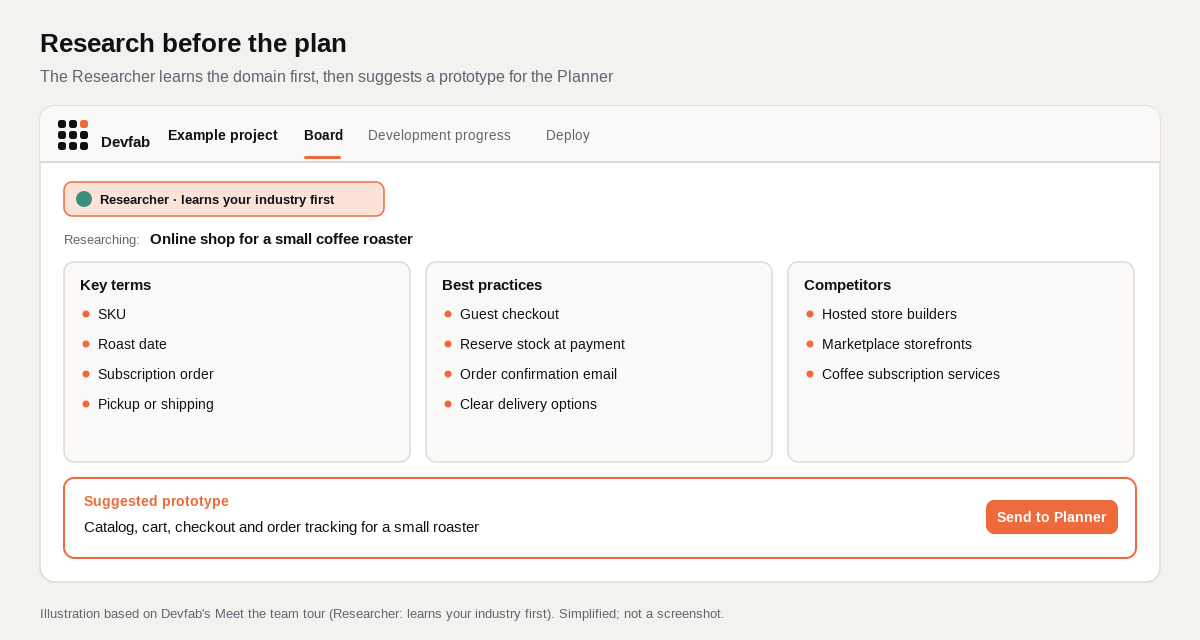
Before any plan, Devfab's research step maps the domain. The Researcher agent learns your industry first: the key terms, the best practices for that kind of app, and the competitors, then suggests a prototype. Only then does the Planner write the plan.
A plan built on a one-line prompt inherits every gap in that prompt. If you ask for "an online shop for a coffee roaster", the research step can surface things a busy founder forgets to say, such as guest checkout, subscription orders and stock that must be reserved at payment. You then approve a plan that already covers them, instead of discovering them during testing.
ChainFlow: see the impact before you change the code
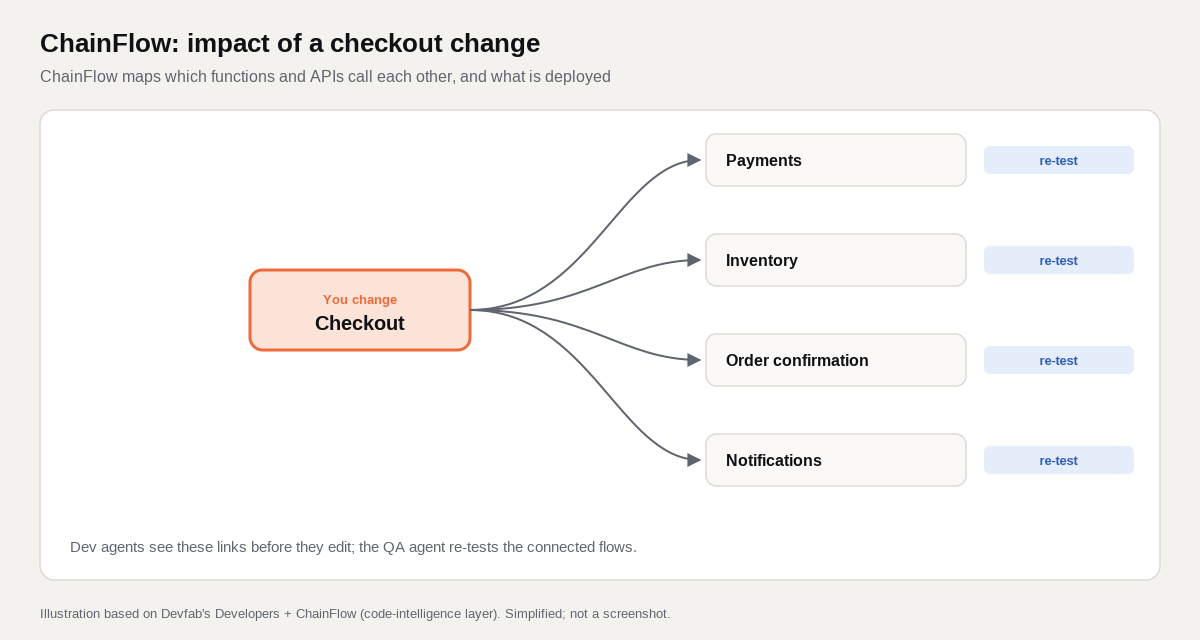
ChainFlow is Devfab's code-intelligence layer. It maps which functions and APIs call each other and what is deployed, so dev agents see the impact of a change and don't break connected features.
Take checkout. A small change there can affect payments, inventory, order confirmation and notifications. A coding agent working on one ticket may fix checkout and quietly break the order email. With ChainFlow, the dev agent sees those links before it edits.
ChainFlow also helps on existing code. Connect your GitHub repo, leave the change box empty, and Devfab maps the code first and suggests three small first tickets. That's a safer way to start than asking an agent to "improve the app".
A QA agent that clicks through the app
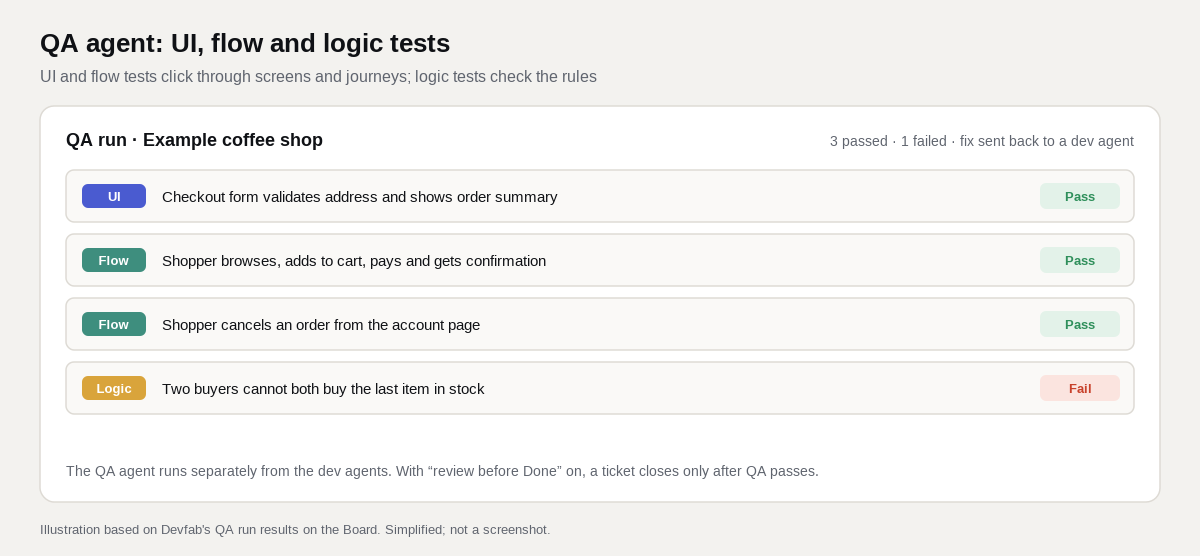
Devfab's QA agent runs UI and flow tests (screens, buttons and user journeys clicked end to end) plus logic tests. It is a separate agent from the developers who wrote the code, so the code is not grading its own homework.
In the illustration above, the checkout form and the "browse, add to cart, pay, get confirmation" journey pass. A logic test fails: two buyers can check out the last bag of coffee at the same time. That's the kind of bug a person clicking a preview rarely finds, and it's caught before merge. Turn on "QA agent · review before Done" in the workspace controls, and a ticket only moves to Done after that review.
Devfab's honest limits
Devfab is new and in Beta, with a smaller community and fewer integrations than the established tools named here. It is not an editor for hands-on coding; developers who live in their IDE should keep a coding tool. It needs a GitHub account, because the code lives in your own repository. And it is built for projects, so for a single quick fix a coding agent is the faster route.
How to start
- Choose the category by the job. Code-level work in a known codebase: a coding tool. A solo prototype to test an idea: an app builder. A project that must be planned, tested, deployed and handed over: a factory.
- For a factory, pick one real, small project. An internal tool your team keeps postponing works well.
- Start a new project or connect an existing repo. In Devfab, describe what to build in plain words, attach a spec or screenshots if you have them, and keep Human in the loop on.
- Read the research and the plan closely. Approve it only when it matches what you'd build yourself.
- Read the QA report, not just the app. Check which flows were tested and what failed.
- Check the cost log per task and per project before you quote the next similar project.
You can choose the model for each agent or keep Devfab's default.
FAQ
What is a software factory?
A software factory is a repeatable system for turning a software request into shipped, supported software, with the same stages every time: requirements, plan, code, tests, deploy and documentation. In an AI software factory, agents run those stages and people approve the decisions that matter, such as the plan and the release.
Is an AI software factory better than an AI coding tool?
Not in general. They do different jobs. A coding tool makes a developer faster inside a codebase. A software factory runs the delivery process around the code. Many teams use both: developers keep their coding tool, and projects run through the factory.
Can an AI app builder take a prototype to production?
Sometimes. Most app builders host your app and some sync code to GitHub. What they usually leave to you is the process around production: an approved plan, separate testing of user flows, deployment to your own servers, user documentation and per-project cost tracking.
Do I need to know how to code to use a software factory?
Not to take part. In Devfab, a product owner or client can describe the app, review the plan and check the prototype. Developers can still work on the same code in your own GitHub account with the tools they prefer.
Does a software factory remove people from the process?
No. In Devfab, Human in the loop is the default mode: a person approves the plan before any tickets are created, and you can turn on QA review before a ticket is marked Done.
Read next
- What is an AI software factory?
- Devfab vs Claude Code: which fits a team that ships client work?
- Devfab vs GitHub Copilot: which fits a team that ships client work?
- Devfab vs Cursor: which fits a team that ships client work?
- Best vibe coding tools for teams (2026)
Run your next project through a factory. Try Beta
Sources (checked November 2026): About GitHub Copilot (features); About Copilot cloud agent; Cursor documentation; Cursor Plan Mode; Cursor cloud agents; Cursor plans and pricing; GitHub Copilot plans; Claude Code overview; Introducing Devin; OpenAI Codex; Intro to Bolt; Publish your Lovable project; Lovable FAQ; Replit Agent; Publish your Replit app; v0 docs; What is Base44?.
Frequently asked questions
What is a software factory?
A software factory is a repeatable system for turning a software request into shipped, supported software, with the same stages every time: requirements, plan, code, tests, deploy and documentation. In an AI software factory, agents run those stages and people approve the decisions that matter, such as the plan and the release.
Is an AI software factory better than an AI coding tool?
Not in general. They do different jobs. A coding tool makes a developer faster inside a codebase. A software factory runs the delivery process around the code. Many teams use both: developers keep their coding tool, and projects run through the factory.
Can an AI app builder take a prototype to production?
Sometimes. Most app builders host your app and some sync code to GitHub. What they usually leave to you is the process around production: an approved plan, separate testing of user flows, deployment to your own servers, user documentation and per-project cost tracking.
Do I need to know how to code to use a software factory?
Not to take part. In Devfab, a product owner or client can describe the app, review the plan and check the prototype. Developers can still work on the same code in your own GitHub account with the tools they prefer.
Does a software factory remove people from the process?
No. In Devfab, Human in the loop is the default mode: a person approves the plan before any tickets are created, and you can turn on QA review before a ticket is marked Done.