Short answer: Pick Replit if your team wants a cloud IDE with SSO, admin policies and several hosting types. Pick Lovable for the quickest hosted web app with workspace roles. Pick Devfab when the app needs domain research, a plan a person approves, UI and flow tests, and deployment to your own server.
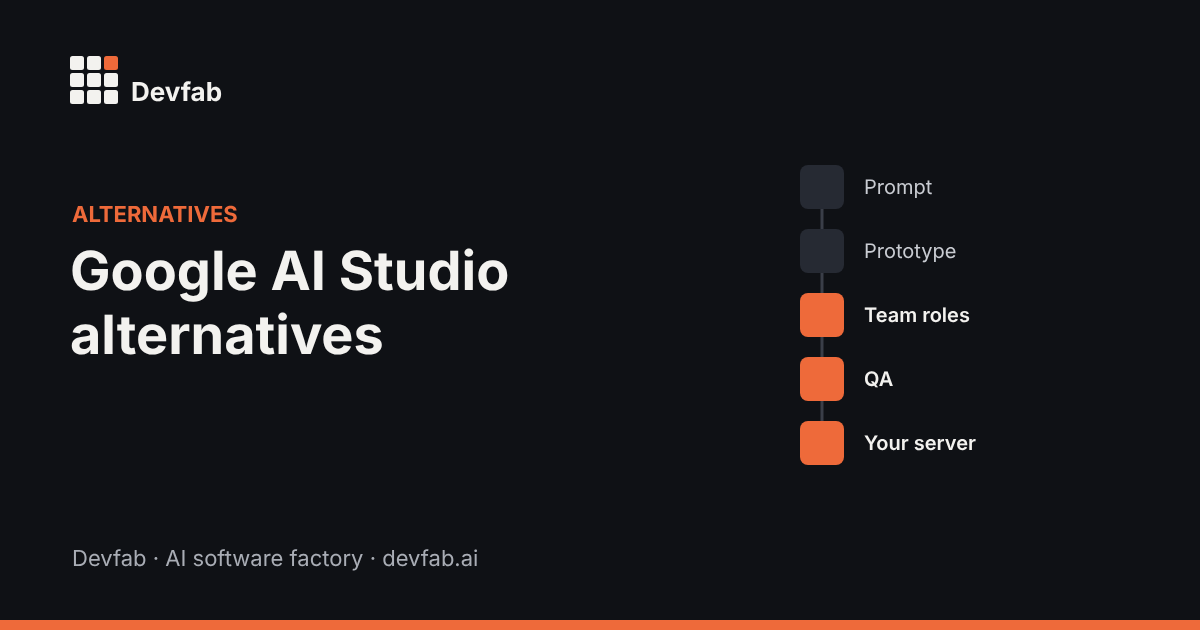
Your prototype in Google AI Studio works, and people want to use it. Now three problems show up. Build mode docs describe no team roles or SSO. There is no real-time co-editing. And every API call from a shared app counts toward your own usage.
None of that matters for a demo. All of it matters once real staff depend on the app. Here we compare five tools that pick up where Build mode stops, using vendor pages checked on November 20, 2026.
In this guide, you'll learn:
- Why teams leave Google AI Studio
- Quick comparison
- The alternatives
- Where Google AI Studio is still the better choice
- How to choose
Use the sections below as a short buying guide.
Why teams leave Google AI Studio
First, the status. Google AI Studio is active, and its Build mode was rebuilt in March 2026 around the Antigravity coding agent, with Firebase backends, multiplayer apps, secrets and Next.js support (Google blog, Mar 18, 2026). It is now the named migration target for Firebase Studio, which closed new sign-ups on June 22, 2026 and shuts down on March 22, 2027 (Firebase docs). So many Firebase Studio users are arriving in AI Studio right now and asking whether it fits a team.
The triggers we found, from Google's own Build mode docs and pricing page:
- No team controls described. The Build mode docs describe no team, SSO or role features. Sharing is per app: viewers can view and fork, editors can modify (AI Studio Build mode).
- No real-time co-editing. Google's answer is to use GitHub for collaboration (same source).
- Shared apps spend your quota. API calls from shared apps count toward the owner's usage (same source).
- Storage lives elsewhere. Apps run in a Cloud Run container, so storage must be connected externally (same source).
- Apps can be removed. Apps are auto-reviewed and may be taken down for policy violations (same source).
- Free tier data use. On the Free tier, content may be used to improve Google's products; on the Paid tier it is not (Gemini API pricing).
There is also no testing step described in the Build mode docs. For an internal demo that is fine. For a clinic's booking app or a council permit tracker, it is not.
Quick comparison
| Tool | Best for | Team controls | Testing | Hosting | Code export | Starting price (Nov 2026) |
|---|---|---|---|---|---|---|
| Google AI Studio | Gemini-powered prototypes | Per-app sharing; no roles described | Not described | Cloud Run; Play Store internal testing | GitHub two-way sync, ZIP | Free tier; paid per 1M tokens |
| Replit | Teams wanting a cloud IDE plus agent | SAML SSO, SCIM, groups, admin policies | App Testing in a real browser (JS full-stack, Streamlit) | Autoscale, Reserved VM, Static, Scheduled | Code lives in your Replit project | Starter USD 0; Core USD 20 per month |
| Lovable | Fast hosted web apps | Workspace roles; SSO from Business | Browser testing and frontend tests on request; security scan on publish | Lovable hosting with custom domains | GitHub, GitLab, Bitbucket sync; ZIP | Free USD 0; Pro USD 25 per month |
| Devfab | Client or production apps that need a plan, QA and your own server | Roles, workspace permissions | QA agent: UI, flow and logic tests | Deploy to your own server | Code in your own GitHub account | Beta; cost logged per task and per project |
| v0 | Next.js teams on Vercel | Builders; Viewer/Creator roles and SAML SSO on Enterprise | Not covered in the docs we checked | Vercel | Branches and PRs in your repo; export | Free USD 0; Plus USD 30 per user per month |
| Bolt.new | Zero-setup builds in a browser tab | Teams admin controls; SSO on Enterprise | Not covered in the docs we checked | Bolt Cloud | Private GitHub repo; auto-commits | Free USD 0; Pro USD 25 per month |
Prices as of November 2026 from each vendor's official pricing page, linked in the sections below.
The alternatives
Replit
Verdict: the closest like-for-like move for a team that wants to keep building in the browser.
Best for: teams that want a full cloud IDE plus an agent, and control over who can build and publish.
Trade-off: Plan mode can incur charges even without changing code, and App Testing covers only JS full-stack and Streamlit web apps (Replit docs).
Pricing: Starter USD 0; Core USD 20 per month; Pro USD 100 per month; Enterprise custom, as of November 2026 (Replit pricing).
- Plan mode produces a task list to approve before Agent changes code or data (Replit docs).
- App Testing lets Agent click through the app in a real browser and fix issues (Replit docs).
- Deployments come as Autoscale, Reserved VM, Static and Scheduled, with custom domains (Replit docs).
- Teams get SAML SSO, optional SCIM, groups and admin policies on who can build and which models are allowed (Replit docs).
Lovable
Verdict: the fastest path from prompt to a hosted web app that a small business team can share.
Best for: non-technical founders and teams who want a hosted app and roles without touching infrastructure.
Trade-off: web apps only, with no choice of framework, database or model; Git sync always creates a new repo and cannot link an existing one (Lovable docs; GitHub integration).
Pricing: Free USD 0; Pro USD 25 per month; Business USD 50 per month; priced by credits, not per user, as of November 2026 (Lovable pricing).
- Plan mode writes a plan for approval before Build mode changes the project (Lovable docs).
- Project and workspace roles run from Viewer to Owner; each collaborator works in a draft that is accepted into the project (Lovable collaboration).
- SOC 2 Type II and ISO 27001:2022, but not HIPAA-compliant (Lovable docs).
- From September 9, 2026, Free and Pro data may be used for model training unless users opt out (same source).
Devfab
Verdict: the pick when the app is headed for production for a client or a public body, not just a demo.
Best for: agencies and IT teams that need research, an approved plan, tested user journeys and deployment to their own server.
Trade-off: Devfab is new and in Beta, with a smaller community and fewer integrations than mature platforms. It is not an editor for hands-on coding, and it needs a GitHub account.
Pricing: predictable cost; cost is logged after each run, per task and per project.
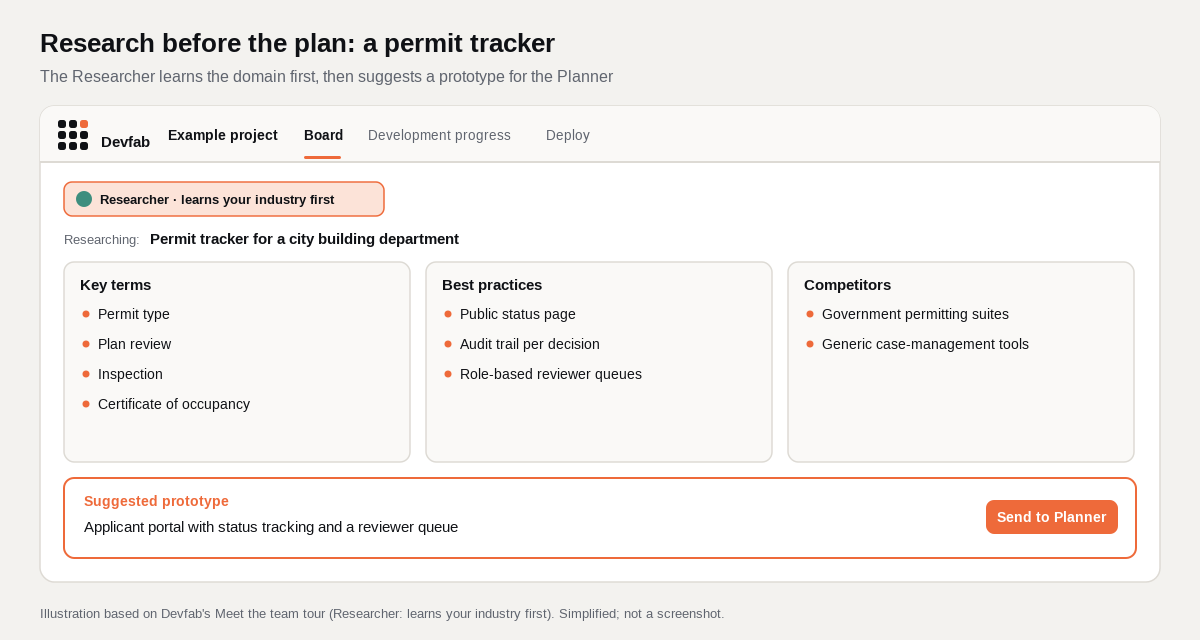
- The Researcher maps key terms, best practices and competitors before the Planner writes a plan. For a permit tracker, that means permit types, review stages and public status pages before any screen exists.
- A person approves the plan. Then the Coordinator creates tickets and assigns dev agents.
- The QA agent runs UI and flow tests, clicking screens, buttons and user journeys end to end, plus logic tests.
- Code lives in your own GitHub account or your organization's, and Deploy ships to your own server.
Coding agents automate the developer. Devfab automates the development lifecycle.
v0
Verdict: the right move if your team already runs Next.js on Vercel.
Best for: front-end teams that want UI and features generated into an existing repo through pull requests.
Trade-off: Vercel's own FAQ says output "may be incomplete" and may contain bugs, and agents can fail repeatedly and consume credits (v0 FAQ).
Pricing: Free USD 0; Plus USD 30 per user per month; Business USD 100 per user per month; Enterprise custom, as of November 2026 (v0 pricing).
- v0 works on a branch with per-branch Vercel previews and "never pushes directly to
main" (v0 GitHub docs). - Design Mode edits styles in the live preview and writes them back to code (v0 Design Mode).
- "Vercel doesn't own the code generated," and code can be exported and deployed elsewhere (v0 FAQ).
Bolt.new
Verdict: a good prototype tool, a weaker team tool.
Best for: solo builders who want hosting, database, auth and domains bundled in one browser tab.
Trade-off: the project stays on main and cannot switch branches, only the owner can connect GitHub, and a site stops displaying publicly when hosting usage runs out (Bolt Git docs; Bolt Cloud).
Pricing: Free USD 0; Pro USD 25 per month; Teams USD 30 per member per month; Enterprise custom, as of November 2026 (Bolt pricing).
- Starts from a prompt, a Figma frame, Google Stitch designs, a GitHub repo or a Lovable project (Bolt docs).
- Native mobile apps through the Expo integration (same source).
- SOC 2 Type II; SSO and audit logs only on Enterprise (Bolt docs; Bolt pricing).
Where Google AI Studio is still the better choice
- Gemini features are the product. Image generation, voice and the Live API are added through "AI Chips" with almost no setup.
- You are on Google Cloud and Firebase. Build mode provisions Firestore and Firebase Authentication and deploys to Cloud Run.
- You need a quick Android prototype. Build mode creates native Kotlin and Jetpack Compose apps and can publish to Play Store internal testing.
- You want Google Workspace data in the app. Gmail, Sheets, Docs, Drive and Calendar connect with OAuth handled for you.
- Budget is zero. AI Studio access is part of the Gemini API Free plan.
How to choose
- Is it still a demo? Stay in AI Studio, and sync to GitHub so you can move later.
- Do several people edit it, with roles? Replit or Lovable.
- Is it Next.js on Vercel? v0.
- Does a client or a public body need a plan, test evidence and the app on their server? Devfab. Compare it directly in Devfab vs Google AI Studio.
- Coming from Firebase Studio? Read Firebase Studio alternatives before you pick a new home.
FAQ
Is Google AI Studio free?
AI Studio access is part of the Gemini API Free plan, with usage limits. Paid Gemini models are billed per 1M tokens, and API calls from apps you share count toward your usage. Deploying to Cloud Run may add Cloud Run charges. On the Free tier, content may be used to improve Google's products.
Is Google AI Studio replacing Firebase Studio?
Yes, for prototyping. Google built Firebase into AI Studio in March 2026 and announced the Firebase Studio sunset. Firebase Studio closed new sign-ups on June 22, 2026 and shuts down on March 22, 2027, with AI Studio and Google Antigravity as the named migration paths.
Which Google AI Studio alternative is best for a team?
Replit has the most complete team controls of the builders here: SAML SSO, optional SCIM, groups and admin policies. Lovable offers workspace roles and SSO from its Business plan. Devfab adds a plan a person approves and a separate QA agent, but it is in Beta.
Can I take my Google AI Studio app with me?
Yes. Build mode offers two-way sync with a new or existing GitHub repo and a ZIP export. Once the code is on GitHub, tools that work on existing repos, such as Replit, v0, Bolt.new and Devfab, can pick it up. Lovable's Git sync creates a new repo and cannot link an existing one.
Read next
Your AI Studio prototype works. Give it a plan, tests and a server you control. Try Beta
Sources (checked November 2026): Google AI Studio Build mode docs; Gemini API pricing; Google blog: full-stack vibe coding in AI Studio; Firebase blog: AI Studio integration; Firebase Studio migration guide; Replit pricing; Replit docs: Agent; Replit docs: App Testing; Replit docs: Publish your app; Replit docs: Teams; Replit docs: Pricing and plans; Lovable pricing; Lovable FAQ; Lovable GitHub integration; Lovable collaboration; v0 pricing; v0 FAQ; v0 GitHub docs; v0 Design Mode; Bolt pricing; Bolt intro; Bolt Git integration; Bolt Cloud.
Frequently asked questions
Is Google AI Studio free?
AI Studio access is part of the Gemini API Free plan, with usage limits. Paid Gemini models are billed per 1M tokens, and API calls from apps you share count toward your usage. Deploying to Cloud Run may add Cloud Run charges. On the Free tier, content may be used to improve Google's products.
Is Google AI Studio replacing Firebase Studio?
Yes, for prototyping. Google built Firebase into AI Studio in March 2026 and announced the Firebase Studio sunset. Firebase Studio closed new sign-ups on June 22, 2026 and shuts down on March 22, 2027, with AI Studio and Google Antigravity as the named migration paths.
Which Google AI Studio alternative is best for a team?
Replit has the most complete team controls of the builders here: SAML SSO, optional SCIM, groups and admin policies. Lovable offers workspace roles and SSO from its Business plan. Devfab adds a plan a person approves and a separate QA agent, but it is in Beta.
Can I take my Google AI Studio app with me?
Yes. Build mode offers two-way sync with a new or existing GitHub repo and a ZIP export. Once the code is on GitHub, tools that work on existing repos, such as Replit, v0, Bolt.new and Devfab, can pick it up. Lovable's Git sync creates a new repo and cannot link an existing one.