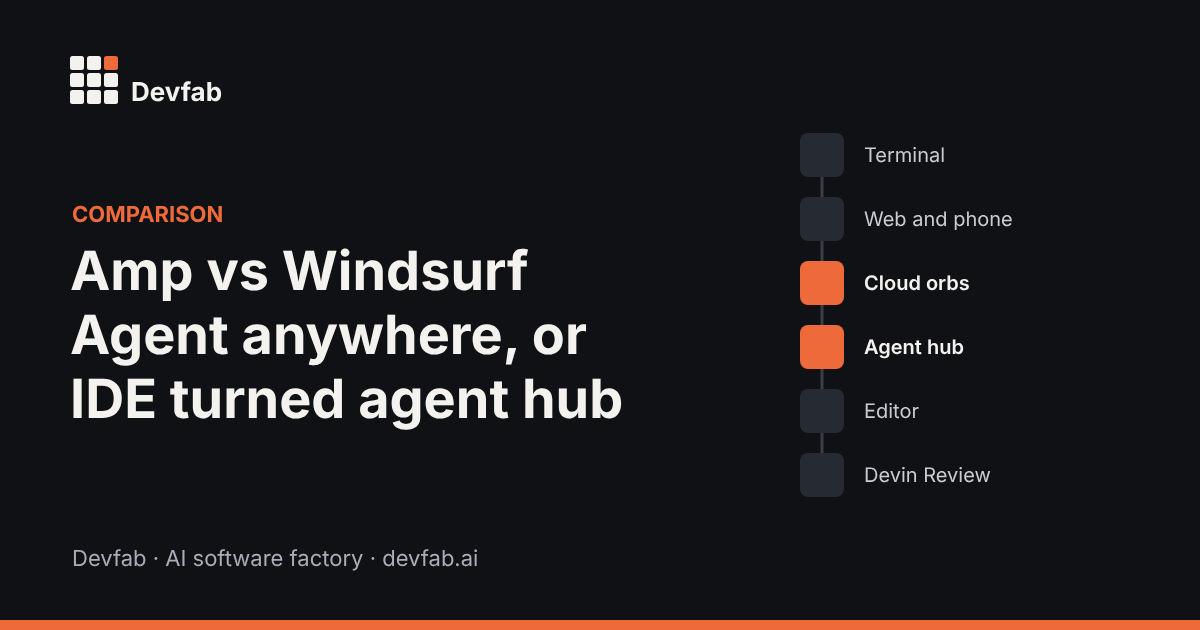
Short answer: Windsurf, now Devin Desktop, wins when your team wants one desktop hub to run local, cloud and third-party agents in parallel and hand sessions to the cloud. Kiro wins when you want each feature written up as requirements, design and tasks before code, with property-based tests and AWS identity, policy and billing.
You lead a team that already trusts AI to write code. The open question is control. Some leads say: give developers many agents and let them steer. Others say: write the spec first, or the agents drift. Windsurf (now Devin Desktop) and Kiro sit on opposite sides of that line. This page compares them fairly, using vendor docs checked on November 20, 2026.
In this comparison:
- Windsurf and Kiro at a glance
- Feature comparison
- Cost model by team size
- Where Windsurf wins
- Where Kiro wins
Each section answers one buying question.
Windsurf and Kiro at a glance
Windsurf was renamed Devin Desktop on June 2, 2026. The change shipped as an over-the-air update, and windsurf.com now redirects to devin.ai/desktop (Devin Desktop FAQ). The owner is Cognition. The Agent Command Center is now the default screen, and Cascade was replaced by the Devin Local agent (DEV Community, Jun 2026). The editor is still one click away (Devin Desktop). It is built for engineering teams that run several agents at once.
Kiro is active and shipping fast. It is AWS's agentic coding system, offered as an IDE, a CLI, Kiro Web, Kiro Mobile and persistent background agents called Crew (Kiro). Its signature is the spec: requirements.md with user stories and EARS acceptance criteria, design.md with architecture and sequence diagrams, and tasks.md with trackable tasks (Kiro spec docs). November releases alone added Kiro Mobile for Android, Kiro Web in Europe and an Enterprise Management preview (Kiro changelog).
Kiro also matters for a second reason. AWS names it as the successor to Amazon Q Developer, whose IDE plugins and paid plans reach end of support on April 30, 2027 (AWS DevOps blog). Many Kiro buyers arrive from Q.
Feature comparison
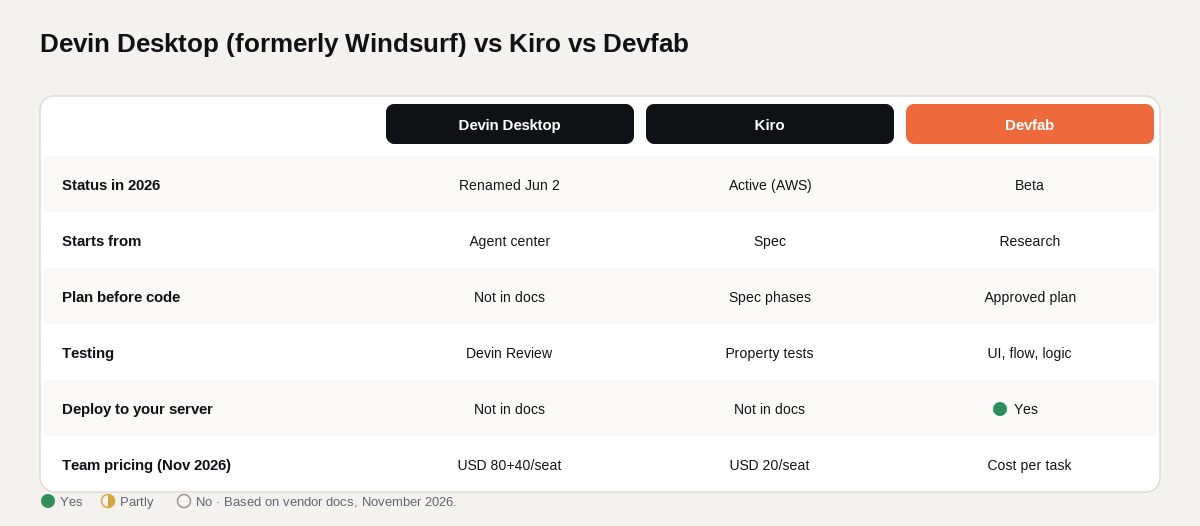
| Aspect | Windsurf (Devin Desktop) | Kiro | Source |
|---|---|---|---|
| Where it runs | Desktop IDE with an Agents view; sessions move to Devin Cloud | IDE, CLI, Web, Mobile and Crew background agents | Devin Desktop; Kiro |
| Planning and spec | A dedicated spec or planning mode is not covered in the pages we checked | Requirements, design and tasks, each phase completed before the next | Kiro spec docs |
| Agent autonomy | Devin Local with subagents; long tasks split across subagents that open their own PRs; ACP for third-party agents | Parallel agents in cloud sessions; "Approve for me" model-assisted permission mode | Devin Desktop; Kiro changelog |
| Testing and review | Devin Review for diffs | Specs verified with property-based tests "across hundreds of cases" | Devin Desktop; Kiro |
| Automation | Automations; integrations with Slack, Linear, Jira, Sentry, Datadog and Stripe | Agent hooks run commands or prompts on file save, tool use and stop | Devin Desktop; Kiro hooks |
| Deploy and hosting | Not covered in the docs we checked | Not covered in the docs we checked | — |
| Team and admin | Teams: SSO, central billing, cost controls; Enterprise: SCIM, RBAC, VPC option | SSO, credit pooling, groups, per-user limits; Enterprise needs IAM Identity Center or an external IdP | Devin pricing; Kiro pricing |
| Model choice | Frontier models; Fusion lead-plus-sidekick; SWE-2 | Claude, GPT and open-weight models, or Auto routing per task | Devin pricing; Kiro |
| Pricing model | Plans with quotas refreshing daily and weekly; extra usage at API pricing | Monthly credits per tier; credits used per prompt, varying by model and task size | Devin pricing; Kiro pricing |
A caution on Kiro's credits: Kiro's pricing page says a spec task usually costs more credits than a simple prompt, and premium models use credits faster than Auto (Kiro pricing). Spec-first work is safer, but it is not free.
Cost model by team size
| Team size | Windsurf (Devin Desktop) | Kiro | Devfab |
|---|---|---|---|
| 1 person | Free; Pro USD 20 per month; Max USD 200 per month | Free (50 credits); Pro USD 20, Pro+ USD 40, Pro Max USD 100, Power USD 200 per user per month | Cost logged per task and per project (Beta) |
| 5 people | Teams: USD 80 per month plus USD 40 per full dev seat (USD 280 for five seats) | Teams: USD 20 per seat per month with 500 pooled credits per seat (USD 100 for five) | Cost logged per task and per project (Beta) |
| 25 people | Teams up to 100 users, or Enterprise (custom) with SCIM, RBAC and VPC | Teams per seat, or Enterprise with AWS IAM Identity Center and Enterprise Management (preview) | Cost logged per task and per project (Beta) |
Prices as of November 2026 from Devin pricing and Kiro pricing. Kiro's free tier is not available for Kiro Enterprise or AWS GovCloud (US). Devfab offers predictable cost: cost is logged after each run, per task and per project; Devfab is in Beta.
Where Windsurf wins
- You want to run many agents at once from one desktop, including third-party agents over ACP.
- Work should continue when laptops close. Sessions move to Devin Cloud with the same context.
- Your stack is already wired up: Devin Desktop lists Sentry, Datadog, Stripe, Linear and Jira integrations.
- You came from Windsurf. Settings and rules carried over, and pricing stayed the same.
- You want editor AI too: Supercomplete predictions and Fast Context code search.
Where Kiro wins
- You want the spec before the code. Requirements with acceptance criteria, a design and a task list come first.
- You want tests tied to requirements. Property-based tests check the spec across many cases.
- You run on AWS. Identity, policy and billing live in AWS, and Enterprise Management applies one policy across IDE, CLI, Web and Crew.
- You are leaving Amazon Q Developer. Kiro is the named successor and Kiro CLI accepts the
qcommand. - You want a lower team price. Kiro's team seat is USD 20 per month as of November 2026.
Switching from one to the other
From Windsurf to Kiro. Kiro supports AGENTS.md, Skills, MCP and Open VSX extensions (Kiro). Move your Windsurf rules into an AGENTS.md file, reconnect your MCP servers, and start new work as a spec rather than a chat. Expect higher credit use on spec tasks.
From Kiro to Devin Desktop. Devin Local shares its architecture with Devin CLI (Devin Desktop FAQ). Keep your Kiro spec files in the repo as plain markdown, so agents and people can still read them. Paid Devin plans have no free trial, but you can ask for a refund before using the subscription (Devin usage docs).
Where Devfab fits
Kiro plans a feature. Devin Desktop runs agents. Neither, in the pages we checked, researches the business domain before planning, tests full user journeys in a separate QA step, or deploys the app.
Coding agents automate the developer. Devfab automates the development lifecycle. Picture a warehouse picking app. Devfab's Researcher first maps picking terms, such as waves, bins and short picks, plus how similar tools handle them, and suggests a prototype. The Planner writes the project plan, and a person approves it. ChainFlow maps which functions and APIs call each other, so a change to stock counts shows its effect on picking lists, reorders and shipping labels. The QA agent then clicks through the picker's screens end to end. Deploy ships to your own server.
Devfab is in Beta, with a smaller community and fewer integrations. It is not an editor, and it needs a GitHub account. See Devfab vs Windsurf and Devfab vs Kiro.
FAQ
What is the main difference between Windsurf and Kiro?
Windsurf, now Devin Desktop, opens on an Agent Command Center for running local, cloud and third-party agents. Kiro starts from a spec: it writes requirements, a design and a task list before agents code, and checks specs with property-based tests. One optimizes for running agents, the other for agreeing what to build.
Which is cheaper for a team of five?
As of November 2026, Kiro's team plan is USD 20 per seat per month with 500 pooled credits per seat, so five seats come to USD 100 per month. Devin's Teams plan is USD 80 per month plus USD 40 per full dev seat, so USD 280 for five. Both charge for extra usage.
Is Kiro the replacement for Amazon Q Developer?
Yes. AWS names Kiro as the migration target for Amazon Q Developer, whose IDE plugins and paid subscriptions reach end of support on April 30, 2027. Kiro CLI is the next version of the Q CLI and still accepts the q command.
Does either tool deploy my app?
Not in the docs we checked. Both work on your code and end at commits or pull requests. Hosting and deployment are up to your own pipeline.
Read next
Want research, an approved plan and a deploy on top of the code? Try Beta
Sources (checked November 2026): Devin Desktop; Devin Docs: Devin Desktop FAQ; Devin Docs: Desktop usage and billing; Devin pricing; DEV Community: Windsurf is now Devin Desktop (Jun 2026); Kiro; Kiro pricing; Kiro Docs: Spec concepts; Kiro Docs: Hooks; Kiro changelog; Amazon Q Developer end of support announcement (AWS DevOps blog).
Frequently asked questions
What is the main difference between Windsurf and Kiro?
Windsurf, now Devin Desktop, opens on an Agent Command Center for running local, cloud and third-party agents. Kiro starts from a spec: it writes requirements, a design and a task list before agents code, and checks specs with property-based tests. One optimizes for running agents, the other for agreeing what to build.
Which is cheaper for a team of five?
As of November 2026, Kiro's team plan is USD 20 per seat per month with 500 pooled credits per seat, so five seats come to USD 100 per month. Devin's Teams plan is USD 80 per month plus USD 40 per full dev seat, so USD 280 for five. Both charge for extra usage.
Is Kiro the replacement for Amazon Q Developer?
Yes. AWS names Kiro as the migration target for Amazon Q Developer, whose IDE plugins and paid subscriptions reach end of support on April 30, 2027. Kiro CLI is the next version of the Q CLI and still accepts the q command.
Does either tool deploy my app?
Not in the docs we checked. Both work on your code and end at commits or pull requests. Hosting and deployment are up to your own pipeline.