Short answer: Kiro is AWS's agentic IDE built around specs: it turns a feature request into requirements, design and tasks, then implements the tasks. Devfab is a software factory: it researches the domain before planning, gets a person to approve the plan, then builds, tests UI and flows, and deploys to your own server. Pick Kiro for spec-first coding; Devfab for delivery.
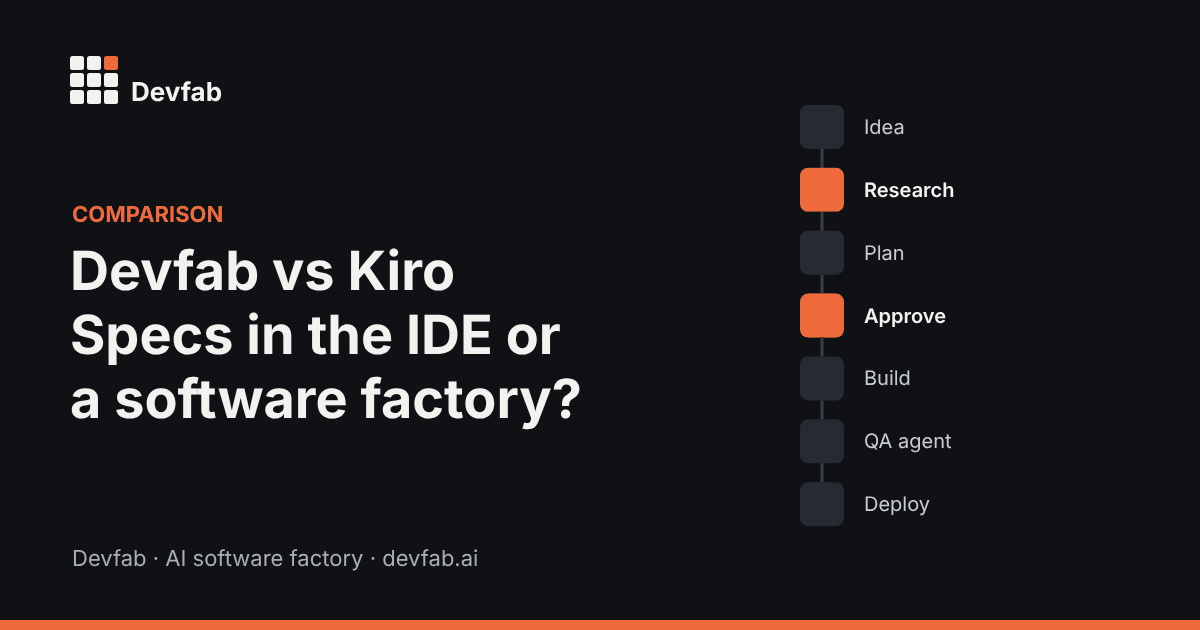
You have seen agents write code before anyone agreed on what to build. Kiro and Devfab both answer that with a written plan first. One side says specs inside the IDE give enough structure. The other says planning should start with the domain and end at deploy. This page compares both fairly, using Kiro's docs and Devfab's real screens.
In this comparison:
- What each tool is built for
- Same-task test: what each would produce
- Comparison table
- When to choose Kiro
- When to choose Devfab
Here's how each one handles the same brief.
What each tool is built for
Kiro
Kiro is an agentic engineering tool that AWS says it builds and runs. It comes as an IDE, a CLI, a web app and a mobile app. Kiro Crew adds persistent agents that watch your backlog, code or CI and start work when something comes up. Cloud sessions keep long tasks running after you close your laptop.
Specs are Kiro's center. Each spec lives in .kiro/specs/<name> and has three files: requirements.md (user stories and acceptance criteria), design.md (architecture, sequence diagrams, data models, error handling, testing strategy) and tasks.md (the implementation plan). Requirements use EARS notation, written as "WHEN ... THE SYSTEM SHALL ..." statements. In the requirements-first workflow you confirm the requirements before Kiro writes the design, and review the task list before it runs. Bugfix specs record current, expected and unchanged behavior. "Run all Tasks" groups independent tasks into waves that run at the same time.
Around specs, Kiro adds agent hooks (shell commands or prompts that fire on events such as a file save), steering and property-based tests "across hundreds of cases". It supports MCP, AGENTS.md and skills. You can choose from several model families or let Auto route each task. Pricing is credit-based, per user, with pooled credits for teams.
Its main user is a developer who wants structure before the agent writes code.
Devfab
Devfab is an AI software factory in the autonomous software lifecycle category. Coding agents automate the developer. Devfab automates the development lifecycle. Its unit of work is a project, from idea to deployed app.
Kiro and Devfab agree on one thing: write it down before you build it. They differ in where the thinking starts and where the work ends.
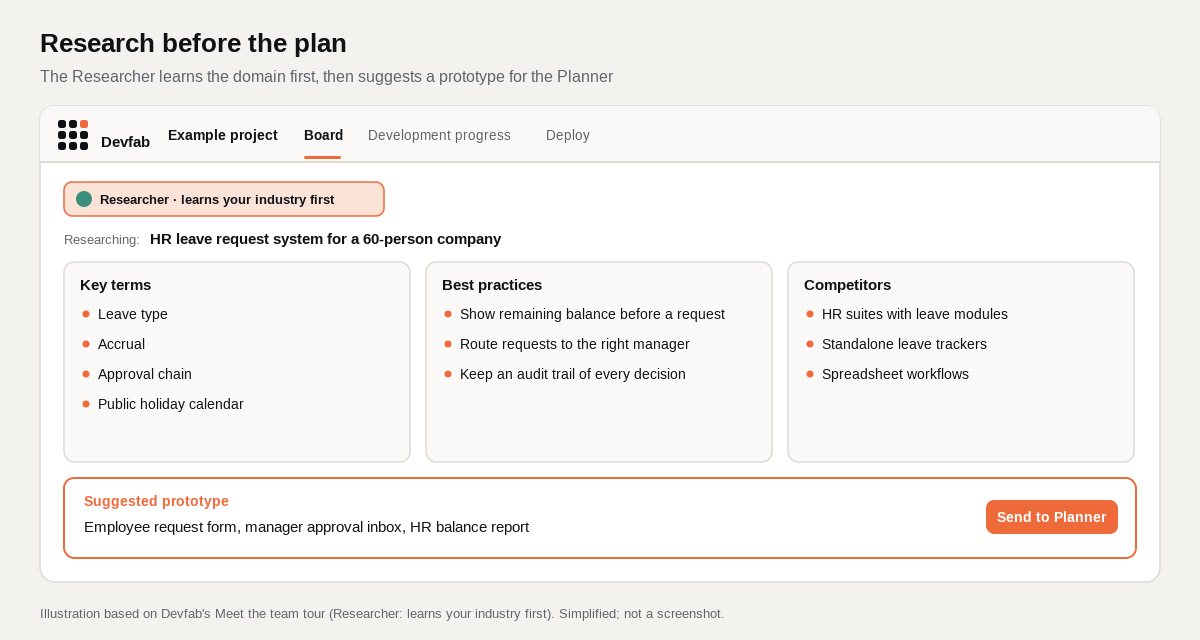
- Research before the plan. Kiro's requirements start from your prompt. Devfab's Researcher first learns your industry: key terms, best practices for that kind of app and competitors. Then it suggests a prototype, and only then does the Planner write the plan.
- ChainFlow. Devfab maps which functions and APIs call each other and what is deployed, so dev agents see the impact of a change and don't break connected features.
- QA agent for UI and flows. It clicks through screens, buttons and user journeys, and runs logic tests. With "QA agent · review before Done", a ticket can't close until QA passes it.
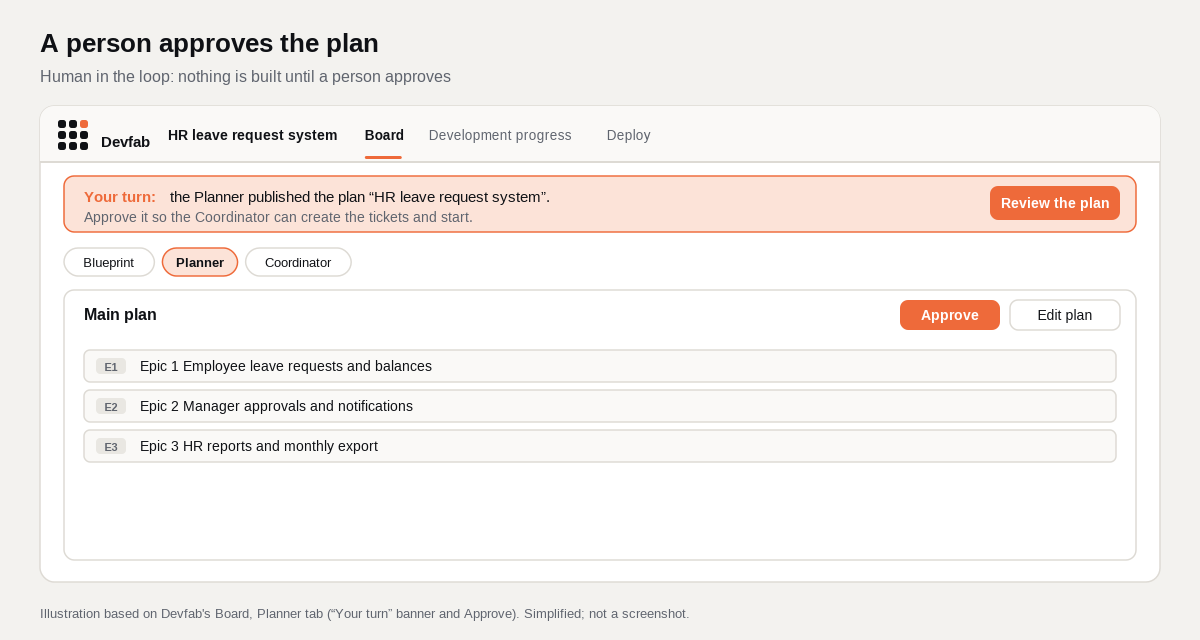
A person approves the plan. The Coordinator splits it into tickets and assigns dev agents. Code goes to your own GitHub account, and the app deploys to your own server.
Same-task test: what each would produce
One brief: "Build an HR leave request system for a 60-person company. Staff request leave, managers approve or reject, HR sees balances and exports a monthly report."
[TEST DATA TODO: run the same spec through Kiro and Devfab; add what each produced]
With Kiro, a developer opens a repo and starts a spec. Based on its docs, Kiro would write requirements.md with EARS statements, such as when a manager rejects a request, the system shall notify the employee. The developer confirms them. Kiro then writes design.md with a data model and sequence diagrams, and tasks.md with ordered tasks. The developer runs the tasks one by one or all at once. Hooks could run linting or tests on save, and property-based tests could check rules like "balance never goes below zero". Hosting, end-to-end UI testing, user docs and the client sign-off process stay with the team.
With Devfab, the HR lead or the agency describes the brief in "What should we build?". The Researcher maps the domain first: leave types, accrual, public holidays, approval chains and how common HR tools handle them. It suggests a prototype.
The Planner publishes the plan, and the banner says "Your turn". A person approves it so the Coordinator can create tickets.
Dev agents build the tickets, Blueprint produces screens, and the QA agent tests the full journey: request, approve, balance update, export. Then the team ships to the company's own server and hands over a user manual.
Comparison table
| Aspect | Kiro | Devfab |
|---|---|---|
| Planning | Specs: requirements, design and tasks files in your repo | Planner writes the plan; Coordinator turns it into tickets |
| Research before planning | Requirements analysis flags gaps; starts from your prompt | Researcher maps terms, best practices and competitors, then suggests a prototype |
| Human approval | Review checkpoints between spec phases (Quick Spec skips them) | A person approves the plan; Human in the loop is the default |
| Code | Written in the IDE, CLI or cloud sessions | Written by dev agents into your GitHub repository |
| UI and flow tests | Property-based tests; hooks can run your test commands | QA agent runs UI, flow and logic tests; can gate Done |
| Deploy | Up to your team | Deploy to your own server, with optional custom domain |
| Docs | design.md with diagrams and testing strategy | Blueprints, hi-fi designs, sequence flows, prototypes and user manuals |
| Team management | Team seats with pooled credits; SSO and governance on enterprise | Roles, workspace permissions, Kanban and Gantt, Team Delivery Report |
| Model choice | Several model families, or Auto routing | Choose the model for each agent or keep Devfab's default |
| Code ownership | Works in your repository | Code in your own GitHub account; deploy to your own server |
| Cost visibility | Credits per user per month; add-on credits | Predictable cost: logged after each run, per task and per project |
| Existing codebases / impact of changes | Strong: works directly in your codebase; bugfix specs guard unchanged behavior | ChainFlow maps calls and deployments; suggests three first tickets |
When to choose Kiro
Kiro is the better choice when:
- Your developers want spec-first coding inside their own editor or terminal, with specs stored next to the code.
- You like formal requirements. EARS statements and property-based tests suit teams that want precise, testable rules.
- You want event-driven automation, like hooks that lint or test on every save, or Crew agents that react to your backlog and CI.
- You already run on AWS and want enterprise controls such as SSO, governance and IP indemnity from the same vendor.
- Your team already owns deployment, QA and docs and only needs faster, better-structured coding.
When to choose Devfab
Devfab is the better choice when:
- The client or product owner must approve the plan, and they are not going to read a
design.mdin a repo. - The domain is new to you. The research step brings in terms, practices and competitors before anyone plans.
- You need evidence of a working app, with UI and flow tests across whole user journeys.
- The app must run on the client's server, with code in your own or the client's GitHub account.
- You quote projects and need predictable cost, logged per task and per project.
- You run many projects at once and want one board, one process and one delivery report for all of them.
Where Devfab is weaker: it's new and in Beta, with a smaller community and fewer integrations than Kiro. It is not an editor for hands-on coding, and it has no equivalent of Kiro's hooks inside an IDE. You need a GitHub account to use it.
Can you use both?
Yes. Because Devfab keeps code in your GitHub repository, developers can open the same repo in Kiro for hands-on fixes or a careful refactor. The project plan, tickets, QA and deployment stay in Devfab.
FAQ
Kiro also writes specs. What is different about Devfab?
Kiro turns a feature request into requirements, design and tasks files inside your repo, with review checkpoints. Devfab adds a research step before the plan (domain terms, best practices, competitors and a suggested prototype), then runs the whole project: tickets, dev agents, a QA agent for UI and flow tests, and deployment to your own server.
Is Kiro or Devfab better for developers?
Kiro, for hands-on work. It is an IDE and CLI built for developers, with hooks, steering and property-based tests. Devfab is not an editor. It suits teams where a product owner or client approves the plan and the team needs a tested, deployed app at the end.
Which is better for a software agency?
If your developers want structured, spec-first coding inside their editor, Kiro fits. If the agency needs client-approved plans, UI and flow test reports, deployment to client servers, user manuals and cost per project, Devfab is designed for that.
Can I choose the AI model in each tool?
Yes. Kiro lets you pick from several model families or use Auto routing. In Devfab, you can choose the model for each agent or keep Devfab's default.
Read next
- What is an AI software factory?
- AI software factory vs AI coding tools
- How to review a plan written by an AI agent
- Build log: an HR leave request system
- Kiro alternatives for teams that ship to production (2026)
- Kiro vs Cursor: spec files before code vs an editable plan
Bring a brief and watch the research step run before the plan. Book a Devfab demo
Sources (checked November 2026): Kiro home page; Kiro docs: Specs; Kiro docs: Requirements-first workflow; Kiro docs: Hooks; Kiro pricing.
Frequently asked questions
Kiro also writes specs. What is different about Devfab?
Kiro turns a feature request into requirements, design and tasks files inside your repo, with review checkpoints. Devfab adds a research step before the plan (domain terms, best practices, competitors and a suggested prototype), then runs the whole project: tickets, dev agents, a QA agent for UI and flow tests, and deployment to your own server.
Is Kiro or Devfab better for developers?
Kiro, for hands-on work. It is an IDE and CLI built for developers, with hooks, steering and property-based tests. Devfab is not an editor. It suits teams where a product owner or client approves the plan and the team needs a tested, deployed app at the end.
Which is better for a software agency?
If your developers want structured, spec-first coding inside their editor, Kiro fits. If the agency needs client-approved plans, UI and flow test reports, deployment to client servers, user manuals and cost per project, Devfab is designed for that.
Can I choose the AI model in each tool?
Yes. Kiro lets you pick from several model families or use Auto routing. In Devfab, you can choose the model for each agent or keep Devfab's default.