Short answer: A small agency CRM tracks leads, moves deals through a pipeline, reminds account managers to follow up, and turns won deals into clients with retainer renewal dates. With Devfab, you describe the CRM, a person approves the plan, and developer and QA agents build and test it in your own GitHub repository. Here are the spec, plan, screens and test report.
What the app does and who uses it
Small agencies tend to run sales from inboxes and a shared spreadsheet. It works until the owner asks what the pipeline is worth, or a retainer lapses because nobody saw the end date. This build uses the same example as our CRM for a small agency requirements template: a 12-person digital agency.
It is also a useful test case for agencies that build software for clients. A CRM has roles, a pipeline, reminders and reports, which is a fair sample of what clients ask for.
| User | What they do |
|---|---|
| Owner (admin) | See every deal and the pipeline view, reassign deals, manage settings and users |
| Account manager | Own deals, log calls and meetings, set follow-ups, move deals through stages |
| Team member | Read client records and retainer details for delivery work |
The one-page spec
This is the spec given to Devfab in the "What should we build?" step. It matches the filled example in the template.
- Problem: leads arrive through the website form, email and referrals and sit in personal inboxes; follow-ups are missed; the owner can't see pipeline value without asking; two retainers lapsed this year unnoticed.
- Users and roles: owner (admin), account manager (sees all deals, edits only their own), team member (read-only client records).
- Must-have flows:
- A lead is captured from the website form or added by hand, with company, contact, source and estimated value
- An account manager moves the deal through Lead, Qualified, Proposal sent, Won and Lost
- The account manager logs a call, email or meeting and sets a follow-up task; overdue tasks show on their home screen
- A won deal becomes a client record with retainer start date, end date and monthly value
- The owner sees value by stage and a list of deals with no activity for 14 days
- Data: companies, contacts, deals, pipeline stages, activities, tasks, proposals (file links), clients, retainers, users.
- Rules: every deal has one owner; Lost needs a reason; deals with no activity for 14 days are flagged; contacts are matched by email to avoid duplicates; only the owner reassigns deals; renewal reminders go out 30 days before a retainer ends.
- Done means: every flow works on desktop and phone; a website form lead appears with source "Website"; no deal can be Lost without a reason; pipeline totals equal the sum of open deals; renewal reminders fire on the right date.
The approved plan
Devfab's research step runs before the Planner. For a CRM it maps the terms (lead source, pipeline stage, stalled deal, retainer), common practices such as required loss reasons and duplicate matching, and the kinds of CRMs agencies already use, then suggests a prototype. The Planner writes the plan, and a person reviews and approves it.
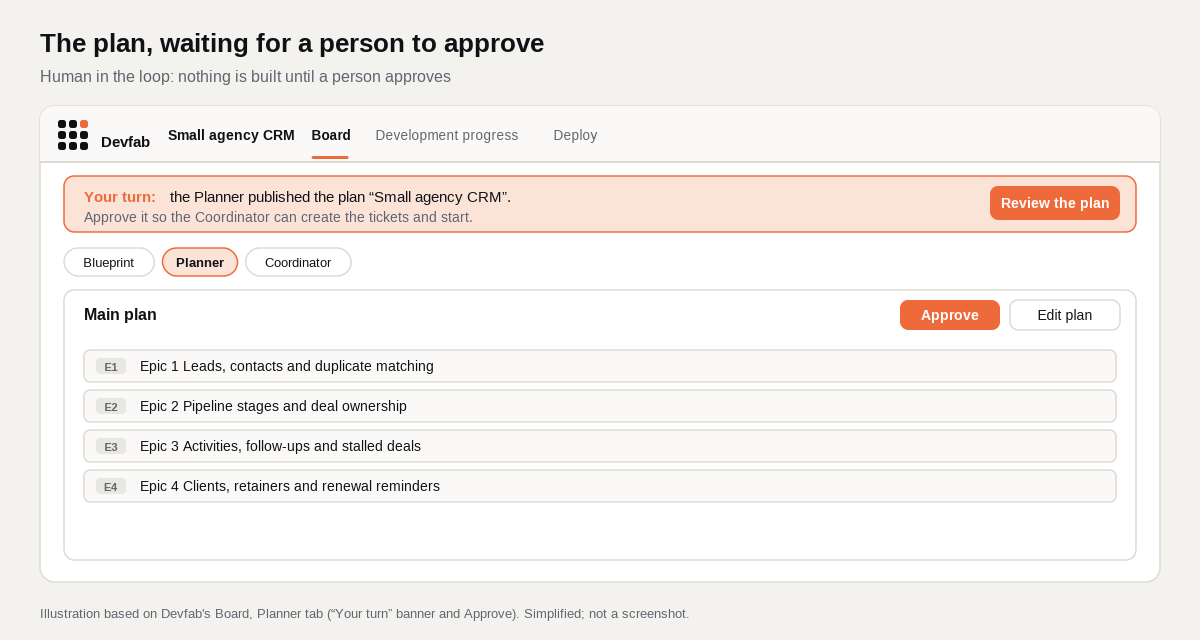
Check that permissions ("sees all deals, edits only their own") are a clear ticket, and that the 14-day stalled rule and renewal reminders run as scheduled jobs, not only when someone opens a page.
Screens and prototype
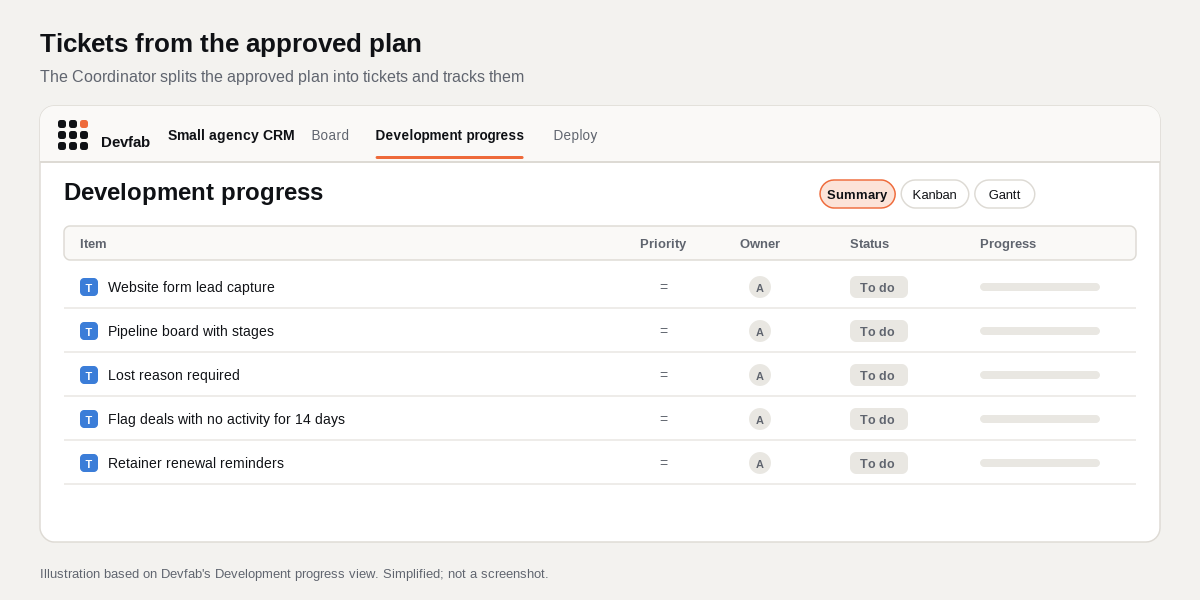
After approval, the Coordinator splits the plan into tickets and assigns developer agents. Blueprint designs the screens: the pipeline board with deals as cards, the deal page with activity timeline and next task, the account manager's home screen with overdue follow-ups, the client and retainer page, and the owner's pipeline view.
QA report
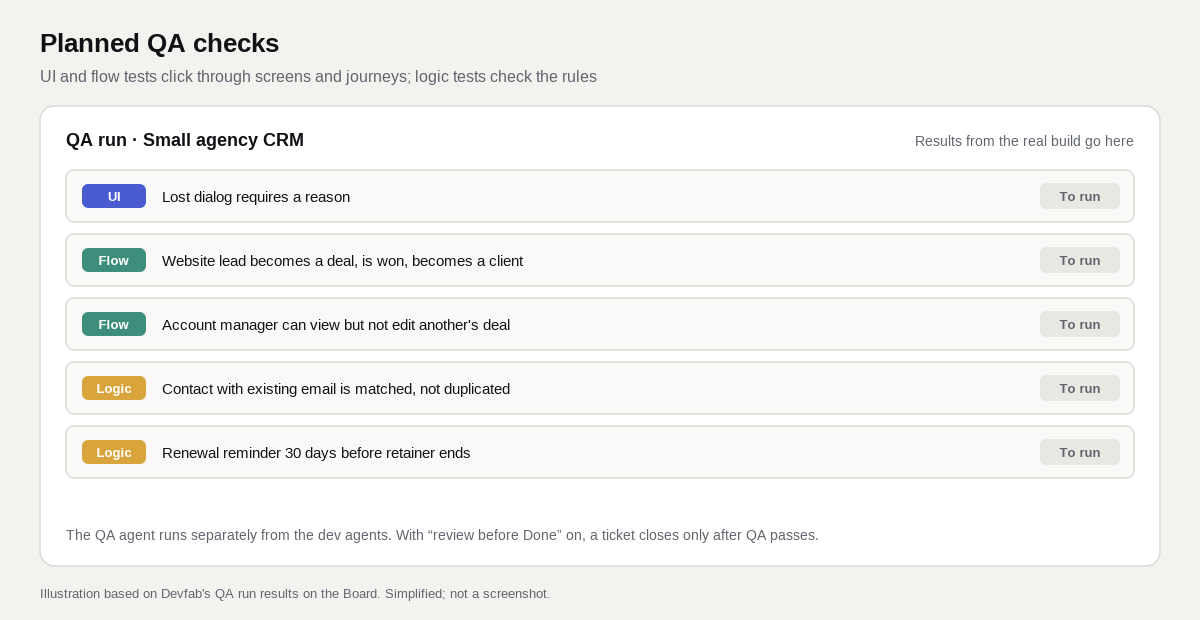
With "QA agent · review before Done" switched on, each ticket is checked before it closes. Planned tests:
- UI tests: a deal card drags between stages; the Lost dialog requires a reason; overdue tasks are highlighted.
- Flow tests: a website form lead becomes a deal, moves to Won and becomes a client with a retainer; an account manager signs in and can view, but not edit, another manager's deal.
- Logic tests: a contact with an existing email is matched, not duplicated; a deal with no activity for 14 days is flagged; a renewal reminder is created 30 days before the retainer end date; pipeline totals match open deals.
Cost logged per task
For agencies, cost matters as much as the code. Devfab is built for predictable cost: cost is logged after each run, per task and per project, so you can see what the pipeline board took compared with the reminder jobs, and use that history when you quote similar work. You can choose the model for each agent or keep Devfab's default.
Try it or book a demo
- Try the prototype:
- Your code, your server: the repository is in your own GitHub account (or your organization's), and the CRM deploys to your own server.
- Agencies: book a Devfab demo to see a CRM built from your own pipeline.
FAQ
Should a small agency build its own CRM?
Only if a standard CRM doesn't fit. If an off-the-shelf tool matches your pipeline and you don't mind where the data lives, use it. A custom CRM makes sense when retainers, handover to delivery or reporting don't fit, or you want the code and data on your own server.
Can we build CRMs like this for our own clients?
Yes. Each client gets its own workspace and its own repository in your or the client's GitHub organization. Cost is logged per task and per project, which helps when you quote and report to clients.
Can the CRM import our existing contacts?
Add a CSV import of companies and contacts as a flow in the spec, with the email duplicate rule applied during import. The QA agent then tests it like any other flow.
Who owns the code?
You do, or your client does. The code is in your own GitHub account (or your organization's), and the CRM deploys to your own server.
Read next
- CRM for a small agency requirements template
- What is an AI software factory?
- How agencies should price AI-built work
- Build a client portal with AI agents
See a CRM built from your own pipeline. Book a Devfab demo
Frequently asked questions
Should a small agency build its own CRM?
Only if a standard CRM doesn't fit. If an off-the-shelf tool matches your pipeline and you don't mind where the data lives, use it. A custom CRM makes sense when retainers, handover to delivery or reporting don't fit, or you want the code and data on your own server.
Can we build CRMs like this for our own clients?
Yes. Each client gets its own workspace and its own repository in your or the client's GitHub organization. Cost is logged per task and per project, which helps when you quote and report to clients.
Can the CRM import our existing contacts?
Add a CSV import of companies and contacts as a flow in the spec, with the email duplicate rule applied during import. The QA agent then tests it like any other flow.
Who owns the code?
You do, or your client does. The code is in your own GitHub account (or your organization's), and the CRM deploys to your own server.