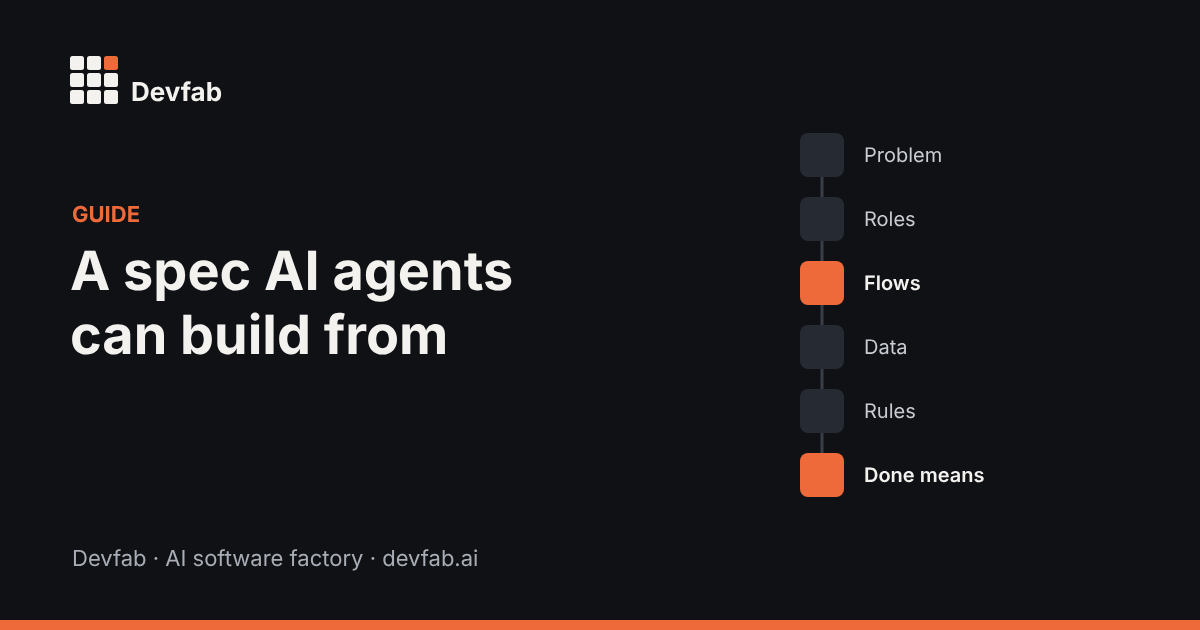
Short answer: Write one page with six parts: the problem, users and roles, must-have flows written as journeys, the data, the rules as testable sentences, and what "done" means as checks. Mark what is out of scope. Then let the agent turn it into a plan, and have a person review and approve that plan before any code is written.
You gave an agent a paragraph, and it built something close to what you meant. Close is the problem. The form works, but the approval rule is wrong and nobody can see who changed what.
Agents fill every gap with a guess. A clear spec turns guesses into decisions you made on purpose.
In this guide, you'll learn:
- What a buildable spec looks like
- Eight steps to write one
- The mistakes that cause rework
- A checklist before you hand it over
We use one example throughout: a city permit tracker.
What makes a spec buildable
A spec for people can lean on shared context. A spec for agents can't. The agent doesn't know that "inspector" is a role with limited rights, or that a permit can't be approved before the fee is paid. If you don't write it down, the agent decides.
Three sources agree on the basics. Addy Osmani's January 2026 guide says to treat the spec as "a structured document (PRD) with clear sections" and warns that "most agent files fail because they're too vague." GitHub's Spec Kit treats the spec as "a contract for how your code should behave" and runs it through Specify, Plan, Tasks and Implement. Kiro turns each spec into requirements with acceptance criteria, a design and a task list.
There is also a warning. An October 2025 article on Martin Fowler's site found that agents often didn't follow the spec, giving a "false sense of control," and that some tools produced long files that were tedious to review. So a good spec is short, specific and checkable.
Step by step
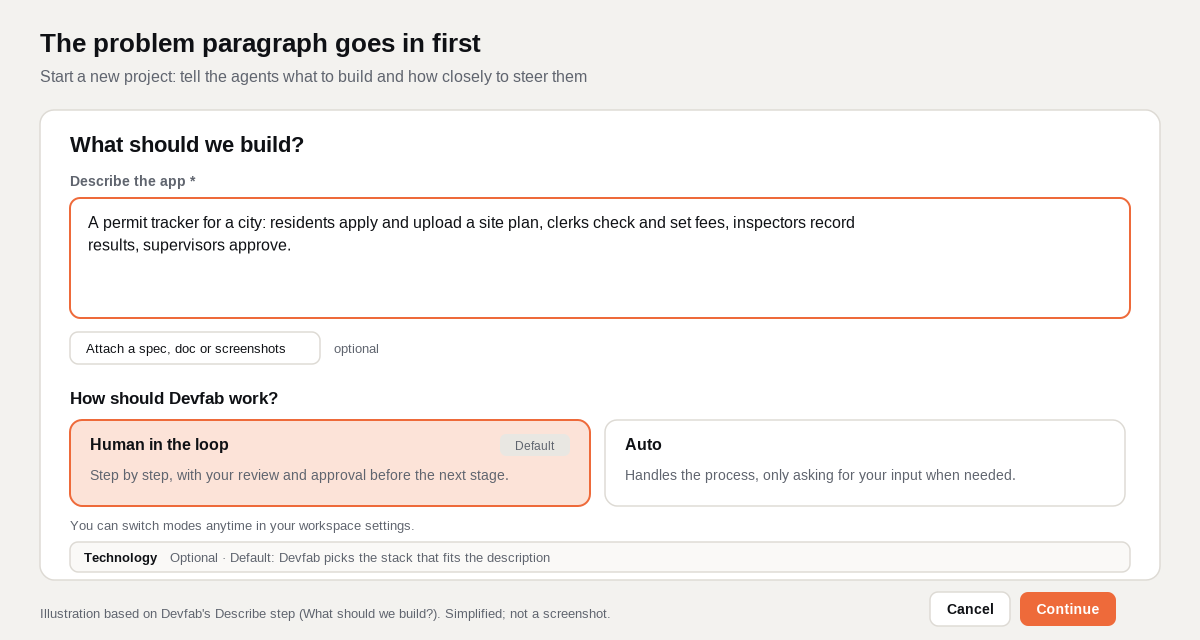
Step 1: State the problem in one paragraph
Say who has the problem, what they do today and what goes wrong. Skip the solution.
Permit example: "Residents apply for building permits by email. Staff copy details into a spreadsheet. Applicants call to ask about status, and inspections get booked twice."
This paragraph helps the agent judge trade-offs later. In Devfab, it is also what the research step works from: before the Planner writes anything, the Researcher maps key terms, best practices for that kind of app and competitors, then suggests a prototype.
Step 2: Name every user and what they may do
List each role and its rights in plain words. Rights matter more than titles.
- Applicant: submits an application, uploads documents, sees only their own permits.
- Permit clerk: checks completeness, requests missing items, sets the fee.
- Inspector: sees assigned inspections, records pass or fail with notes.
- Supervisor: approves or rejects, sees all permits and the audit history.
If a role must not do something, say so. "Inspectors cannot change fees" is a sentence an agent can build and a tester can check.
Step 3: Write must-have flows as journeys
A flow is a path from a trigger to a result. Write it as numbered actions with the person doing each one.
- Applicant fills in the form and uploads a site plan.
- Clerk marks it complete or requests a missing document.
- Applicant pays the fee.
- Supervisor schedules an inspection; the inspector gets a notice.
- Inspector records the result; the applicant is told.
Keep to the flows the first release needs. Three to six is typical. Each one later becomes a flow test that clicks through the journey end to end.
Step 4: List the data and where it comes from
Name the records, their key fields and the source of truth. Permit: number, address, type, status, fee, applicant. Inspection: date, inspector, result, notes. Say what already exists: "Parcel addresses come from the county GIS export." Attach a sample file or the old spreadsheet if you have one.
Step 5: Write the rules as testable sentences
Rules are where agents guess most, and where wrong guesses cost most. Write each rule so someone could prove it true or false:
- A permit can't be approved until the fee is paid.
- An inspector can't be booked twice for the same slot.
- Every status change records who made it and when.
- Applications missing a site plan can't be submitted.
Avoid "should be easy" or "must be secure." Those can't be tested.
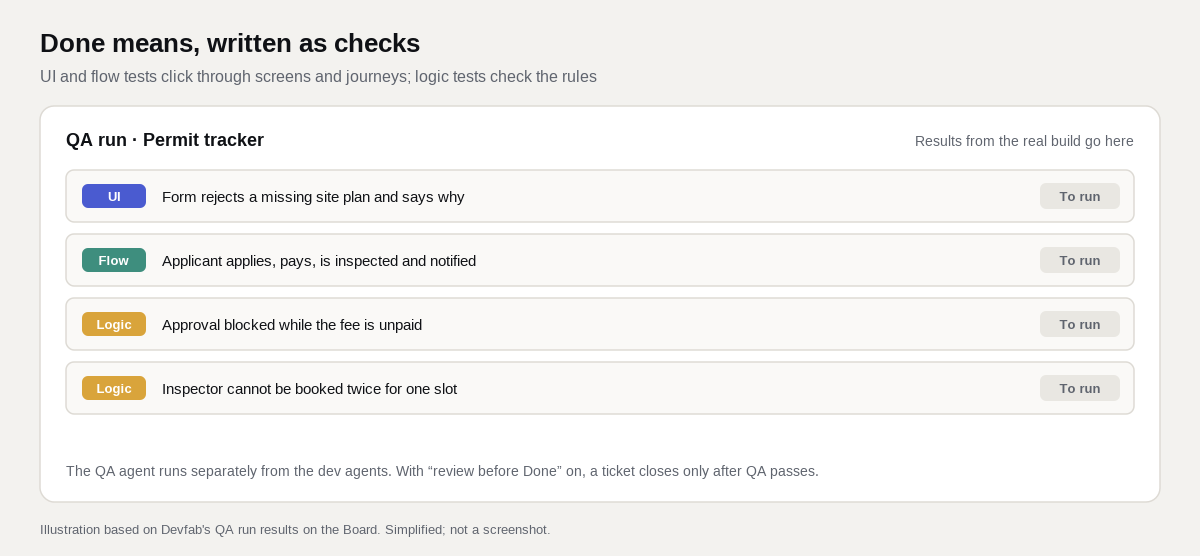
Step 6: Define done as checks a tester can run
"Done means" turns the spec into acceptance tests. Use three kinds:
- UI: the application form rejects a missing site plan and shows why.
- Flow: an applicant applies, pays, gets inspected and is notified.
- Logic: approval is blocked while the fee is unpaid.
This maps directly to what Devfab's QA agent runs: UI and flow tests (screens, buttons and user journeys clicked end to end) plus logic tests.
Step 7: Mark what is out of scope and still open
A short "Not now" list stops the agent from building extras: "No online payment in release one; clerks record payments by hand." Add an "Open questions" list for decisions you haven't made. An agent that sees an open question can raise it in the plan instead of inventing an answer.
Step 8: Hand it over, then review the plan, not the code
Don't go straight from spec to code. Ask for a plan first, and review it against your six parts: does every flow appear, is every rule covered, is anything added that you didn't ask for? Osmani's advice is the same: plan first, then execute.
In Devfab this step is built in. The Planner publishes a plan, a banner says "Your turn," and a person approves it before the Coordinator creates tickets and assigns developer agents. Human in the loop is the default mode; you can switch to Auto in workspace settings. If you're working on an existing repo, ChainFlow maps which functions and APIs call each other, so the plan can show what a change affects.
For a structured way to check what comes back, read How to review a plan written by an AI agent.
Common mistakes
- Features instead of flows. "Dashboard, notifications, reports" tells the agent what to draw, not what must work.
- Rules hidden in prose. One rule per line, each one testable.
- No roles. Without rights per role, agents often give everyone access to everything.
- No "done means". Then "it runs" becomes the bar.
- A huge spec. Long specs are hard to review and easy to half-follow. Split by release.
- Skipping the plan review. The plan is the cheapest place to catch a wrong guess.
Checklist
- [ ] Problem in one paragraph, with who and what goes wrong today
- [ ] Every role listed with what it may and may not do
- [ ] Three to six must-have flows as numbered journeys
- [ ] Data records, key fields and the source of truth
- [ ] Rules written as testable sentences
- [ ] Done means as UI, flow and logic checks
- [ ] "Not now" and "Open questions" lists
- [ ] A person reviews and approves the plan before code
If you want a ready layout, our 311 service request portal requirements template uses the same six parts.
FAQ
How long should a spec for AI agents be?
Short enough that a person reads all of it. One page covering problem, users and roles, must-have flows, data, rules and done means is enough for most business apps. Add detail only where a wrong guess would be costly, such as money, permissions or deadlines.
Should I write user stories or a PRD for an AI agent?
Either works if each item names who acts, what they do and what result proves it worked. Agents follow concrete flows and testable rules better than goals. A PRD with clear sections is easier for an agent to parse than loose notes.
Do AI agents follow the spec exactly?
Not always. Reviews of spec-driven tools found agents sometimes ignore instructions. That is why the spec should define done as checks you can run, and why a person should review the plan the agent writes before any code.
Can I give an AI agent screenshots or an old spreadsheet instead of a spec?
Yes, as attachments. Screenshots show layout and a spreadsheet shows the real data. They don't replace the rules and done means, which only you can write. In Devfab you can attach a spec, doc or screenshots to the description.
Read next
- What is an AI software factory?
- How to review a plan written by an AI agent
- How to replace spreadsheets with a custom app
- Build: 311 service request portal
Have a one-page spec ready? See the plan Devfab writes from it, and approve it before any code. Try the Devfab Beta
Sources (checked November 2026): Addy Osmani: How to write a good spec for AI agents (Jan 13, 2026); GitHub Blog: Spec-driven development with AI; martinfowler.com: Understanding spec-driven development (Oct 15, 2025); Kiro docs: Specs concepts.
Frequently asked questions
How long should a spec for AI agents be?
Short enough that a person reads all of it. One page covering problem, users and roles, must-have flows, data, rules and done means is enough for most business apps. Add detail only where a wrong guess would be costly, such as money, permissions or deadlines.
Should I write user stories or a PRD for an AI agent?
Either works if each item names who acts, what they do and what result proves it worked. Agents follow concrete flows and testable rules better than goals. A PRD with clear sections is easier for an agent to parse than loose notes.
Do AI agents follow the spec exactly?
Not always. Reviews of spec-driven tools found agents sometimes ignore instructions. That is why the spec should define done as checks you can run, and why a person should review the plan the agent writes before any code.
Can I give an AI agent screenshots or an old spreadsheet instead of a spec?
Yes, as attachments. Screenshots show layout and a spreadsheet shows the real data. They don't replace the rules and done means, which only you can write. In Devfab you can attach a spec, doc or screenshots to the description.