Short answer: GitHub Copilot is an AI assistant for developers: IDE suggestions and chat, agent mode, a cloud agent that opens pull requests, and code review. Devfab is a software factory that runs delivery: research, a plan a person approves, dev agents, separate QA, deploy and docs. Choose Copilot to speed up developers; Devfab to standardise delivery.
What each tool is built for
GitHub Copilot
Copilot is GitHub's AI assistant, and it now spans the whole developer surface. In supported IDEs it offers inline suggestions, next edit suggestions and Copilot Chat. Agent mode in the IDE works through a task and proposes file changes and terminal commands for your approval.
On GitHub, the Copilot cloud agent "can research a repository, create an implementation plan, and make code changes on a branch". It runs in a GitHub Actions environment or a cloud sandbox, can edit files and run tests and linters, and opens one pull request per task. Copilot code review adds AI suggestions on pull requests, and Copilot can write pull request summaries.
Teams can shape it with custom instructions, prompt files, agent skills, MCP servers and custom agents. Business and Enterprise plans add policy management, usage data and audit logs. You can pick from models across several providers; which ones depend on your plan and where you use Copilot.
Copilot's main user is a developer on GitHub. GitHub's own guidance is clear about the human role: "Review and test the output before using it in production."
Devfab
Devfab is an AI software factory. Its unit of work is a project, and its team is seven agents:
- The Researcher learns your industry first: key terms, best practices for that kind of app and competitors, then suggests a prototype.
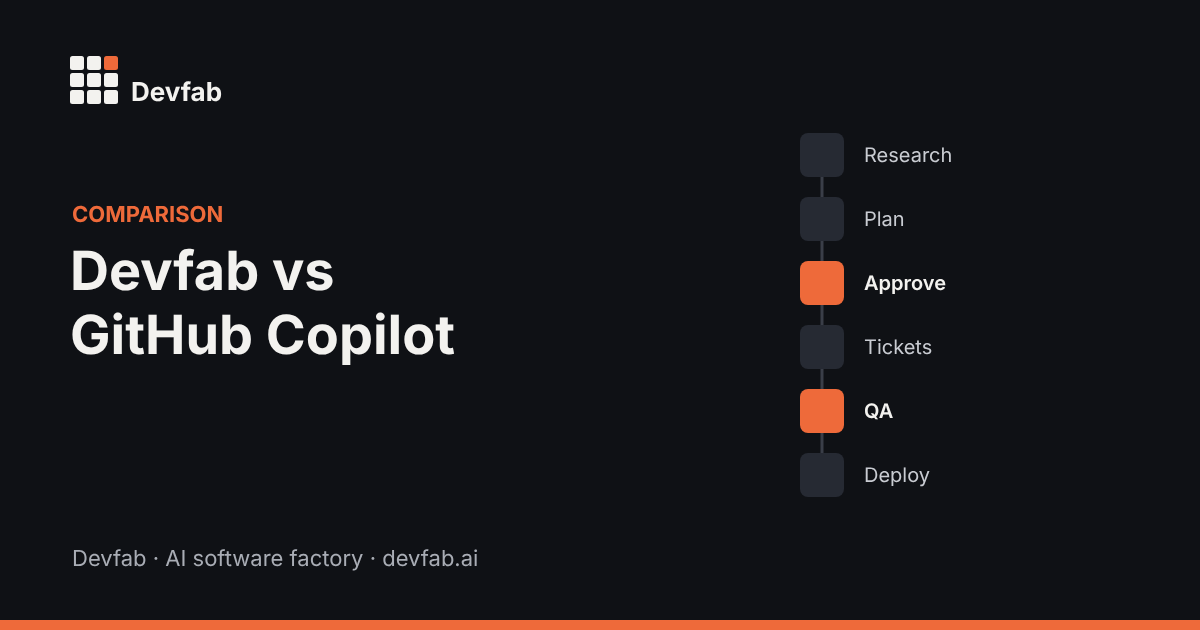
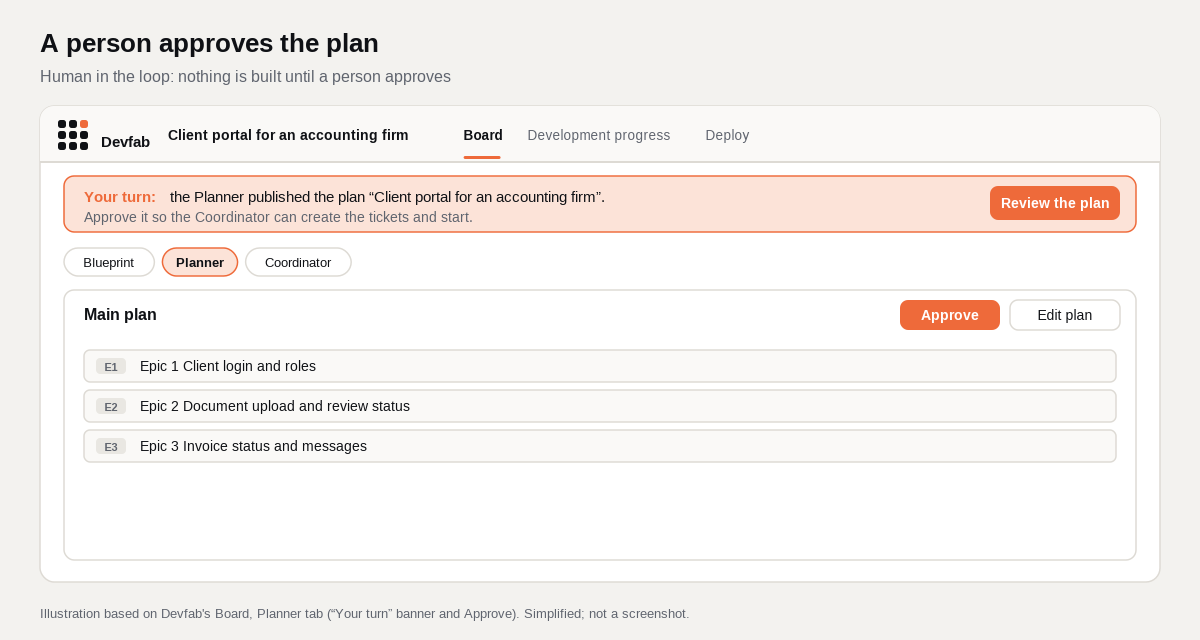
- The Planner writes the plan. "Your turn": a person approves it before the Coordinator creates tickets.
- The Coordinator splits the plan into tickets and assigns dev agents. Progress shows as Summary, Kanban and Gantt.
- Developers work with ChainFlow, which maps which functions and APIs call each other, so a change to checkout doesn't quietly break payments, inventory, order confirmation or notifications.
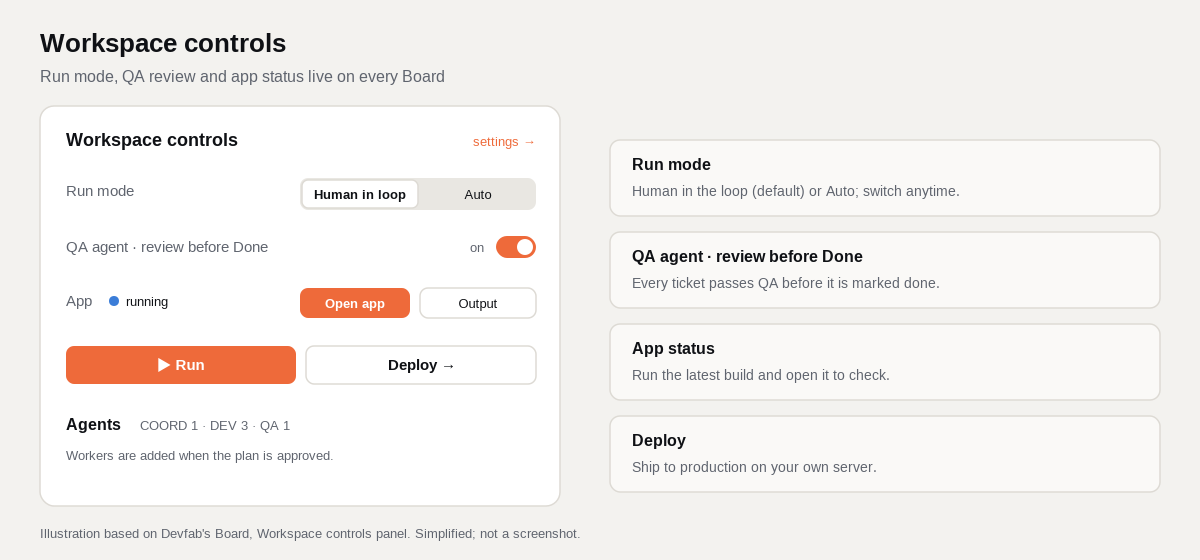
- Blueprint produces the screens; the QA agent runs UI and flow tests plus logic tests; Deploy ships to production on your own server.
Its main users are teams: product owners, project managers, developers and, for agencies, their clients.
Coding agents automate the developer. Devfab automates the development lifecycle.
Same-task test: what each produced
Here is how each tool would handle the same client brief: "Build a client portal for an accounting firm. Clients log in, upload documents, see the status of their invoices and message their accountant. Staff see all clients and can mark documents as reviewed."
With GitHub Copilot, a developer sets up the repository and stack, then works through the brief in pieces. In the IDE, agent mode can build the upload screen and propose the commands to run. For larger pieces, the developer can assign work to the cloud agent, which plans the change, writes it on a branch, runs the tests and linters it finds, and opens a pull request for review. Copilot code review comments on each pull request. The team decides the overall plan, tracks the work, writes end-to-end tests, deploys the portal and writes the client's user guide.
With Devfab, the account manager describes the portal and attaches the client's brief. The research step maps what accounting client portals usually include, such as secure document upload, a clear status per document and role-based access. The Planner proposes epics; the account manager (or the client) approves the plan. The Coordinator creates tickets, dev agents build them in the agency's GitHub repository, and the QA agent clicks through "client uploads a document, staff marks it reviewed, client sees the new status". The team reviews the QA report and the prototype, deploys to the client's server and hands over a user manual.
Both can end with working code. The difference is how much of the process around the code is built in.
Comparison table
| Aspect | GitHub Copilot | Devfab |
|---|---|---|
| Planning | Cloud agent plans each task; you set the project plan | Planner writes the project plan as epics; Coordinator creates tickets |
| Research before planning | Researches the repository | Research step maps the domain, best practices and competitors first |
| Human approval | You approve agent-mode changes and review pull requests | A person approves the plan by default; optional QA review before Done |
| Code | Strong: suggestions, chat, agent mode, cloud agent | Dev agents work tickets in your repo |
| UI and flow tests | Runs tests and linters in its environment; you build the test suite | QA agent runs UI and flow tests end to end, plus logic tests |
| Deploy | Up to your CI and hosting | Ship to production on your own server; custom domain optional |
| Docs | Pull request summaries; other docs when asked | Blueprints, hi-fi designs, sequence flows, prototypes, user manuals |
| Team management | Seats, policies, usage data, audit logs (Business, Enterprise) | Roles, workspace permissions, Kanban and Gantt, Team Delivery Report |
| Model choice | Models from several providers, depending on plan and surface | Choose the model for each agent or keep Devfab's default |
| Code ownership | Your GitHub repositories (cloud agent needs GitHub-hosted repos) | Code in your own GitHub account (or your organization's) |
| Cost visibility | Seat plans with AI credits; usage-based billing above the allowance | Predictable cost: logged after each run, per task and per project |
| Existing codebases and impact of changes | Strong: works across your repo, with code review on each PR | ChainFlow maps calls and deployed code; empty change box gives three small first tickets |
When to choose GitHub Copilot
Copilot is the better choice when:
- Your developers want help where they already work: VS Code, JetBrains, Visual Studio, Xcode, the terminal or GitHub itself.
- The work is code-level: features, bug fixes, refactors, security alert fixes and reviews in a codebase your team knows.
- You already run a delivery process with a tracker, CI/CD, QA and release steps, and just want the coding stage faster.
- You need enterprise controls today. Business and Enterprise plans include policy management, usage data and audit logs.
- You want inline suggestions while typing. Devfab does not offer an editor.
When to choose Devfab
Devfab is the better choice when:
- You deliver client projects and want the same steps every time: research, approved plan, tickets, QA, deploy, docs.
- Clients or non-developers need to take part, by approving the plan or checking the prototype.
- You need evidence for each delivery: the approved plan, the QA report and a user manual.
- The app must run on the client's server, with code in your own GitHub account or theirs.
- You quote projects and want predictable cost, with cost logged per task and per project.
- You're changing an existing app and want to see which features a change touches before it ships.
Where Devfab is weaker: it is new and in Beta, with a smaller community and far fewer integrations than Copilot. It is not an editor for hands-on coding. It needs a GitHub account. And for a one-line fix, opening a project is more process than you need.
Many teams use both. Developers keep Copilot in their IDE, and projects run through Devfab. Because the code sits in your own GitHub repository, both work on the same code.
FAQ
Is Devfab a replacement for GitHub Copilot?
For most teams, no. Copilot helps developers write, review and change code in the IDE and on GitHub. Devfab runs the project around the code: research, an approved plan, tickets, separate QA, deployment and documentation. Developers can keep Copilot and work on the same Devfab repository in GitHub.
Doesn't Copilot's cloud agent already plan and write code?
Yes. GitHub's docs say the cloud agent can research a repository, create an implementation plan and make code changes on a branch, then open a pull request. That plan covers a task. Devfab plans the whole project, a person approves it, and a Coordinator turns it into tickets for several dev agents.
Which is better for a software agency?
If your developers need to code faster inside an existing process, Copilot fits well. If you need client-approved plans, QA reports, deployment to client servers, user manuals and cost per project, Devfab is built for that.
Do both tools keep code on GitHub?
Yes. Copilot's cloud agent works only with repositories hosted on GitHub. Devfab keeps code in your own GitHub account (or your organization's) and deploys to your own server.
Read next
- What is an AI software factory?
- GitHub Copilot alternatives for teams that ship to production (2026)
- AI software factory vs AI coding tools: what's the difference?
- Build a client portal with AI agents: plan, prototype and test report
See it on one of your client projects. Book a Devfab demo
Sources (checked November 2026): About GitHub Copilot (features); About Copilot cloud agent; GitHub Copilot plans; Supported AI models in GitHub Copilot; Copilot feature matrix.
Frequently asked questions
Is Devfab a replacement for GitHub Copilot?
For most teams, no. Copilot helps developers write, review and change code in the IDE and on GitHub. Devfab runs the project around the code: research, an approved plan, tickets, separate QA, deployment and documentation. Developers can keep Copilot and work on the same Devfab repository in GitHub.
Doesn't Copilot's cloud agent already plan and write code?
Yes. GitHub's docs say the cloud agent can research a repository, create an implementation plan and make code changes on a branch, then open a pull request. That plan covers a task. Devfab plans the whole project, a person approves it, and a Coordinator turns it into tickets for several dev agents.
Which is better for a software agency?
If your developers need to code faster inside an existing process, Copilot fits well. If you need client-approved plans, QA reports, deployment to client servers, user manuals and cost per project, Devfab is built for that.
Do both tools keep code on GitHub?
Yes. Copilot's cloud agent works only with repositories hosted on GitHub. Devfab keeps code in your own GitHub account (or your organization's) and deploys to your own server.