Short answer: For a fast first version, Lovable, Bolt.new and Replit build working apps with a database and sign-in from prompts. v0 suits Next.js teams, Bubble suits founders who want to stay no-code, and Cursor suits technical founders. Devfab fits when the MVP needs a plan you approve, tests of real user flows and code you own.
What an MVP needs that a prototype does not
A prototype shows an idea. A minimum viable product (MVP) is used by real people, who sign up, store data and come back. That difference decides which AI tool fits. (We explain it in detail in prototype vs MVP vs production app.)
An MVP built with AI still needs:
- A clear scope. The few flows that prove the idea, and nothing else.
- A real backend. A database, sign-in and secure storage for API keys.
- Tests of the main journeys. Can a new user sign up, do the core task and see the result? Every time you change something?
- Code you can take with you. If the MVP works, you will hire developers, raise money or move hosting. All three are easier when the code is in a repository you control.
- Cost you can explain. Founders run out of credits before they run out of ideas.
Most AI app builders are very good at the first screen. The differences show up in testing, ownership and what happens on the fifth round of changes.
How we picked and compared
We picked seven tools founders and small teams use to build MVPs, from no-code builders to an AI code editor. We compared them from vendor documentation and dated reviews, checked in November 2026. We did not run hands-on tests for this version of the page.
We scored each tool on five questions:
- Backend: does it give you a database, sign-in and hosting, or do you wire those up?
- Testing: does it test what it builds, and does that cover whole user flows?
- Ownership: can you get the code into your own repository and deploy elsewhere?
- Who can use it: non-technical founder, technical founder or both?
- Cost model: seats, credits, tokens, effort or workload. We describe models, not prices.
Quick comparison table
| Tool | Best for | Backend included | Testing | Code ownership | Cost model |
|---|---|---|---|---|---|
| Lovable | Non-technical founders who want code they can move | Yes, with options to self-host the backend | Security scans on publish | Two-way GitHub sync; deploy elsewhere | Credits |
| Bolt.new | Quick full-stack MVPs with hosting | Bolt Database with auth, hosting | Not described in the docs we read | GitHub sync to main | Tokens; per seat on Teams |
| Replit | One place to build, test and host | Yes, on Replit | Agent tests in a real browser | Code in Replit; deploys on Replit | Effort-based usage and credits |
| v0 | Next.js MVPs on Vercel | Connects UI to a backend | Not described in the docs we read | Deploy to Vercel or open a pull request | Token-metered credits |
| Bubble | Founders who want to stay no-code | Yes, hosted by Bubble | Not described in the docs we read | No code export; JSON of logic, CSV of data | Plans with AI credits and workload units |
| Cursor | Technical founders who code | You build it | Agents can test their own work | Your own repository | Per seat plus usage |
| Devfab | MVPs that need a plan, flow tests and ownership | Picks the stack, deploys to your server | QA agent: UI, flow and logic tests | Your GitHub; your server | Cost logged per task and project |
The tools, one by one
Lovable
Lovable builds web apps from a chat. For MVPs, its strongest point is ownership. Lovable syncs each project two ways with a GitHub repository, and its docs say you can clone the code, work on it in your own editor, deploy outside Lovable and use GitHub Actions. Paid plans can also download the codebase directly. You can move the backend and database to infrastructure you run, including self-hosted Supabase.
Lovable runs a quick security scan on every publish, checking database access rules, dependencies and more, and offers an optional deeper code review. That is useful for an MVP that handles real user data.
Best for: non-technical founders who want a polished web MVP and code they can hand to a developer later.
Limits: usage runs on credits, so many rounds of changes add up. The docs we read describe security scans, not tests of whole user journeys, so plan to click through your main flows yourself after each change.
Bolt.new
Bolt.new builds websites and full-stack apps in the browser. Bolt Cloud gives an MVP most of what it needs without extra accounts: hosting with a free subdomain, custom domains on paid plans, and a PostgreSQL-based database with built-in sign-up, login, real-time updates and secret storage. Plan mode lets you talk through the approach before any code is written, which helps keep scope small.
Bolt commits each working change to GitHub, so you keep a history and a copy of the code.
Best for: founders who want a full-stack MVP with a database and hosting in one place.
Limits: paid plans use a monthly token allowance, and tokens measure everything Bolt does, including reading files and planning, so large projects use more. GitHub sync pushes to main only and you cannot switch the project to another branch. On the free plan, sites go offline if they exceed the bandwidth limit.
Replit
Replit combines an agent, a coding workspace, a database and hosting. Its standout MVP feature is App Testing: the Agent opens your app in a real browser, clicks buttons, fills in forms with mock data and moves between pages, then fixes what it finds and gives you a video replay. For an MVP, that is a real check of the flows users will hit.
The docs are clear about limits: App Testing supports Full Stack JavaScript and Streamlit Python web apps, it runs in the paid agent modes, and how well it covers your app depends on how well you describe the app's features.
Best for: founders who want building, browser testing and hosting in one tool.
Limits: paid agent work uses effort-based pricing that scales with the complexity of each request, and testing is usage-based too, so cost per feature varies. Your MVP runs on Replit's deployments, so plan for a move if you later need your own hosting.
v0
v0, from Vercel, is an AI agent for building UIs, full-stack apps and agents from prompts. It can turn wireframes into high-fidelity UIs and connect them to a backend. It works with Next.js, Tailwind and shadcn/ui, and you can deploy to Vercel in one click or open a pull request first.
Best for: founders and small teams who want a Next.js MVP with a strong front end, hosted on Vercel.
Limits: usage is metered by input and output tokens, converted to credits, and long chats with many files use more. It is strongest on the front end; you still decide on and wire up a data model and business rules. Vercel is the natural host.
Bubble
Bubble is a visual no-code platform with an AI app generator. You describe your idea, the generator shows a high-level plan you can refine by prompting, and the result opens in Bubble's visual editor, where you keep building without code. Bubble hosts the app, with built-in deployment and scaling, and it now has a native mobile builder in public beta for iOS and Android.
Best for: non-technical founders who want to keep building and changing the MVP themselves, visually, for a long time.
Limits: there is no conventional codebase to export. Bubble's FAQ says you can export data as CSV, use its API or request a JSON export of your app logic to migrate, but the app runs on Bubble. You need a paid plan to go live, and plans include allowances of AI credits and workload units for server activity. The FAQ also says the AI Agent can currently edit web apps directly, with mobile support coming later.
Cursor
Cursor is an AI code editor, not an app builder. It belongs on this list for technical founders who want to write the MVP themselves with AI help. Agents work in your own repository, cloud agents keep running when your laptop is closed and can test their own work, and Bugbot reviews pull requests for bugs and security issues.
Best for: technical founders who want full control of the code and stack from day one.
Limits: you design the backend, hosting and tests yourself. It does not help a non-technical co-founder build. On team plans, pricing is per seat with a usage pool, and heavy agent use beyond the pool is billed as extra usage.
Devfab
Devfab is a Software Factory in the Autonomous Software Lifecycle category. Coding agents automate the developer. Devfab automates the development lifecycle. It takes an MVP from idea to deployed app with seven agents: Researcher, Planner, Coordinator, Developers, Blueprint, QA agent and Deploy. A person approves the plan before any code is written.
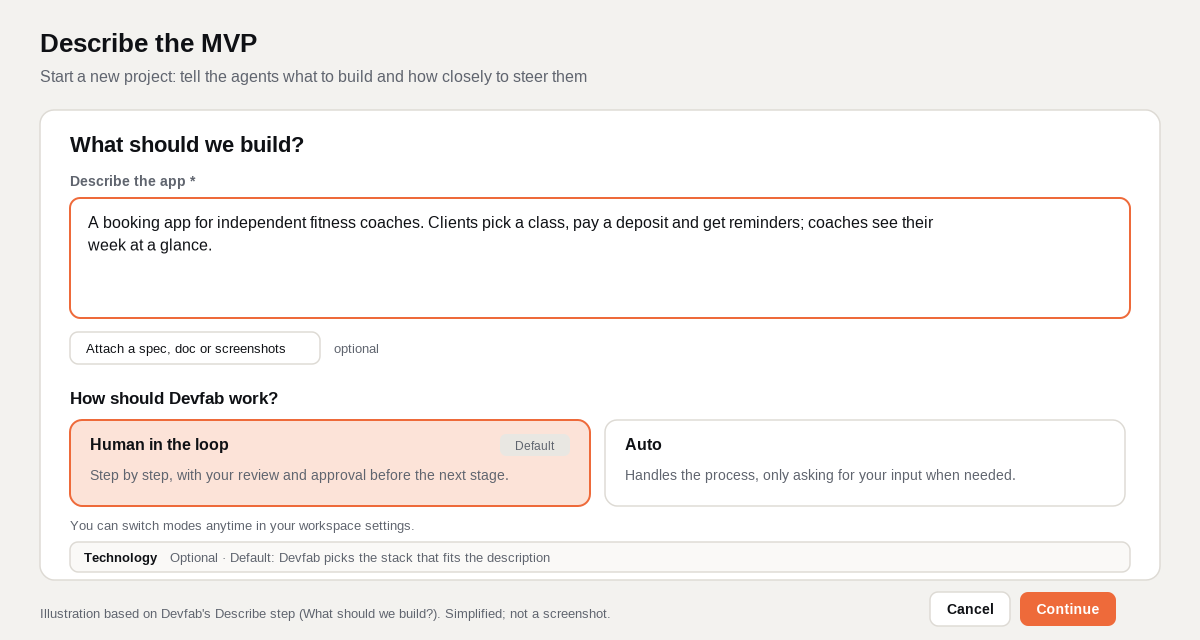
You start with Start a new project and answer "What should we build?" in plain words. You can attach a spec, doc or screenshots. Technology is optional: by default Devfab picks a stack that fits, such as Next.js with TypeScript for a web app, or you choose the languages.
What matters most for an MVP:
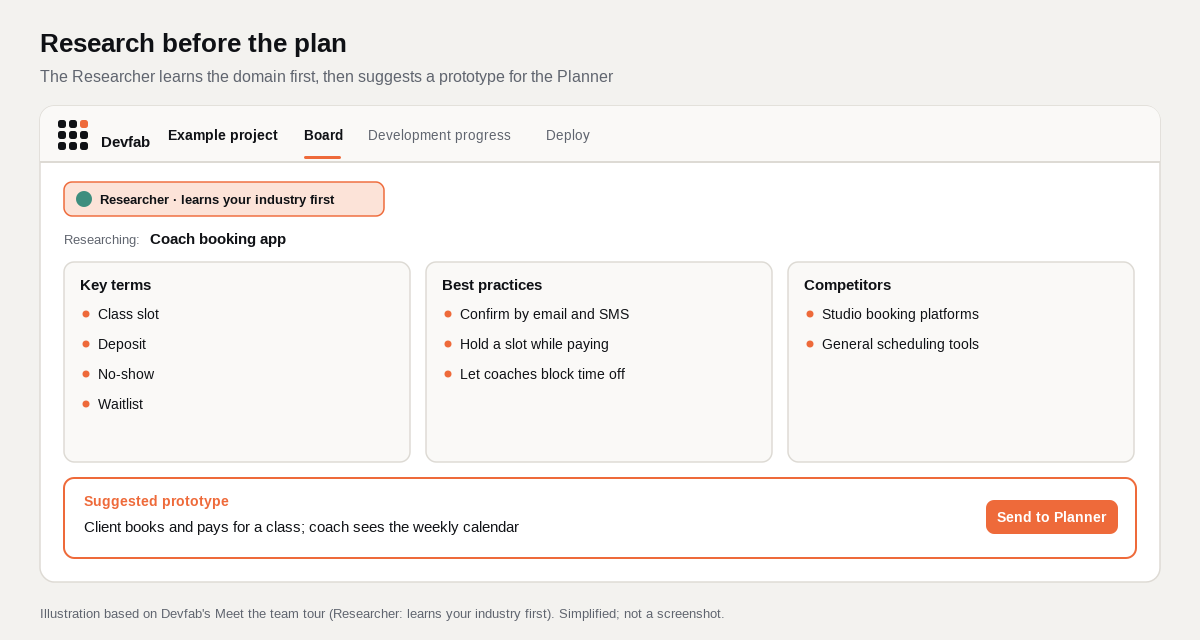
- Research before the plan. Devfab's research step maps your domain first: key terms, best practices for that kind of app and competitors. Then it suggests a prototype. For a founder, this is a cheap check on scope before you spend anything on building.
- A plan you approve. The Planner writes the plan and waits: "Your turn: the Planner published the plan. Approve it so the Coordinator can create the tickets." Cut features here, not after they are built.
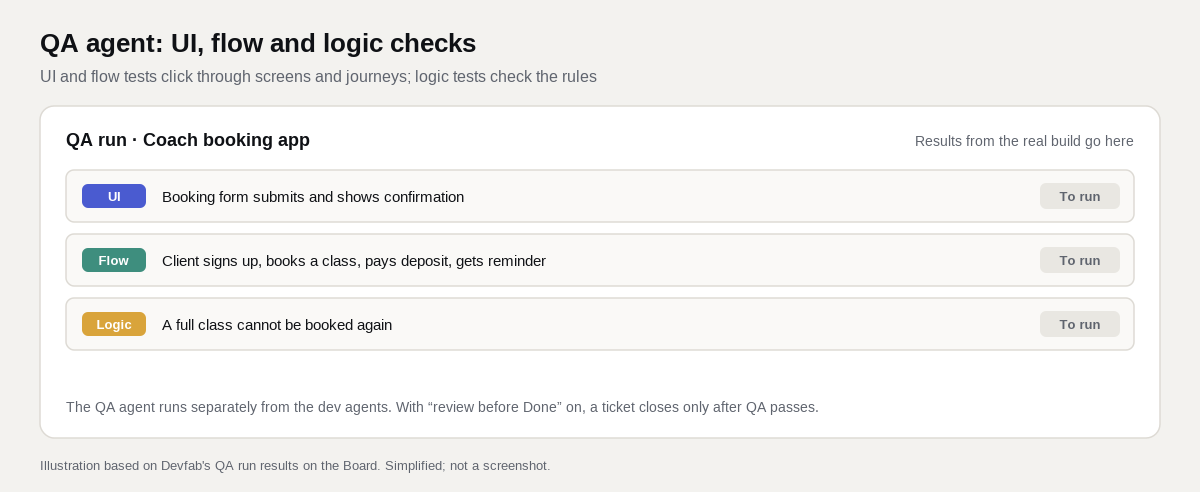
- Flow tests, not just code tests. The QA agent runs UI and flow tests that click through screens, buttons and user journeys end to end, plus logic tests. With "QA agent · review before Done", a ticket is not Done until it passes review.
- ChainFlow for later changes. After launch, every change risks breaking something. ChainFlow maps which functions and APIs call each other, so developer agents see the impact of a change before they make it.
Code goes into your own GitHub account or your organization's, and you deploy to your own server, with an optional custom domain. That is the ownership story investors and future developers want to hear. Devfab also produces documents such as blueprints, sequence flows and user manuals, which help when you hand the MVP to a developer. Cost is logged after each run, per task and per project, which gives you predictable cost and a clear record of where the money went. You can choose the model for each agent or keep Devfab's default.
Best for: founders, agencies and small teams who need an MVP that real users will touch, with a plan they approved and tests of the main flows.
Honest limits:
- Devfab is new and in Beta, with a smaller community than the tools above.
- It has fewer integrations than mature builders.
- It is not an editor for hands-on coding and not a visual no-code editor. If you want to drag elements around, Bubble is the better fit.
- It needs a GitHub account.
- The research and approval steps add structure. If you only need a clickable demo for one meeting, a chat builder gets you there with less ceremony.
How to choose
Match the tool to the founder and the stage.
- Non-technical, want code you can move later: Lovable.
- Want a database, sign-in and hosting in one place: Bolt.new or Replit. Pick Replit if browser testing matters most.
- Next.js and Vercel shop: v0.
- Want to keep building visually yourself: Bubble, accepting that the app stays on Bubble.
- Technical founder: Cursor, plus your own hosting and tests.
- MVP with real users, a plan you approve, flow tests and your own server: Devfab.
Whichever you pick, write a one-page spec before you start: the problem, the users, the three to five must-have flows, the data, the rules and what "done" means. It cuts the number of rewrites on any tool. Then test the main flows after every change. For context on where AI builders and factories differ, read what an AI software factory is and AI software factory vs AI coding tools.
FAQ
Can AI build a whole MVP?
AI tools can build most of a simple MVP: screens, a database, sign-in and basic flows. You still need a person to decide what to build, check the plan, test the main user journeys and own the code and hosting.
Which AI tool is best for a non-technical founder's MVP?
Lovable, Bolt.new, Replit and Bubble are the easiest to start with. Pick Bubble if you want to keep building visually without code. Pick Devfab if you want a plan to approve, flow tests and code in your own GitHub.
What is the difference between an AI prototype and an MVP?
A prototype shows an idea. An MVP is used by real people, so it needs real sign-in, stored data, error handling and tests of the main flows. Many AI tools are faster at the first than the second.
How much does AI MVP development cost?
Most tools charge by credits, tokens or effort, so cost depends on how many changes you ask for. Pick a tool that shows cost per task, and write a one-page spec first so you ask for fewer rewrites.
Should I worry about code ownership for an MVP?
Yes. Investors, future developers and acquirers will ask where the code lives. Prefer tools that sync to a GitHub repository you control and let you deploy outside their platform.
Read next
- What is an AI software factory?
- AI software factory vs AI coding tools
- Prototype vs MVP vs production app: what's the difference
- Devfab vs Bolt.new
- Devfab vs Cursor
Describe your MVP, approve the plan and get tested code in your own GitHub. Try Beta
Sources (checked November 2026): Lovable Docs: GitHub integration; Lovable Docs: Lovable for enterprise; Lovable Docs: Collaboration; Bolt pricing; Bolt Help: Glossary; Bolt Help: Git integration; Replit Docs: App Testing; Replit Docs: Pricing and plans; v0 Docs: Introduction; Vercel: Updated v0 pricing; Bubble: About AI app generation; Bubble FAQ; Cursor Teams; Cursor Docs: Team pricing.
Frequently asked questions
Can AI build a whole MVP?
AI tools can build most of a simple MVP: screens, a database, sign-in and basic flows. You still need a person to decide what to build, check the plan, test the main user journeys and own the code and hosting.
Which AI tool is best for a non-technical founder's MVP?
Lovable, Bolt.new, Replit and Bubble are the easiest to start with. Pick Bubble if you want to keep building visually without code. Pick Devfab if you want a plan to approve, flow tests and code in your own GitHub.
What is the difference between an AI prototype and an MVP?
A prototype shows an idea. An MVP is used by real people, so it needs real sign-in, stored data, error handling and tests of the main flows. Many AI tools are faster at the first than the second.
How much does AI MVP development cost?
Most tools charge by credits, tokens or effort, so cost depends on how many changes you ask for. Pick a tool that shows cost per task, and write a one-page spec first so you ask for fewer rewrites.
Should I worry about code ownership for an MVP?
Yes. Investors, future developers and acquirers will ask where the code lives. Prefer tools that sync to a GitHub repository you control and let you deploy outside their platform.