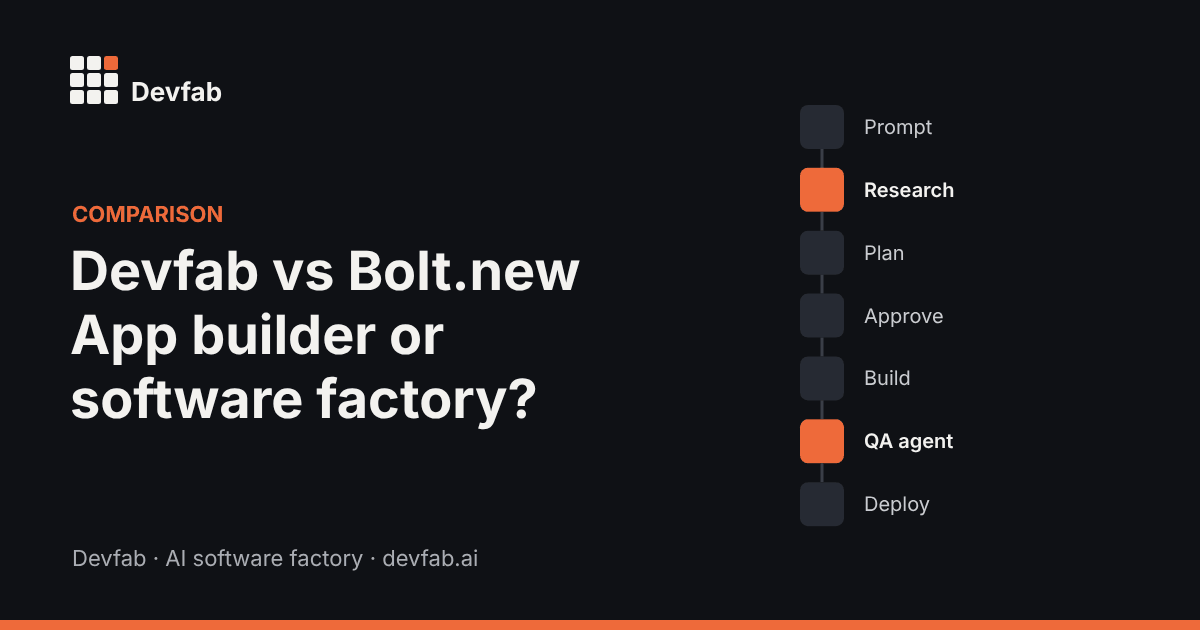
Short answer: Bolt.new is a browser-based AI app builder: you describe an app, it builds and previews it, and Bolt Cloud hosts it with a database. Devfab is a software factory: it researches the domain, writes a plan a person approves, builds with coordinated agents, tests UI and flows, and deploys to your own server. Choose Bolt for speed, Devfab for delivery.
You can get a working demo from one prompt in a browser tab. Then the client asks who approved the plan and what was tested. That gap is what decides this comparison for most teams. Fans of Bolt.new point to speed and zero setup. Devfab's case rests on a process you can show a client. This page judges both against the same client brief.
In this comparison:
- What each tool is built for
- Same-task test: what each would produce
- Comparison table
- When to choose Bolt.new
- When to choose Devfab
Start wherever your next client project is stuck.
What each tool is built for
Bolt.new
Bolt.new comes from StackBlitz. Its docs call it an AI builder for websites, web apps and mobile apps. It runs in your browser, so there is nothing to install. You describe what you want, Bolt builds it, and you refine it by chatting or by editing code in the code view. It builds full-stack apps with JavaScript-based web frameworks, and mobile apps through Expo.
Bolt Cloud handles what comes after the first build. Publishing gives every project a bolt.host address, and paid plans can connect custom domains. When an app needs a database, Bolt creates one. It also offers sign-up and log-in, server functions, file storage, Stripe payments and site analytics on paid plans. You can claim the database and connect it to Supabase.
For teams, Bolt has real-time multiplayer editing, shared project knowledge and a Teams plan with central billing and access controls. It integrates with GitHub for version control and can import an existing repository. Bolt says the code you create is yours to use. Pricing is based on tokens: each plan has a monthly allowance, and on Teams each paid member gets their own.
Its main user is one person or a small team who wants a working app fast, from a prompt.
Devfab
Devfab is an AI software factory. Its category is the autonomous software lifecycle, and its unit of work is a project, not a prompt. Coding agents automate the developer. Devfab automates the development lifecycle.
You start with "Start a new project" or "Work on an existing project". Seven agents share the work: Researcher, Planner, Coordinator, Developers, Blueprint, QA agent and Deploy. Three parts matter most for agency work:
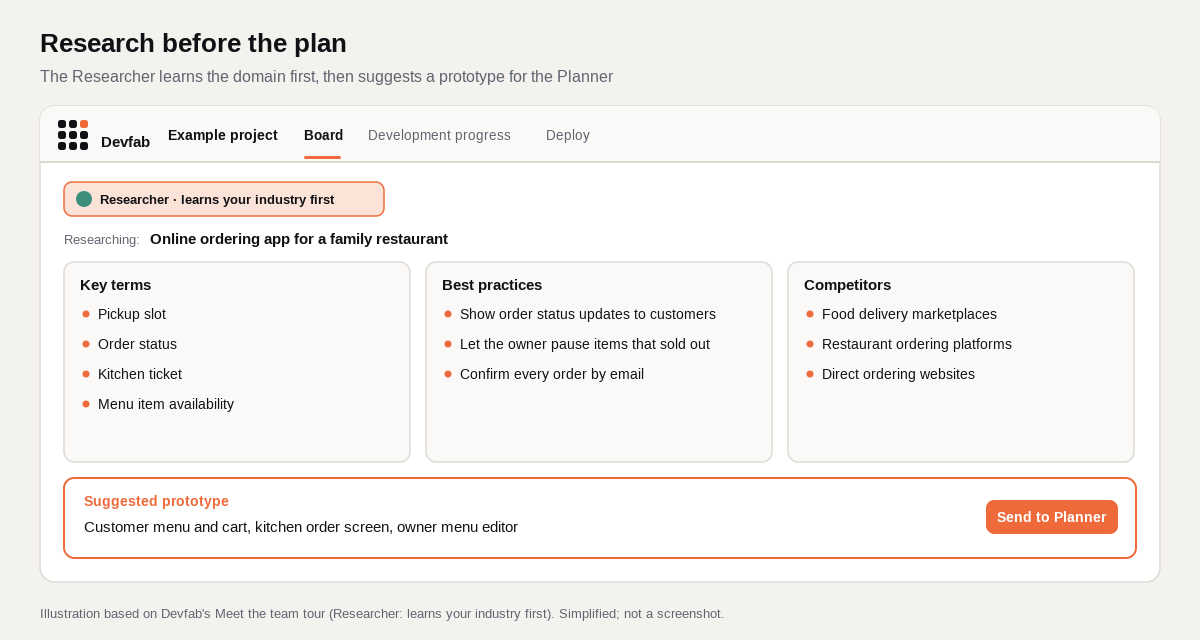
- Research before the plan. Before any plan, the Researcher maps the domain: key terms, best practices for that kind of app and competitors. Then it suggests a prototype.
- ChainFlow. Devfab's code-intelligence layer maps which functions and APIs call each other and what is deployed. Dev agents see the impact of a change before they make it.
- A QA agent that clicks through the app. It runs UI and flow tests (screens, buttons, whole user journeys) plus logic tests. Turn on "QA agent · review before Done" and nothing reaches Done without it.
A person approves the plan before the Coordinator creates tickets. The code lives in your own GitHub account (or your organization's), and you deploy to your own server.
Same-task test: what each would produce
Take one client brief: "Build an online ordering app for a family restaurant. Customers order and pay. The kitchen sees new orders. The owner edits the menu and opening hours."
[TEST DATA TODO: run the same spec through Bolt.new and Devfab; add what each produced]
With Bolt.new, you paste the brief into the prompt box. Based on its docs, Bolt would build a working web app you can preview in the browser, create a database for menu items and orders, and add log-in if you ask. You could add Stripe payments and publish to a bolt.host address or a custom domain. You steer by chatting, and you can use plan mode to talk through the approach first. Tests, a written plan for the client and a user manual are up to you.
With Devfab, you describe the same brief in "What should we build?" and keep the default Human in the loop mode. The Researcher maps the domain first: terms like table orders and pickup slots, practices like order status updates, and the kind of products the restaurant competes with. Then it suggests a prototype.
The Planner writes the plan, and the agency (or the client) approves it. The Coordinator turns it into tickets for dev agents. Blueprint produces screens. The QA agent tests the order flow end to end: customer orders, kitchen sees it, owner changes the menu. Then you ship to the restaurant's own server.
Both can give you a working app. The difference is how much of the process around the app is built in, and where the app ends up living.
Comparison table
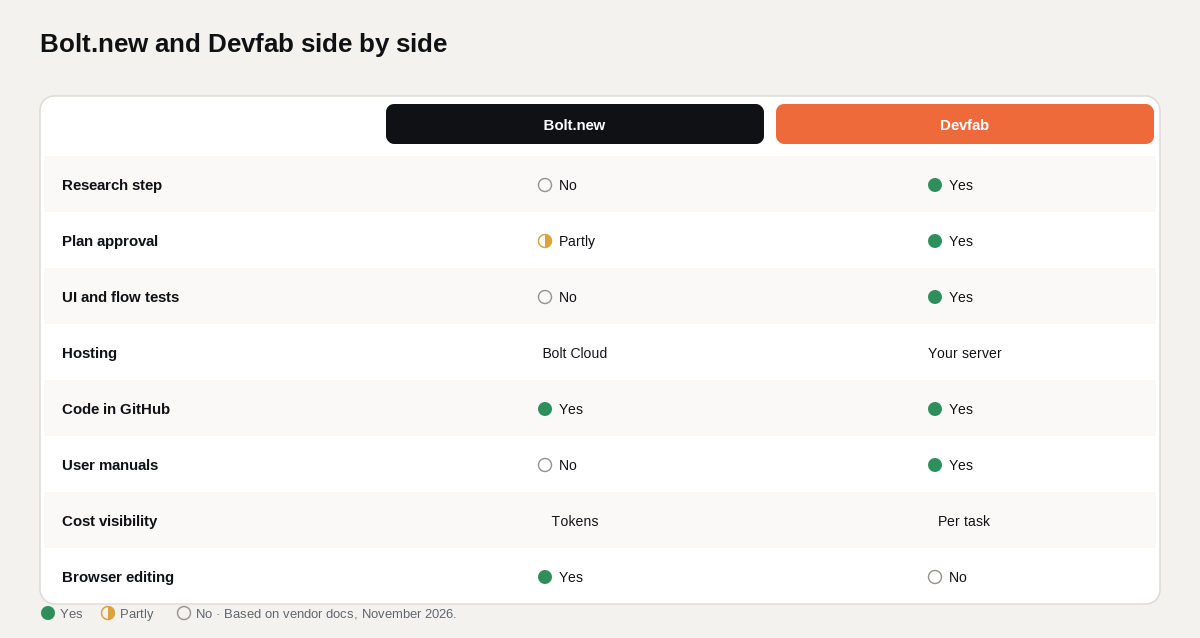
| Aspect | Bolt.new | Devfab |
|---|---|---|
| Planning | Plan mode to discuss an approach in chat | Planner agent writes a full plan with epics and tickets |
| Research before planning | Not a separate step | Researcher maps terms, best practices and competitors, then suggests a prototype |
| Human approval | You review each change as you chat | A person approves the plan before tickets are created (Human in the loop is the default) |
| Code | Generated in the browser; editable in code view; GitHub integration | Written by dev agents into your GitHub repository |
| UI and flow tests | Not covered in the docs we checked | QA agent runs UI, flow and logic tests; can gate Done |
| Deploy | Bolt Cloud hosting on bolt.host or a custom domain | Deploy to your own server, with optional custom domain |
| Docs | Not a built-in output | Blueprints, hi-fi designs, sequence flows, prototypes and user manuals |
| Team management | Multiplayer editing, Teams plan, shared knowledge | Roles, workspace permissions, Kanban and Gantt views, Team Delivery Report |
| Model choice | Standard and Max agents | You can choose the model for each agent or keep Devfab's default |
| Code ownership | Code is yours; database can move to Supabase | Code in your own GitHub account; deploy to your own server |
| Cost visibility | Token allowance per plan or per paid member | Predictable cost: logged after each run, per task and per project |
| Existing codebases / impact of changes | Can import a GitHub repo | ChainFlow maps calls and deployments; suggests three first tickets |
When to choose Bolt.new
Bolt.new is the better choice when:
- You need a working demo today, in the browser, with nothing to install.
- Hosting on Bolt Cloud is fine. Built-in hosting, database, auth and payments save setup for small sites and internal tools.
- One person drives the build and wants to steer by chatting, then fine-tune in code view.
- The project is small and short-lived, like a landing page, an event site or a pitch prototype.
- You build mobile apps with Expo and want that in the same tool.
When to choose Devfab
Devfab is the better choice when:
- A client needs to sign off. The plan is written down and a person approves it before any ticket exists.
- You want proof the app works. The QA agent tests screens and user journeys, not just functions.
- The app must run on the client's server, with code in the client's or the agency's GitHub account.
- You quote projects to clients and need predictable cost, logged per task and per project.
- You inherit or extend existing code. ChainFlow shows what a change touches before agents make it.
- You deliver many projects and want the same research, plan, build, test and deploy steps every time.
Where Devfab is weaker: it's new and in Beta, with a smaller community and fewer integrations than Bolt.new. It is not a browser editor for quick hands-on coding, and it doesn't host your app for you. You need a GitHub account to start.
Can you use both?
Yes. Some agencies sketch an idea in Bolt.new to show a client the look and feel, push it to GitHub, then bring the repository into Devfab for the planned, tested build. Others start in Devfab, where the research step already suggests a prototype. Either way, the code stays in your GitHub account.
FAQ
Is Devfab a replacement for Bolt.new?
Not for every job. Bolt.new is a fast way to turn a prompt into a working app in the browser, with hosting and a database built in. Devfab is a software factory: research, a plan a person approves, coordinated dev agents, a QA agent and deployment to your own server. Many teams prototype in one tool and deliver in the other.
Can I move a Bolt.new project into Devfab?
Bolt.new integrates with GitHub, so you can push a project to a repository. Devfab can then work on that repository through "Work on an existing project". Leave the change box empty and Devfab maps the code first with ChainFlow and suggests three small first tickets.
Which is better for a software agency?
Bolt.new is better for quick demos and small sites you will host on Bolt Cloud. Devfab is designed for agency delivery: a client-approved plan, tickets, UI and flow tests, deployment to the client's server and cost logged per task and per project.
How do the pricing models differ?
Bolt.new prices by tokens, with monthly allowances per plan and per paid team member. Devfab gives predictable cost: cost is logged after each run, per task and per project, so you can see what each piece of work used.
Read next
- What is an AI software factory?
- AI software factory vs AI coding tools
- Bolt.new alternatives
- Build log: a restaurant ordering app
- Lovable vs Bolt.new in 2026
- Bolt.new vs v0: build on main in the browser, or ship through pull requests?
See the research step and QA agent on your own brief. Book a Devfab demo
Sources (checked November 2026): Introduction to Bolt (Bolt help center); Bolt Cloud (Bolt help center); Bolt glossary; Bolt pricing.
Frequently asked questions
Is Devfab a replacement for Bolt.new?
Not for every job. Bolt.new is a fast way to turn a prompt into a working app in the browser, with hosting and a database built in. Devfab is a software factory: research, a plan a person approves, coordinated dev agents, a QA agent and deployment to your own server. Many teams prototype in one tool and deliver in the other.
Can I move a Bolt.new project into Devfab?
Bolt.new integrates with GitHub, so you can push a project to a repository. Devfab can then work on that repository through "Work on an existing project". Leave the change box empty and Devfab maps the code first with ChainFlow and suggests three small first tickets.
Which is better for a software agency?
Bolt.new is better for quick demos and small sites you will host on Bolt Cloud. Devfab is designed for agency delivery: a client-approved plan, tickets, UI and flow tests, deployment to the client's server and cost logged per task and per project.
How do the pricing models differ?
Bolt.new prices by tokens, with monthly allowances per plan and per paid team member. Devfab gives predictable cost: cost is logged after each run, per task and per project, so you can see what each piece of work used.