Short answer: Bubble wins when the main product is a web app, with native mobile companions, that non-coders keep editing visually on one hosted backend. FlutterFlow wins when native iOS and Android apps are the main job: its new agent builds them, and FlutterFlow Studio adds visual Flutter editing with code export.
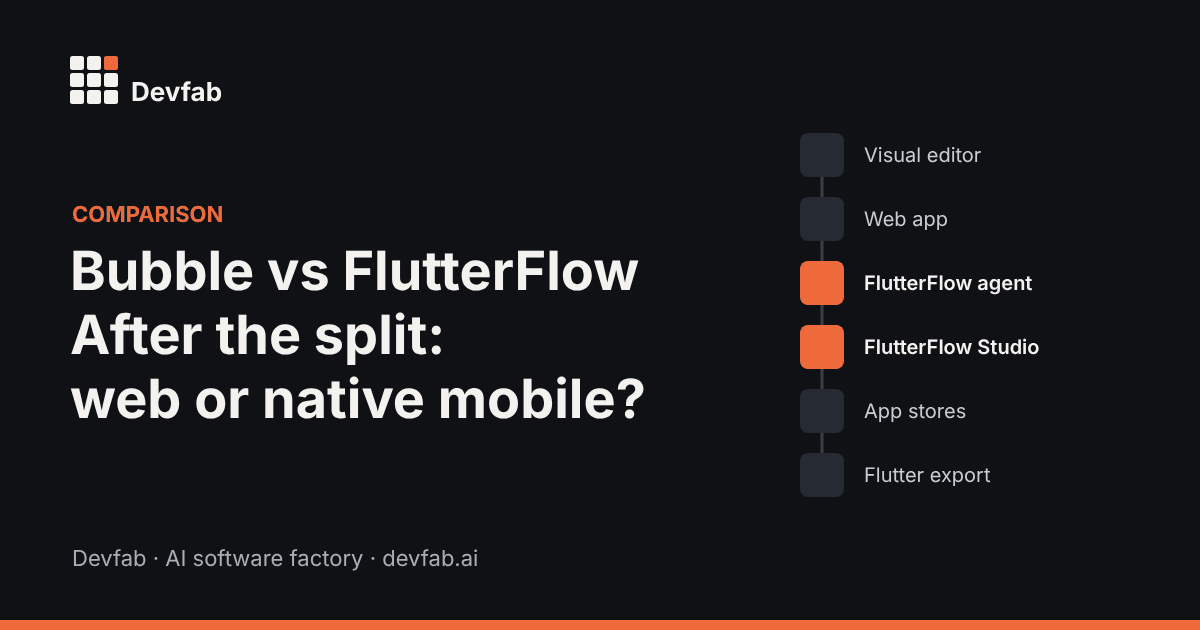
If you read a Bubble vs FlutterFlow comparison before November 4, 2026, it is out of date. FlutterFlow split into two products that week, and the name now means something new. Bubble fans still say one visual platform for web and mobile beats juggling a separate backend. FlutterFlow fans still say native Flutter apps and exportable code beat a platform you can't leave. This page referees with the post-split facts.
In this comparison:
- Bubble and FlutterFlow at a glance
- Feature comparison
- Cost model by team size
- Where Bubble wins and where FlutterFlow wins
- Switching from one to the other
Start with the status change, because it shapes every row below.
Bubble and FlutterFlow at a glance
FlutterFlow's status change. On November 3 to 4, 2026, FlutterFlow restructured. The classic visual builder is now called FlutterFlow Studio. The name FlutterFlow now means a new AI-agent app builder for native iOS and Android, launched November 4. One subscription covers both. CEO Abel Mengistu told HackerNoon, "We learned that people wanted a conversational way of building." A Studio project cannot be moved into the new FlutterFlow, because it uses a different architecture.
FlutterFlow (new) builds iOS and Android apps from one project, with backend, sign-in, file storage, analytics and store submission built in. The agent works in "threads" on a copy of the app, and changes reach the app only when you push. FlutterFlow Studio is the visual Flutter builder for mobile, web and desktop, with Firebase and Supabase integrations, custom code, branching and Flutter code export. FlutterFlow says "3.3M people have built on FlutterFlow."
Bubble is a hosted no-code platform where "every component is visual, including the backend." Its AI Agent (beta) plans the app with you, then builds pages, workflows, database and privacy rules in the visual editor. It builds web apps plus iOS and Android apps that share data and workflows (beta). Bubble apps run only on Bubble; there is no code export.
Feature comparison
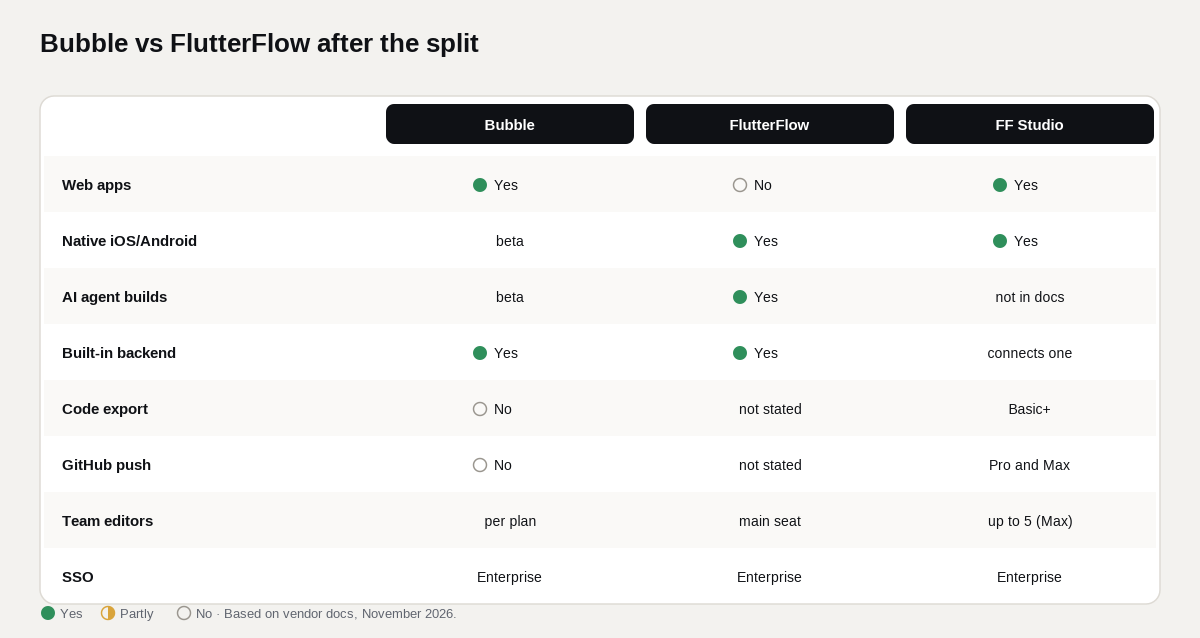
| Aspect | Bubble | FlutterFlow (new) | FlutterFlow Studio | Source |
|---|---|---|---|---|
| Output | Web, plus iOS and Android (beta) on one backend | iPhone and Android only | Mobile, web and desktop | Bubble · FlutterFlow announcement · Studio docs |
| How you build | AI Agent, then visual editor | Chat with an agent in threads | Visual canvas and widgets, custom code | Bubble AI guide · The agent |
| Planning | Agent "plans your app with you" | Proposal cards wait for approval before the agent builds | Not covered in the docs we checked | Bubble AI guide · The agent |
| Backend | Built-in database with privacy rules | Backend, sign-in, storage and analytics built in | Firebase or Supabase | Bubble · FlutterFlow · Studio docs |
| Testing | Not covered in the docs we checked | Preview, "What changed" review, test sign-in, builds to testers | Local run on devices | FlutterFlow docs · Studio docs |
| Code export | None; data as CSV or via API | Not stated; the pricing page lists export rows under Studio | Code and APK download from Basic; GitHub push on Pro and Max; "export clean Flutter whenever you want" | Bubble manual · FlutterFlow pricing |
| Team / admin | Team plan branches; Enterprise SSO and isolated instance | Comes with the plan's main seat only | Up to 2 editors on Pro, up to 5 on Max; real-time collaboration; SSO and audit logs on Enterprise | Bubble compare plans · FlutterFlow pricing |
| Pricing model | Plans with workload units, AI credits, set editors | One subscription; editors per project by tier; shared AI allowance | Same subscription | Bubble compare plans · FlutterFlow pricing |
Cost model by team size
| Team size | Bubble | FlutterFlow (both products) | Devfab |
|---|---|---|---|
| 1 person | Free plan to build and test; a paid plan is required for a live app and custom domain | Free tier; Basic adds Studio code and APK download; the new FlutterFlow uses the plan's main seat | Cost logged per task and per project (Beta) |
| 5 people | Plans include a set number of app editors; Team adds custom branches | Max covers up to 5 Studio editors, with GitHub push and real-time collaboration; seats beyond the first are paid | Cost logged per task and per project (Beta) |
| 25 people | Enterprise: SSO, isolated instance, account provisioning | Enterprise: SSO, audit logs, private cloud options | Cost logged per task and per project (Beta) |
Two different meters. Bubble charges for server activity through workload units, with paid overages. FlutterFlow shows AI use as one shared allowance across both products, as a percentage, with refills on Pro and Max; running out pauses agent messages and pushes. Bubble's July 2026 comparison also notes most FlutterFlow Studio apps carry a separate backend bill. Check Bubble's plan comparison and FlutterFlow's pricing page.
Where Bubble wins
- Web-first products. Marketplaces, SaaS and internal tools run as web apps, with mobile apps on the same backend.
- Non-coders editing forever. Logic, UI and data stay visual; no Flutter or Dart knowledge needed.
- One vendor, one bill for hosting and data. Hosting, database, security and auto-scaling come with every live plan.
- Enterprise isolation on a Bubble-managed AWS server in a chosen region.
Where FlutterFlow wins
- Native mobile as the main job. The new FlutterFlow builds iOS and Android apps and handles App Store and Google Play submission and updates.
- Code you can leave with (Studio). Flutter code and APK download from Basic, GitHub push on Pro and Max, and clean Flutter export.
- Approval before the agent builds. Proposal cards wait for your yes, and changes reach the app only when you push.
- Flutter teams. Studio adds custom code, branching, development environments and reusable libraries.
Switching from one to the other
Bubble to FlutterFlow. Bubble has no code export, so this is a rebuild. Export data as CSV or via the Bubble API. For a mobile app, describe it to the new FlutterFlow agent; for web, use FlutterFlow Studio with Firebase or Supabase.
FlutterFlow to Bubble. In Studio, download your code (Basic and up) to keep a copy. Bubble's docs we checked don't describe importing code, so describe the app to the Bubble AI Agent and move the data.
Inside FlutterFlow. Studio projects can't move into the new FlutterFlow, so pick the product before you start.
Where Devfab fits
Bubble and FlutterFlow both help you build an app without a development team. Neither centers on the process around it: research before the plan, a plan a person approves, tickets, user-journey tests, a deploy to your own server and docs.
App builders automate the first version. Devfab automates the development lifecycle.
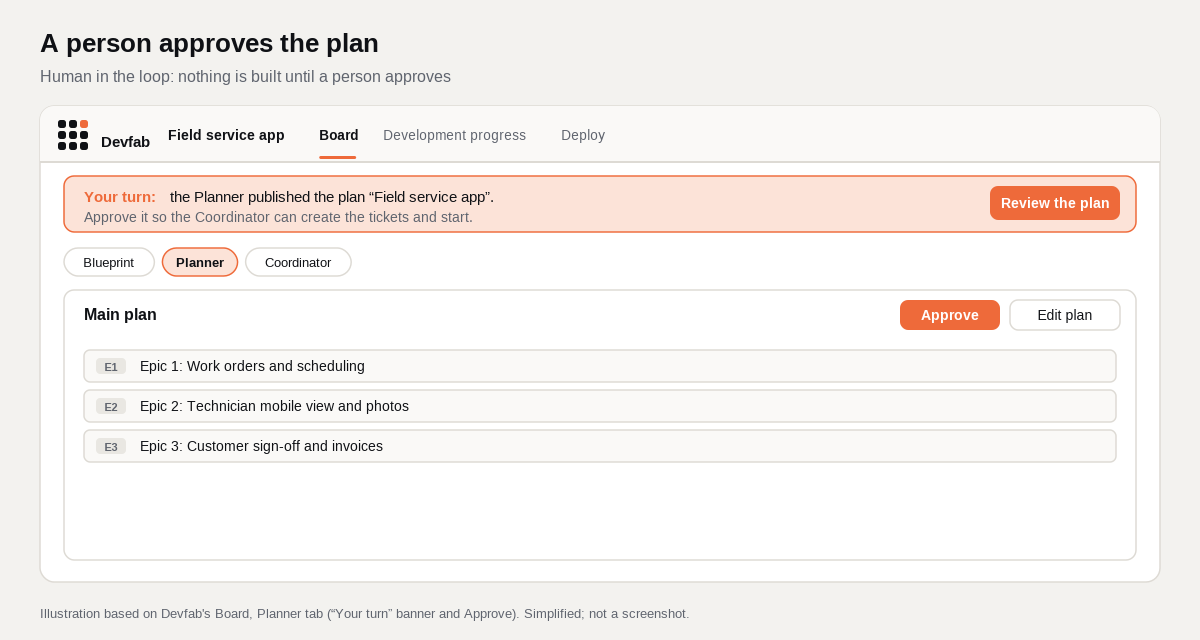
Devfab is an AI software factory. Its research step maps your domain first: key terms, best practices for that kind of app and competitors. A person approves the plan, the Coordinator creates tickets, and the QA agent runs UI and flow tests plus logic tests. Code lives in your own GitHub account (or your organization's).
Devfab's honest limits: it is new and in Beta, with a smaller community and fewer integrations. It has no visual editor and is not an editor for hands-on coding. It needs a GitHub account. Its default stacks are for web apps and APIs, so for a native-mobile-first product FlutterFlow is the more direct tool. Read Devfab vs FlutterFlow for the head-to-head.
FAQ
What changed at FlutterFlow in November 2026?
On November 3 to 4, 2026, the classic visual builder was renamed FlutterFlow Studio, and the name FlutterFlow now refers to a new AI-agent builder for native iOS and Android apps. One subscription covers both. A Studio project cannot be moved into the new FlutterFlow.
Can I export code from Bubble or FlutterFlow?
Bubble: no. Its manual says apps can only run on the Bubble platform; you can export data as CSV or via the API. FlutterFlow: yes. In FlutterFlow Studio, code and APK download start on the Basic plan, push to GitHub needs Pro or Max, and FlutterFlow says you can export clean Flutter whenever you want. The pricing page lists these as Studio features.
Does FlutterFlow have a built-in database?
The new FlutterFlow includes a backend, sign-in, file storage and analytics. FlutterFlow Studio connects to Firebase or Supabase. Comparisons written before November 2026, including Bubble's own, describe only the Studio setup.
Which is better for a web app?
Bubble, in most cases. The new FlutterFlow targets iPhone and Android only; web output needs FlutterFlow Studio. Bubble builds web apps first and adds iOS and Android apps on the same backend, labeled beta.
Read next
- What is an AI software factory?
- Devfab vs FlutterFlow
- FlutterFlow alternatives
- Bubble alternatives
- Bubble vs Lovable
Need a plan, tests and a deploy you control? Try Devfab Beta
Sources (checked November 13, 2026): Two ways to build. One FlutterFlow. (FlutterFlow community, Nov 2026); HackerNoon: FlutterFlow launches AI-native app builder (Nov 5, 2026); FlutterFlow homepage; FlutterFlow pricing; FlutterFlow docs; What the FlutterFlow agent can do; FlutterFlow Studio docs; Bubble homepage; Bubble pricing: compare plans; Bubble for Enterprise; Bubble manual: application and data ownership; What is Bubble AI? (Bubble, Aug 19, 2026); Bubble vs FlutterFlow (Bubble, Jul 31, 2026).
Frequently asked questions
What changed at FlutterFlow in November 2026?
On November 3 to 4, 2026, the classic visual builder was renamed FlutterFlow Studio, and the name FlutterFlow now refers to a new AI-agent builder for native iOS and Android apps. One subscription covers both. A Studio project cannot be moved into the new FlutterFlow.
Can I export code from Bubble or FlutterFlow?
Bubble: no. Its manual says apps can only run on the Bubble platform; you can export data as CSV or via the API. FlutterFlow: yes. In FlutterFlow Studio, code and APK download start on the Basic plan, push to GitHub needs Pro or Max, and FlutterFlow says you can export clean Flutter whenever you want. The pricing page lists these as Studio features.
Does FlutterFlow have a built-in database?
The new FlutterFlow includes a backend, sign-in, file storage and analytics. FlutterFlow Studio connects to Firebase or Supabase. Comparisons written before November 2026, including Bubble's own, describe only the Studio setup.
Which is better for a web app?
Bubble, in most cases. The new FlutterFlow targets iPhone and Android only; web output needs FlutterFlow Studio. Bubble builds web apps first and adds iOS and Android apps on the same backend, labeled beta.