Short answer: Airtable wins when a business team wants to build and edit data-backed apps itself, with Omni creating bases, interfaces and automations on Airtable. Devfab wins when you deliver a custom app for a client and need code in your own GitHub, tested user flows and deployment to your own server.
Your client loves their Airtable base. It runs half the business. Now they want a proper app: a portal for customers, a form that checks rules, something that runs on their own server. You can stretch the base further, or build software they own. The choice matters more in 2026, because Airtable changed owners this year.
In this comparison:
- What each tool is built for
- Switching triggers
- Cost model by team size
- Where Airtable is the better choice
- Where Devfab is the better choice
Use the sections below to decide which job you have.
What each tool is built for
Airtable
Status, November 2026: Bending Spoons closed its acquisition of Airtable in early September 2026. On October 12, Airtable announced layoffs of much of the pre-acquisition team and said plans and pricing were unchanged (Airtable newsroom; Airtable community). The Fall Release followed on October 21 (Airtable community).
Airtable is a no-code database and app platform. Its AI assistant, Omni, builds on top of it:
- Omni builds the app. It creates tables, fields, records, automations, dashboards and interface pages, and you can start with "Build an app with Omni" (Airtable support).
- Omni 2.0 (October 2026, all plans) builds data models from spreadsheets, PDFs and images, sets up Field Agents and writes automation scripts (Fall Release).
- Custom elements are AI-generated interface elements, out of beta since April 2026. Their source code can be edited in the browser or downloaded (Airtable community).
- Airtable Canvas (open beta) builds custom apps and dashboards on live base data and asks for approval before adding tables or fields (Fall Release).
- Safeguards. Omni asks before deleting and leaves publishing interfaces and turning on automations to you (Airtable support).
- Connections. Airtable MCP lets Claude, ChatGPT, Gemini and Cursor work with your bases, and admins can switch MCP on or off for the whole org (Fall Release).
Airtable's main user is a business team that wants to own and edit its data and workflows.
Devfab
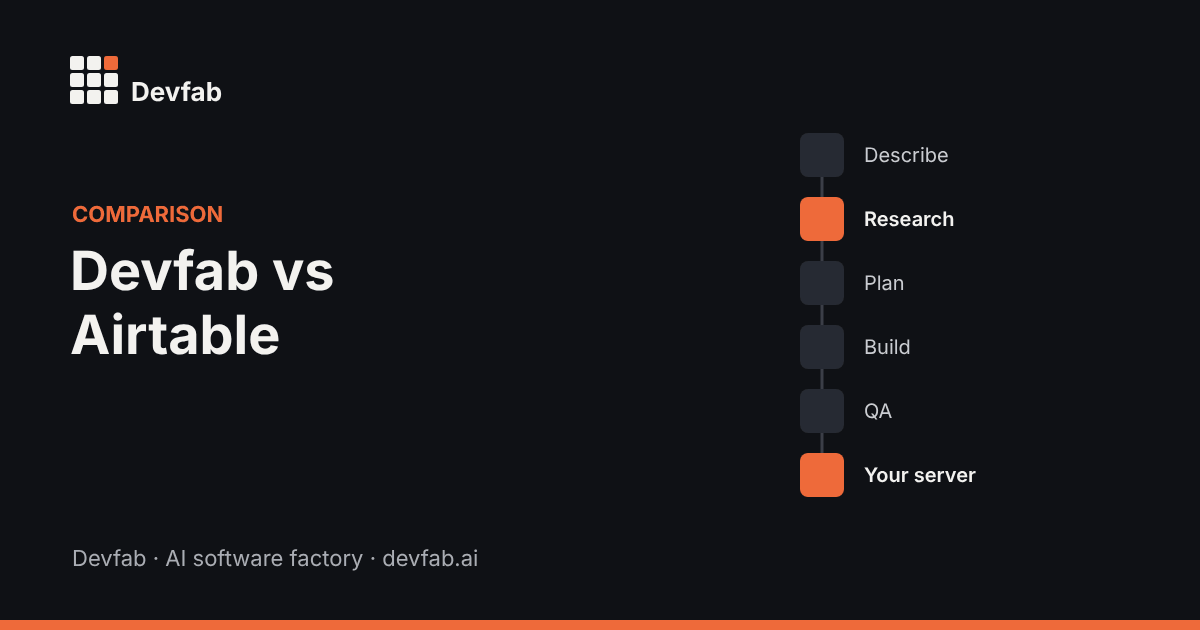
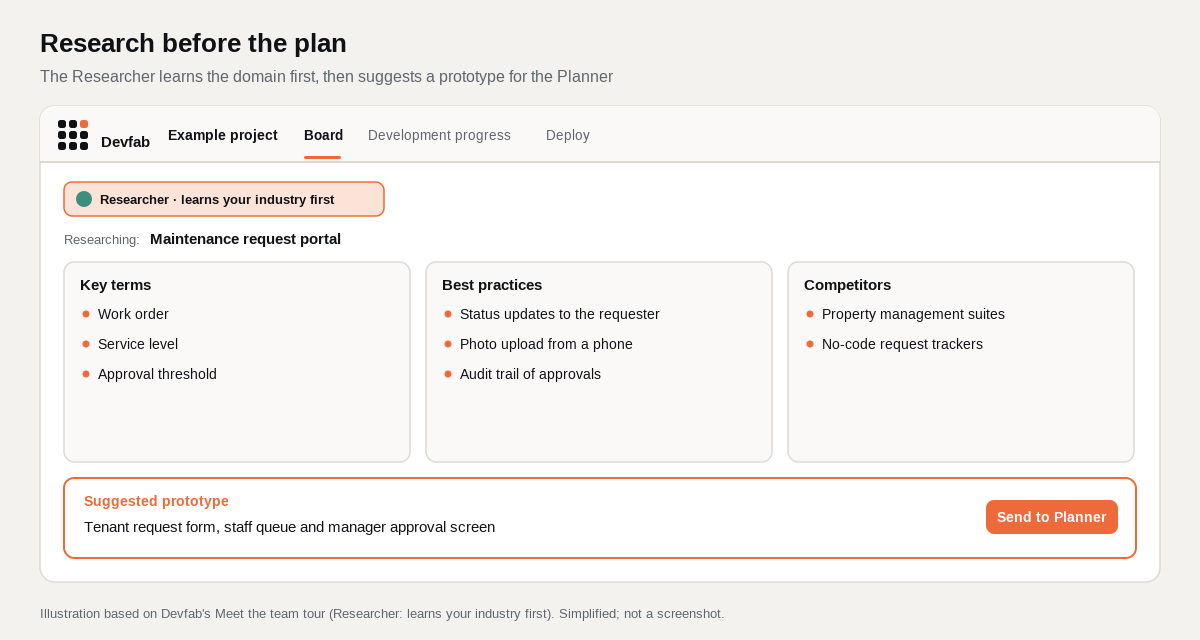
Devfab is an AI software factory. It produces a coded app in a GitHub repository in your own account or your organization's. The Researcher maps the domain first: key terms, best practices for that kind of app and competitors, then suggests a prototype. The Planner writes the plan, and a person approves it. The Coordinator creates tickets for dev agents, Blueprint produces screens, the QA agent runs UI, flow and logic tests, and Deploy ships to your own server. Devfab also produces blueprints, sequence flows and user manuals.
App builders automate the first version. Devfab automates the development lifecycle.
Switching triggers
| Trigger | Airtable | Devfab | Source |
|---|---|---|---|
| Ownership change raises questions | Acquired by Bending Spoons (closed early Sep 2026); layoffs announced Oct 12 | Code in your own GitHub account; app on your own server | Airtable newsroom |
| The screen you need isn't supported | Omni can't create new views or syncs; Gantt, blank layouts and forms in interfaces not supported | Blueprint designs screens; dev agents build them in code | Airtable support |
| Regulated or non-US data | Canvas is unavailable for HIPAA-compliant or non-US-data organizations | Deploy to your own server | Fall Release |
| Secrets in custom code | Third-party credentials in custom elements are visible to all element users | Code lives in your repository, where your team reviews it | Airtable community |
| Leaving later is hard | No single-file base export; each table downloads as its own CSV, without comments or field descriptions | The repository is yours from the first ticket | Airtable support |
| Cost grows with every user | Plans billed per billable collaborator; Free caps records, automation runs and editors | Cost logged after each run, per task and per project | Airtable plans |
Cost model by team size
| Team size | Airtable | Devfab |
|---|---|---|
| 1 person | Free plan (caps on records per base, automation runs and editors), or Team | Cost logged per task and per project (Beta) |
| 5 people | Team or Business, billed per billable collaborator, with monthly AI credits per editor-level user, pooled | Cost logged per task and per project (Beta) |
| 25 people | Business or Enterprise Scale (sales-led); agent audit logs on Enterprise | Cost logged per task and per project (Beta) |
From Airtable's plans overview and AI billing page, as of November 2026: building apps, agents and bases with Omni does not use AI credits; Omni Q&A does. Check Airtable's pricing for current amounts. Devfab is in Beta and offers predictable cost: cost is logged after each run, per task and per project.
Moving from Airtable to Devfab
An Airtable app is not a code repository, so this is a rebuild, not an import.
- Export your data. In each grid view, choose "Download CSV" from the view menu. Remove filters first to get every record. Each table downloads as its own file (Airtable support).
- Save what you built. Download the source of any custom elements and take screenshots of your interfaces.
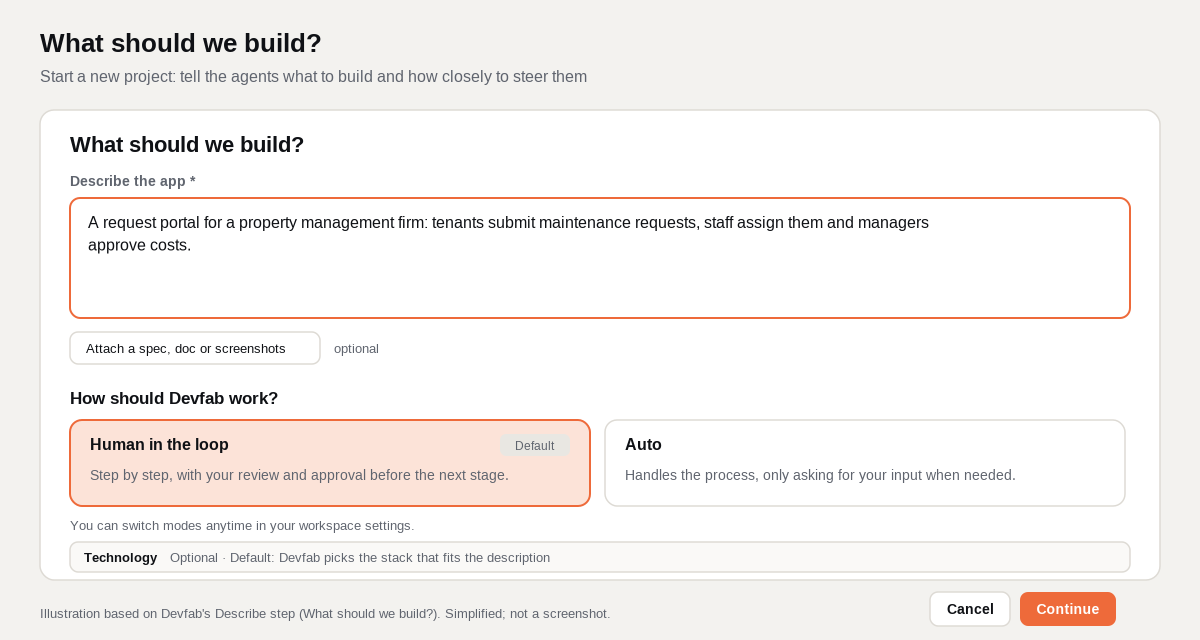
- In Devfab, choose "Start a new project". Describe the app under "What should we build?" and attach the CSV files and screenshots.
- Review the research and the plan. The Researcher maps the domain; the Planner writes the plan. Check it includes a ticket for importing your data, then approve it. The repository is created in your own GitHub account or your organization's.
- Let the QA agent test it. It runs UI, flow and logic tests, for example "staff member submits a request, a manager approves it, the requester is notified".
- Deploy to your own server, with a custom domain if you want one.
Later changes go through "Work on an existing project", where ChainFlow maps the code and shows what each change touches.
Where Airtable is the better choice
- Your team edits the data itself. Records, views and simple workflows change daily, and nobody wants a ticket for each change.
- The work already runs in Airtable and you want AI-built interfaces on that same data.
- A quick internal tracker where nobody wants a repository, a server or a deployment.
- Everyone needs to ask questions of the data. Omni works for builders, editors and viewers and respects permissions.
- You want other AI tools on your data. Airtable MCP connects Claude, ChatGPT, Gemini and Cursor to your bases.
Where Devfab is the better choice
- The client must own the app. Code in your GitHub account or theirs, deployed to their server, with no platform seat per user.
- The app needs custom screens and rules that a no-code interface can't express.
- Research before the plan. For a domain like a patient intake or a 311 portal, the research step maps terms, best practices and competitors first.
- Tested flows, not just tables. The QA agent clicks through screens and user journeys and runs logic tests.
- Docs for handover. Blueprints, sequence flows and user manuals come with the project.
Where Devfab is weaker: it is new and in Beta, with a smaller community and far fewer integrations than Airtable. Non-technical staff can't edit the app's structure the way they edit a base; changes go through a plan and tickets. It needs a GitHub account and a server to deploy to.
FAQ
Did the Bending Spoons acquisition change Airtable's plans or pricing?
Airtable said plans and pricing were unchanged when it announced layoffs on October 12, 2026, after Bending Spoons closed the acquisition in early September. The product is active and shipped its Fall Release, with Omni 2.0 and the Airtable Canvas beta, on October 21.
Can I export an Airtable app to code?
Not as a whole. You can download each grid view as a CSV file, one table at a time, and download the source code of AI-generated custom elements. A whole base cannot be exported as one file, and Omni cannot export data. With Devfab, the app is code in your own GitHub account from the first ticket.
Is Devfab a replacement for Airtable?
Only for some jobs. If your team wants to edit data, views and simple workflows itself, Airtable is the better tool. Devfab fits when you need a custom app with its own code, tested user flows and deployment to your own server, for example a client portal or a booking system.
How do I move an Airtable app to Devfab?
It is a rebuild, not an import. Download each table as CSV, take screenshots of your interfaces, then start a new project in Devfab, describe the app and attach those files. The Researcher and Planner produce a plan, a person approves it, and the QA agent tests the result before you deploy.
Read next
- What is an AI software factory?
- Internal tool builder vs custom app: which fits your team?
- No-code vs AI app builders: which fits your project?
- Retool alternatives
- Build a CRM for a small agency with AI agents
See a client app planned, tested and deployed to your own server. Book a Devfab demo
Sources (checked November 13, 2026): Back to bases, Airtable newsroom (Oct 12, 2026); An update on Airtable's team (Oct 12, 2026); Fall Release: Omni 2.0, Airtable Canvas, MCP, agent audit logs (Oct 21, 2026); AI-generated custom elements out of beta (Apr 14, 2026); Using Omni AI in Airtable; Download a view to CSV; Airtable AI billing; Airtable plans overview.
Frequently asked questions
Did the Bending Spoons acquisition change Airtable's plans or pricing?
Airtable said plans and pricing were unchanged when it announced layoffs on October 12, 2026, after Bending Spoons closed the acquisition in early September. The product is active and shipped its Fall Release, with Omni 2.0 and the Airtable Canvas beta, on October 21.
Can I export an Airtable app to code?
Not as a whole. You can download each grid view as a CSV file, one table at a time, and download the source code of AI-generated custom elements. A whole base cannot be exported as one file, and Omni cannot export data. With Devfab, the app is code in your own GitHub account from the first ticket.
Is Devfab a replacement for Airtable?
Only for some jobs. If your team wants to edit data, views and simple workflows itself, Airtable is the better tool. Devfab fits when you need a custom app with its own code, tested user flows and deployment to your own server, for example a client portal or a booking system.
How do I move an Airtable app to Devfab?
It is a rebuild, not an import. Download each table as CSV, take screenshots of your interfaces, then start a new project in Devfab, describe the app and attach those files. The Researcher and Planner produce a plan, a person approves it, and the QA agent tests the result before you deploy.