Short answer: Warp is an agentic development environment: an open-source terminal built for working with agents, plus Warp Factories for running agent pipelines that turn issues into pull requests. Devfab is a software factory for whole projects: research, a plan a person approves, dev agents, UI and flow tests, and deploy to your server. Engineering teams fit Warp; delivery teams fit Devfab.
Your engineers want agents working across every repository you own. Your clients want a plan they can read and an app on their server. Warp and Devfab both use the word factory now, which blurs the choice. One gives you the parts to build a pipeline; the other is the pipeline. This page sets them side by side, with sources for every claim.
In this comparison:
- What each tool is built for
- Same-task test: what each would produce
- Comparison table
- When to choose Warp
- When to choose Devfab
The rest of this page covers it in order.
What each tool is built for
Warp
Warp is best known for its terminal, and it now calls itself "the agentic development environment". It has three parts.
- Warp Terminal. An open-source terminal designed for working with agents. Its agent, Oz, can write and edit code, debug errors and run shell commands. You set how much it can do on its own for each kind of action, from "Let the agent decide" to "Always prompt for confirmation". You can run several agents at once, and run third-party CLI agents such as Claude Code or Codex inside Warp. Warp's docs also list a built-in code editor with a file tree, language server support and a Code Review panel for diffs.
- Cloud agents. The same agent can run in the cloud, react to events from Slack, Linear or GitHub, and run on schedules. Runs are tracked and auditable, which suits PR reviews and issue triage.
- Warp Factories. Warp's newest product, pitched as "software factory infrastructure". You define workflows as code. A foreman agent routes each work item through triage, planning (a spec agent), building (an implement agent that opens a pull request with test and visual evidence) and review (an advisory review agent), then hands off to a person. By default a factory pauses for spec approval, for unclear questions and at merge. Warp says "the factory never merges on your behalf". Runs execute on Warp's cloud or, for Enterprise, self-hosted.
Warp is open at the model layer: "any model", chosen per pipeline stage. Factory pricing is usage-based, per agent run. Enterprise adds SSO, role-based access, budget caps per team or factory and SOC 2.
Its main users are developers and engineering platform teams who want to run many agents across their repos.
Devfab
Devfab is an AI software factory in the autonomous software lifecycle category. Coding agents automate the developer. Devfab automates the development lifecycle.
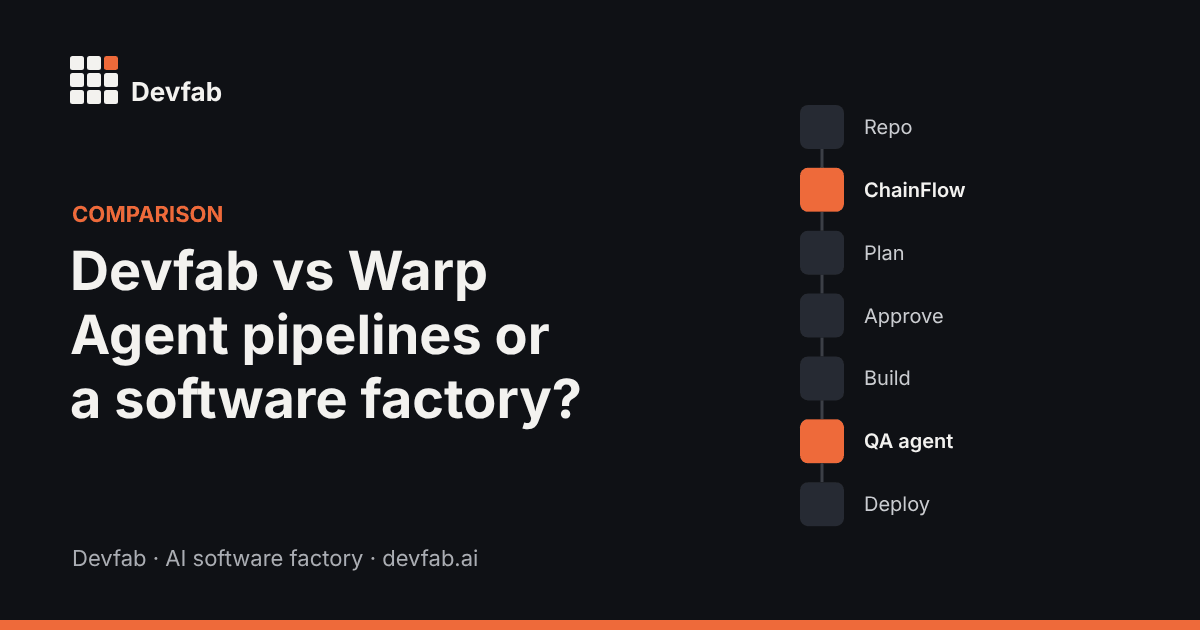
Warp Factories gives you the parts to build your own pipeline. Devfab is the pipeline, set up for taking a project from idea to a deployed app, with seven agents: Researcher, Planner, Coordinator, Developers, Blueprint, QA agent and Deploy.
- Research before the plan. The Researcher maps the domain (key terms, best practices, competitors) and suggests a prototype before the Planner writes anything. Warp's triage agent scopes a request; Devfab's research step learns the industry.
- ChainFlow. Devfab maps which functions and APIs call each other and what is deployed, so dev agents see what a change touches.
- QA agent for UI and flows. It clicks through screens, buttons and user journeys and runs logic tests. With "QA agent · review before Done", nothing closes until QA checks it.
A person approves the plan. Code lives in your own GitHub account (or your organization's). Deploy ships the app to your own server.
Same-task test: what each would produce
One brief, on an app the agency already maintains: "Our field service work order app needs a job sign-off step. The technician adds photos and the customer signs on the phone. The customer gets a PDF report by email."
[TEST DATA TODO: run the same spec through Warp and Devfab; add what each produced]
With Warp, a developer could open the repo in Warp Terminal and ask the agent to build it, approving commands as it goes. Or, with a factory set up, someone files the request in Linear or Slack. Based on Warp's docs, the triage agent scopes it, the spec agent writes behavior and validation criteria, a person approves the spec, and the implement agent opens a pull request with test and visual evidence. The review agent checks it, and the team decides whether to merge. Deploying the change and updating user docs stay with the team's own pipeline.
With Devfab, the agency picks "Work on an existing project" and connects the repo. ChainFlow maps the code first, so the dev agents can see that sign-off touches more than one screen.
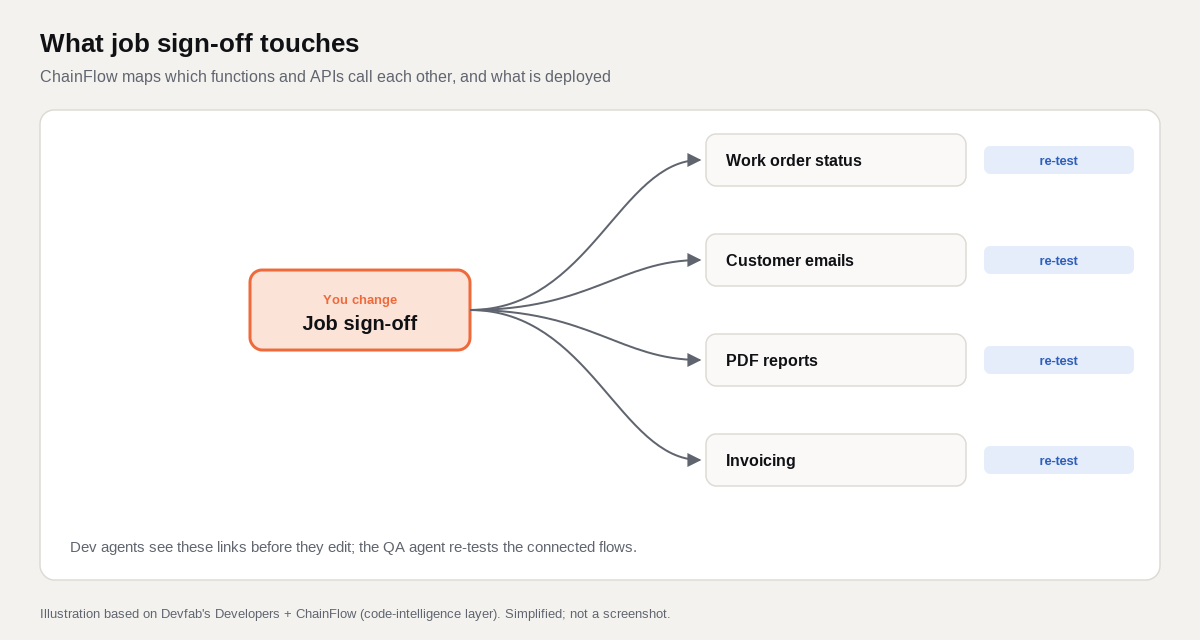
The Planner writes the plan and a person approves it. The Coordinator creates tickets. The QA agent tests the full journey: technician completes the job, adds photos, customer signs, PDF arrives. Then Deploy ships to the client's own server.
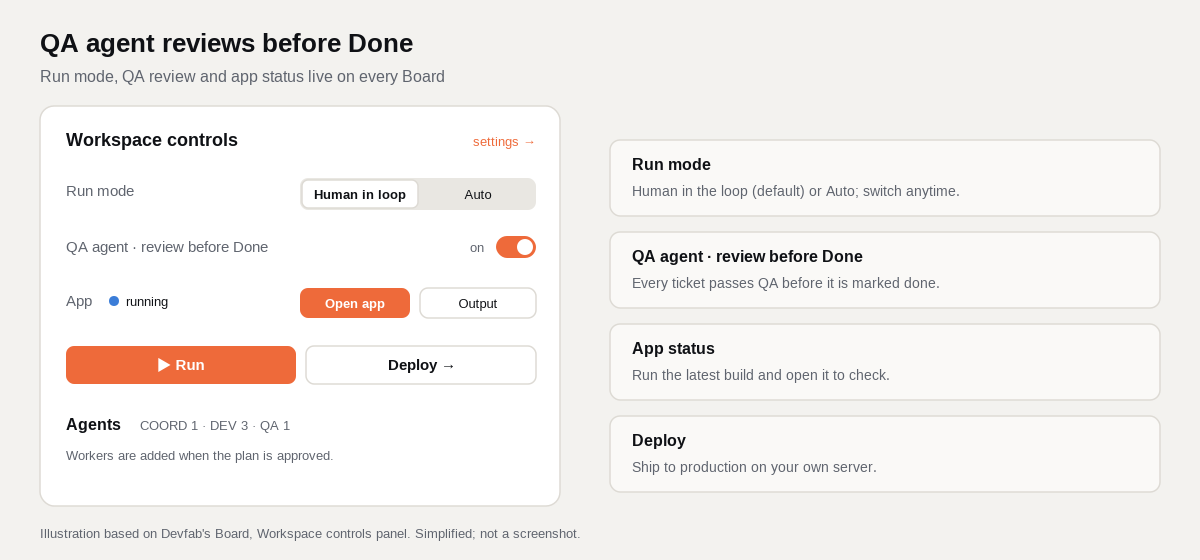
Both end with reviewed code. Warp ends at a pull request your team merges and ships. Devfab carries on to tests, deployment and docs.
Comparison table
| Aspect | Warp | Devfab |
|---|---|---|
| Planning | Agent planning in the terminal; spec agent in Factories | Planner writes the plan; Coordinator turns it into tickets |
| Research before planning | Triage agent researches and scopes each request | Researcher maps terms, best practices and competitors, then suggests a prototype |
| Human approval | Per-action permissions; spec approval and merge gates in Factories | A person approves the plan; Human in the loop is the default |
| Code | Agents edit code locally or in cloud runs; pull requests | Dev agents write to your GitHub repository |
| UI and flow tests | Pull requests include test and visual evidence; advisory review agent | QA agent runs UI, flow and logic tests; can gate Done |
| Deploy | Not part of the factory flow; ends at merge | Deploy to your own server, with optional custom domain |
| Docs | Not a built-in output | Blueprints, hi-fi designs, sequence flows, prototypes and user manuals |
| Team management | Shared Warp Drive; RBAC, budget caps, usage reporting | Roles, workspace permissions, Kanban and Gantt, Team Delivery Report |
| Model choice | Any model per stage; bring Claude Code, Codex or others | Choose the model for each agent or keep Devfab's default |
| Code ownership | Works in your repositories; self-hosting on Enterprise | Code in your own GitHub account; deploy to your own server |
| Cost visibility | Usage-based, per agent run; budget caps | Predictable cost: logged after each run, per task and per project |
| Existing codebases / impact of changes | Strong: runs across many repos; review agent checks requirements | ChainFlow maps calls and deployments; suggests three first tickets |
When to choose Warp
Warp is the better choice when:
- Your developers live in the terminal and want agents there, with fine control over what each agent may run.
- You want to run several agents, including third-party ones, side by side in one place.
- You have an engineering platform team that wants to design its own factory as code, with its own stages, scorers and benchmarks.
- The work is issue-to-PR across many repos: bug fixes, backlog items, support defects and PR reviews.
- You need enterprise controls at scale: self-hosted runners, budget caps per team, model allowlists.
When to choose Devfab
Devfab is the better choice when:
- The work is a whole project, not a stream of issues, and it starts from an idea or a client brief.
- A client or product owner approves the plan, and they need to read it in plain language.
- You need UI and flow tests across user journeys, and a report you can show the client.
- The app ships to the client's server, and deployment is part of the job.
- You want a factory without building one. Research, plan, tickets, QA and deploy are already in place.
- You quote projects and need predictable cost, logged per task and per project.
Where Devfab is weaker: it's new and in Beta, with a smaller community and fewer integrations than Warp, which connects to Slack, Linear, Jira, GitHub and GitLab. It is not a terminal or an editor for hands-on coding, and you can't redesign its pipeline as code the way Warp Factories allows. You need a GitHub account.
Can you use both?
Yes. Developers can keep Warp as their terminal and agent workspace while the team runs client projects through Devfab. Since the code sits in your GitHub repository, a fix made in Warp shows up in the same repo Devfab works on.
FAQ
Warp now talks about software factories too. How is Devfab different?
Warp Factories is infrastructure: your engineering team defines its own agents, automations and gates as code, and work flows from an issue to a pull request. Devfab is a ready-made factory for whole projects, with research before the plan, a person approving the plan, a QA agent for UI and flow tests, and deployment to your own server.
Is Warp or Devfab better for developers?
Warp, for hands-on work. Its terminal is built for working with agents, and you can run Warp's own agent or other CLI agents inside it. Devfab is not an editor or terminal. It suits teams that want a planned, tested and deployed project, with non-developers taking part.
Which is better for a software agency?
If the agency has a strong engineering team that wants to automate issue-to-PR work across many repos, Warp Factories fits. If it needs client-approved plans, UI and flow test reports, deployment to client servers, user manuals and cost per project, Devfab is designed for that.
Do both let me pick the AI model?
Yes. Warp says you can choose any model per pipeline stage and bring agents like Claude Code or Codex. In Devfab, you can choose the model for each agent or keep Devfab's default.
Read next
- What is an AI software factory?
- AI software factory vs AI coding tools
- How to use AI agents on a large existing codebase
- Build log: a field service work order app
- Warp alternatives for teams that ship to production (2026)
- Warp vs Cursor: an AI terminal with a multi-agent factory vs an AI editor
Bring a client repo and see what ChainFlow maps first. Book a Devfab demo
Sources (checked November 2026): Warp home page; Warp docs: Agents in Warp; Warp docs: Factories overview; Warp docs: How factories work; Warp for enterprise; Warp docs: Code overview.
Frequently asked questions
Warp now talks about software factories too. How is Devfab different?
Warp Factories is infrastructure: your engineering team defines its own agents, automations and gates as code, and work flows from an issue to a pull request. Devfab is a ready-made factory for whole projects, with research before the plan, a person approving the plan, a QA agent for UI and flow tests, and deployment to your own server.
Is Warp or Devfab better for developers?
Warp, for hands-on work. Its terminal is built for working with agents, and you can run Warp's own agent or other CLI agents inside it. Devfab is not an editor or terminal. It suits teams that want a planned, tested and deployed project, with non-developers taking part.
Which is better for a software agency?
If the agency has a strong engineering team that wants to automate issue-to-PR work across many repos, Warp Factories fits. If it needs client-approved plans, UI and flow test reports, deployment to client servers, user manuals and cost per project, Devfab is designed for that.
Do both let me pick the AI model?
Yes. Warp says you can choose any model per pipeline stage and bring agents like Claude Code or Codex. In Devfab, you can choose the model for each agent or keep Devfab's default.