Short answer: Kilo Code wins when developers want a free, open-source coding agent in VS Code, JetBrains or the terminal, with hundreds of models at provider rates. Devfab wins when a team ships client projects and needs a researched plan a person approves, a QA agent, deployment to your own server and cost logged per task and per project.
Your developers picked an open-source agent because they want control: any model, their own keys, no lock-in. Fair. But control of the agent is not control of the project. Someone still has to write the plan, split the work, test the flows and explain the bill to the client. That job lands on a person unless a tool takes it on.
In this comparison:
- What each tool is built for
- Switching triggers
- Cost model by team size
- Where Kilo Code is the better choice
- Where Devfab is the better choice
The sections below follow that order.
What each tool is built for
Kilo Code
Status, November 2026: Kilo rebuilt its VS Code extension on the open-source OpenCode server, and the new version became the default on April 2, 2026 (Kilo blog). After Roo Code shut down in April 2026, Kilo published a migration path for Roo users (Kilo blog).
Kilo Code is an open-source, model-agnostic coding agent. What a team gets:
- Where it runs. An open-source extension for VS Code and JetBrains IDEs (Kilo docs), the Kilo CLI and Cloud Agents (Kilo blog). Sessions carry across the CLI and VS Code (Kilo blog).
- Many agents at once. Agent Manager runs several agent tabs, can isolate agents in git worktrees, and supports parallel tool calls and parallel or custom subagents (Kilo blog).
- Review and comparison. A built-in diff reviewer with line-level comments, and a multi-model comparison that runs one prompt on several models (Kilo blog).
- Model choice. The Kilo Gateway offers 500+ models from 60+ providers. You can also bring your own keys or run local models through Ollama or LM Studio (Kilo pricing).
- Team controls. Teams adds usage analytics, an AI adoption score, shared agents, shared keys and centralized billing. Enterprise adds model and provider limits, audit logs, SSO, OIDC, SCIM and SLAs (Kilo pricing).
Kilo says its previous extension served over 2.2 million developers (vendor claim, Kilo blog). Its main user is a developer who steers the agent.
Devfab
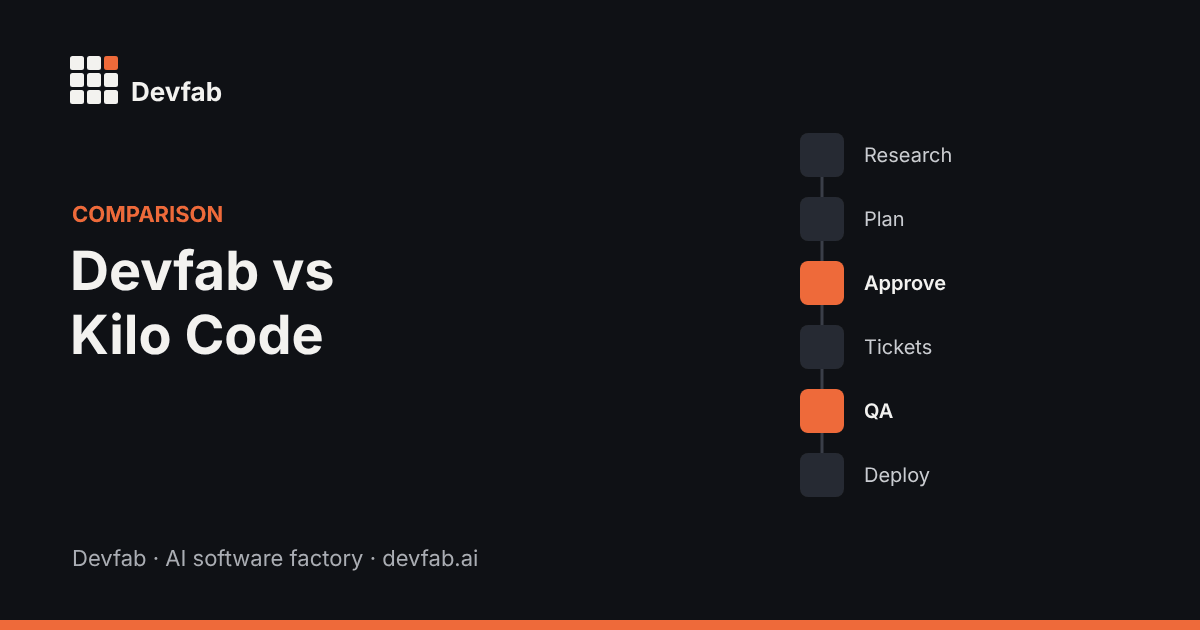
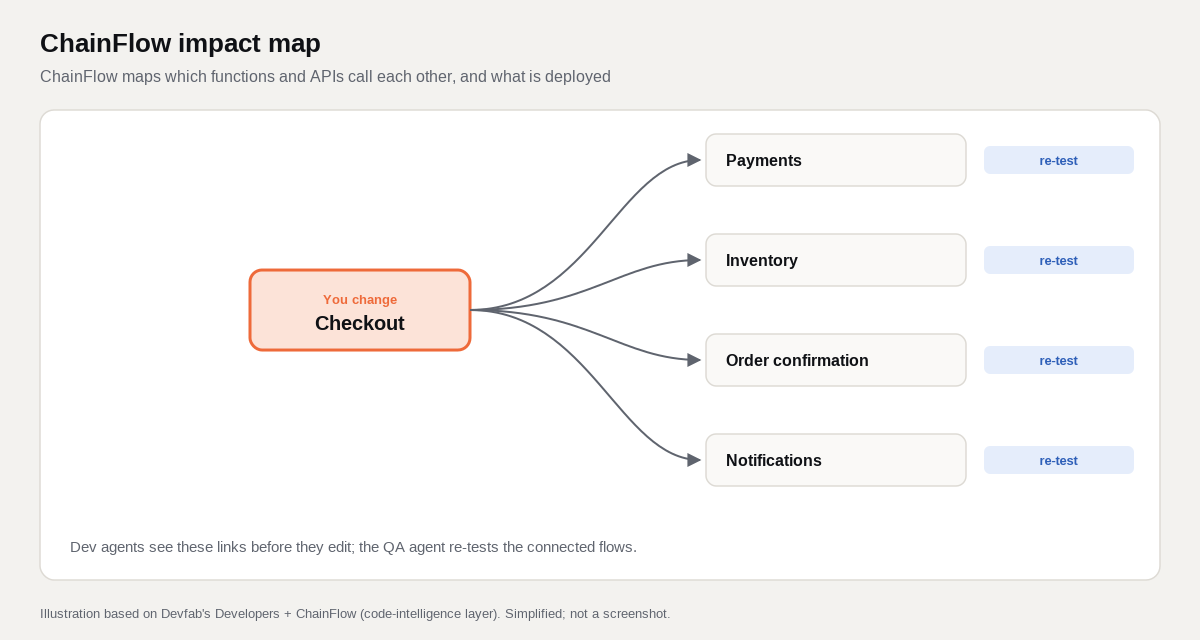
Devfab is an AI software factory. It runs a project, not a session. The Researcher maps the domain first: key terms, best practices and competitors, then suggests a prototype. The Planner writes the plan and a person approves it. The Coordinator creates tickets and assigns dev agents, who work with ChainFlow. ChainFlow maps which functions and APIs call each other and what is deployed, so agents see the impact of a change. Blueprint produces screens, the QA agent runs UI, flow and logic tests, and Deploy ships to your own server.
Coding agents automate the developer. Devfab automates the development lifecycle.
Switching triggers
| Trigger | Kilo Code | Devfab | Source |
|---|---|---|---|
| AI spend is hard to budget per client | Inference at provider rates, a 5% fee on credit purchases, no credits included with Teams or Enterprise | Cost logged after each run, per task and per project | Kilo pricing |
| Cloud work adds a second meter | Cloud agents and code review compute billed pay-as-you-go per second | Same per-task and per-project cost log | Kilo pricing |
| Coordinating agents falls on a developer | Agent Manager runs tabs and worktrees; the developer assigns the work | Coordinator turns the approved plan into tickets and assigns dev agents | Kilo blog |
| Questions about the vendor's future | A dated review notes GitLab's right of first refusal on acquisition offers and a broad product range for a small team | Code in your own GitHub account; app on your own server | rywalker.com, Jun 2026 |
| Bug backlog worries the team | 1,300+ open GitHub issues (Jun 2026) | Also young: in Beta, with a smaller community | rywalker.com, Jun 2026 |
| The client wants UI and flow test evidence | Diff review with line comments; UI and flow testing not covered in the docs we checked | QA agent runs UI, flow and logic tests; optional review before Done | Kilo blog |
Cost model by team size
| Team size | Kilo Code | Devfab |
|---|---|---|
| 1 person | Free open-source extension; pay for inference at provider rates, bring your own keys or run local models; optional Kilo Pass credit subscription | Cost logged per task and per project (Beta) |
| 5 people | Teams, billed per user; inference and cloud compute billed separately | Cost logged per task and per project (Beta) |
| 25 people | Teams, or Enterprise (custom) with SSO, SCIM, audit logs and model limits | Cost logged per task and per project (Beta) |
Pricing model from Kilo's pricing page and Kilo docs: About Plans, as of November 2026; check those pages for current per-user prices. Devfab is in Beta and offers predictable cost: cost is logged after each run, per task and per project.
Moving from Kilo Code to Devfab
- Get the code into your GitHub. Kilo Code already works in your repository through your editor or the CLI. Make sure that repository lives on GitHub, in your own account or your organization's.
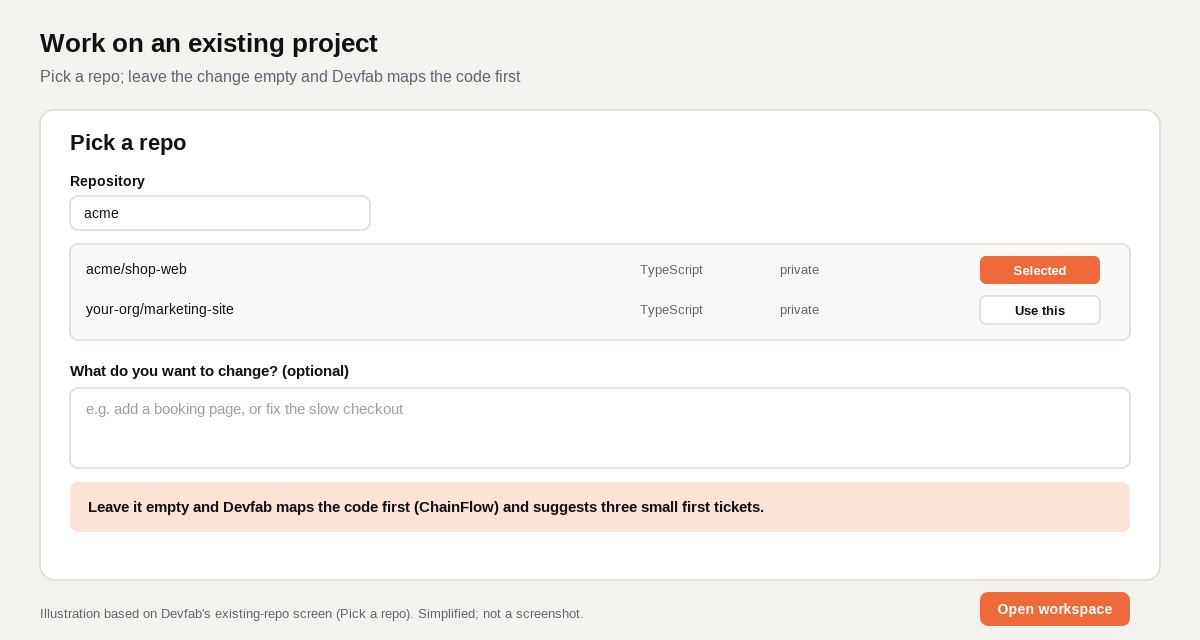
- In Devfab, choose "Work on an existing project" and pick the repository.
- Leave the change box empty. ChainFlow maps the code first, and Devfab suggests three small first tickets.
- Approve the plan. The Coordinator creates tickets and assigns dev agents.
- Keep "QA agent · review before Done" on. The QA agent runs UI, flow and logic tests before work is marked Done.
- Deploy to your own server when the QA report looks right.
Your developers can keep Kilo Code for hands-on work on the same repository.
Where Kilo Code is the better choice
- You want open source and full model freedom: 500+ models through one gateway, your own keys, or local models.
- Developers live in VS Code, JetBrains or the terminal and want the agent beside their own code.
- You are moving off Roo Code. Kilo published a migration path for Roo users.
- You want to compare models on the same prompt before choosing one for a task.
- You need governance over a bring-your-own-key agent: SSO, SCIM, audit logs and model or provider limits on Enterprise.
- The work is code-level (a refactor, a bug, a test) and a project plan would slow it down.
Where Devfab is the better choice
- You deliver projects, not prompts. Research, an approved plan, tickets, QA, deployment and docs run the same way on every project.
- Research before the plan. The research step maps terms, best practices and competitors for that kind of app.
- Changes to live client apps. ChainFlow shows what a change to checkout touches, such as payments, inventory, order confirmation and notifications.
- Test evidence for the client. The QA agent runs UI and flow tests end to end, plus logic tests.
- Non-developers take part. A client or project manager approves the plan and reads the QA report.
- Cost per client. Cost is logged per task and per project, which makes quoting the next project easier.
Where Devfab is weaker: it is new and in Beta, with a smaller community and fewer integrations than Kilo Code. It is not open source, and it is not an editor for hands-on coding. It needs a GitHub account. You can choose the model for each agent or keep Devfab's default, but it does not offer a 500-model gateway.
FAQ
Is Kilo Code free?
The Kilo Code extension is free and open source. You pay for model usage: through Kilo's gateway at provider rates (with a processing fee on credit purchases), with your own API keys, or with local models. Teams is billed per user and Enterprise is custom, and neither includes credits.
Can I keep using Kilo Code if my agency adopts Devfab?
Yes. Kilo Code runs in your editor or terminal on your repository. Devfab works in a GitHub repository in your own account or your organization's. Developers can keep Kilo Code for hands-on work while projects run through Devfab's plan, tickets, QA and deploy steps.
Kilo Code runs several agents in parallel. Isn't that the same as Devfab's team of agents?
Not quite. Kilo's Agent Manager lets a developer run several agent tabs, isolate them in git worktrees and use subagents. The developer decides what each agent does. In Devfab, a person approves a plan and the Coordinator turns it into tickets and assigns dev agents, with a separate QA agent checking the work.
What happened to Roo Code users?
Roo Code shut down in April 2026, and Kilo published a migration path for Roo Code users. If you want a close successor to Roo inside VS Code, Kilo Code is the natural pick. If you want a managed project lifecycle instead, look at Devfab.
Read next
- What is an AI software factory?
- AI software factory vs AI coding tools
- Kilo Code vs Cline: which should your team use in 2026?
- Open-source vs commercial AI coding agents: how to choose
- Build a CRM for a small agency with AI agents
See how Devfab runs a client project around the code. Book a Devfab demo
Sources (checked November 13, 2026): The New Kilo Code for VS Code Is Now Generally Available, Kilo blog (Apr 2, 2026); Thank you, Roo, Kilo blog (Apr 21, 2026); Kilo pricing; Kilo docs: About Plans; Kilo research note, rywalker.com (Jun 2026).
Frequently asked questions
Is Kilo Code free?
The Kilo Code extension is free and open source. You pay for model usage: through Kilo's gateway at provider rates (with a processing fee on credit purchases), with your own API keys, or with local models. Teams is billed per user and Enterprise is custom, and neither includes credits.
Can I keep using Kilo Code if my agency adopts Devfab?
Yes. Kilo Code runs in your editor or terminal on your repository. Devfab works in a GitHub repository in your own account or your organization's. Developers can keep Kilo Code for hands-on work while projects run through Devfab's plan, tickets, QA and deploy steps.
Kilo Code runs several agents in parallel. Isn't that the same as Devfab's team of agents?
Not quite. Kilo's Agent Manager lets a developer run several agent tabs, isolate them in git worktrees and use subagents. The developer decides what each agent does. In Devfab, a person approves a plan and the Coordinator turns it into tickets and assigns dev agents, with a separate QA agent checking the work.
What happened to Roo Code users?
Roo Code shut down in April 2026, and Kilo published a migration path for Roo Code users. If you want a close successor to Roo inside VS Code, Kilo Code is the natural pick. If you want a managed project lifecycle instead, look at Devfab.