Short answer: OpenCode wins when a developer wants a free, MIT-licensed agent in the terminal, desktop or phone, working with 200+ model providers or an existing subscription. Devfab wins when a team delivers client projects and needs a researched plan a person approves, QA tests on real user flows, deployment to your own server and cost logged per project.
You found an agent that costs nothing, runs any model and lives in your terminal. For a developer, that is close to ideal. For an agency owner, the questions are different. Who approved this change? Which user journeys were tested? What did the client's project cost? A free agent doesn't answer them, and someone on your team ends up doing it by hand.
In this comparison:
- What each tool is built for
- Switching triggers
- Cost model by team size
- Where OpenCode is the better choice
- Where Devfab is the better choice
The rest of this page covers it in order.
What each tool is built for
OpenCode
Status, November 2026: active. The GitHub repository moved from sst/opencode to anomalyco/opencode (GitHub; rywalker.com). Kilo Code's VS Code extension is now built on the OpenCode server (Kilo blog).
OpenCode is an open-source coding agent that runs on your machine. The facts that matter for a team:
- Interfaces. A terminal UI, a desktop app for macOS, Windows and Linux, a mobile app, and an SDK for scripts and CI (opencode.ai). The desktop app is marked beta (GitHub).
- Built-in agents. "build" has full access; "plan" is read-only, denies edits by default and asks before bash commands; a "general" subagent handles side tasks (GitHub).
- Features. Multiple parallel agents on one project, MCP servers, plugins, custom agents, skills, custom commands, permissions and undo/redo (opencode.ai).
- Model choice. 200+ providers through Models.dev, including local models. It can also use an existing ChatGPT Plus or Pro or GitHub Copilot subscription (opencode.ai).
- License and reach. MIT license, with 225.7k GitHub stars (GitHub). OpenCode claims 22M+ monthly developers and 1,000+ contributors (vendor claims, opencode.ai).
- Hosted models. OpenCode Zen is an optional pay-as-you-go catalog of tested models. Workspaces support member invites, model enablement and per-member budgets, and models are hosted in the US and EU (OpenCode Zen docs).
In January 2026 OpenCode added ChatGPT login after Anthropic blocked third-party tools from using Claude subscription credentials (rywalker.com). Its main user is a developer who drives each task.
Devfab
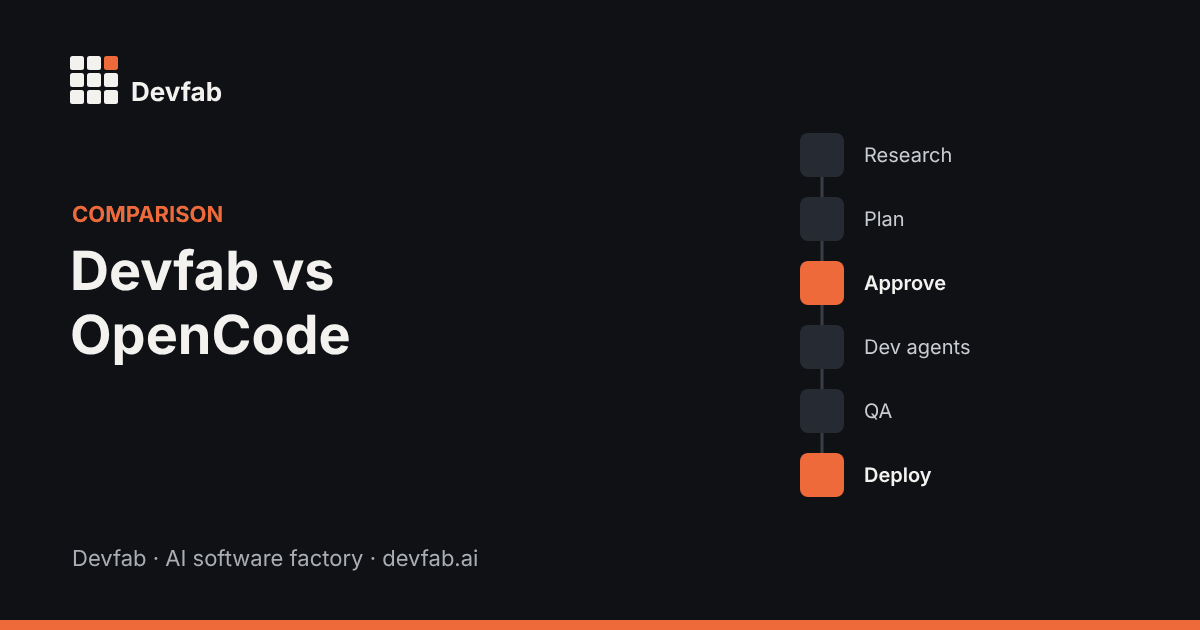
Devfab is an AI software factory. Its unit of work is a project. Before any plan, the Researcher maps the domain: key terms, best practices for that kind of app and competitors, then suggests a prototype. The Planner writes the plan, and a person approves it. The Coordinator splits it into tickets and assigns dev agents, who work with ChainFlow, Devfab's code-intelligence layer. ChainFlow maps which functions and APIs call each other and what is deployed. Blueprint produces screens, the QA agent runs UI, flow and logic tests, and Deploy ships to your own server.
Coding agents automate the developer. Devfab automates the development lifecycle.
Switching triggers
| Trigger | OpenCode | Devfab | Source |
|---|---|---|---|
| Client code needs tighter guardrails | A dated review calls the default permissions permissive | Human in the loop by default: a person approves the plan before work starts | rywalker.com, Jun 2026 |
| A security questionnaire arrives | Same review calls enterprise compliance features immature | Code in your own GitHub account; deploy to your own server; roles and workspace permissions | rywalker.com, Jun 2026 |
| The plan lives in one developer's session | The plan agent is a read-only mode in the developer's session | Planner publishes a plan for approval; the Coordinator creates tickets | GitHub |
| Budgets are per person, not per client | Zen workspaces set per-member budgets | Cost logged after each run, per task and per project | OpenCode Zen docs |
| Non-developers can't follow the work | Review reports a steeper learning curve than Claude Code | Board with Planner, Kanban and Gantt views and a QA report | rywalker.com, Jun 2026 |
| Upgrades break things | Review reports frequent releases that sometimes break features | Also young (Beta): judge it on one pilot project | rywalker.com, Jun 2026 |
Cost model by team size
| Team size | OpenCode | Devfab |
|---|---|---|
| 1 person | Free agent; use free models, your own keys, an existing ChatGPT or Copilot subscription, OpenCode Go (monthly) or Zen credits | Cost logged per task and per project (Beta) |
| 5 people | Same options per developer, or a shared Zen workspace with per-member budgets | Cost logged per task and per project (Beta) |
| 25 people | Zen workspace credits or each developer's own keys; check enterprise compliance needs | Cost logged per task and per project (Beta) |
Pricing model from opencode.ai and the OpenCode Zen docs (prepaid credits with auto-recharge and a per-purchase processing fee), as of November 2026. Devfab is in Beta and offers predictable cost: cost is logged after each run, per task and per project.
Moving from OpenCode to Devfab
- Get the code into your GitHub. OpenCode already works in your local repository. Push it to GitHub under your own account or your organization's if it isn't there yet.
- In Devfab, choose "Work on an existing project" and pick the repository.
- Leave the change box empty. ChainFlow maps the code first, and Devfab suggests three small first tickets.
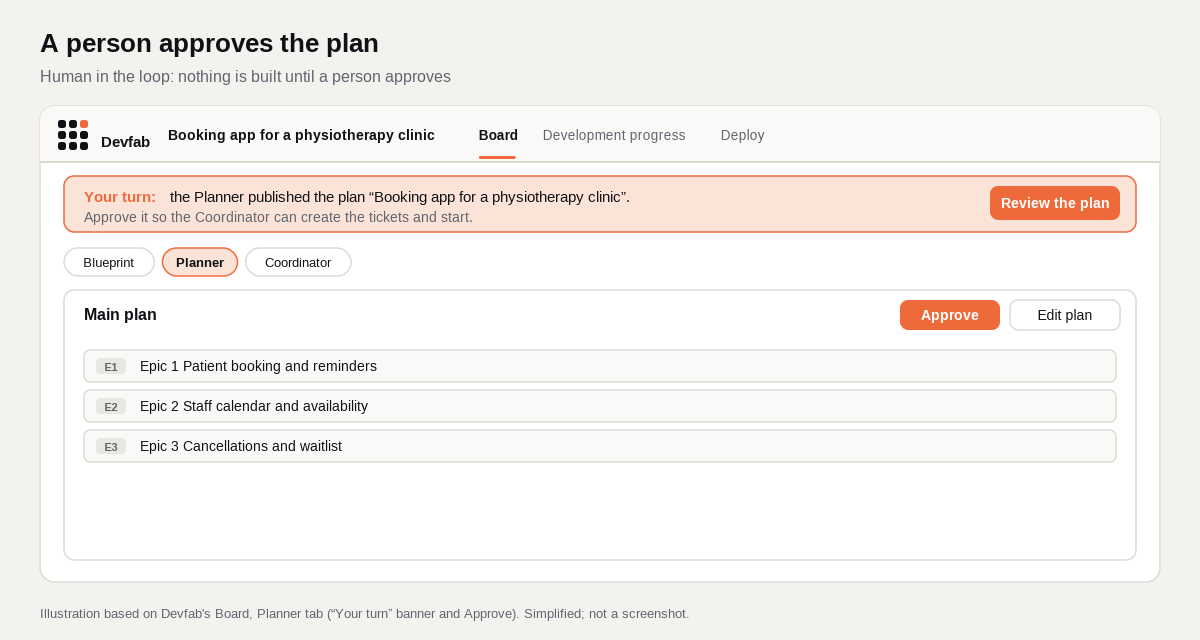
- Approve the plan. The Coordinator creates tickets and assigns dev agents.
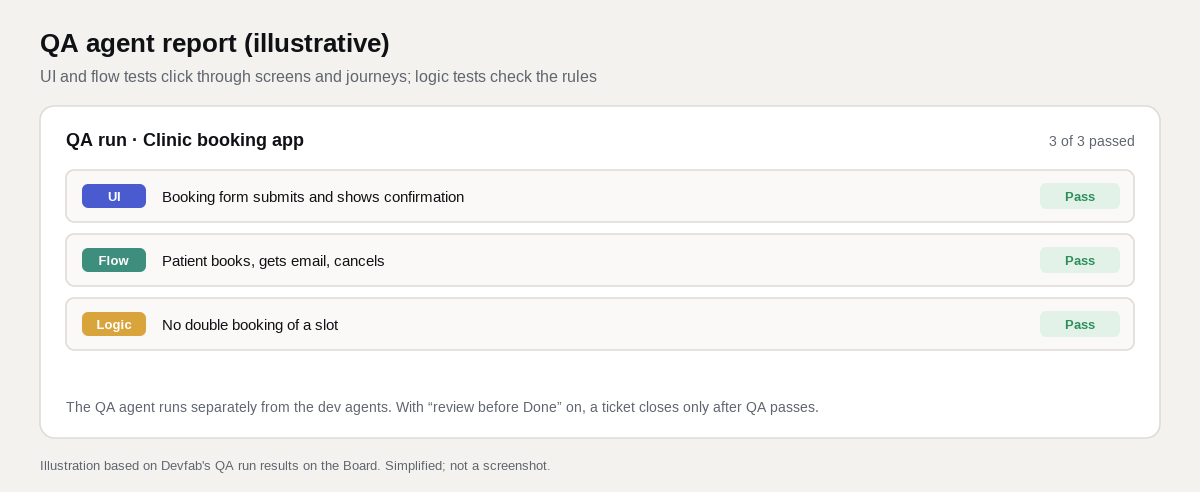
- Turn on "QA agent · review before Done". The QA agent runs UI, flow and logic tests.
- Deploy to your own server from the Deploy tab.
Developers can keep OpenCode in their terminal on the same repository.
Where OpenCode is the better choice
- You want a free, MIT-licensed agent you can read, fork and run anywhere.
- You already pay for ChatGPT or GitHub Copilot and want to reuse that subscription instead of buying another seat.
- You need local or unusual models. 200+ providers through Models.dev, including local models.
- You script agents in CI. The SDK lets you run OpenCode from scripts and pipelines.
- The developer drives every task and a managed project process would get in the way.
Where Devfab is the better choice
- You deliver client projects and want research, an approved plan, tickets, QA, deployment and docs every time.
- The domain is new to your team. The research step maps terms, best practices and competitors before planning.
- You change apps that are already live. ChainFlow shows which connected features a change touches before it ships.
- Clients want test evidence. The QA agent clicks through screens, buttons and user journeys, then runs logic tests.
- Non-developers approve and review. The plan has an Approve step, and the QA report is readable by a client.
- You quote by project. Cost is logged per task and per project.
Where Devfab is weaker: it is new and in Beta, with a smaller community and fewer integrations than OpenCode. It is not open source and not an editor or terminal tool for hands-on coding. It needs a GitHub account. For a quick fix, a terminal agent is the faster route.
FAQ
Is OpenCode really free?
The agent is free and MIT-licensed. You pay for models: free models, your own API keys, an existing ChatGPT or GitHub Copilot subscription, the OpenCode Go monthly subscription for curated open-weight models, or OpenCode Zen pay-as-you-go credits.
OpenCode has a plan agent. How is that different from Devfab's Planner?
OpenCode's plan agent is a read-only mode inside a developer's session: it denies edits by default and asks before running commands. Devfab's Planner writes a project plan after a research step, a person approves it, and the Coordinator turns it into tickets for several dev agents.
Can my developers keep OpenCode if we use Devfab?
Yes. OpenCode runs on a developer's machine against the repository. Devfab works in a GitHub repository in your own account or your organization's, so both can work on the same code. Many teams keep a terminal agent for hands-on work.
Is OpenCode ready for enterprise use?
A dated review from June 2026 called its enterprise compliance features immature and its default permissions permissive. OpenCode Zen does offer workspaces with member invites, model enablement and per-member budgets. Check both against your client's security requirements.
Read next
- What is an AI software factory?
- AI software factory vs AI coding tools
- OpenCode vs Claude Code: which should your team use in 2026?
- AI IDE vs CLI coding agent: which fits how you work?
- Build a client portal with AI agents
See a client project go from research to a deployed app. Book a Devfab demo
Sources (checked November 13, 2026): OpenCode homepage; anomalyco/opencode on GitHub; OpenCode Zen docs; OpenCode research note, rywalker.com (Jun 2026); The New Kilo Code for VS Code, Kilo blog (Apr 2, 2026).
Frequently asked questions
Is OpenCode really free?
The agent is free and MIT-licensed. You pay for models: free models, your own API keys, an existing ChatGPT or GitHub Copilot subscription, the OpenCode Go monthly subscription for curated open-weight models, or OpenCode Zen pay-as-you-go credits.
OpenCode has a plan agent. How is that different from Devfab's Planner?
OpenCode's plan agent is a read-only mode inside a developer's session: it denies edits by default and asks before running commands. Devfab's Planner writes a project plan after a research step, a person approves it, and the Coordinator turns it into tickets for several dev agents.
Can my developers keep OpenCode if we use Devfab?
Yes. OpenCode runs on a developer's machine against the repository. Devfab works in a GitHub repository in your own account or your organization's, so both can work on the same code. Many teams keep a terminal agent for hands-on work.
Is OpenCode ready for enterprise use?
A dated review from June 2026 called its enterprise compliance features immature and its default permissions permissive. OpenCode Zen does offer workspaces with member invites, model enablement and per-member budgets. Check both against your client's security requirements.