Short answer: Amp wins when you want agents to run unsupervised in cloud sandboxes, wake on CI failures or new issues, and let teammates share one agent session. Cline wins when you want an open-source agent inside VS Code or JetBrains that asks before every action and lets you use any model, including local ones.
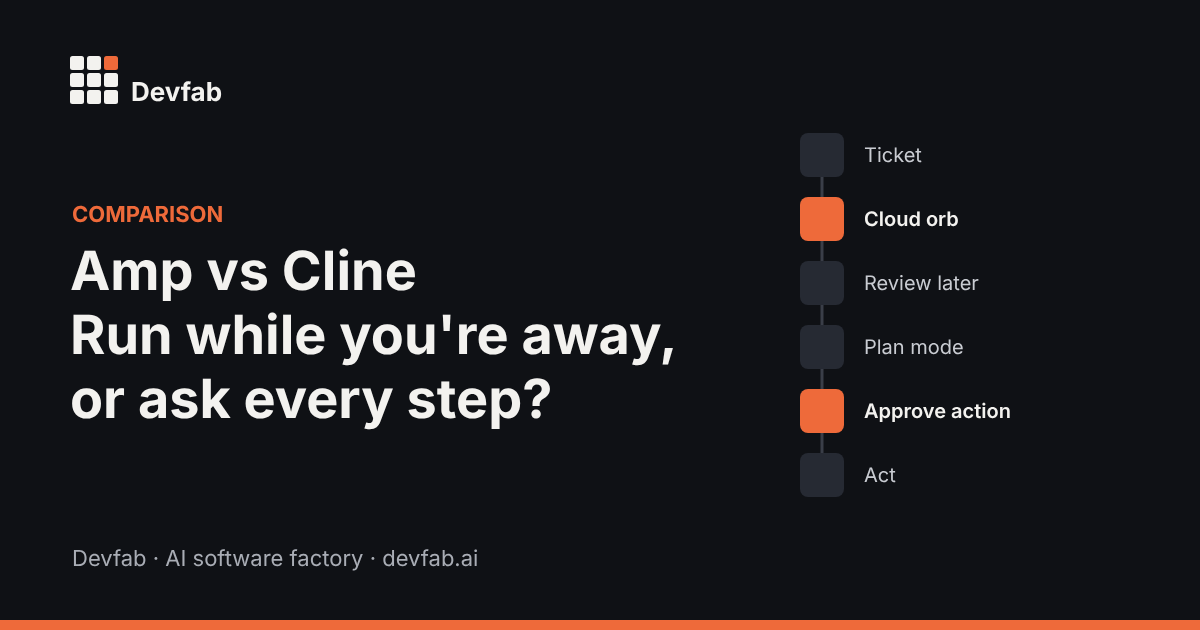
Here is the real question behind "Amp or Cline": how much do you want to watch the agent? Some leads want a log of every file write and every command. Others want to hand off a ticket, close the laptop and review the result in the morning.
Both camps can point to good reasons. This page sorts them out, using each vendor's docs and blog as of November 2026.
In this comparison:
First, two status notes that matter for a long-term pick.
Amp and Cline at a glance
Amp became its own company. Sourcegraph and Amp announced on December 2, 2025 that they were becoming "two separate companies" (Sourcegraph blog). Amp is a coding agent you use on the web, in desktop and mobile apps, or as a CLI (Amp manual). Its orbs are cloud sandboxes where agents keep working after you close your laptop (Amp). Subscriptions launched in beta on July 18, 2026 (Amp news).
Cline lost staff but kept shipping. In January 2026, OpenAI hired at least seven Cline employees and said it was not an acquisition (TEXXR). Cline's blog then logged CLI 2.0, Kanban, a rebuilt SDK, ClinePass, a new harness for all users, Cline Desktop in beta, and Cline-Bench on November 19, 2026 (Cline blog). Cline runs as a VS Code extension, a JetBrains plugin, a CLI, a desktop app and an SDK, and every action requires your approval (Cline docs).
So the split is clear: Amp is built to run without you watching. Cline is built so you see each step.
Feature comparison
| Aspect | Amp | Cline | Source |
|---|---|---|---|
| Where it runs | Web, Mac, Windows, Linux, iPhone, iPad and Android apps, CLI, cloud orbs | VS Code, JetBrains, CLI (interactive or headless), desktop app, SDK, Kanban web board | Amp manual; Cline docs |
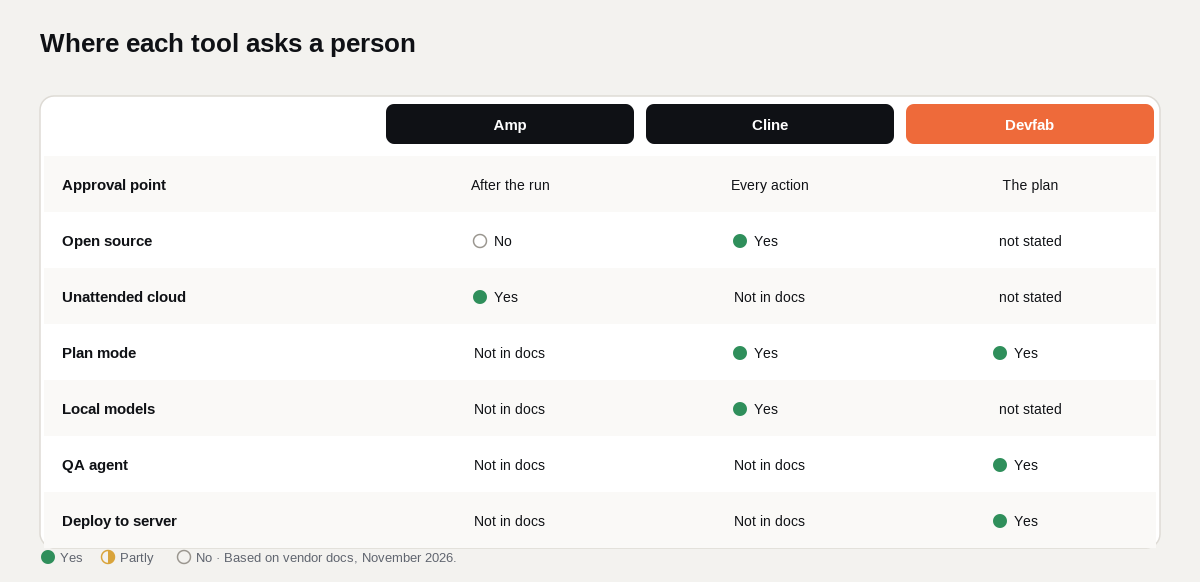
| Human approval | Orbs run unsupervised; you review the result | Every action requires your approval | Amp; Cline docs |
| Planning | Not covered in the docs we checked | Plan mode (read and discuss only), Act mode, /deep-planning, Checkpoints for rollback | Cline Plan and Act |
| Parallel work | Spaces for many agents and teammates | Kanban runs many agents in parallel | Amp; Cline docs |
| Event triggers | Automations wake agents on a schedule, new Linear issues or failing CI | Headless CLI for CI/CD pipelines | Amp; Cline docs |
| Preview and sharing | Portals preview changes live; Multiplayer shares one agent and running app | Not covered in the docs we checked | Amp |
| Model choice | Amp picks models per job; OpenAI models on a linked ChatGPT plan | Cline billing, ClinePass for open-weight models, or your own key, including local runtimes | Amp manual; Cline docs |
| Open source | Agent not described as open source; self-hosted orbs offered | Extension, CLI and desktop app described as fully open source | Amp pricing; Cline Desktop post |
| Team and admin | Teams: SSO, permissions, self-hosted orbs; Enterprise: SCIM, audit logs | Enterprise: SSO, RBAC, team dashboard, auth logs, provider restrictions; VPC and self-hosting mentioned | Amp pricing; Cline pricing |
| Deploy and hosting | Not covered in the docs we checked | Not covered in the docs we checked | — |
Cost model by team size
| Team size | Amp | Cline | Devfab |
|---|---|---|---|
| 1 person | Hobby free (your own key); Individual USD 20 per month | Free extension; pay only for inference (Cline billing, ClinePass or your own key) | Cost logged per task and per project (Beta) |
| 5 people | Teams workspace at no extra charge; pooled credits, members on their own tiers | Free extension per developer; inference per use | Cost logged per task and per project (Beta) |
| 25 people | Enterprise (custom): SCIM, spend limits, audit logs, IP allowlisting | Enterprise (custom): SSO, SLA, central billing, RBAC | Cost logged per task and per project (Beta) |
Amp prices as of November 2026 from Amp pricing. Cline's pricing page shows no plan prices; ClinePass appears without a price, so check the page. Devfab is in Beta with predictable cost: cost is logged after each run, per task and per project.
Both tools pass model costs through. Amp bills paid credits at provider API prices with no markup for individuals and non-enterprise workspaces; Cline's free extension charges only for inference. Your model choice will drive the bill more than either subscription.
Where Amp wins
- Work continues after you log off. Orbs run unsupervised in the cloud, and
amp syncmirrors their changes into your local checkout. - Events start the work. Automations wake agents when CI fails or a new Linear issue appears.
- Two people can drive one agent. Multiplayer shares the agent, the code and the running app, with a shared terminal.
- You review on a phone. Native iPhone, iPad and Android apps let you check threads away from a desk.
- You want live previews. Portals show the agent's changes in the browser as it works.
Where Cline wins
- You must see every action. Each file edit and command waits for your approval, which suits sensitive repos.
- You need open source. The extension, CLI and desktop app are described as fully open source.
- You want any model, including local. Bring your own key for cloud providers or local runtimes, or use ClinePass for open-weight models.
- You plan before you act. Plan mode reads and discusses without editing, and Checkpoints let you roll back.
- Your team uses JetBrains as well as VS Code. Cline ships for both, plus Cursor, Zed and Neovim through ACP.
Switching from one to the other
Both tools work in your own repository, so nothing needs exporting.
From Amp to Cline. Cline detects AGENTS.md automatically, along with .cursorrules and .windsurfrules, so Amp project instructions carry over (Cline rules docs). Install the extension, add a provider key, and expect approval prompts on every action.
From Cline to Amp. Copy .clinerules content into AGENTS.md, which Amp reads (Amp manual). Re-add MCP servers, then decide which tasks are safe to hand to an unsupervised orb.
Where Devfab fits
Picture a school portal: parents enroll children, teachers post grades, and the office sends notices. A developer with Amp or Cline can build it. Neither, in the docs we checked, researches how school portals work before planning, routes a whole project plan to a person for approval, runs a separate QA step on user journeys, or deploys the app.
Coding agents automate the developer. Devfab automates the development lifecycle. Devfab approves at the plan level, not at each command and not after the fact. Its Researcher maps terms such as enrollment windows and guardian roles before the Planner writes anything. A person approves the plan. The QA agent then clicks through enrollment, grade posting and notice journeys, and runs logic tests. Deploy ships to your own server.
Devfab is in Beta, has a smaller community and fewer integrations, needs a GitHub account, and is not an editor for hands-on coding. See Devfab vs Cline and Devfab vs Amp.
FAQ
Is Cline open source and Amp not?
Cline describes its extension, CLI and desktop app as fully open source. Amp offers self-hosted orbs, free and unlimited on the Hobby plan, but the agent itself is not described as open source on its pricing page.
Did OpenAI buy Cline?
No. In January 2026, OpenAI hired at least seven Cline employees and said it was not an acquisition. Cline Bot Inc. kept shipping, with blog posts through November 19, 2026, including Cline Desktop in beta and the Cline-Bench evaluation.
Which costs less, Amp or Cline?
Both let you start free. Cline's extension is free and you pay only for inference, through Cline billing, ClinePass or your own key. Amp has a free Hobby tier with your own key and an Individual tier at USD 20 per month, as of November 2026, with extra credits at provider API prices.
Can Cline run without me approving each step?
Cline's docs say every action requires your approval. It also has a headless CLI for CI/CD and a Kanban board that runs many agents in parallel. If you want agents that keep working unsupervised in the cloud, that is Amp's orbs.
Read next
Want approval at the plan, then tests and deploy handled? Try Beta
Sources (checked November 2026): Amp; Amp manual; Amp pricing; Amp news: Subscriptions, at last (Jul 18, 2026); Sourcegraph blog: Why Sourcegraph and Amp are becoming independent companies; Cline docs overview; Cline Plan and Act; Cline rules docs; Cline pricing; Cline blog archive; Cline Desktop announcement (Sep 14, 2026); TEXXR: OpenAI hires seven employees from Cline (Jan 29, 2026).
Frequently asked questions
Is Cline open source and Amp not?
Cline describes its extension, CLI and desktop app as fully open source. Amp offers self-hosted orbs, free and unlimited on the Hobby plan, but the agent itself is not described as open source on its pricing page.
Did OpenAI buy Cline?
No. In January 2026, OpenAI hired at least seven Cline employees and said it was not an acquisition. Cline Bot Inc. kept shipping, with blog posts through November 19, 2026, including Cline Desktop in beta and the Cline-Bench evaluation.
Which costs less, Amp or Cline?
Both let you start free. Cline's extension is free and you pay only for inference, through Cline billing, ClinePass or your own key. Amp has a free Hobby tier with your own key and an Individual tier at USD 20 per month, as of November 2026, with extra credits at provider API prices.
Can Cline run without me approving each step?
Cline's docs say every action requires your approval. It also has a headless CLI for CI/CD and a Kanban board that runs many agents in parallel. If you want agents that keep working unsupervised in the cloud, that is Amp's orbs.