Short answer: Choose Cline if you want an open-source agent that asks before every action, runs with your own model keys or local models, and charges only for inference. Choose Cursor if you want one polished commercial editor with cloud agents, Bugbot pull request reviews and team admin built in, and you are fine with a subscription.
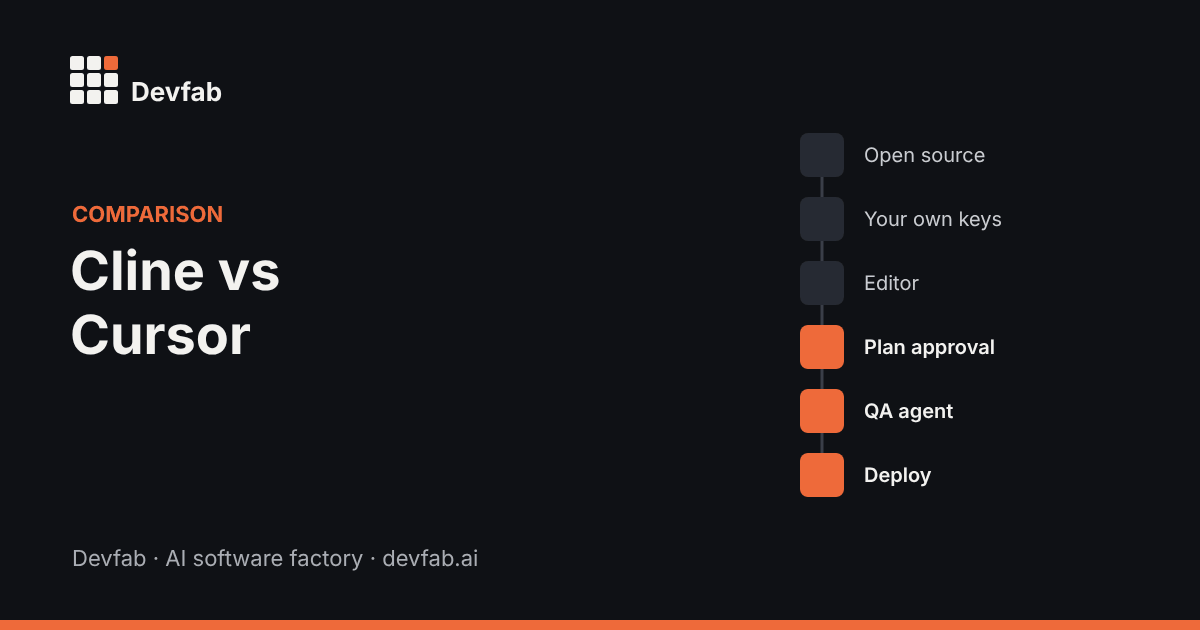
You may not have to pick. Cline runs inside Cursor. Cline's docs list Cursor among the editors it supports, next to VS Code, Windsurf and JetBrains. So the real choice is not about editors. It is about who controls the agent, the model bill and the code you depend on. Open source on one side, a commercial platform on the other. This page weighs both with sources checked on November 13, 2026.
In this comparison:
- Cline and Cursor at a glance
- Feature comparison
- Cost model by team size
- Where Cline wins and where Cursor wins
- Where Devfab fits
Each section ends with a clear call.
Cline and Cursor at a glance
2026 events. Cline shipped CLI 2.0 (February), Kanban (March), a rebuilt SDK (May), ClinePass (June), a new harness for all users (August) and a Desktop beta (September). In January, at least seven Cline employees joined OpenAI; OpenAI said it was not an acquisition. In February, Cline published a post-mortem after an unauthorized npm publish of its CLI. On the Cursor side, SpaceX acquired Anysphere, and Cursor's August 14, 2026 post confirms the deal closed.
Cline is an open-source AI coding agent. It runs as a VS Code extension, a JetBrains plugin, a CLI (interactive or headless for CI), a desktop app, an SDK and Kanban, a web board that runs many agents in parallel. "Every action requires your explicit approval." Plan mode reads and discusses without editing. Act mode carries out the plan, and you can use a different model for each mode. Checkpoints let you roll back. Cline says over 11 million developers have installed the VS Code extension (vendor claim).
Cursor is a commercial AI editor and coding agent. Plan Mode drafts an editable plan before code. Cloud agents run in isolated VMs and push branches. Bugbot reviews pull requests. It lists integrations from Slack and Jira to JetBrains and Xcode.
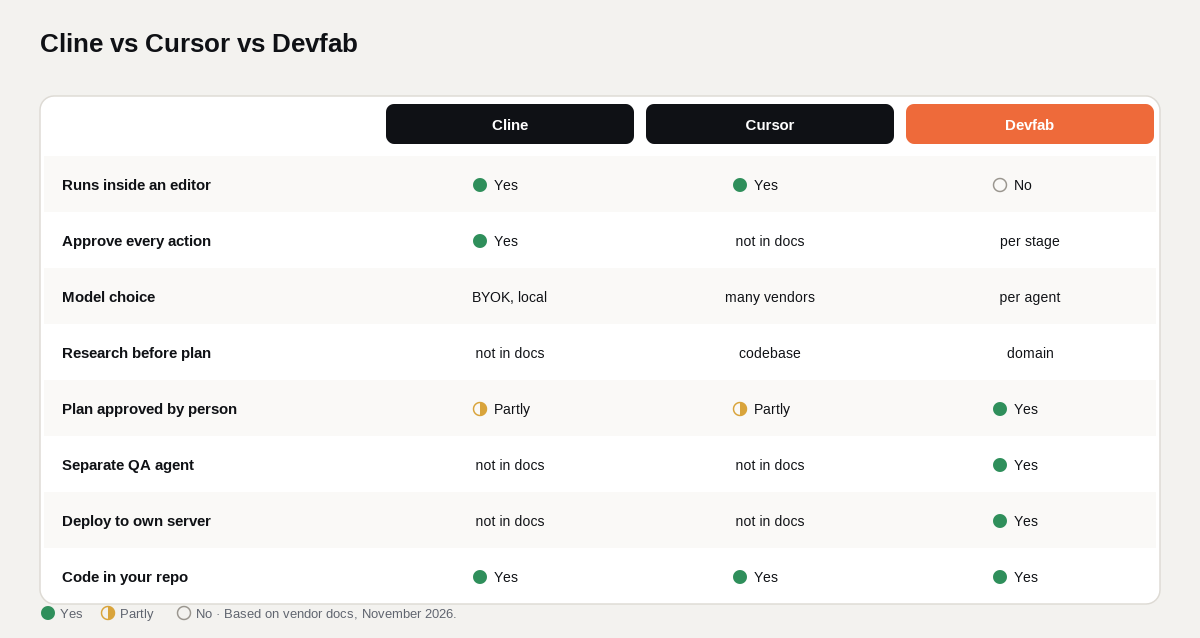
Feature comparison
| Aspect | Cline | Cursor | Source |
|---|---|---|---|
| Where it runs | VS Code, Cursor, Windsurf, JetBrains; CLI, Desktop, SDK, Kanban | Desktop editor, CLI, cloud agents, mobile, SDKs | Cline docs; Cursor docs |
| Planning | Plan and Act modes; /deep-planning; Checkpoints for rollback | Plan Mode with clarifying questions and an editable plan | Cline Plan and Act; Cursor Plan Mode |
| Agent autonomy | Every action needs your approval; Kanban runs agents in parallel | Parallel cloud agents in isolated VMs | Cline docs; Cursor cloud agents |
| Testing and review | Not covered in the docs we checked | Bugbot PR review; Autofix | Bugbot |
| Hosting | Runs locally; Enterprise FAQ mentions VPC and self-hosting | Cursor cloud; Self-Hosted Machines for agent tools | Cline pricing; Cursor cloud agents |
| Open source | Extension, CLI and desktop app open source | Not covered in the docs we checked | Cline Desktop |
| Team and admin | Enterprise: SSO, RBAC, centralized billing, team dashboard, provider restrictions | SSO on Teams; SCIM, audit logs on Enterprise | Cline pricing; Cursor Enterprise |
| Model choice | Cline billing, ClinePass open-weight models, or your own keys and local runtimes | Claude, Gemini, GPT, Grok, Composer; Plus tier Grok only | Cline docs; Cursor pricing |
| Pricing model | Free extension; pay for inference; Enterprise custom | Subscription tiers with a usage pool; Teams per seat | Cline pricing; Cursor pricing |
Cost model by team size
| Team size | Cline | Cursor | Devfab |
|---|---|---|---|
| 1 person | Free extension; pay per use through Cline, a flat ClinePass subscription, or your own keys | Free tier, or an individual tier with a usage pool; cloud agents need Premium or higher | Cost logged per task and per project (Beta) |
| 5 people | Free extension plus inference; no per-seat fee on the free tier | Teams, per seat, with SSO | Cost logged per task and per project (Beta) |
| 25 people | Enterprise (custom) for SSO, RBAC and centralized billing | Teams or custom Enterprise | Cost logged per task and per project (Beta) |
Pricing models as of November 13, 2026, from Cline's pricing page and Cursor's pricing page. With bring-your-own-key, your model provider's bill is the main cost, so set spending limits there.
Where Cline wins
- Full model freedom. Use cloud providers with your own keys, local runtimes, or open-weight models through ClinePass.
- Approval on every step. Every file edit and command waits for you, and Checkpoints roll back mistakes.
- Open source. The extension, CLI and desktop app are open, so you can inspect and keep the code.
- Editor-agnostic. Use it in VS Code, JetBrains, Windsurf or even Cursor.
Where Cursor wins
- One product, less setup. Editor, agent, cloud agents and review come from one vendor with one bill.
- Background work with proof. Cloud agents push branches, and Bugbot reviews the pull requests.
- Team admin out of the box. SSO on Teams; SCIM, audit logs and model access controls on Enterprise.
- Broad integrations. Slack, Microsoft Teams, Jira, Linear, GitHub, GitLab, Bitbucket and more.
Switching from one to the other
Both tools work on your local repository. Nothing needs exporting.
- Try Cline inside Cursor first. Install Cline in Cursor and compare the two agents on the same task.
- Move rules to AGENTS.md. Cline reads
.clinerules/, AGENTS.md, and the older.cursorrulesfile. Cursor reads AGENTS.md and.mdcrules in.cursor/rules. AGENTS.md is the one both read. - Set up model billing. Moving to Cline means choosing Cline billing, ClinePass or your own keys. Moving to Cursor means picking a plan and a spend limit.
- Re-add MCP servers in the new tool.
Where Devfab fits
Cline and Cursor both help a developer write code. Cline asks you to approve each action. Cursor lets agents run and then reviews their pull requests. Devfab puts the approval somewhere else: on the plan.
Coding agents automate the developer. Devfab automates the development lifecycle. In Devfab's default Human in the loop mode, a person reviews and approves each stage before the next. You approve the plan, not every keystroke. Then the Coordinator creates tickets, dev agents build, and the QA agent runs UI, flow and logic tests, with an option to require QA review before Done. The app deploys to your own server.
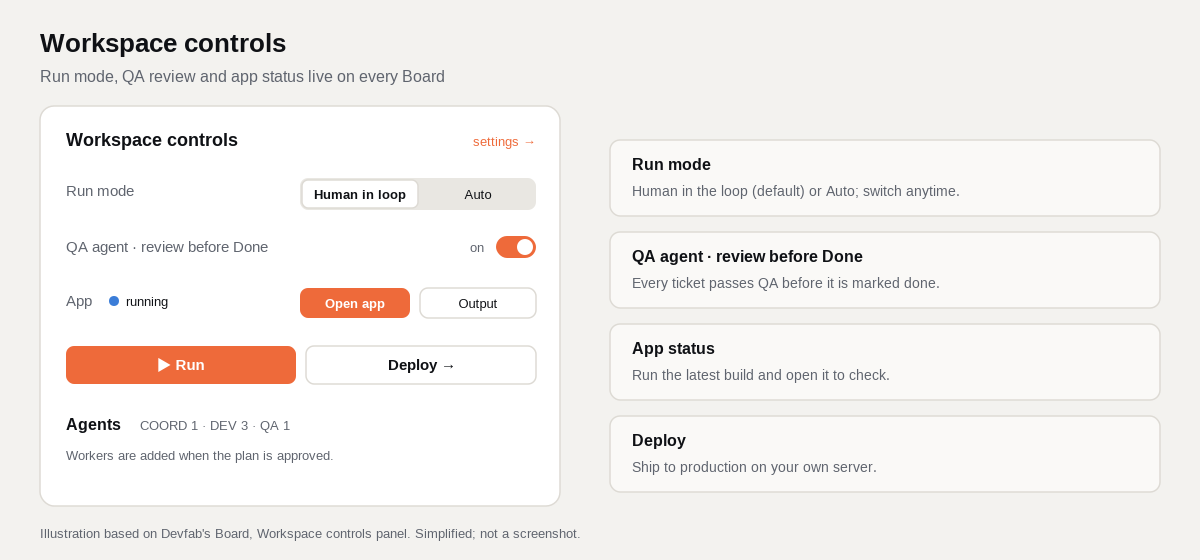
Honest limits: Devfab is new and in Beta, with a smaller community and fewer integrations. It is not an editor, and it needs a GitHub account. You can choose the model for each agent or keep Devfab's default. See Devfab vs Cline and Devfab vs Cursor.
FAQ
Can I run Cline inside Cursor?
Yes. Cline's docs say it works across all major editors and name VS Code, Cursor, Windsurf and JetBrains IDEs. That means a developer can keep Cursor as the editor and use Cline as the agent, with their own model keys.
Is Cline really free?
The extension is free and open source. You pay only for inference: through Cline's usage billing, through ClinePass (a flat subscription for open-weight models), or with your own provider keys. Enterprise is custom-priced and adds SSO, RBAC and centralized billing.
Will Cline pick up my Cursor rules?
Partly. Cline's docs say it detects the older .cursorrules file automatically, plus .windsurfrules and AGENTS.md. Cursor's current project rules live in .cursor/rules as .mdc files, so the safest shared format is AGENTS.md, which both tools read.
Which is more stable for a company to bet on?
Both had big 2026 events. SpaceX acquired Cursor's parent company, and Cursor's plans now bundle Grok. Cline saw at least seven staff join OpenAI in January and published a post-mortem on an unauthorized npm publish of its CLI in February. Cline's open-source license means the code stays available either way.
Read next
- What is an AI software factory?
- Open-source vs commercial AI coding agents: how to choose
- Cline alternatives for teams that ship to production (2026)
- Devfab vs Cline: approve every edit, or approve the plan?
- Devfab vs Cursor: which fits a team that ships client work?
Want to approve the plan instead of every edit? Try Devfab Beta
Sources (checked November 13, 2026): Cline Docs: Overview; Cline Docs: Plan and Act; Cline Docs: Rules; Cline Pricing; Cline Blog Archive; Cline: Harness upgrade; Cline Desktop announcement; TEXXR: OpenAI hires seven employees from Cline; Cursor Docs; Cursor Plan Mode; Cursor Cloud Agents; Cursor Bugbot; Cursor Enterprise; Cursor Rules; Cursor Pricing; Cursor: Joining SpaceX.
Frequently asked questions
Can I run Cline inside Cursor?
Yes. Cline's docs say it works across all major editors and name VS Code, Cursor, Windsurf and JetBrains IDEs. That means a developer can keep Cursor as the editor and use Cline as the agent, with their own model keys.
Is Cline really free?
The extension is free and open source. You pay only for inference: through Cline's usage billing, through ClinePass (a flat subscription for open-weight models), or with your own provider keys. Enterprise is custom-priced and adds SSO, RBAC and centralized billing.
Will Cline pick up my Cursor rules?
Partly. Cline's docs say it detects the older .cursorrules file automatically, plus .windsurfrules and AGENTS.md. Cursor's current project rules live in .cursor/rules as .mdc files, so the safest shared format is AGENTS.md, which both tools read.
Which is more stable for a company to bet on?
Both had big 2026 events. SpaceX acquired Cursor's parent company, and Cursor's plans now bundle Grok. Cline saw at least seven staff join OpenAI in January and published a post-mortem on an unauthorized npm publish of its CLI in February. Cline's open-source license means the code stays available either way.